




Weather365 widget - BEST & FREE weather widgets for websites


Weather365’s widget makes it easy to add real-time weather to your site without the usual hassle. No complicated setup, no rigid designs, and completely free to use. If you’ve struggled with limited weather widgets for websites before, this might be exactly what you need. Scroll down and take a closer look!
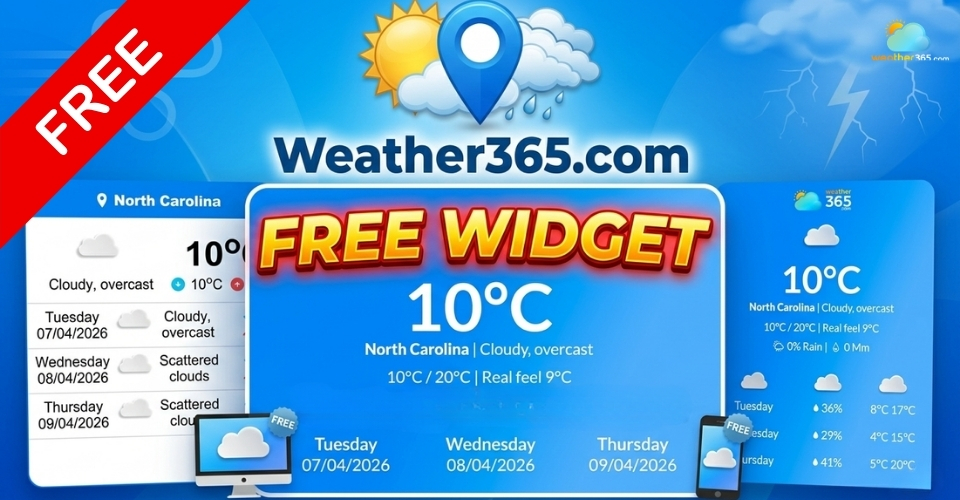
Free Weather365’s widget
- FREE Weather365’s Widget
- Weather365 - Best weather widgets for websites
- Key Features of Weather365 Widget
- Completely FREE
- Real-time weather updates
- Multiple location
- Customizable Weather Widget
- Lightweight, responsive, fast
- How to Add Weather365’s Widget to Any Platform?
- Go to Weather365 -> Choose Widget
- Select a location
- Select widget model
- Customize the widget (color, units,....)
- Generate and copy code
- Embed Weather365’s widget on your site
- Weather365 Widget: Best Use Cases for Every Business
FREE Weather365’s Widget
Weather365’s widget is a simple tool that lets you display real-time weather information directly on your website.
Instead of sending visitors elsewhere to check the forecast, you can show current conditions and updates right on your page: clean, visible, and easy to access.
Why is Weather365 one of the great weather widgets for websites? Let’s find out the benefits of picking Weather365’s widgets in the next part!
Weather365 - Best weather widgets for websites
So, why should you integrate weather365’s widget into your site? How does it benefit your site?
Here are some reasons you should consider.
Show weather information right on your website
Instead of relying on external apps or sites, users can instantly view weather updates without leaving your page.
You can customize Weather365’s widget to specific widgets, such as a 3-day weather widget, rainfall widget, temperature widget, etc.
Consequently, users can easily check weather predictions right on your site.
Reduce bounce rate
When users don’t need to leave your site to check the weather, they are more likely to stay longer and continue exploring your content.
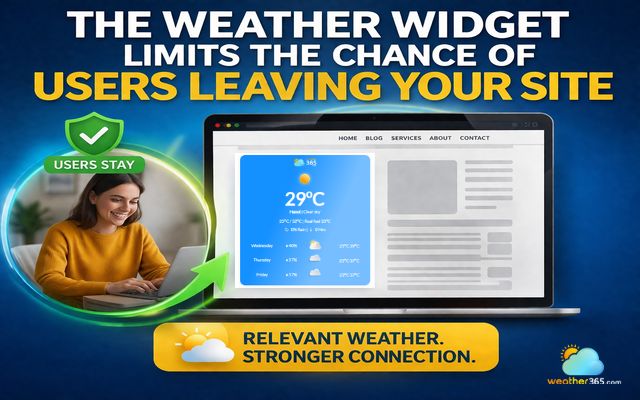
The weather widget limits the chance of users leaving your site
Improve user experience for websites and blogs
Adding a weather widget makes your site more useful and informative.
It shows that you understand what your visitors might need and provide it upfront.
Help users make better decisions
Weather plays a big role in daily planning, especially for certain industries.
For example, travel websites can help users plan their trips more effectively by showing current conditions, while outdoor services allow people to decide whether it’s a good time for activities.
At the same time, e-commerce stores can influence buying behavior, especially for seasonal products or outdoor gear.
Highly customizable
There’s also the advantage of flexibility. Weather365’s widget is highly customizable, so it doesn’t look out of place or disrupt your design.
Instead, it blends seamlessly with your layout, whether you want something minimal or more eye-catching.
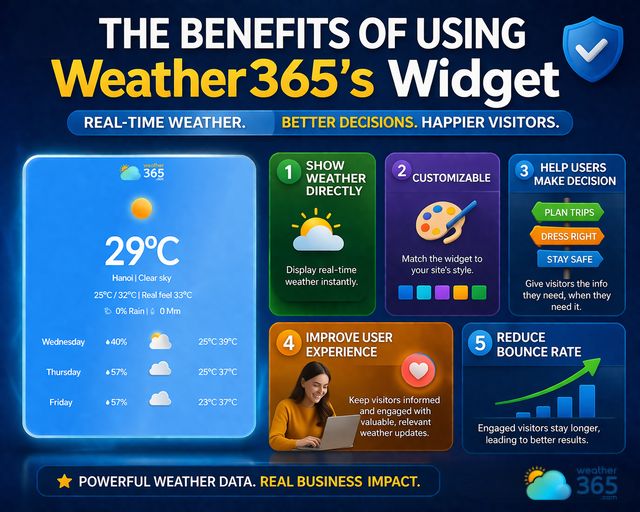
How does Weather365’s widget benefit your site?
Key Features of Weather365 Widget
If you’ve ever used a weather widget before, you know exactly how limited it is.
Some are charged, some are obsolete, some can not be customized,...
What about Weather365’s widget?
Totally FREE of charge, real-time updates, and most importantly, you can customize almost everything you want to get the most satisfied widget!
Let’s find out the specific weather widget features of Weather365 below!
Completely FREE
One of the first things that makes Weather365’s widget stand out is that it is completely free to use.
There are no hidden costs, no subscription plans, and no complicated setup process.
You can simply access the tool, customize it to your needs, and start using it right away.
The Weather365 widget is a great free weather widget for websites.
It’s a practical choice for both personal websites and commercial projects without adding any financial pressure.
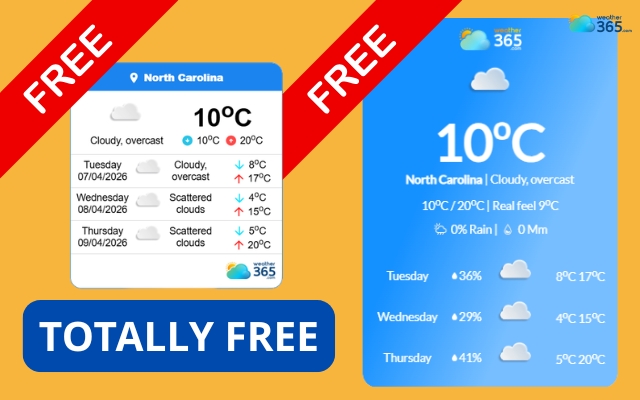
Weather365 offers a totally free weather widget
Real-time weather updates
Weather365’s widget provides real-time weather updates that keep your content relevant and useful.
Instead of displaying static or outdated information, Weather365 weather metric widgets continuously reflect current conditions, including chance of rain, temperature, and humidity. This allows users to understand the weather situation at a glance.
This small addition can make a big difference in how helpful and trustworthy your website feels.
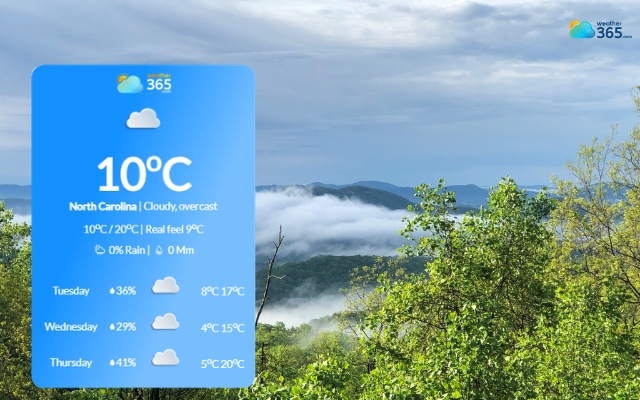
Weather365’s widget provides real-time weather updates
Multiple location
Another valuable feature is the ability to display weather for multiple locations. This is especially useful if your audience is not limited to a single area.
Whether you run a travel blog, an international website, or a business serving different regions, you can easily adjust the widget to match your content and audience needs.
Embedding weather blocks across your portal helps users stay informed with US regional weather updates.
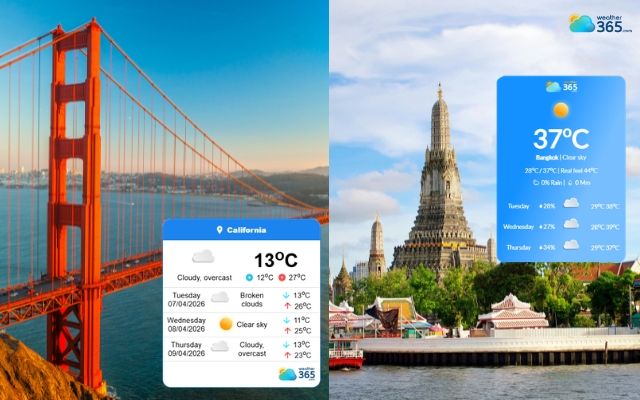
You can choose whatever location you want
Customizable Weather Widget
What truly sets Weather365’s widget apart, however, is its high level of customization.
Unlike many weather tools that come with fixed designs, this widget gives you full control over how it looks and behaves.
You can choose the forecast layout, set the number of forecast days, and select temperature or precipitation units.
You can also choose a specific location for your audience.
For example, a travel website can display a Oregon weather forecast, while a local service site may show a Maryland weather forecast.
You can also adjust colors, backgrounds, text, borders, and widget width. These options help the widget fit your website design.
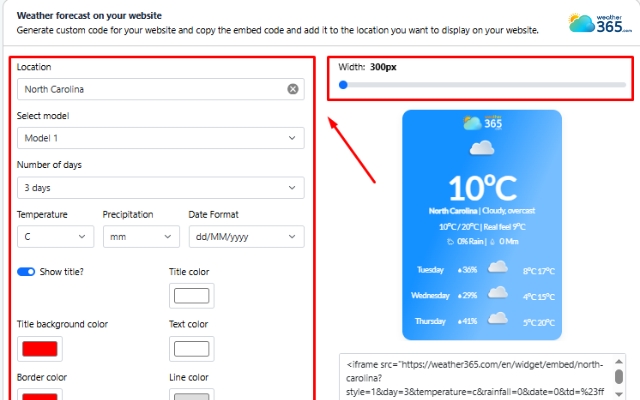
Widget Weather365 is fully customizable
Lightweight, responsive, fast
Performance is another key advantage.
Weather365’s widget is lightweight and responsive. It loads quickly and works well across different screen sizes.
Visitors can view weather information on desktops, tablets, and mobile devices without a poor browsing experience.
For example, websites can display a Kentucky weather forecast or a Missouri weather forecast while keeping the widget responsive across devices.
This allows you to add useful weather information without compromising website speed or user experience.
How to Add Weather365’s Widget to Any Platform?
Getting started with Weather365’s widget is much easier than you might expect.
How to add a weather widget for WordPress? – Add real-time weather to your WordPress site using Gutenberg or Elementor.
How to embed a weather widget for Notion?
How to add a weather widget for SharePoint & Google Sites?
How to add a weather widget for Elementor? – Add a clean weather widget using Elementor's HTML element.
Don’t worry!
Even if you don’t have a technical background, the whole process is designed to be quick, intuitive, and flexible.
Follow the step-by-step guide on “How to add weather widget to any platform” below to get a weather widget for your own!
Go to Weather365 -> Choose Widget
To begin, visit the Weather365 platform and navigate to the widget section. This is where everything starts.
Instead of dealing with complex tools or installations, you’ll find a straightforward interface that guides you through the setup process.
At this stage, you’re essentially choosing to create a weather display tailored to your needs. The platform keeps things simple so you can focus on how the widget will look and function on your site.
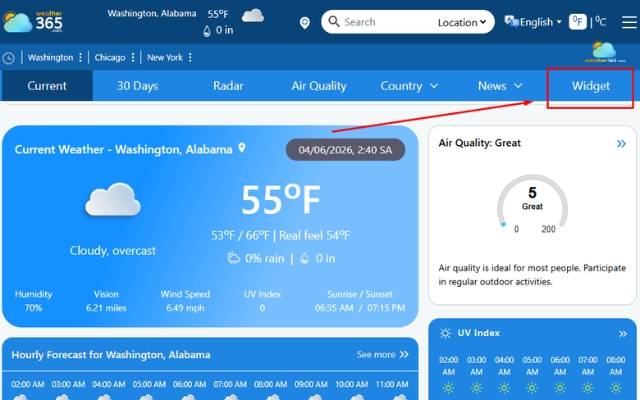
Navigate to the ‘Widget’ section
Eager to get our widget right away? Drop by Weather365’s widget to start the next steps!
Select a location
Next, select the location you want the widget to display. This step is important because it determines the relevance of the weather data for your audience.
You can choose a specific city or region depending on your content.
For example, a travel blog might highlight a popular destination, while a business website may focus on its primary service area.
Picking the right location ensures the widget adds real value instead of just being decorative.
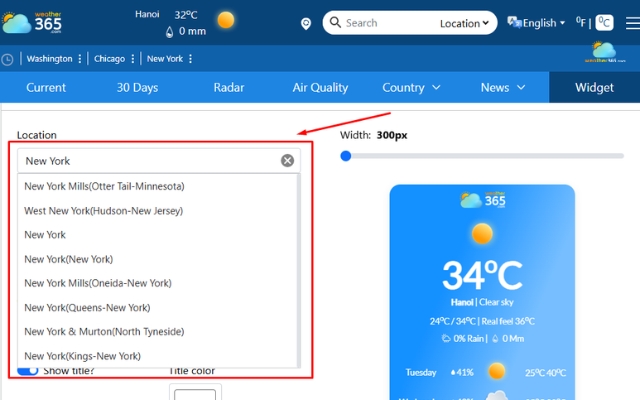
Select your location
Select widget model
Once the location is set, you can choose the widget model or layout. This is where you decide how the weather information will appear visually.
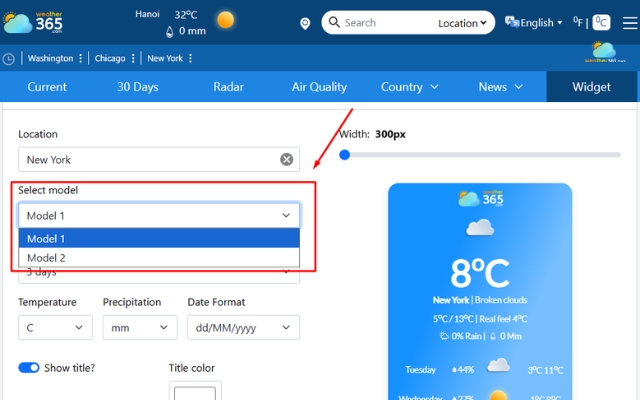
Select your favorite weather widget model
With Model 1, you’ll have weather information highlighted more visually and engagingly, with a larger temperature display and more details.
It’s ideal for main sections where you want the widget to stand out.
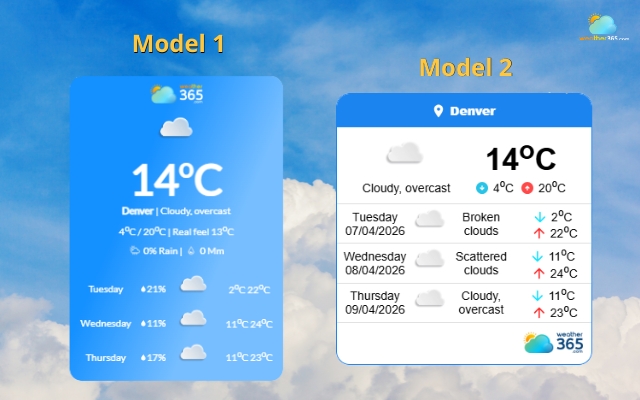
Weather365 offers two models for the widget
Model 2 offers a clean, simple layout with current weather and a short multi-day forecast.
It’s easy to read at a glance and works well for sidebars or smaller spaces.
Whatever model you choose, Weather365’s widget still functions at its best.
Customize the widget (color, units,....)
Instead of being locked into a fixed design, you can adjust the widget to fit your website perfectly.
Number of forecast days
Being one of the reliable forecast range widgets, the Weather365 widget allows you to adjust the number of forecast days easily with 3 options: 3-day, 5-day, and 7-day.
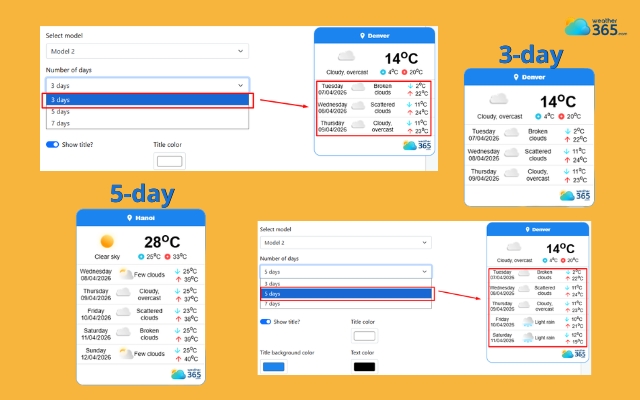
Adjust the number of forecast days
Temperature/Precipitation unit, date format
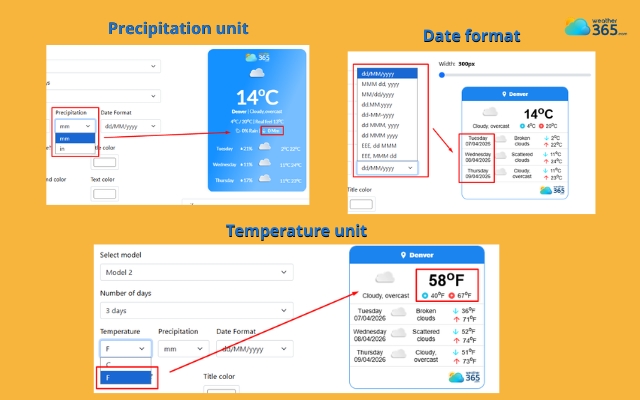
Change temperature/precipitation unit rapidly
Color adjustment
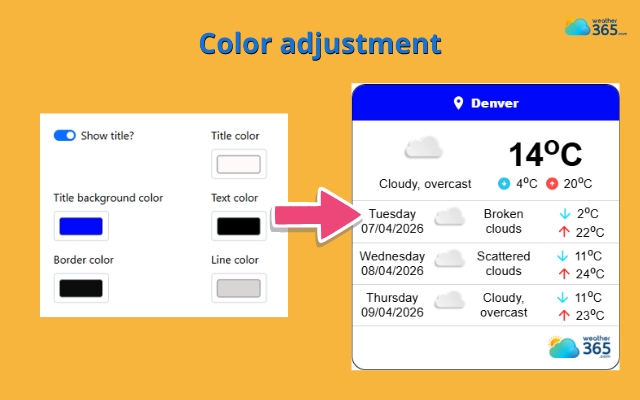
Choose a suitable color tone for the widget to match your site
Generate and copy code
After customizing everything, the platform will generate a piece of code for you. This code is what allows the widget to appear on your website.
There’s no need to write anything manually. You simply copy the provided code, which is already configured based on your selections.
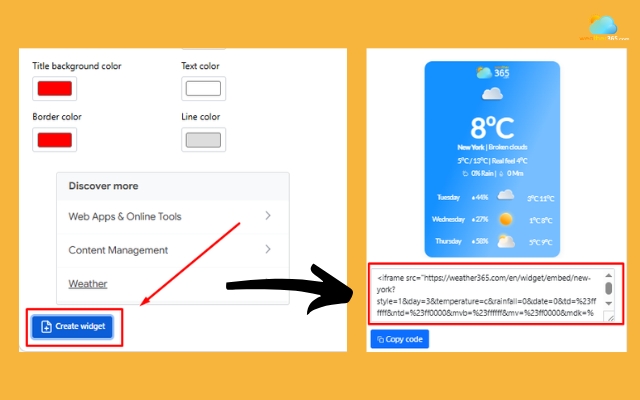
Get the provided code
Embed Weather365’s widget on your site
Now, just paste the copied code into your website (Notion, Wix, Blogger, Google Sites or any site) where you want the widget to appear.
This could be in a sidebar, footer, homepage, or any section that makes sense for your layout.
Once added, the widget will start displaying weather information immediately. From there, you can always go back and adjust settings if needed.
The process is flexible, so you’re never locked into one configuration.
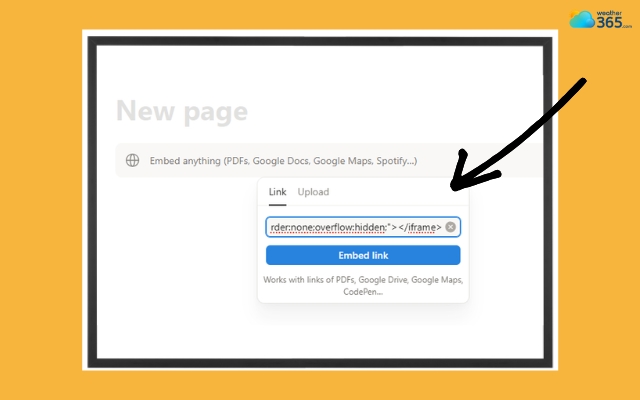
Embed the code in a specific place on your site
Looking for a step-by-step guide for your specific platform? We've created detailed tutorials for each one:
- Weather Widget for Shopify – Boost your online store with location-based weather data.
- Weather Widget for Wix – Embed a live weather widget in your Wix site in minutes.
- Weather Widget for Squarespace – Display a responsive weather forecast on your Squarespace pages.
- Weather Widget for Webflow – Integrate Weather365 into your Webflow project easily.
Or read our complete guide on how to add a weather widget to any platform for a general overview.
Weather365 Widget: Best Use Cases for Every Business
Do you want to find reliable weather widgets by industry? Weather365 widget is a great choice!
Weather365 Widget delivers targeted value across multiple industries by turning real-time weather data into actionable insights.
For travel and tourism websites, it helps users plan trips with confidence by providing accurate destination forecasts, reducing uncertainty, and increasing bookings.
Hotels and event platforms benefit from improved guest experience, allowing visitors to prepare for their stay or attend events with better awareness of weather conditions.
News sites can enhance content relevance by embedding live interactive widgets alongside stories, increasing engagement and time on site.
For real estate and business websites, the widget adds practical context to property listings and services, helping users evaluate locations more effectively.
Outdoor businesses, such as tours or sports services, can reduce cancellations and build trust by providing up-to-date weather information.
In agriculture and construction, Weather365 supports better decision-making by offering forecasts that impact planting, harvesting, or project scheduling.
Educational platforms can also use the widget as a real-world learning tool, making weather data more accessible and interactive.
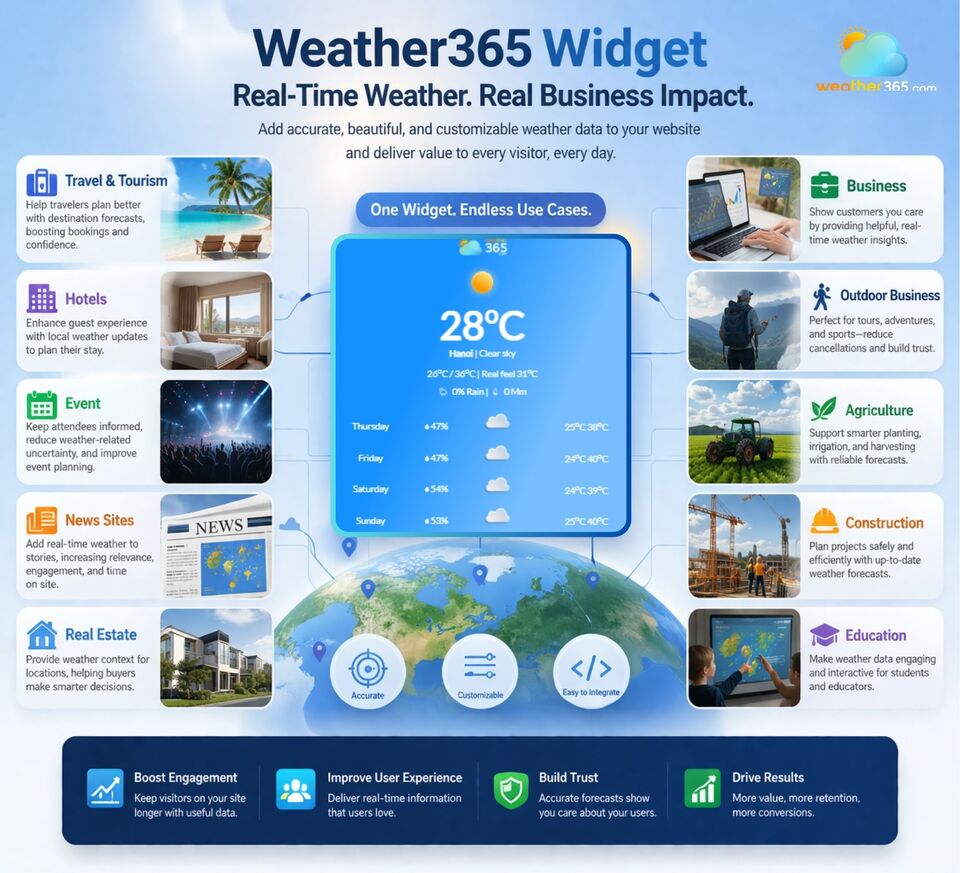
Weather365 Widget is suitable for almost all businesses
Overall, the Weather365 widget boosts retention and adds functional value to any website.
Is it powerful? Why not use the Weather365 widget right now?
Closing thoughts
Weather365’s widget is a simple yet powerful way to bring real-time weather directly to your website. With its free access, flexible customization, and easy setup, it helps improve user experience without added complexity. If you want practical weather widgets for websites that keep visitors engaged, this widget is definitely worth trying.
Frequently Asked Questions (FAQs)
Related post

How to Add Weather Widget to Any Platform? A Complete Guide for Beginners
 356
356
 8
8
 4.7
4.7
 17/08/2026
Which Weather Widget Features Matter for Modern Websites?
216
8
5.0
22/04/2026
Interactive Widgets for Real-Time Website Engagement
143
8
4.9
17/08/2026

8 Comment
Journee Martin
Does adding a weather widget slow down a website?
weather365
It depends on how the widget is implemented and the page itself, so checking loading performance after embedding it is still a good idea. The free option makes it worth exploring for smaller websites.
Annabelle Patterson
Is it possible to customize the widget to match a website's design?
weather365
From the options described in the guide, it seems that users can adjust the appearance, which is a big plus for keeping the overall website design consistent.
Remington Barnes
Can the widget display forecasts on mobile devices?
weather365
It should be much more practical if the layout adapts to smaller screens, since many people browse travel and weather websites on their phones.
Katherine Meyer
Do I need coding skills to embed this weather widget?
weather365
Apparently, not much technical knowledge is needed, which is great for beginners who want to add weather forecasts without dealing with complicated code.
Leave a comment
Your email address will not be published. Required fields are marked *