




Forecast Range Widgets: Key features, Benefits, How to Add & Best tools


Forecast Range Widgets make it easier than ever to display real-time and multi-day weather forecasts directly on your website. Want to improve user experience, keep visitors engaged longer, and add dynamic content effortlessly? In this guide, you’ll discover the key features, benefits, and best forecast range widget tools worth using today.
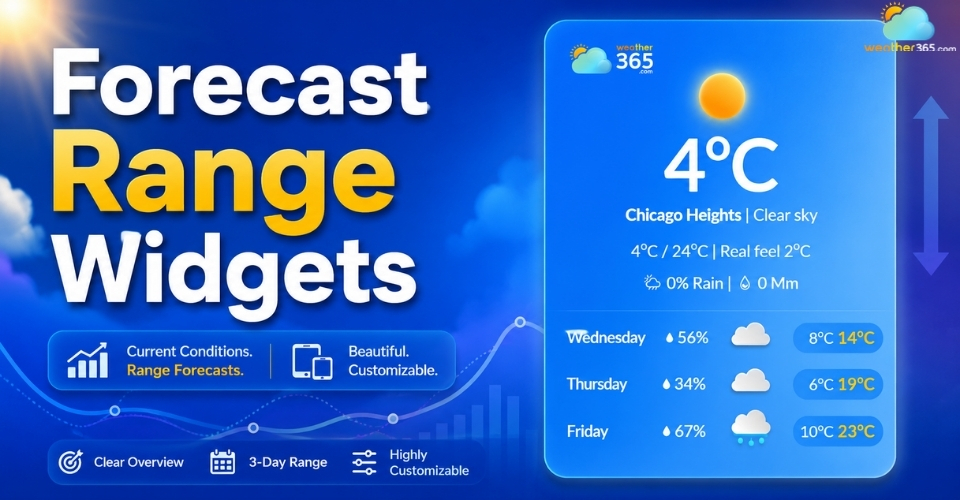
Forecast range widgets
- Key features of forecast range widgets
- Types of forecast range widgets
- How to choose the right forecast range widget
- Forecast accuracy expectations (what users should know)
- Why should use forecast range widgets?
- How to add forecast range widgets
- Step 1: Choose the forecast widget you need
- Step 2: Customize the widget layout
- Step 3: Copy the embed code
- Step 4: Add the widget to your website
- Step 5: Check responsiveness before publishing
- Top forecast range widgets
- Best weather widget providers ( HTML/ JS embed)
- Best WordPress widget plugins
Key features of forecast range widgets
Forecast range widgets help websites display upcoming weather conditions in a simple, visual, and user-friendly way.
Most widgets can show both current weather and future forecasts using easy embed codes or plugins.
If your site already uses a real-time weather widget, adding forecast ranges can give visitors a more complete weather overview.
Some of the most useful features include:
Flexible forecast ranges
Choose between hourly updates, 24-hour forecasts, 3-day, 5-day, 7-day, or even 10-day weather outlooks d epending on your website needs.
Detailed weather data
Most widgets display more than temperature, including humidity, wind speed, wind direction, and rain probability for better accuracy.
Easy customization
You can adjust colors, fonts, themes, layouts, and weather icons to match your website branding or design style.
Responsive design
Forecast widgets automatically resize to fit mobile screens, sidebars, tablets, or full-width desktop layouts without breaking the page structure.
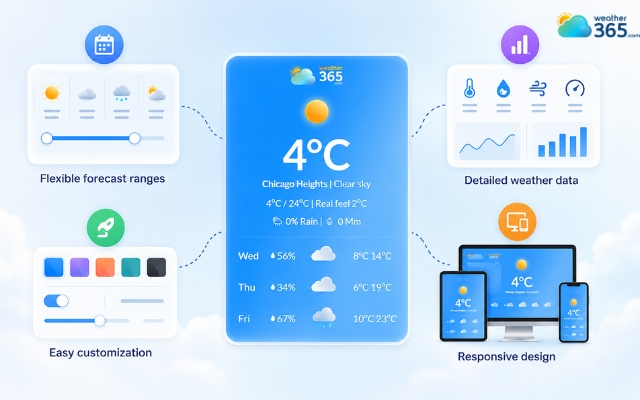
Features of forecast range widgets
Types of forecast range widgets
Type | Key features | Best use cases |
Current weather widget | Displays live temperature, conditions, humidity, and wind | News websites, blogs, local businesses |
3-day weather widget | Short-term forecast with daily overview | Travel landing pages, tourism websites |
5-day weather widget | Medium-range forecast with expanded details | Hotel websites, vacation planning |
7-day weather widget | Weekly weather outlook | Travel agencies, event websites |
Hourly weather widget | Real-time hourly forecast updates | Outdoor events, sports platforms |
10-day weather widget | Long-range weather trends | Agriculture, logistics, hiking websites |
Weekend weather widget | Focused forecast for Friday-Sunday | Event pages, tourism campaigns |
Displays atmospheric moisture levels | Agriculture and environmental websites | |
Shows perceived cold temperature based on wind | Winter travel and outdoor activity websites |
How to choose the right forecast range widget
Not sure which forecast range fits your website layout and audience?
Use this quick guide:
- Choose a 3-day weather widget if you want a compact forecast for quick decisions (commuting, short trips, daily planning).
- Choose a 5-day weather widget if you want the best balance between planning range and clean design (work-week overview).
- Choose a 7-day weather widget if your users plan a full week ahead (travel, events, tourism pages).
- Choose an hourly weather widget if timing matters and users need hour-by-hour changes (outdoor activities, sports, event schedules).
- Choose a 10-day weather widget if your audience wants a longer outlook for trends (logistics, hiking, long trips)—with the understanding that accuracy typically drops after day 7.
If your goal is quick installation, you can also start from the Weather365 Widget builder.
Forecast accuracy expectations (what users should know)
Forecast accuracy is generally highest in the short term and becomes less reliable as the forecast horizon expands.
As a rule of thumb, hourly forecasts and 3–5 day forecasts are typically the most actionable, while 7–10 day forecasts are better for spotting trends rather than making strict decisions.
To build trust with your visitors, it helps to be transparent about where the data comes from, how often it updates, and what limitations apply.
Learn more in our guide: Weather forecast data sources & accuracy.
Not looking for a multi-day forecast?
- Use a current weather widget if visitors mainly want today’s conditions at a glance.
- Use a real-time weather widget if you need live updates for fast-changing conditions and time-sensitive activities.
- Use a weekend weather widget if your audience cares most about Fri–Sun planning (events, tourism campaigns, short trips).
Why should use forecast range widgets?
Forecast range widgets help websites provide useful real-time information while improving the overall user experience.
Whether you run a travel blog, local business site, tourism platform, or event page, these widgets can add both functionality and engagement.
Here are some key reasons why many websites use forecast range widgets today:
Improve user experience
Visitors can quickly check upcoming weather conditions without leaving your website. This makes the browsing experience more convenient and helpful.
Increase time on site
Interactive weather forecasts encourage users to stay longer, especially on travel, outdoor, or event-related websites where weather matters.
Add dynamic real-time content
Forecast widgets update automatically with live weather data, helping your website feel more active and up to date.
Support better planning
Multi-day forecasts help users plan trips, outdoor activities, events, or daily schedules more easily.
Enhance website design
Modern weather widgets come with clean layouts, animations, and customizable styles that can make a website look more professional and interactive.
Work well across industries
Forecast range widgets are useful for tourism websites, hotels, agriculture platforms, sports pages, local news sites, and even smart home dashboards.
Because weather affects everyday decisions, adding forecast information can make your content more practical and valuable for visitors.
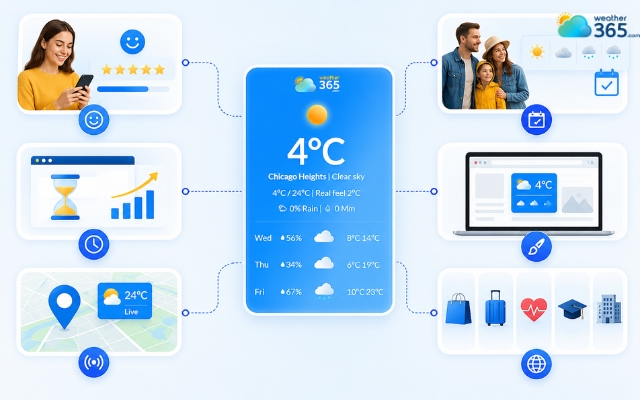
Reasons why many websites use forecast range widgets
How to add forecast range widgets
Adding forecast range widgets to your website is much simpler today thanks to ready-made tools like Weather365.
Most platforms already provide customizable weather widgets along with automatic embed codes, so you usually don’t need advanced coding knowledge.
Step 1: Choose the forecast widget you need
First, decide which forecast range works best for your website. Some websites only need hourly weather updates, while others may benefit more from a 5-day or 7-day forecast.
Choose the right range for your audience, whether they need daily updates or long-term trends like Florida 30-day weather trends.
For example, travel blogs and tourism websites often prefer longer forecast ranges because visitors usually plan trips several days ahead.
Step 2: Customize the widget layout
After selecting the widget, you can customize its appearance to match your website design.
Weather365 and similar providers typically allow you to change colors, fonts, layouts, themes, and temperature units.
This helps the widget blend naturally into your page instead of looking disconnected from the rest of the site.
Step 3: Copy the embed code
Once the setup is finished, the platform will generate an HTML or JavaScript embed code. You simply copy this code and place it into your website.
Most modern CMS platforms, especially WordPress, make this process easy through Custom HTML blocks or widget areas.
Step 4: Add the widget to your website
Next, paste the code into the section where you want the weather forecast to appear.
Many websites place forecast range widgets on the homepage, sidebar, event pages, or travel-related content to make weather information easy for visitors to access.
Step 5: Check responsiveness before publishing
Before making the widget live, preview it on desktop and mobile devices.
A good forecast range widget should automatically resize and remain readable across different screen sizes without affecting website performance or layout quality.
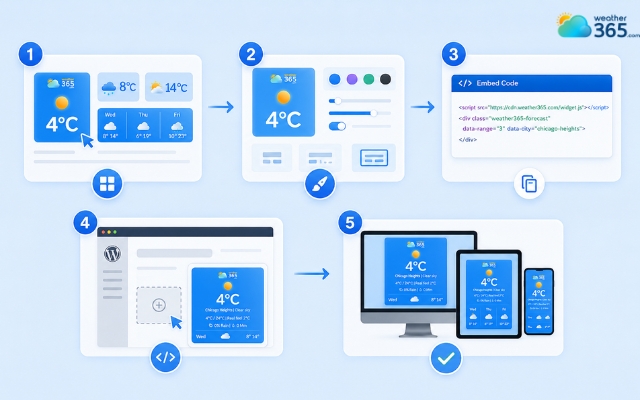
Easily add a weather widget with Weather365 widget
Top forecast range widgets
There are many forecast range widgets available today, but not all of them offer the same level of customization, responsiveness, or forecast detail.
Some tools are better for simple website embeds, while others work best for WordPress users who want deeper integration and flexible layouts.
Here are some of the most popular forecast range widget options worth considering.
Best weather widget providers ( HTML/ JS embed)
WeatherWidget.io
WeatherWidget.io is one of the most widely used free weather widget providers because it is simple, lightweight, and highly customizable.
It allows users to choose different forecast ranges, including 5-day forecasts, while also supporting horizontal and vertical layouts.
Weather365 Widget
Weather365 widget offers modern forecast range widgets with a more visual and customizable interface.
Users can display hourly forecasts or multi-day weather outlooks while adjusting themes, colors, layouts, and widget sizes to match their website branding.
The platform is beginner-friendly and provides easy HTML embed codes, making it suitable for websites that want quick integration with minimal technical work.
Meteoblue widget
Meteoblue focuses more on detailed forecasting and interactive weather visualizations.
Its widgets include both daily and hourly forecasts along with dynamic charts that help users understand weather trends more clearly.
This option works particularly well for weather-focused websites, outdoor activity platforms, or users who want more advanced forecast data presentation.
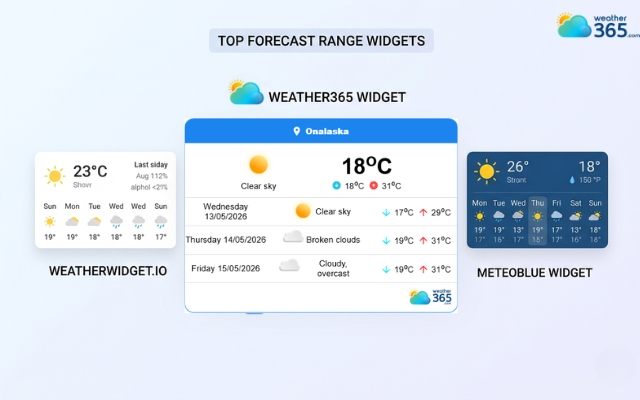
Top weather widget providers
Best WordPress widget plugins
If your website runs on WordPress, dedicated weather plugins can make installation and customization even easier.
Location Weather
Location Weather is known for its modern design and visual flexibility. It supports 3-day, 5-day, and 7-day forecasts while offering multiple icon packs, animated effects, and Glass Morphism styles.
Because of its clean appearance, this plugin is often used on lifestyle blogs, travel websites, and visually focused pages.
Weather Atlas Widget
Weather Atlas Widget stands out because it automatically changes backgrounds depending on the weather conditions or time of day. This creates a more dynamic and interactive user experience.
The plugin also offers strong customization features, allowing website owners to match the widget design with their existing WordPress theme.
WP Forecast
WP Forecast is a more data-focused plugin designed for websites that need detailed weather information and longer forecast ranges.
It can display forecasts for up to 10 days and supports multiple weather metrics.
This plugin is a good choice for agriculture websites, outdoor event platforms, or any site where long-range forecasting plays an important role.
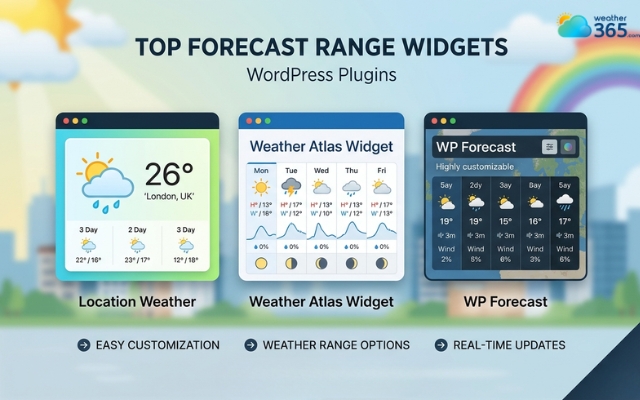
Top weather plugins for WordPress
In conclusion
Forecast Range Widgets make it easier for visitors to check upcoming weather conditions without leaving your website. With customizable layouts, responsive designs, and real-time updates, these widgets can improve engagement while adding a more modern and dynamic feel to your pages.
Frequently Asked Questions (FAQs)
Many professionals consider ECMWF-powered forecasts among the most accurate for medium-range predictions.
Related post

Weather365 widget - BEST & FREE weather widgets for websites
 898
898
 8
8
 4.7
4.7
 12/08/2026

How to Add Weather Widget to Any Platform? A Complete Guide for Beginners
357
8
4.7
17/08/2026
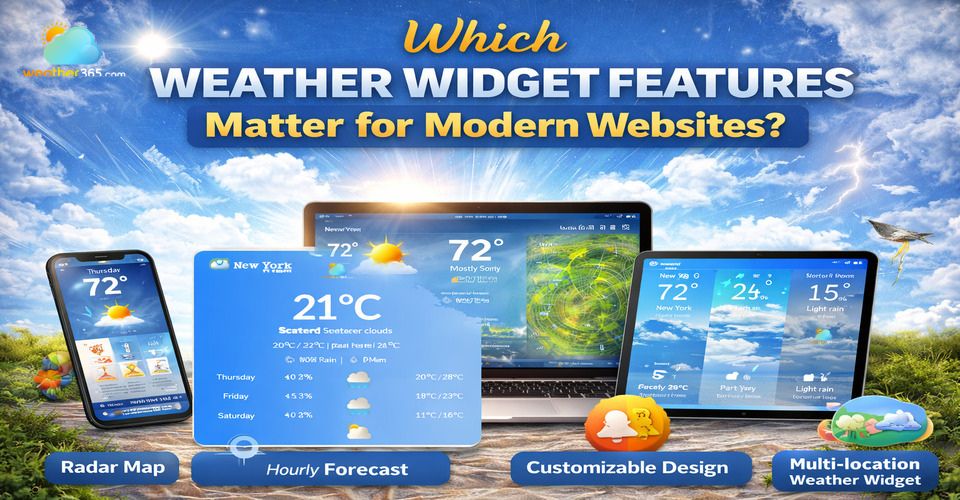
Which Weather Widget Features Matter for Modern Websites?
217
8
5.0
22/04/2026

8 Comment
Giselle Holmes
Would a longer forecast range be useful for event planning?
weather365
Definitely! It can help organizers get an early idea of possible weather conditions, even though they'll still need to monitor updates as the event gets closer.
Hannah Clark
How reliable are forecasts for the next 10 or 14 days?
weather365
They're useful for spotting general weather trends, but details can change quite a bit, so I'd treat longer-range forecasts as a guide rather than a guarantee.
Gracie Anderson
Can I choose how many days of forecasts the widget displays?
weather365
Having different forecast ranges would be helpful because some websites only need today's weather, while others might benefit from a longer outlook.
Kamila Larson
Is a 7-day forecast enough for planning a trip?
weather365
I think it's a good starting point for choosing travel dates and activities, although I'd still check the forecast again closer to the departure date.
Leave a comment
Your email address will not be published. Required fields are marked *