




10-Day Weather Widget: Choosing The Best Live Weather for Your Website


Planning a trip, managing outdoor events, or simply helping users stay prepared? A 10-day weather widget can make your website far more useful by giving visitors a broader view of upcoming weather conditions. In this guide, you’ll learn which features matter most, how 7-day and 10-day widgets compare, and which providers stand out!
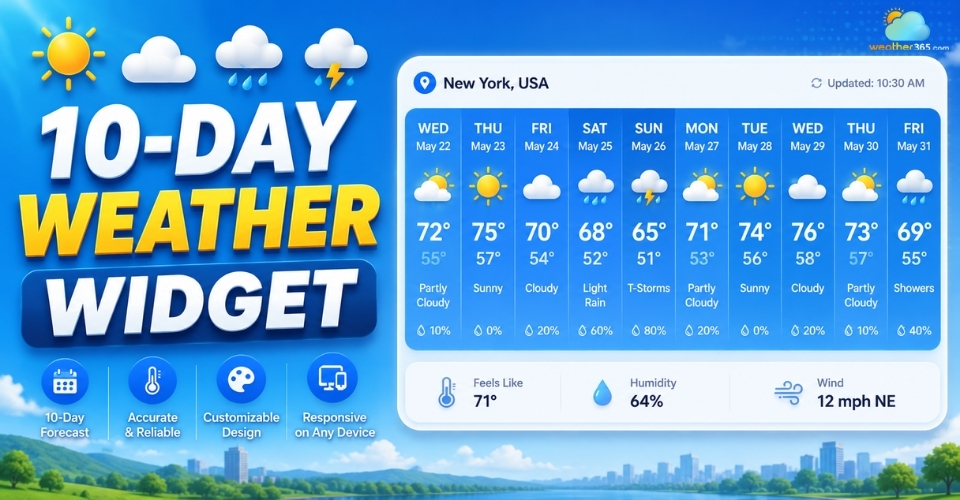
10-day weather widget
Key components in a 10-day weather widget
A useful 10-day weather widget should give users a quick and clear overview of upcoming weather conditions without making the layout feel crowded.
The best widgets combine essential forecast data with a clean, easy-to-read design.
If you need long-range planning beyond a week, our 10-day widget provides extended outlooks similar to our California 7-day forecast.
Daily forecasts
Daily forecasts are the core of the widget. Users should be able to quickly see expected weather conditions for each day, including icons for sunshine, rain, clouds, or storms.
A simple daily layout improves readability and helps visitors scan the forecast faster.
Temperature ranges
Instead of showing only one temperature, good widgets display both daily highs and lows.
This gives users a better understanding of weather changes throughout the day and helps them plan clothing, travel, or outdoor activities more easily.
Precipitation data
Rain and snow forecasts are important for many users.
A reliable widget should include precipitation chances or storm indicators so visitors can prepare ahead, especially for travel or outdoor plans.
Current conditions
Even with long-range forecasting, real-time weather still matters.
Many widgets include live temperature, humidity, and current weather status to give users a more complete weather overview.
Hourly trends
Some advanced widgets also provide hourly forecasts for the next 24–48 hours.
This adds more detailed short-term insight and is especially useful for events, commuting, or outdoor scheduling.
Wind & Atmosphere
Weather conditions are not only about temperature. Information like wind speed, visibility, air pressure, or air quality can make the forecast more practical and informative for users.
For example, checking the California Air Quality Index alongside the forecast can help people decide whether conditions are suitable for outdoor activities, especially during wildfire season.
Location & time
Accurate location support is essential.
A good widget should automatically detect the user’s location or allow manual city selection while also displaying local time, sunrise, and sunset information for better context.
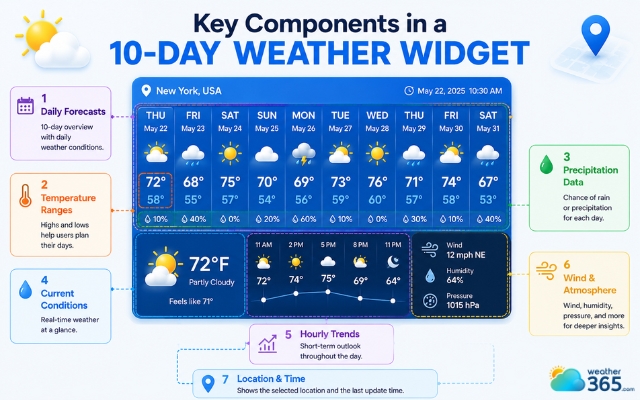
Important elements in a 10-day weather widget
7-day vs 10-day weather widget: Which one to choose?
Choosing between a 7-day weather widget and a 10-day weather widget depends on your website goals and how your visitors use weather information.
While both provide forecast data, they serve slightly different purposes in terms of accuracy, layout, and user expectations.
Accuracy vs. Reach
A 7-day forecast is generally more reliable because weather models become less precise over time.
Forecasts within the first week are often considered highly dependable, with accuracy levels commonly estimated around 80%.
That makes a 7-day widget ideal for daily commuting, short trips, or weekend planning where users need confident and actionable information.
A 10-day weather widget offers a broader forecast range, but prediction accuracy typically drops after the seventh day, sometimes closer to 50%.
Even so, extended forecasts are still valuable for travel planning, outdoor events, or business logistics where users want an early outlook rather than exact conditions.
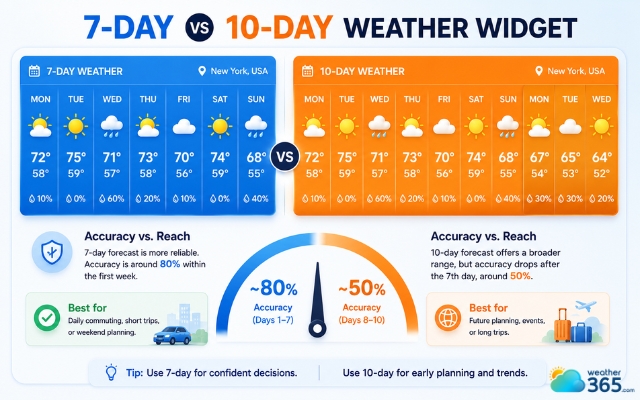
7-day forecast is generally more reliable
Screen Real Estate
Layout is another important difference.
A 7-day forecast usually fits well in compact horizontal designs, making it suitable for desktop sidebars or minimal homepage sections.
A 10-day forecast contains more information, so vertical list layouts often work better, especially on mobile devices.
Trying to compress 10 days into a small horizontal space can make the widget feel cluttered and difficult to read.
For websites that prefer a cleaner and more compact design, a 5-day weather widget may be easier to fit into sidebars or mobile screens.
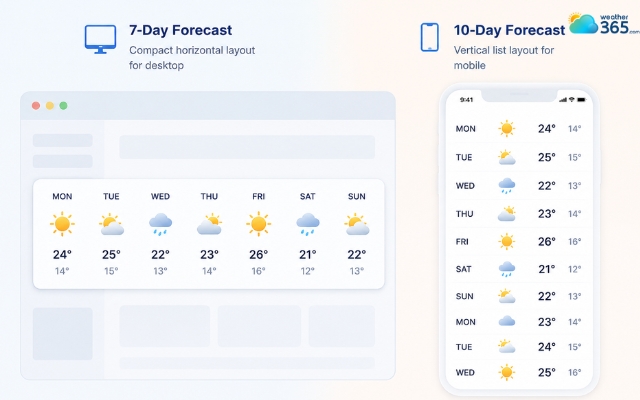
10-day weather widget may be difficult to read
Psychology of the Forecast
Interestingly, many users prefer seeing a longer forecast even if they know it may change later.
A 7-day weather widget often feels more reliable because it focuses on short-term forecasts with higher accuracy. It works well for users making quick daily decisions.
A 10-day weather widget, on the other hand, gives users a stronger sense of preparedness by showing a longer outlook, even if forecasts beyond the first week may change over time.
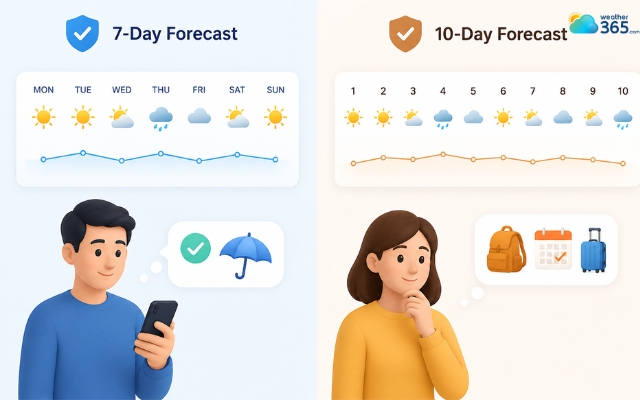
Users tend to prefer seeing a longer forecast
Data API Costs
Cost is another factor website owners should consider. Many weather APIs include 7-day forecasts in their free or standard plans.
However, 10-day forecasts are often treated as “extended forecast” data and may require premium subscriptions.
If you are working with a limited budget, a 7-day widget may be more cost-effective.
But for websites that rely heavily on forecasting features, investing in extended forecast access can provide more value to users.
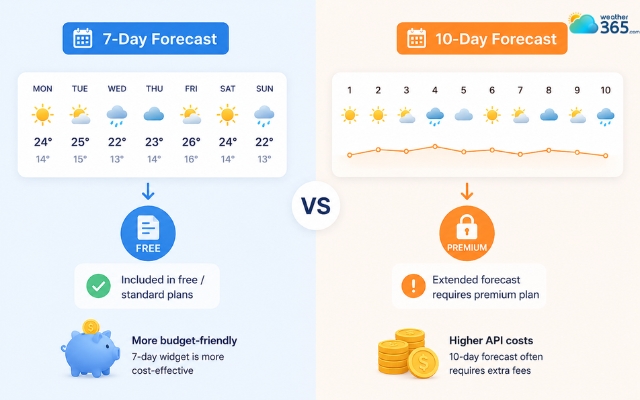
7-day widget may be more cost-effective
Long story short, a 7-day weather widget works best for high-confidence short-term forecasting, while a 10-day weather widget is better for users who prioritize long-range planning and broader weather awareness.
Feature | 7-Day Weather Widget | 10-Day Weather Widget |
Forecast Accuracy | Generally high | Moderate |
Primary Use Case | Daily commutes, short-term activities, weekend planning | Travel planning, events, logistics |
Mobile UX | Compact horizontal layouts | Better in vertical scrolling layouts |
Data Cost | Often included in free tiers | Frequently premium-tier access |
User Psychology | Immediate actionable confidence | Broader sense of preparedness |
Explore a comprehensive comparison of different weather forecast ranges here!
Top 10-day weather widget providers
There are many weather widget providers available today, but not all of them offer the same balance of accuracy, customization, and ease of use.
Some are designed for beginners who want a quick embed solution, while others focus on advanced forecasting and enterprise-level data.
Here are three strong options worth considering for a 10-day weather widget.
WeatherWidget.io
Best for: Simple no-code website integration
WeatherWidget.io is one of the easiest platforms to use if you want a lightweight and responsive weather widget without dealing with APIs or backend setup.
The platform generates embeddable code in just a few steps, making it beginner-friendly for blogs, portfolios, and small business websites.
One of its biggest advantages is flexibility in styling.
Users can customize colors, layouts, icons, and themes directly through CSS-based settings while keeping the widget fast-loading and mobile-friendly.
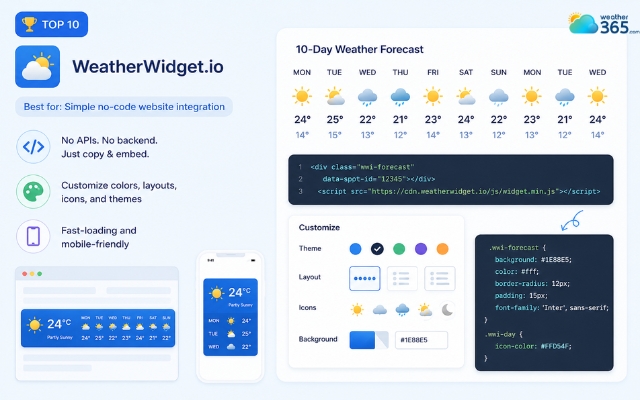
WeatherWidget.io is easy to use
Weather365 Widget
Best for: Global coverage and customizable UI integration
Weather365 Widget is a reliable choice for websites that prioritize accurate short-term weather forecasting.
It offers customizable 3-day, 5-day, and 7-day weather widgets with a clean, responsive design that integrates seamlessly into blogs, travel websites, news portals, and business sites.
The widget displays essential weather information, including daily forecasts, temperatures, precipitation, and weather icons, while remaining lightweight and easy to embed.
With multilingual support, flexible customization options, and fast loading performance, it delivers a smooth user experience across desktop and mobile devices.
Although Weather365 does not currently offer a 10-day weather widget, its short-term forecast widgets provide an excellent alternative for websites focused on reliable day-to-day weather updates.
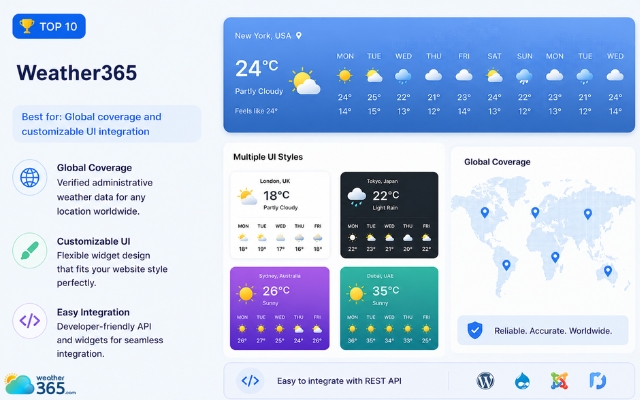
Weather365 widget is well-known for its flexible widget design
Tomorrow.io
Best for: Hyperlocal forecasts and advanced weather data
Tomorrow.io is known for its highly detailed forecasting system and high-resolution weather modeling.
Unlike basic widgets, it focuses heavily on hyperlocal data, allowing forecasts to reach building-level precision in some areas.
This provider is especially useful for industries where weather accuracy matters, such as logistics, aviation, transportation, or outdoor event management.
Its APIs are more advanced than beginner-focused tools, but they provide much deeper forecasting capabilities for long-range weather tracking.
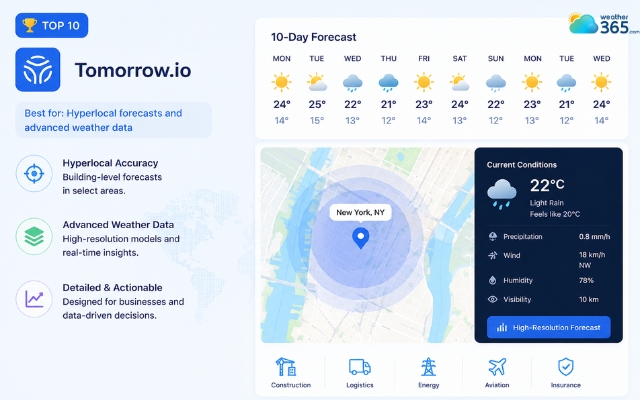
Tomorrow.io is known for its highly detailed forecasting system
In general, each provider serves a different need. If you want simplicity, WeatherWidget.io is a strong starting point.
For precision and advanced forecasting, Tomorrow.io stands out.
Meanwhile, Weather365 works especially well for websites that need scalable global weather coverage.
Sum up
Adding a 10-day weather widget to your website is a simple way to make your content more useful and engaging. With the right balance of forecast accuracy, clean design, and mobile-friendly layout, visitors can quickly check upcoming weather conditions without leaving your site.
Frequently Asked Questions (FAQs)
◉ Beginners often prefer WeatherWidget.io for simplicity.
◉ Developers and enterprises may choose Tomorrow.io for advanced APIs and precision.
◉ Global websites may benefit from Weather365 because of its broad international support.
Related post
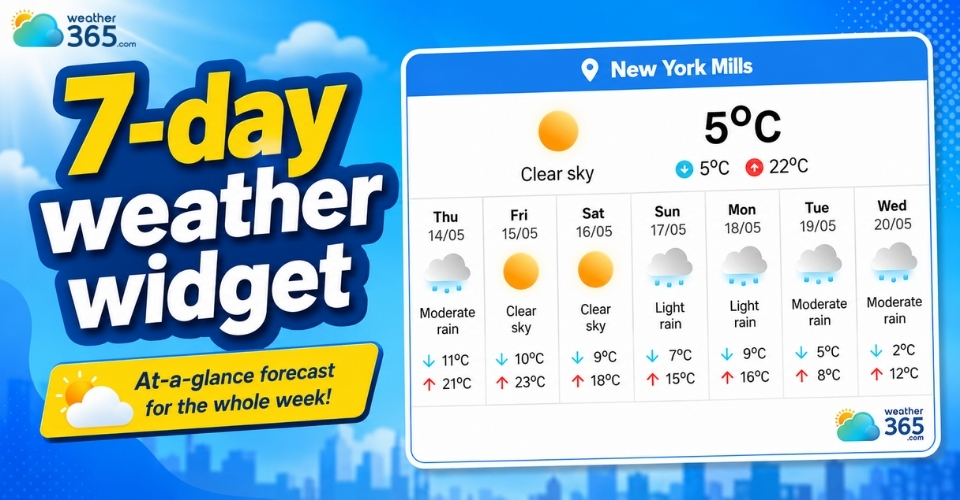
Top 7-Day Weather Widgets: Enhance Your Site with Weekly Forecasts
 245
245
 0
0
 4.7
4.7
 20/08/2026
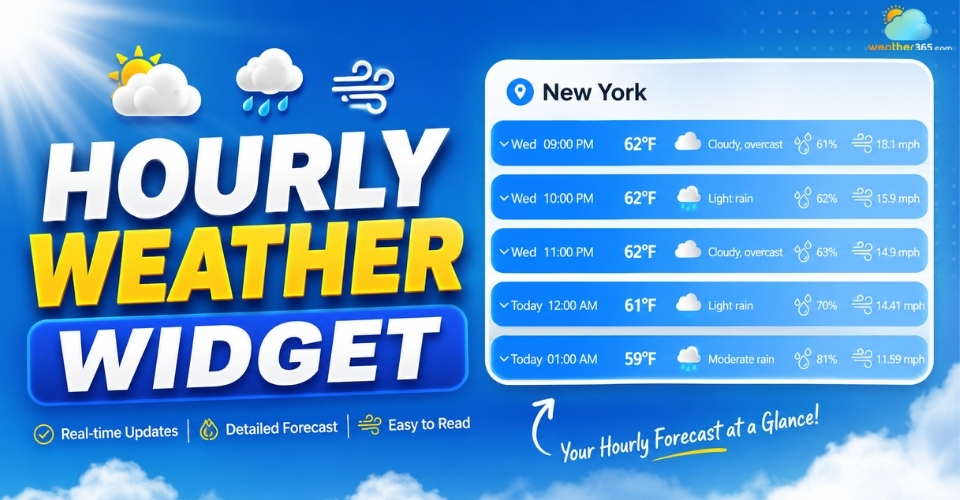
Hourly Weather Widget: Stay Updated With Real-Time Local Forecasts
243
0
4.8
20/08/2026
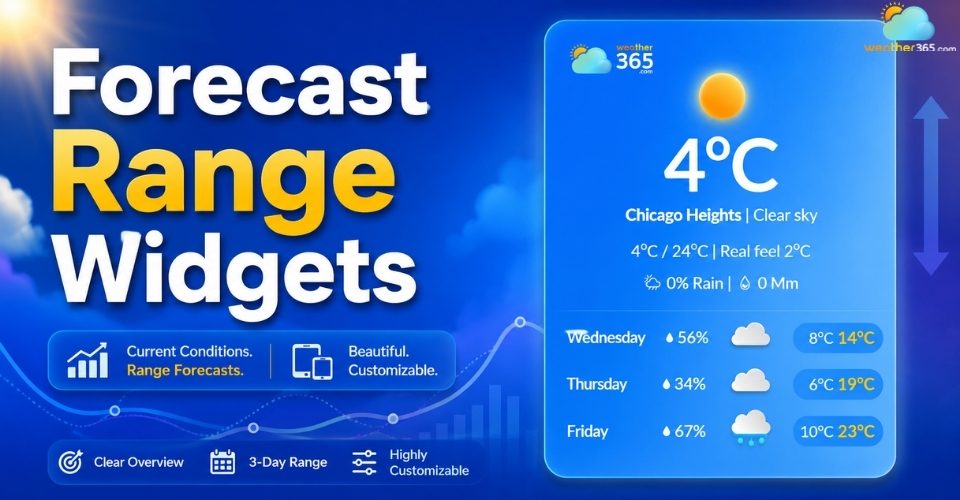
Forecast Range Widgets: Key features, Benefits, How to Add & Best tools
229
0
4.6
11/08/2026

0 Comment
Leave a comment
Your email address will not be published. Required fields are marked *