




Top 7-Day Weather Widgets: Enhance Your Site with Weekly Forecasts


7-day weather widget solutions can instantly add practical value to your website, especially for visitors planning. But what makes a good weekly forecast widget stand out from the rest? In this guide, you’ll learn what to look for, how different widgets compare, and where to get started. Diving in!
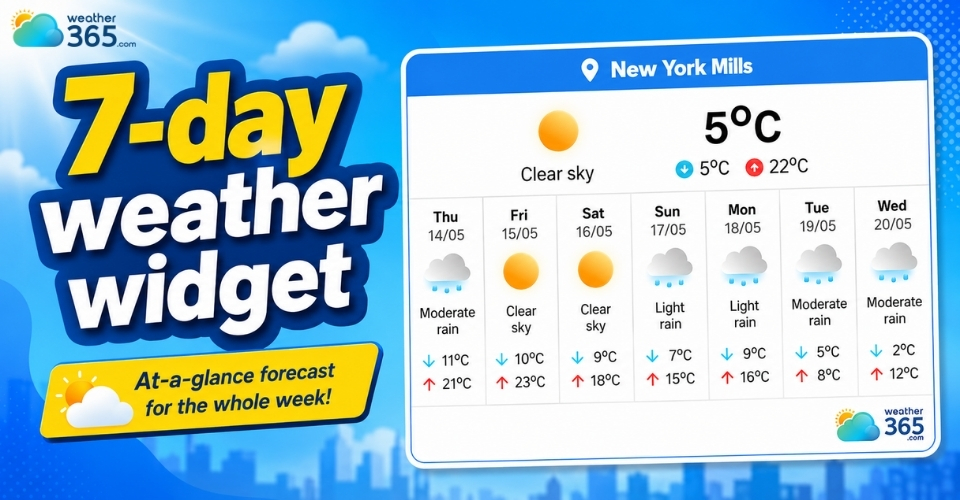
7-day weather widget
What is a 7-day weather widget?
A 7-day weather widget is a website tool that displays weather forecasts for the upcoming seven days directly on a webpage.
Instead of requiring visitors to open a separate weather app or website, the widget provides quick access to upcoming conditions in one compact section.
For example, users can check a Florida weather forecast or a New York 7-day weather without leaving the page.
These widgets are commonly used on travel websites, local news platforms, tourism pages, blogs, and business websites, where weather information can improve user experience.
Most 7-day forecast widgets show daily temperatures, weather conditions, and additional forecast details in a simple visual format that is easy to scan at a glance.
Compared to shorter forecast widgets, a 7-day version gives users a broader overview of the week ahead. This makes it especially useful for planning trips, outdoor events, work schedules, or weekend activities.
For websites that need even longer forecast coverage, a 10-day weather widget may be a better option for travel planning and extended weather tracking.
Key features of a 7-day weather widget
Real-time updates
Most modern widgets connect to global weather databases and meteorological stations to provide continuously updated forecast data.
This helps users see the latest weather conditions without refreshing multiple sources manually.
Visual icons
Weather widgets typically use recognizable icons such as sunshine, clouds, rain, snow, or storms to represent daily conditions.
These visuals make forecasts easier to understand quickly, even on smaller screens.
Temperature ranges
A 7-day weather widget usually displays both the daily high and low temperatures. This allows users to better prepare for temperature changes throughout the day.
Extended weather data
Many advanced widgets also include extra forecast details such as humidity levels, wind speed, UV index, chance of precipitation, and sunrise and sunset times.
These additional metrics create a more complete weather overview for users who need more than basic forecasts.
Responsive design
Modern weather widgets are designed to work smoothly across desktops, tablets, and smartphones.
The layout automatically adjusts based on screen size, helping websites maintain a clean and user-friendly appearance on all devices.
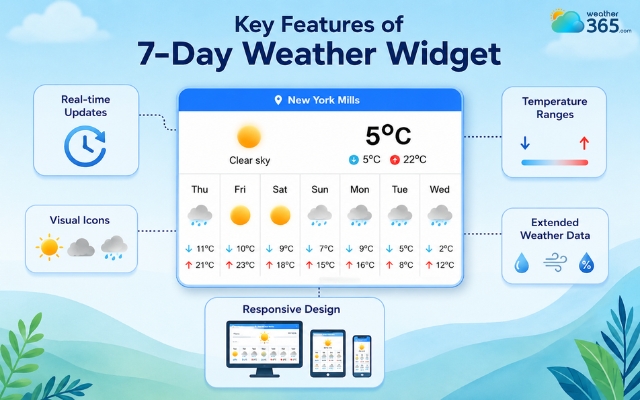
Crucial features of a 7-day weather widget
5-day vs 7-day weather widget comparison
Both 5-day and 7-day weather widgets help users quickly check upcoming weather conditions, but they serve slightly different purposes.
Choosing the right one depends on your website layout, your audience, and how much forecast detail you want to provide.
If you want a cleaner and more compact forecast display, a 5-day widget is often the better choice.
On the other hand, a 7-day weather widget gives visitors a broader weekly overview, making it more useful for travel planning, outdoor events, or weekend scheduling.
If you want a deeper look at shorter forecast layouts, you can also explore our guide to the 5-day weather widget for more setup ideas and comparison points.
Feature | 5-Day Weather Widget | 7-Day Weather Widget |
Visibility | Compact, fits tight sidebars. | Requires more horizontal or vertical space. |
Planning Range | Ideal for work-week planning. | Perfect for full-week and weekend planning. |
Accuracy | Generally, very high precision. | High precision for days 1-3; trends for days 4-7. |
Data Volume | Lean and fast loading. | More comprehensive data points. |
Which one should you choose?
A 5-day weather widget works well for minimalist website designs or pages with limited space. It delivers the essential forecast information without overwhelming the layout.
Meanwhile, a 7-day weather widget is a stronger option for websites where visitors may need longer-term planning information.
Travel blogs, tourism websites, hotel pages, and local event platforms often benefit from the added forecast range.
In terms of performance, both widget types are generally lightweight when properly optimized.
However, a 7-day widget may contain more visual elements and weather data, so choosing a responsive and well-coded provider is important for maintaining page speed and mobile usability.
If you want to explore more forecast display options beyond weekly layouts, you can also check our guide to Forecast Range Widgets for a broader comparison of multi-day weather solutions.
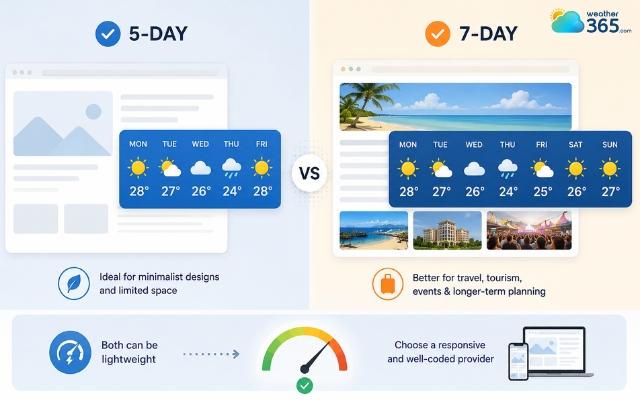
The 7-day widget may contain more visual elements and weather data
Top 7-day weather widget providers
There are many weather widget providers available today, but not all of them offer the same balance between design, forecast accuracy, and customization.
Some platforms focus on simplicity and fast embedding, while others provide more detailed weather insights for users who need deeper forecast information.
Here are three popular providers that work well for adding a 7-day weather widget to a website.
WeatherWidget.io
WeatherWidget.io is one of the most beginner-friendly platforms for adding a 7-day weather widget to a website.
It offers clean and responsive layouts, along with simple customization options for colors, icons, and temperature units.
Because the widgets load quickly and are easy to embed, this provider works especially well for blogs, travel websites, and small business pages that want a lightweight weekly forecast section.
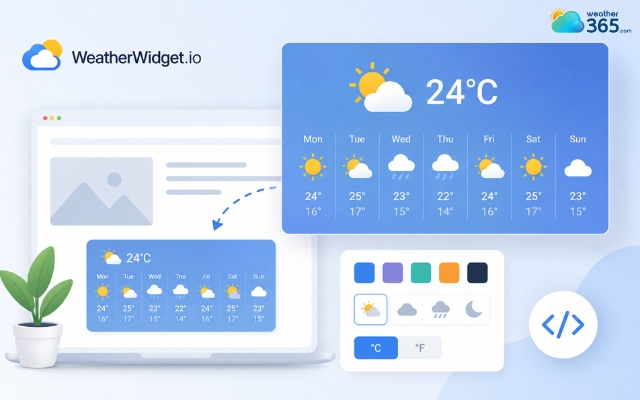
WeatherWidget.io is a beginner-friendly platform
Weather365 Widget
Weather365 provides a more detailed 7-day weather widget with additional forecast information such as humidity, wind conditions, and precipitation probability.
The layouts remain easy to read while offering richer weather data than many minimalist widgets.
This makes Weather365 a strong choice for tourism websites, outdoor activity platforms, or event pages where visitors may need more detailed weekly forecasts.
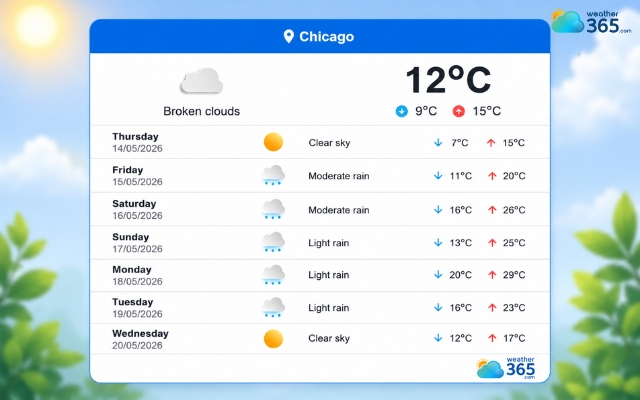
Weather365 provides a detailed 7-day weather widget
Meteoblue
Meteoblue is a more advanced provider designed for websites that need deeper forecasting insights from a 7-day weather widget.
Alongside daily temperatures and weather icons, it includes features like precipitation trends, wind forecasts, and weather charts.
Although the interface looks slightly more technical, Meteoblue is widely used by travel services and weather-focused platforms that prioritize forecast accuracy and detailed weather analysis.
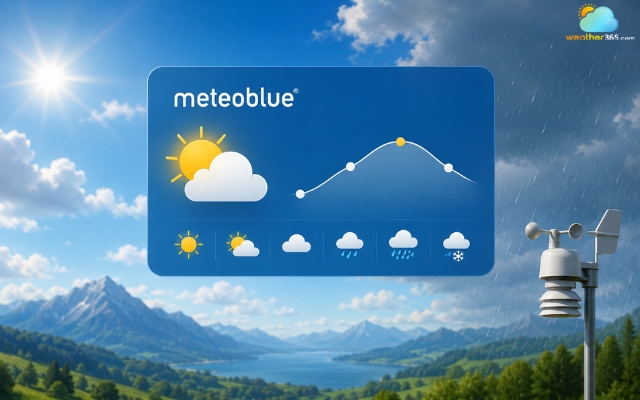
Meteoblue is an advanced weather widget provider
Provider | Main Strength | Best For | Customization Level | Forecast Detail |
WeatherWidget.io | Simple setup and lightweight design | Blogs, personal websites, small business sites | High | Basic to moderate |
Weather365 Widget | Balanced layout with richer forecast data | Tourism, events, outdoor websites | Moderate | Moderate to detailed |
Meteoblue | Advanced forecasting and detailed weather insights | Professional and weather-focused platforms | Moderate | Highly detailed |
Each provider has its own strengths, so the best choice depends on your website goals.
If you prefer a simple and visually clean widget, WeatherWidget.io is often the easiest solution.
If you need more weather details without making the layout too technical, Weather365 offers a strong middle ground.
Meanwhile, Meteoblue is ideal for websites that require more advanced forecasting capabilities and deeper weather analysis.
How to add a 7-day weather widget
Adding a 7-day weather widget to your website is usually a quick process, even if you do not have much coding experience.
Most providers offer ready-made embed codes that can be added in just a few minutes.
Choose a weather widget provider
Start by selecting a provider that matches your website style and forecast needs.
Platforms like WeatherWidget.io are ideal for simple and lightweight widgets, while Meteoblue and Weather365 Widget provide more detailed forecast data.
You can also check location-based forecasts, such as the Texas weather forecast or Alabama 3-day forecast, to see how different forecast locations are displayed.
Customize the widget layout
Most providers allow you to adjust colors, icons, language, and layout style before generating the widget.
Try to choose a design that fits naturally with your website interface and remains easy to read on mobile devices.
Copy and paste the embed code
After customization, the platform will generate an HTML embed code.
Simply copy the code and paste it into the section of your website where you want the weather widget to appear, such as a homepage, sidebar, or travel page.
Test the widget on different devices
Before publishing, check how the widget looks on desktop and mobile screens.
A responsive widget should load quickly, display correctly, and remain easy to navigate across all devices.
With the right provider and a clean layout, a 7-day weather widget can improve user experience while adding useful real-time information to your website.
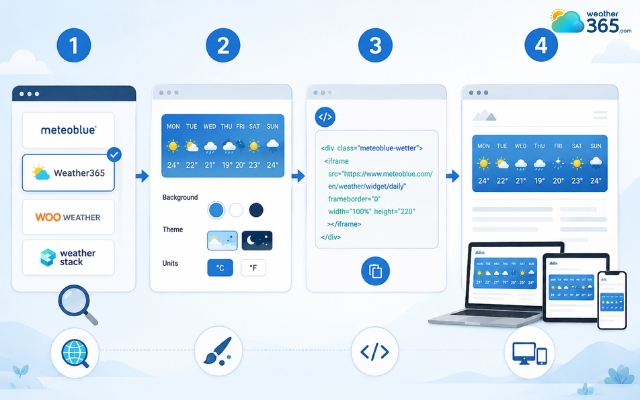
Easily add the Weather365 widget to your site
Sum up
If your visitors often need weather updates before planning activities or trips, a 7-day weather widget can become a valuable addition to your website. The key is choosing a responsive, easy-to-read layout that delivers accurate forecasts without slowing down page performance.
Frequently Asked Questions (FAQs)
Related post
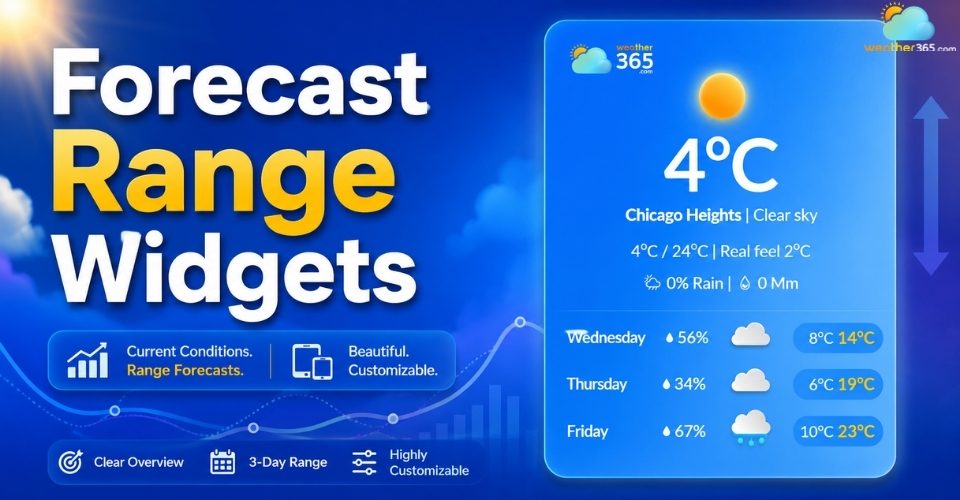
Forecast Range Widgets: Key features, Benefits, How to Add & Best tools
 229
229
 0
0
 4.6
4.6
 11/08/2026
The Ultimate Guide to 5-Day Weather Widget for Your Website
216
0
4.9
20/08/2026
3-day Weather Widget: Accuracy, Customization, and Top Solutions
211
0
4.7
11/08/2026

0 Comment
Leave a comment
Your email address will not be published. Required fields are marked *