




Interactive Widgets for Real-Time Website Engagement


Struggling with high bounce rates? The secret to keeping visitors hooked isn't just great content - it’s interactive widgets. These dynamic tools transform passive readers into active participants, instantly boosting your on-site time and conversion rates. Dive into this guide to discover how to supercharge your user experience today!
Interactive widgets
- Overview of interactive widgets
- Interactive Weather Widgets for Real-Time User Engagement
- Weather radar widget
- Weather map widget
- Weather alert widget
- Advanced interactive weather visualization widgets
- Weather graph widget
- 3D weather widget
- Why use interactive widgets?
- Best industries using interactive widgets
- How to add interactive widgets to your website?
- Common mistakes to avoid
Overview of interactive widgets
An interactive widget is a self-contained software application or component that can be embedded within a webpage.
Unlike static content, widgets invite users to click, customize, input data, and receive instant, personalized feedback.
Key Characteristics & Examples:
Engagement: Widgets like quizzes, polls, calculators, or interactive maps encourage active user participation rather than passive browsing. Instead of just reading about a solution, users actively interact with it.
Utility & Functionality: Tools like live chat boxes, currency converters, date pickers, or weather updates offer immediate utility to users, solving specific problems right on your page.
Convenience: Many widgets pop up, slide in, or hover, ensuring they remain visible to boost engagement without disrupting the core reading experience (e.g., sticky subscription forms or floating support buttons).
Easy Implementation: You don't need a degree in computer science to use them. They are typically installed by inserting a small block of HTML/JavaScript code, making them highly accessible to non-developers and CMS users (like WordPress, Shopify, or Wix).
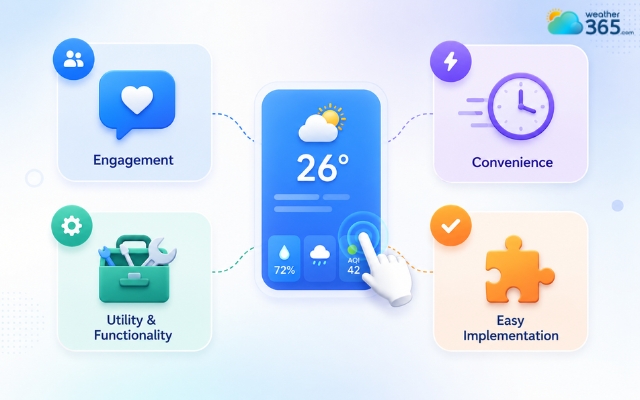
Interactive widgets encourage active user participation
Interactive Weather Widgets for Real-Time User Engagement
While widgets span many categories, weather widgets are among the most versatile and universally understood.
They instantly localize a website, providing immediate geographic context.
Here is a breakdown of essential weather widgets that add real-time value:
Weather radar widget
A weather radar widget allows users to monitor rainfall and storm activity through live radar visualization.
Visitors can track storm movement, check approaching rain, and follow severe weather conditions directly on the website.
Many radar widgets also include zoom controls, lightning tracking, and severe weather layers, making them useful during rapidly changing weather situations.
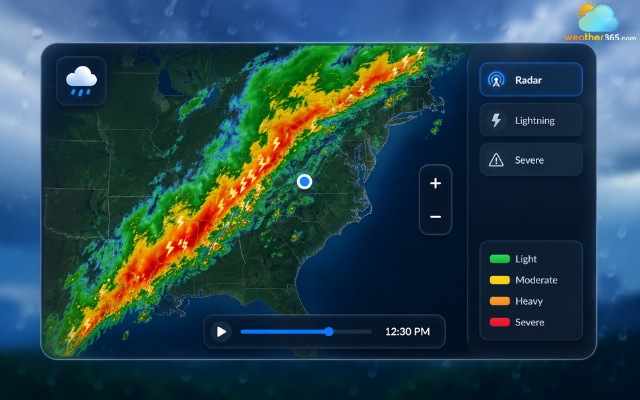
The weather radar widget helps users track storm movement
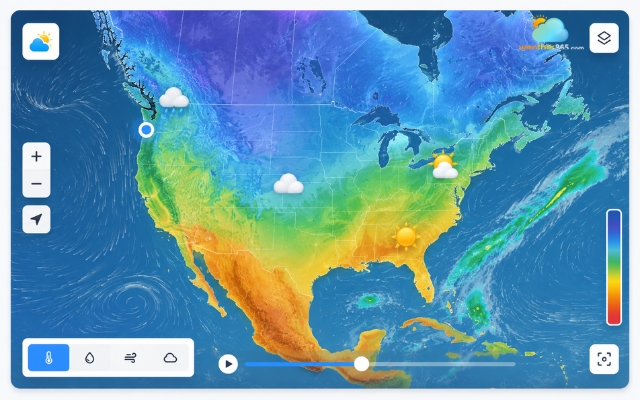
Weather map widget
A weather map widget displays weather conditions based on location using interactive maps. Users can explore temperature, precipitation, wind, and cloud coverage across different regions.
These widgets often include zoom and navigation features, allowing visitors to customize the map view and compare weather conditions more easily.
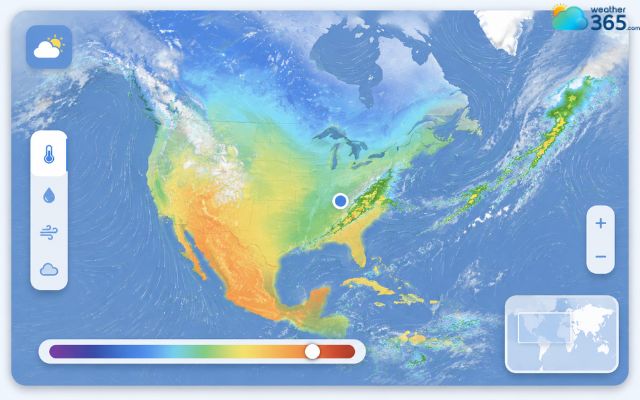
A weather map displays weather conditions
Weather alert widget
A weather alert widget focuses on delivering emergency weather updates in real time. It helps users stay informed about thunderstorms, floods, hurricanes, and other severe conditions.
Many websites use these widgets to display push notifications, warning banners, and automatic weather alerts, helping visitors react quickly during dangerous weather events.
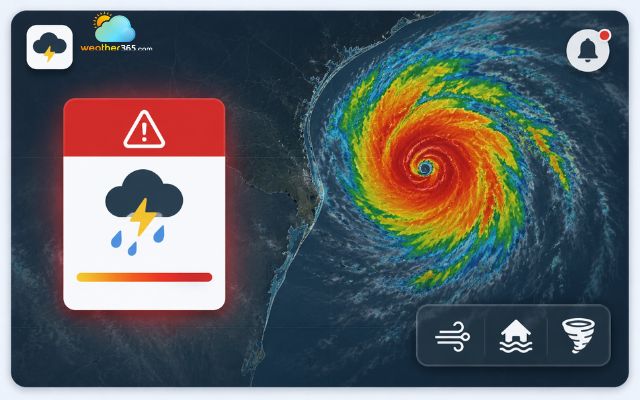
Weather alert widget helps users stay informed about thunderstorms
Advanced interactive weather visualization widgets
For websites looking to offer a truly premium, cutting-edge user experience, basic widgets won't cut it.
Advanced visualization tools turn data into digital art.
Weather graph widget
A weather graph widget displays forecast data through interactive charts and visual trends.
Allow users to toggle between hourly and daily views on New York interactive weather widgets.
These widgets commonly show temperature changes, precipitation trends, wind speed, and forecast comparisons in a clean visual format.
Because the information is easier to scan, visitors can understand weather patterns much faster.
Weather graph widgets are particularly helpful for travel websites, outdoor planning platforms, and weather-focused blogs that want to present forecast data more clearly.
A weather graph widget indicates weather patterns
3D weather widget
A 3D weather widget creates a more immersive experience by combining weather data with animated visual effects.
Instead of static icons, users can see moving clouds, rain effects, sunlight transitions, and interactive climate visuals.
These widgets are designed to feel modern and engaging on both desktop and mobile devices.
Their responsive animations and interactive elements can make a website look more dynamic while helping users explore forecasts in a more visually appealing way.
Because of their modern design, 3D weather widgets are often used on apps, smart dashboards, and visually focused websites.
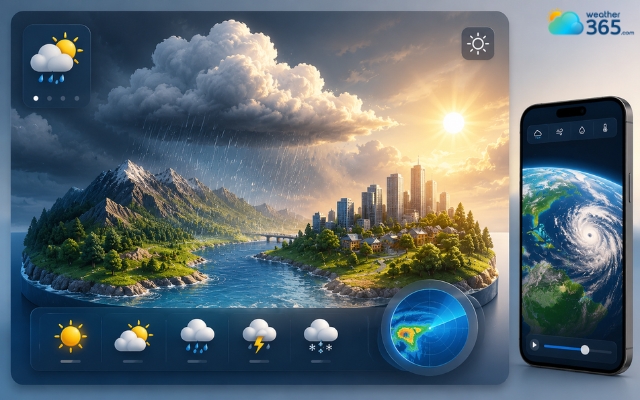
A 3D weather widget makes a website look more dynamic
Why use interactive widgets?
Interactive widgets are more than just visual extras for a website. When used correctly, they can improve user experience, increase engagement, and even help businesses grow conversions.
Because visitors can interact with content directly, websites feel more dynamic and useful instead of static and one-sided.
Higher Conversion Rates
One major benefit of interactive widgets is their ability to create personalized experiences. Features like product quizzes, recommendation tools, or interactive calculators help users find exactly what they need faster.
For example, an online store can use a quiz widget to recommend products based on customer preferences.
This reduces decision fatigue and can turn more visitors into paying customers.
Increased Time on Site
Interactive content naturally keeps users engaged longer. Instead of quickly scanning a page and leaving, visitors spend more time exploring maps, forecasts, calculators, charts, or quizzes.
For instance, visitors planning a trip can interact with a Florida weather forecast to review local conditions before deciding when and where to travel.
Longer session times often lead to lower bounce rates and stronger overall website engagement, which can also support SEO performance.
Improved Customer Support
Widgets such as live chat boxes and AI chatbots provide instant help without forcing users to leave the page. Visitors can ask questions, solve problems, or get recommendations in real time.
This creates a smoother customer experience and can improve satisfaction, especially for e-commerce and service-based websites.
Better Data Collection
Interactive widgets also help businesses collect valuable zero-party data directly from users. This includes preferences, interests, or feedback shared voluntarily through quizzes, surveys, or polls.
The collected insights can later be used to improve marketing campaigns, personalize content, and better understand customer behavior.

Interactive widgets can significantly improve user experience
Best industries using interactive widgets
Interactive widgets can improve almost any website, but some industries benefit from them more because they rely heavily on user engagement, real-time information, or personalized experiences.
By adding the right widgets, businesses can make their websites more useful, interactive, and conversion-focused.
E-Commerce Websites: Online stores use interactive widgets like product quizzes, live chat tools, and size calculators to improve shopping experiences and increase conversions.
Weather and News Platforms: Weather and news websites rely on live updates, radar maps, alerts, and forecast widgets to keep visitors informed and engaged in real time.
Real Estate Websites: Real estate platforms often use interactive maps, virtual tours, and mortgage calculators to help users explore properties more easily.
Travel and Tourism Websites: Travel websites benefit from weather widgets, booking calendars, destination maps, and currency converters that help users plan trips more conveniently.
Education and E-Learning Platforms: Educational websites use quizzes, progress trackers, and interactive learning tools to create a more engaging learning experience.
Finance and Business Websites: Finance websites commonly use calculators, stock trackers, and data visualization widgets to simplify complex financial information for users.

Interactive widgets can make a website more useful
How to add interactive widgets to your website?
You don’t need to be a seasoned software engineer to bring your website to life.
Today, adding interactive widgets to your site is incredibly straightforward, usually taking less than five minutes.
Most widget providers handle the heavy lifting (the complex coding) behind the scenes, leaving you with a simple, plug-and-play process.
Here is a step-by-step breakdown of how it works across most platforms:
Step 1: Choose and Customize Your Widget
First, pick a reputable widget provider or plugin that fits your needs.
Use their visual editor to customize the design: tweak the colors, fonts, and sizing so the widget looks like a natural, built-in part of your website rather than an afterthought.
Step 2: Copy the Generated Code
Once you are happy with the setup, the platform will generate a unique snippet of embeddable code. This is usually a short string of HTML or JavaScript. Simply click "Copy."
Step 3: Paste it into Your CMS
Log into your website platform (like WordPress, Shopify, Wix, or Squarespace).
Open the specific page where you want the widget to live, add a "Custom HTML" or "Embed Code" block, and paste your snippet right there.
Step 4: Hit Publish and Test
Save your changes and view the live page. Make sure to test the widget on both your laptop and your smartphone to ensure it functions perfectly and looks great on all screen sizes.
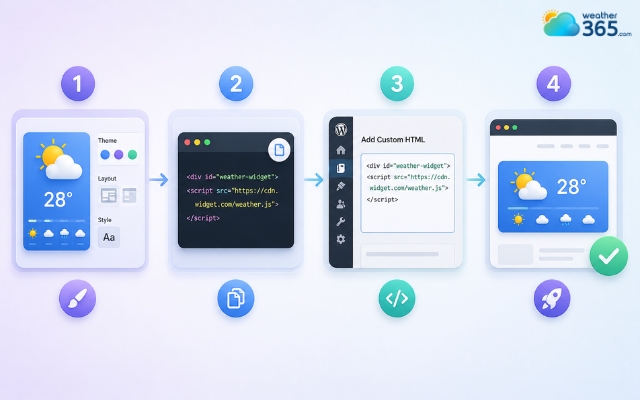
Adding interactive widgets to your site is incredibly straightforward
Common mistakes to avoid
To ensure your widgets yield positive results, keep an eye out for these frequent pitfalls:
Overloading the Page:
Too many widgets can clutter your UI, distract from your main call-to-action (CTA), and overwhelm visitors. Stick to 1–2 highly relevant widgets per page.
For example, a travel website could focus on one destination such as New Mexico weather rather than displaying multiple location widgets at the same time.
Slowing Down Page Speed:
Heavy widgets with unoptimized JavaScript can ruin your loading times. Always test your site speed after installing a new widget.
Ignoring Mobile Responsiveness:
A floating widget that looks great on a 27-inch desktop monitor might block the entire screen on an iPhone. Ensure your widgets scale down properly for mobile users.
Neglecting Accessibility (WCAG):
Ensure your interactive elements can be navigated via keyboard and are readable by screen readers for visually impaired users.
Location-specific weather information, such as the Missouri weather forecast, should remain clearly structured and accessible across different devices and assistive technologies.
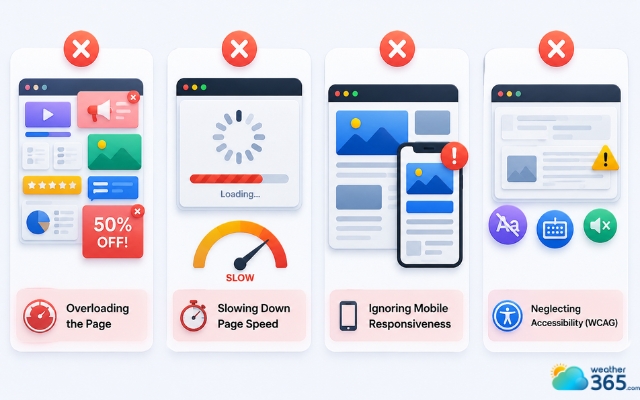
Common mistakes can affect interactive widgets’ function
In conclusion
Integrating interactive widgets into your website is one of the fastest ways to lower bounce rates and maximize user engagement. By turning passive browsing into a dynamic, personalized experience, you provide immediate value that keeps visitors on your pages longer. Stop settling for a static site - start embedding these powerful tools today and watch your conversions soar!
Frequently Asked Questions (FAQs)
Related post
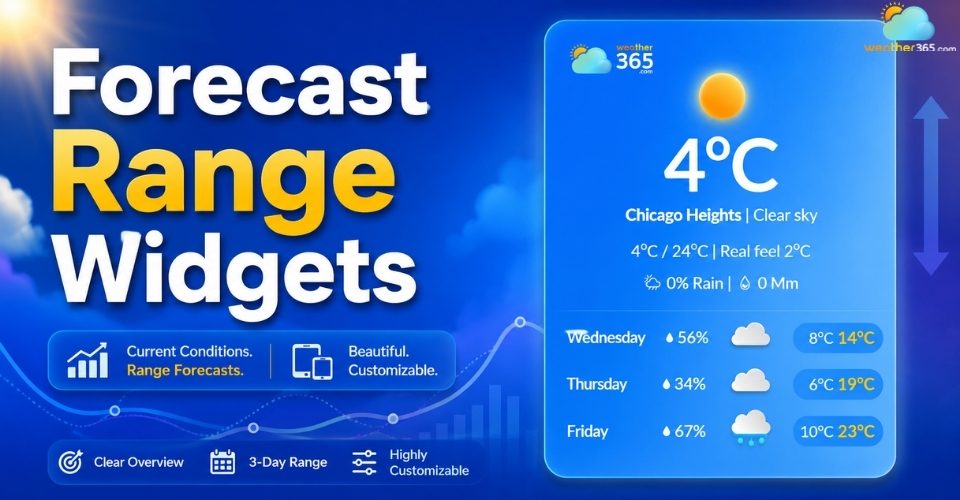
Forecast Range Widgets: Key features, Benefits, How to Add & Best tools
 244
244
 8
8
 4.6
4.6
 11/08/2026

Weather Widgets by Industry: Best Use Cases for Every Business
162
8
4.6
15/05/2026
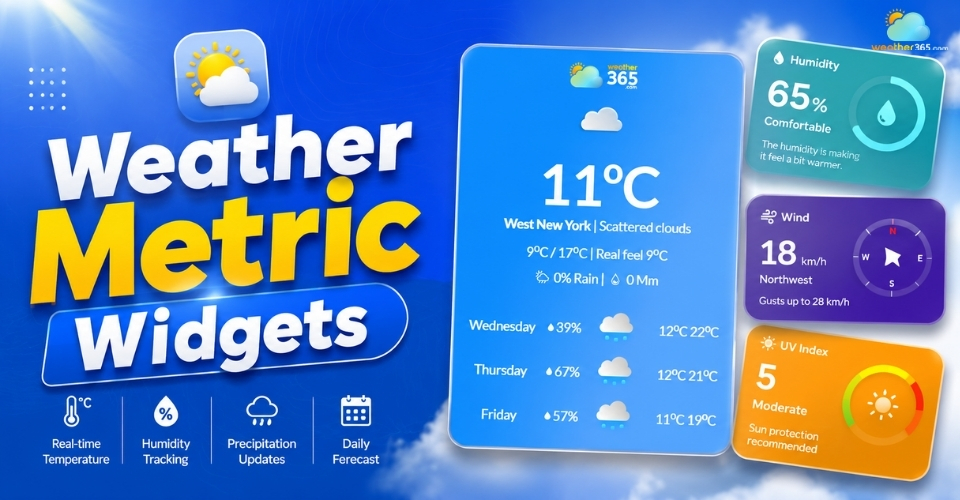
Weather Metric Widgets – Must-have Tools for Modern Websites
120
8
4.6
13/05/2026

8 Comment
Brian Moore
Can interactive weather widgets work on mobile devices, or are they mainly designed for desktop websites?
weather365
Many modern widgets can be embedded on mobile-friendly websites, but the experience depends on the widget’s design and your page layout. Test the controls, text size, and loading behavior on different screen sizes before publishing.
Jayden Cooper
I'm building a travel website and want visitors to check the weather for different destinations. Would an interactive widget be a good fit?
weather365
Yes, it could be a practical addition. Visitors may find it easier to explore weather conditions for destinations they’re considering. Before choosing a widget, check whether it supports location selection or whether you need to create separate widgets for specific cities.
Rowan Webster
What makes an interactive weather widget different from a regular weather widget? Is it just about having more information on the screen?
weather365
Not necessarily. An interactive widget allows users to engage with its controls or settings rather than simply view fixed information. Depending on the widget, this may include selecting locations, changing views, or exploring available weather details.
Daniella Ross
Interactive widgets can make a website feel much more useful than a static page. I like the idea of letting visitors explore weather information without leaving the site.
weather365
Exactly! Interactive elements can make weather information easier to explore and access. The key is to keep the interface intuitive so visitors can find what they need without unnecessary steps.
Leave a comment
Your email address will not be published. Required fields are marked *