




Weather Widget for Business: Enhance Your Website with a Live Weather


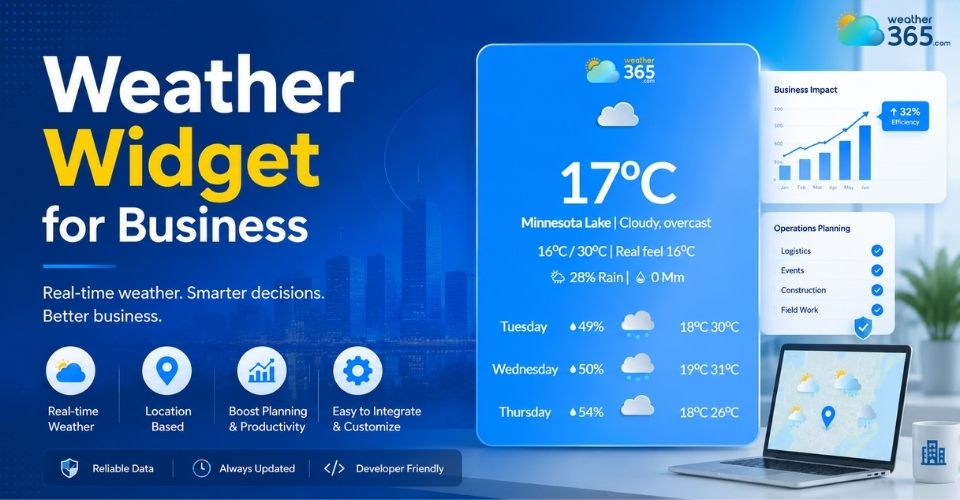
Looking for a reliable weather widget for business? Integrating a responsive HTML embed is one of the easiest ways to keep users on your site longer and lower your bounce rates. In this guide, we break down the absolute best business weather tools on the market and how to choose the right one to elevate your digital presence today.
Weather widget for business
- Why Every Industry Needs a Commercial Weather Plugin?
- Key Features of a Premium Weather Widget for Business
- Fully Customizable & Responsive Layouts
- Automated Geo-Location Matching
- Lightweight HTML5 Code with Zero Bloat
- How Weather Widget Improves Your Site’s Core SEO Performance
- Top Business Weather Widget Providers
- Weather365
- Elfsight
- Meteoblue
Why Every Industry Needs a Commercial Weather Plugin?
Weather dictating consumer behavior isn't new, but letting users leave your site to check the forecast is a missed conversion opportunity.
A dedicated business weather widget bridges that gap.
Explore our deep-dive guide on Weather Widgets by Industry to see tailored use cases for your exact business niche.
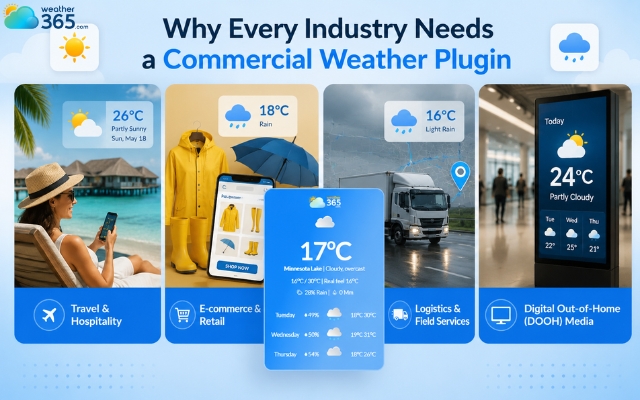
Travel & Hospitality: Help guests plan outdoor bookings, excursions, and itineraries directly on your platform without navigating away to a third-party forecasting site.
E-commerce & Retail: Dynamically promote weather-dependent products, like rain gear during a sudden downpour or high-SPF sunscreen during a heatwave to strategically lift seasonal sales.
Logistics & Field Services: Keep fleet operators, gig-economy drivers, and clients aligned with real-time, highly localized transit conditions and weather delays.
Digital Out-of-Home (DOOH) Media: Keep public displays, corporate offices, smart mirrors, or elevator screens engaging and highly functional with glanceable, updating forecasts.
Reasons to add a weather widget for business websites
Key Features of a Premium Weather Widget for Business
A premium weather widget is a high-performance asset designed to match your brand style, load instantly, and automatically adapt to your users' exact locations.
While free, generic scripts can bog down your server or look completely out of place, a business-grade commercial weather plugin focuses heavily on seamless integration and user experience.
When choosing the right tool for your platform, three non-negotiable features separate premium plugins from the rest:
Fully Customizable & Responsive Layouts
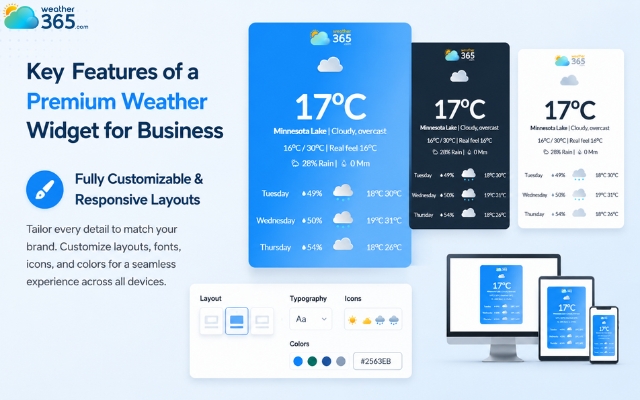
Your weather widget should look like an integrated, native part of your website, not a messy third-party afterthought.
Premium options provide deep layout customization, allowing you to fine-tune typography, icon styles, and specific hex color codes to perfectly align with your company's design system.
Furthermore, it must be fully responsive - meaning it dynamically resizes and rearranges its data blocks to fit any screen perfectly, whether your customer is browsing on a 4K desktop monitor or a compact mobile device.
A weather widget for business should be customizable
Automated Geo-Location Matching
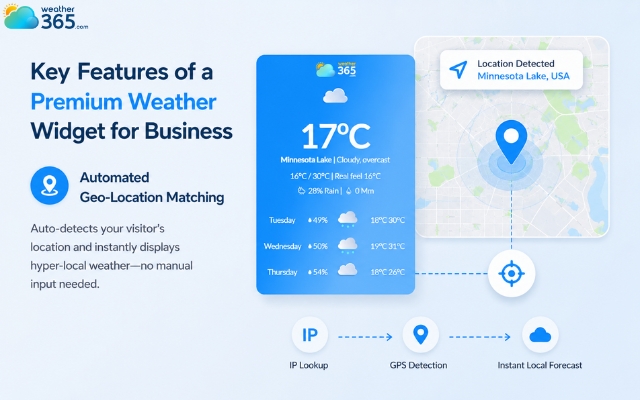
Requiring users to manually type in their city or zip code adds unnecessary friction to their experience. A premium business widget solves this by using multi-location & auto-detect features.
By leveraging secure IP lookup or device GPS permissions, the plugin instantly detects where the visitor is located and displays their hyper-local forecast the second the page opens.
This instant personalization creates an immediate connection, making your content feel tailored directly to them.
A good weather widget has a location auto-detect
Lightweight HTML5 Code with Zero Bloat
Nothing kills an online sale or a search engine ranking faster than a slow-loading webpage. Cheap or poorly written weather plugins often rely on massive, outdated scripts that stall browser rendering while trying to pull live data feeds.
Premium widgets are built on clean, modern HTML5 and lightweight asynchronous JavaScript (scripts that load quietly in the background without pausing the rest of your site).
This ensures you can offer interactive hourly graphs or live radar layers without sacrificing your core page speed scores.
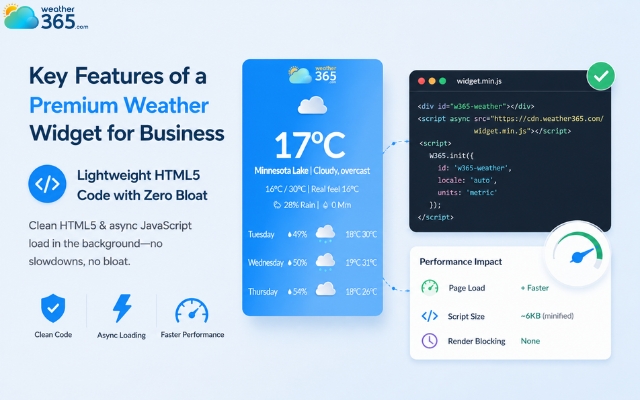
Use a lightweight weather widget to increase the page’s speed
How Weather Widget Improves Your Site’s Core SEO Performance
Integrating a live weather widget directly boosts your site's SEO rankings by transforming static pages into highly engaging hubs that keep users active on your site longer and signal continuous value to search engine crawlers.
Here is exactly how embedding a business weather widget elevates your search visibility from an expert SEO perspective:
Dwell Time Increase
Interactive weather radar maps, multi-day toggles, and hourly wind/temperature graphs capture user attention.
The more time they spend interacting with the widget, the longer their session duration - a critical signal to Google that your page provides high value.
Bounce Rate Reduction
If a user lands on your regional directory or local service page and needs to know the weather to make a decision, they will typically bounce back to search engines to check a weather app.
Keeping that data embedded directly on-site completely eliminates that exit intent.
For instance, integrating a Weather Widget for Real Estate Website allows prospective property buyers to check local climate conditions without abandoning the listing page.
Dynamic Content Updates
Search engine web crawlers favor pages with fresh, regularly updated content.
By automatically refreshing real-time data, a weather plugin keeps your pages active without requiring any manual updates.
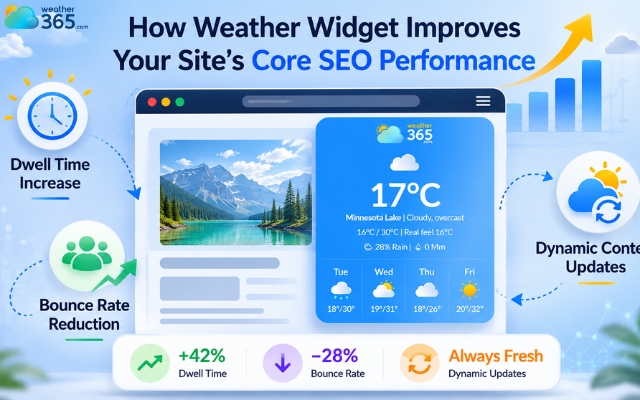
A weather widget can boost your site's SEO rankings
Top Business Weather Widget Providers
Choosing the right commercial weather plugin comes down to finding the perfect balance between professional data accuracy, layout customization, and smooth code performance.
To help you skip the trial and error, we have vetted the best enterprise and business-grade providers on the market, each tailoring to different styling preferences and platform complexities.
Here is a breakdown of the top tools you should consider for your business website:
Weather365
Weather365 is a premier choice for commercial platforms, local directories, and digital out-of-home (DOOH) media networks that require heavy, reliable data streams.
It stands out by providing highly stable custom scripts and robust API access that can feed real-time weather metrics across massive multisite networks without breaking a sweat.
If you need clean styling coupled with dependable uptime for data-heavy commercial displays, this platform is built exactly for that level of scale.
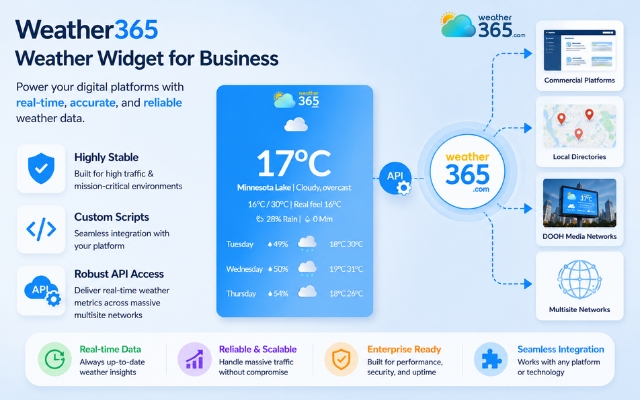
Weather365 is the most reliable provider
Elfsight
If your primary goal is beautiful, modern design without touching a single line of complex code, Elfsight is the market leader.
They offer a highly intuitive, visual no-code editor that lets you drag, drop, and style every element of your weather block.
It generates a lightweight JavaScript/HTML5 snippet that integrates beautifully into modern CMS platforms like WordPress, Shopify, and Squarespace, giving your site an instant UI upgrade.
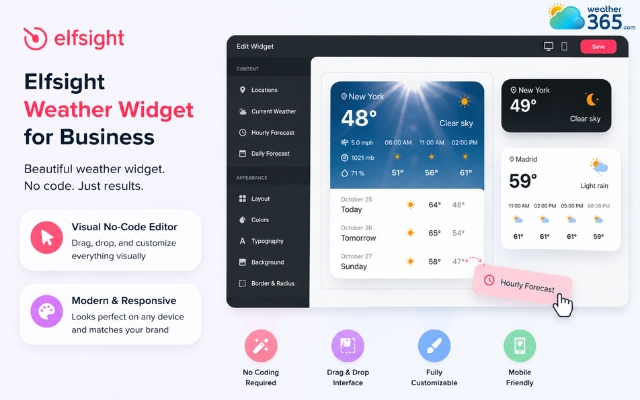
Elfsight offers a modern weather widget
Meteoblue
For industries like agriculture, aviation, logistics, or outdoor tourism where standard "sunny or rainy" forecasts aren't enough, Meteoblue is the golden standard.
If you are operating a weather widget for outdoor business, their widgets offer advanced meteorological layers, including wind vectors, precipitation probabilities, and atmospheric pressure maps.
Grounded in deep scientific precision, their widgets offer advanced meteorological layers, including wind vectors, precipitation probabilities, and atmospheric pressure maps.
While the styling options are slightly more technical, the absolute precision of their weather models is unmatched for high-stakes business operations.
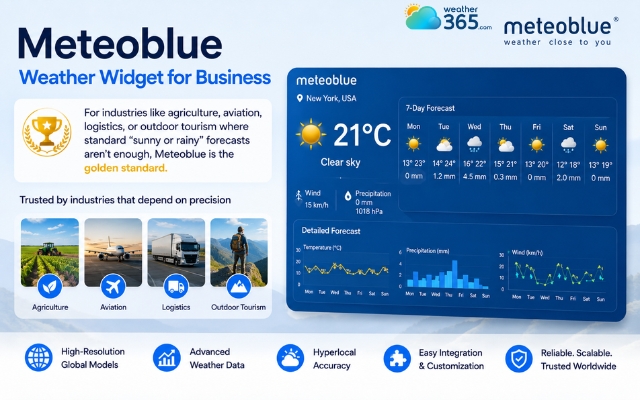
Meteoblue offers advanced meteorological layers
Sum up
When choosing the best weather widget for business, prioritizing a responsive HTML embed balances aesthetic customization with fast loading speeds. High-scale operations benefit from enterprise tools like Weather365, while design-focused sites thrive with Elfsight. Select a plugin that matches your brand style, paste the clean code, and immediately capture better engagement and stronger SEO performance.
Frequently Asked Questions (FAQs)
Related post
Weather Widget for Construction: Top Tools and How To Embed One
 139
139
 8
8
 4.9
4.9
 27/05/2026

Weather Widget for Agriculture: Embed a Live Farming Track in Seconds
119
8
4.7
02/06/2026
Weather Widget for Outdoor Business: Free Live Forecasts for Your Site
115
8
5.0
02/06/2026

8 Comment
Emanuel King
We operate in several cities. Can a business website show weather information for different branches?
weather365
That depends on the widget provider's location settings. Look for an option to configure forecasts for individual locations so customers can find relevant weather information for the branch they plan to visit.
Connor Johnson
I'm concerned that adding another feature to our business website could slow it down. How can we avoid that?
weather365
Choose a lightweight widget and test your website's performance after installation. Checking loading speed and layout stability on both desktop and mobile can help you identify potential issues early.
Benjamin Douglas
Would a weather widget be useful for businesses that depend on seasonal demand, such as garden centers or outdoor equipment stores?
weather365
Definitely! Weather information can help customers plan gardening projects and outdoor activities. It can also give them useful context when deciding what products they might need.
Dylan Smith
I run a small café with outdoor seating, and the weather can really affect how many customers come in. A weather widget sounds useful for our website.
weather365
That's a great example! Displaying a local forecast can help customers plan their visits and decide whether to enjoy your outdoor seating or choose another time.
Leave a comment
Your email address will not be published. Required fields are marked *