




Weather Widget for Real Estate Website: Ultimate Engagement Booster


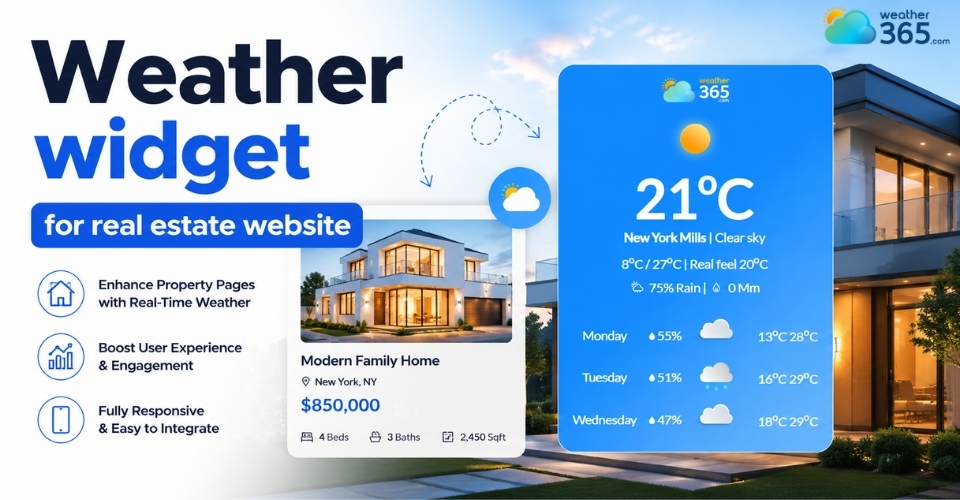
When buyers search for homes online, they are also evaluating the lifestyle around the property. A weather widget for real estate website integration helps visitors instantly understand local climate conditions while increasing time-on-site and reducing bounce rates. In this guide, you’ll learn how to choose, customize, and embed a weather widget that strengthens both UX and SEO.
Weather widget for real estate website
Why Your Property Portal Needs a Local Weather Display
When buyers search for a home, they are looking for a community. Adding local weather data directly changes how users interact with your listing pages.
While many sectors utilize weather widgets by industry to boost engagement, property portals gain a unique edge by turning standard listings into rich lifestyle profiles.
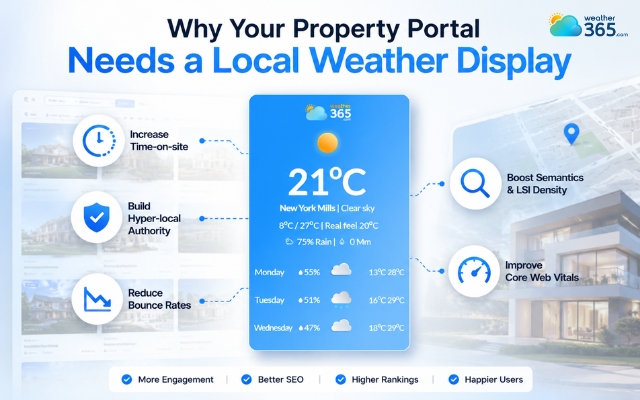
Time-on-Site Metric: Keeping active buyers scrolling through listing pages longer. When a listing page includes live climate details, temperature averages, and radar, users spend more time absorbing the page.
Hyper-Local Authority: Transitioning your brand from a generic listing aggregator into a local community guide. Out-of-state buyers do not just want to see the property photos, they want to know if the area fits their lifestyle. Showing real-time local conditions proves you know the neighborhood inside and out.
Reducing Bounce Rates: Providing complete lifestyle data so users don't leave your site to check the local climate on another weather channel. If a user has to exit your portal to look up if an area gets heavy snow or high humidity, they might not come back.
SEO Benefits: Driving Organic Visibility with Hyper-Local Data
For real estate SEO specialists, neighborhood pages are critical for capturing long-tail search traffic.
Integrating weather metrics directly builds a powerful, context-rich environment that search engines prioritize.
Increasing Semantics and LSI Density: Adding weather components naturally introduces latent semantic indexing (LSI) terms like "average rainfall," "sunny days," "climate," and "seasonal temperatures" to your neighborhood descriptions. This signals deep geographic relevance to search crawlers without keyword stuffing.
Improving Core Web Vitals: Modern search algorithms heavily penalize slow-loading sites. Implementing highly optimized, lightweight weather scripts ensures that adding local data will not block the main thread, keeping your Largest Contentful Paint (LCP) and Interaction to Next Paint (INP) scores well within the green zone.
Metrics of having a weather widget on a real estate website
Key Features of a Real Estate Weather Widget
A generic weather snippet won't cut it for a high-traffic property platform. To drive meaningful user engagement and meet enterprise standards, you need a specialized weather widget for business that includes these specific technical features:
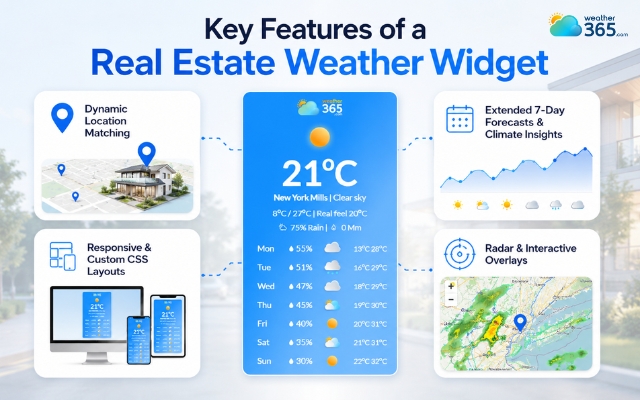
Dynamic Location Matching (IDX Syncing): The system must pull real-time weather information automatically by matching the property’s zip code, neighborhood tag, or precise geographic coordinates.
Responsive & Custom CSS Layouts: The widget should match your platform's design across mobile devices, tablets, and desktops perfectly, maintaining brand consistency without adding bloat.
Extended 7-Day Forecasts & Climate Insights: Providing a multi-day outlook along with seasonal data helps buyers evaluate the long-term livability of an area.
Radar & Interactive Overlays: Interactive visual layers allow users to view regional precipitation patterns, wind currents, and micro-climates directly on the map.
Crucial features of a weather widget for real estate website
How to Choose a Weather Widget for Real Estate Website Construction
Selecting the right weather tool for your real estate platform depends entirely on your technical infrastructure, development goals, and scaling needs.
If you are looking for solutions tailored to physical building projects rather than digital platforms, check out our guide on choosing a weather widget for construction sites.
A poorly chosen widget can slow down property page performance, while a well-optimized integration directly enhances user engagement and structural SEO.
When evaluating your options, consider the framework your site runs on.
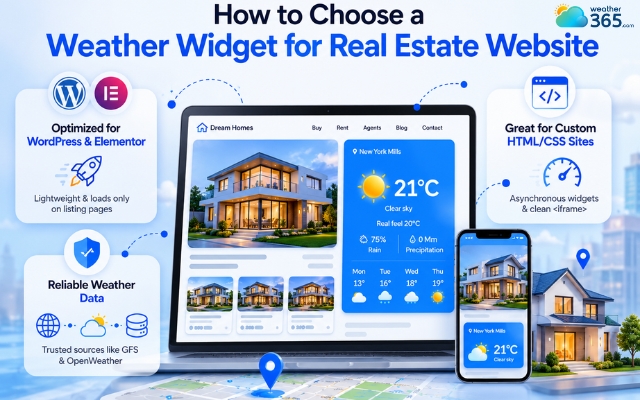
For WordPress or Elementor-built platforms, look for dedicated, lightweight plugins that load assets conditionally only on listing pages.
For custom-built HTML/CSS applications, prioritize asynchronous JavaScript widgets or clean iframe snippets that allow the rest of your page layout to render without waiting on external servers.
API data reliability is paramount. Ensure your chosen provider pulls its data streams from trusted global meteorological models, such as the Global Forecast System (GFS) or OpenWeather.
The platform must utilize an enterprise-grade Content Delivery Network (CDN) to fetch real-time climate conditions instantly, ensuring zero downtime even during high-traffic property search spikes.
Choose a weather widget based on website construction
Step-by-Step Integration Guide
Setting up your weather widget requires balancing design aesthetics with loading efficiency.
Follow this structured workflow for a seamless deployment:
Step 1: Choose a Reliable Widget Provider
Select an enterprise weather provider like Weather365 that offers highly optimized, customizable widgets designed specifically to handle high-traffic API requests without lagging.
Step 2: Select the Display Layout
Determine where the widget fits best. Use a compact header layout for quick glances on individual listing pages, or deploy a deep, full-width section layout on dedicated neighborhood profile pages.
Step 3: Customize Color Palettes and CSS
Adjust the widget's visual parameters inside your provider's dashboard. Match the background transparency, font families, and accent colors to your real estate brand identity.
Step 4: Embed the Code via Dynamic Loops
Copy the generated code snippet. Paste it into your theme builder or shortcode manager using dynamic tags so the location variable automatically updates based on the current listing's coordinates.
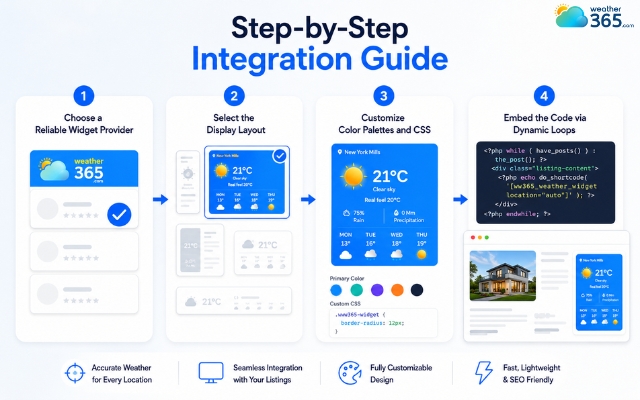
Easy steps to get a weather widget for real estate website
Sum up
A weather widget for real estate website platforms is an absolute game-changer for hyper-local optimization. By adding real-time climate data directly into your property portals, you drive organic visibility, improve user dwell time, and establish unshakeable neighborhood authority. Choose a fast, lightweight solution to elevate your listing pages and convert local search traffic into valuable leads today.
Frequently Asked Questions (FAQs)
Related post
Weather Widget for News Sites: The Ultimate Setup Guide for Publishers
 184
184
 8
8
 4.7
4.7
 02/06/2026

The Ultimate Weather Widget for Travel & Tourism Websites Guide
152
8
4.6
01/06/2026
Weather Widget for Hotels on Website: Secret to Increasing Direct Bookings
129
8
4.8
01/06/2026

8 Comment
Jordan Hamilton
Could property developers use weather widgets on websites promoting new residential communities?
weather365
Yes! Developers can add local forecast information to community or project pages to give prospective residents another useful resource when researching a location.
Hugo Smith
When comparing homes in different cities, I usually check the weather separately. Having it directly on a property website could make the process easier.
weather365
That's a practical use case! Weather information for each property location can help visitors compare local conditions while exploring different listings.
Kailani Briggs
Would a weather widget be helpful for real estate agents who organize property tours on weekends?
weather365
Definitely! A weekend forecast can help agents and buyers plan viewing schedules, especially when properties have outdoor spaces such as gardens, patios, or swimming pools.
Leila Cook
I think adding weather information to a real estate website is a clever idea. Buyers often want to know what a neighborhood is like before deciding to visit.
weather365
Absolutely! Local weather information can give potential buyers useful context about an area and help them prepare for property viewings.
Leave a comment
Your email address will not be published. Required fields are marked *