




Weather Widget for Hotels on Website: Secret to Increasing Direct Bookings


To increase direct bookings, add a weather widget for hotels. Statistics show that up to 70% of travelers research local climate conditions before finalizing their travel plans. Providing accurate, real-time forecast data directly on your booking page keeps high-intent travelers on your site, Let’s establish strong brand trust and guarantee they book directly with you rather than fleeing to Online Travel Agencies.
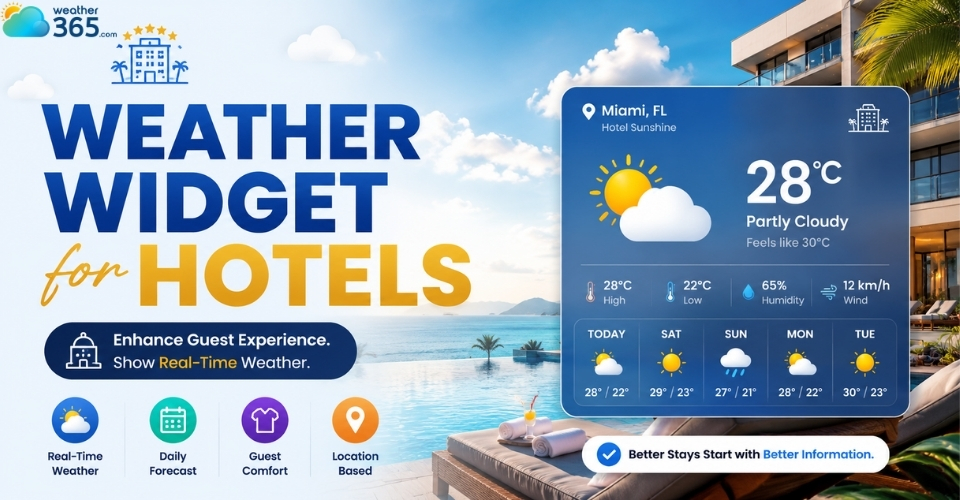
Weather widget for hotels
How a Hotel Weather Widget Drives Direct Bookings
A hotel weather widget can directly influence booking decisions, increase guest engagement, and create more upselling opportunities.
By showing real-time weather information directly on your website, hotels can keep visitors on-site longer and encourage them to complete their reservations with more confidence.
Keeping Guests on Your Website (Reducing Bounce Rate)
When potential guests browse a room but need to check the local forecast, they usually open a new tab to look at major weather channels.
Once they leave your site, they are highly exposed to distracting ads, competitor pop-ups, or OTAs offering aggressive alternatives.
Keeping the user on-site eliminates this leakage and drastically reduces your bounce rate.
Encouraging Length of Stay
Visualizing a pristine 5-day forecast right inside your booking engine can trigger immediate psychological buy-in.
If a traveler planning a quick Friday-to-Sunday weekend getaway sees that Monday is projected to be equally spectacular, they are significantly more likely to hit that "Extend Stay" button before completing their transaction.
Upselling Amenities and Add-Ons
A smart weather widget is a dynamic merchandising tool that can shape your marketing strategy based on real-time atmospheric conditions:
→ Rainy forecast? Prompt a targeted widget notification or pop-up highlighting your indoor geothermal spa, heated indoor pool, or fine-dining tasting menu.
→ Sunny forecast? Push premium cabana rentals, golf tee times, rooftop bar reservations, or local guided excursions.
If your property frequently hosts outdoor weddings or corporate retreats, integrating a specialized Weather Widget for Event can also help coordinators plan schedules seamlessly.
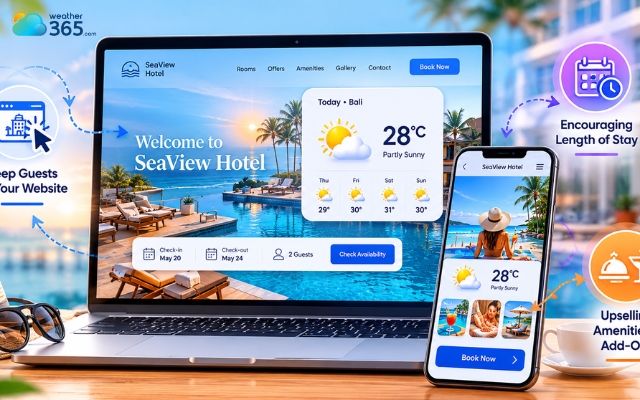
Hotel weather widget can directly influence booking decisions
Key Features to Look For in a Weather Widget for Hotels
To choose the best weather widget for your hotel, look for features that match hospitality web standards.
1. Real-Time, Hyper-Local Accuracy
Standard city-wide data is often insufficient for remote luxury resorts, coastal boutique hotels, or mountain lodges. A microclimate discrepancy of just a few miles can mean the difference between a downpour and clear skies.
This hyper-local precision is equally critical for property listings, as detailed in our guide on choosing a Weather Widget for Real Estate Website.
Look for a widget that supports precise latitude/longitude coordinates over simple zip codes.
2. Customizable Design
Your website reflects your property’s physical luxury and hospitality. Avoid clunky, ad-heavy third-party plugins that degrade your digital aesthetic.
Your widget must offer complete control over typography, border-radius, background transparency, and icon styles to perfectly match your brand's unique identity.
3. Mobile Responsiveness
With over 50% of global travel bookings happening on smartphones, a rigid desktop layout will break your mobile UX.
The widget must automatically adapt its layout, switching from a horizontal 7-day row to a compact, swipeable carousel or vertical stack on smaller touchscreens.
4. Multi-Language and Multi-Unit Support
International properties require flexible customization to accommodate global travelers.
The widget must support dynamic switching between Celsius and Fahrenheit, metric and imperial wind speeds, and automatically translate weather condition labels (e.g., "Partly Cloudy" to "Parciamente Nublado").
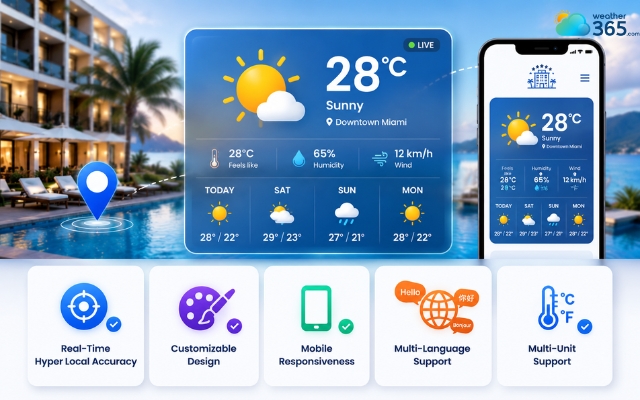
Features of a weather widget for hotels
Top 3 Weather Widgets for Hotel Websites
Among a lot of weather widgets on the market, there are 3 weather widgets for hotels websites standing out, which are: Weather365, Elfsight, and OpenWeather.
Weather365 Widget
Weather365 is one of the best weather widgets for hotel websites thanks to its clean design, real-time forecasts, and easy setup.
The widget displays current weather, hourly forecasts, and multi-day predictions in a modern layout that works well on both desktop and mobile devices.
Hotels can also customize the style to match their website branding.
Another advantage is its simple integration process. Most users only need to copy and paste the embed code into their website without technical experience.
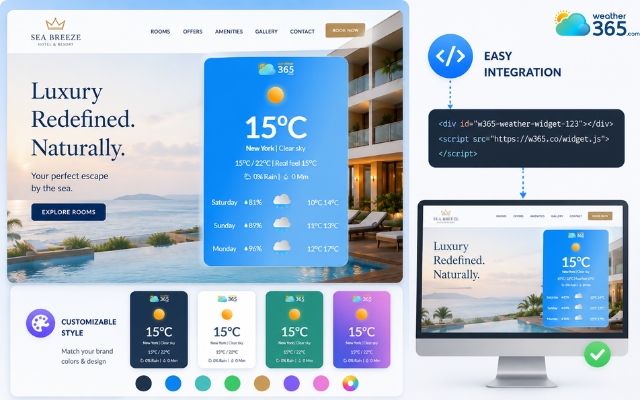
Weather365 is the most reliable widget provider
Elfsight
Elfsight is a good option for hotels that want a stylish and customizable weather display.
It offers flexible design settings, multiple layout options, and multilingual support, making it suitable for international hotel websites.
The interface is user-friendly and works well for modern hospitality brands. However, some advanced features may require a paid plan.
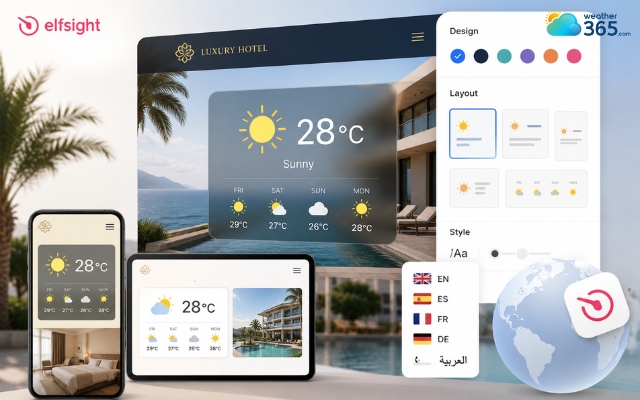
Elfsight offers flexible design settings
OpenWeather
OpenWeather is ideal for hotels that want more control over weather data and customization.It provides accurate forecasts and supports deeper API integration for custom-built websites.
Because of its robust data feeds, this provider is also a top choice for industrial applications, such as power utilities or a dedicated Weather Widget for Construction.
While powerful, it can be slightly more technical to set up compared to beginner-friendly options like Weather365.
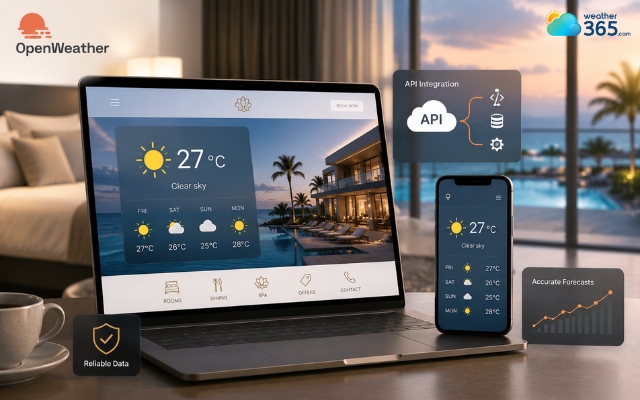
OpenWeather may be more technical
How to Install a Weather Widget on Your Hotel Site
Setting up a modern widget requires no advanced engineering and can be completed in just a few structural steps:
Step 1: Choose Provider & Customize: Design Phase
Select your preferred data provider and open their configuration dashboard.
Adjust the canvas settings, match the text typography to your brand guidelines, and inject your hotel's exact hex color palette.
Step 2: Generate Embed Code:Code Extraction
Save your changes and generate the deployment script.
The platform will output a snippet of clean HTML or an asynchronous JavaScript iframe code block. Copy this snippet to your clipboard.
Step 3: Paste into CMS:Deployment Phase
Open your hospitality content management system, whether standard platforms like WordPress and Squarespace, or dedicated hotel engines like Sabre/SynXis.
Navigate to the desired layout block and paste the raw code into a dedicated custom HTML module.
Step 4: Test and Verify
Launch the live staging preview.
Verify performance across multiple physical viewports (Desktop, Tablet, and Mobile) to confirm that no layout shifts occur and that the data switches correctly between standard units.
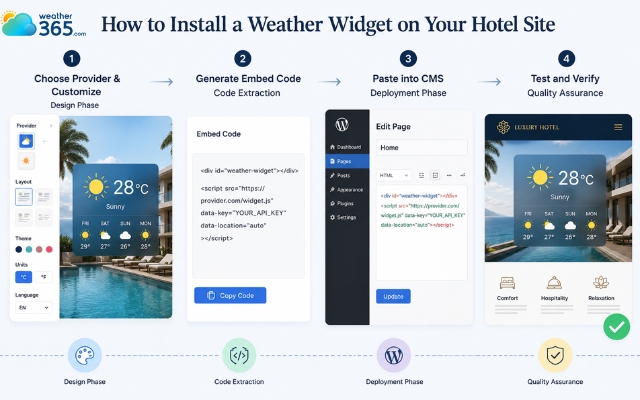
Easy steps to add a weather widget for hotels
Best place to put a weather widget for hotels on website
Strategic placement ensures your widget acts as a functional utility rather than a distracting gimmick:
The Homepage Footer or Sidebar: Provides a subtle, reliable informational anchor that remains consistently accessible across the entire guest browsing journey without disrupting core promotional copy.
The Booking/Reservation Page: Reassures high-intent guests right at the decisive point of purchase, removing friction and verifying that their selected dates match their desired vacation climate.
The "Local Attractions" or "Activities" Page: Creates an immediate conceptual link between live weather conditions and your property's curated list of daily things to do, making it function like an organic digital concierge.
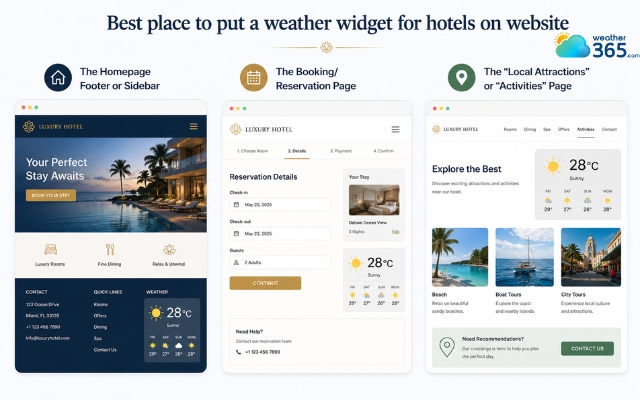
Positions to put a weather widget for hotels websites
Sum up
Bringing a weather widget for hotels onto your site makes trip planning completely seamless for your guests. When travelers can see the local forecast right on your booking engine, they don't have to leave your page to check the skies.
Frequently Asked Questions (FAQs)
Related post
Best Weather Widget for Event Websites: Live & Responsive
 216
216
 8
8
 5.0
5.0
 01/06/2026
Weather Widgets by Industry: Best Use Cases for Every Business
162
8
4.6
15/05/2026
The Ultimate Weather Widget for Travel & Tourism Websites Guide
152
8
4.6
01/06/2026

8 Comment
Maeve James
Can I display the weather for the hotel's exact location rather than the nearest major city?
weather365
That depends on the provider’s location coverage and configuration options. Check whether it supports your hotel’s town, coordinates, or address, and verify that the displayed location accurately represents the property.
Troy Porter
I manage a seaside hotel, and guests often ask whether the weather will be suitable for swimming or boat trips. Could a weather widget help answer those questions?
weather365
Yes, a local forecast can provide useful context about temperature, wind, and precipitation. However, beach and boating activities may also depend on sea conditions and official marine warnings, so guests should check those separately.
Augustus Williams
Would a hotel benefit more from a current weather widget or a weekly forecast? I'm thinking about guests who book several days in advance.
weather365
A weekly forecast can be useful for guests planning ahead, while current conditions help people who are already at the hotel. If space allows, combining a concise current-weather summary with a multi-day forecast can serve both needs.
Davis Mills
Adding a weather widget to a hotel website seems like a small detail, but it could be really helpful for guests deciding what to pack before their trip.
weather365
Absolutely! Showing local weather conditions and forecasts can help guests prepare for their stay. Placing the widget near destination information or travel tips makes it easy for visitors to find.
Leave a comment
Your email address will not be published. Required fields are marked *