




Weather Widget for News Sites: The Ultimate Setup Guide for Publishers


Weather widget for news sites solutions are becoming essential for publishers that want higher engagement, stronger local relevance, and longer session times. Studies consistently show that weather content drives repeat visits because readers check forecasts daily. In this guide, you’ll discover the best widgets, key features, and simple setup steps to improve your news website experience.
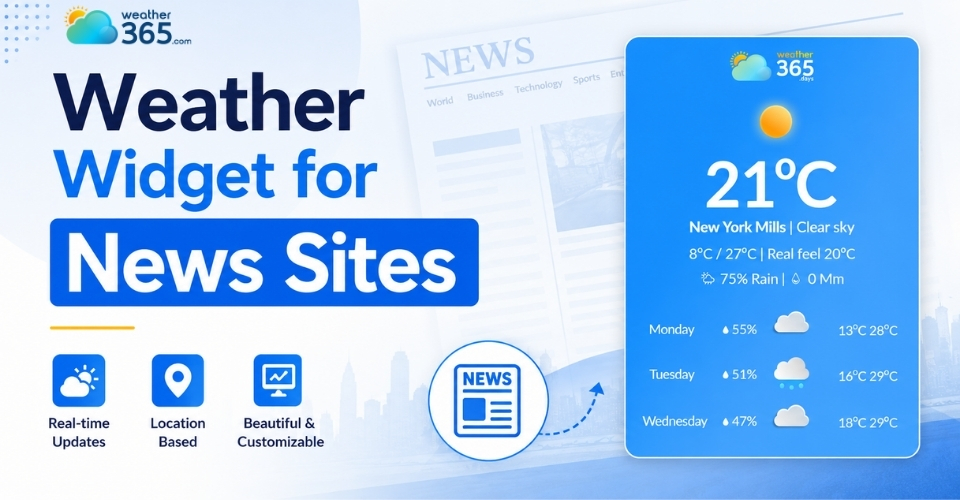
Weather widget for news sites
Why Your News Site Needs a Dedicated Weather Widget
A dedicated weather widget turns your news site into an essential daily destination because checking the forecast is an absolute morning ritual for almost everyone.
When readers can see if it’s going to rain right from your homepage, they don't have to leave your site to look it up elsewhere.
Here is exactly why adding this simple tool is a major win for your platform:
Boosts Session Duration & Ad Revenue
Weather is a daily habit. By giving readers real-time local updates alongside breaking news, you give them a reason to linger.
More time spent on your site means higher session durations, which directly translates to more ad impressions and better monetization without any extra effort.
If you want to see how other commercial platforms use these tools to drive conversions, explore our guide on choosing a Weather Widget for Business.
Drives Hyper-Local Engagement
Modern widgets can automatically detect a reader's location or let them type in a specific zip code. This instantly customizes their experience.
When a neighborhood resident sees hyper-local data tailored exactly to their community, it builds trust and keeps your publication highly relevant at a regional level.
Delivers Hands-Off, Automated Content
High-quality news content takes hours of reporting and editing. A weather widget, on the other hand, acts as a high-utility feature that updates itself 24/7.
You provide continuous value and real-time information to your audience without adding a single task to your editorial team's daily to-do list.
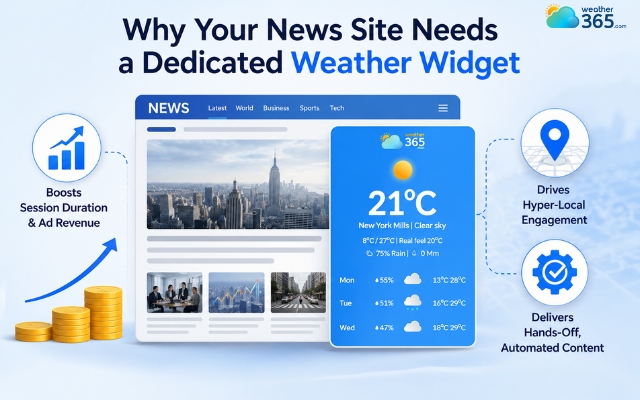
Reasons to add a weather widget to a news site
Key features to look for in a weather widget for news sites
The ideal weather widget for a news site must seamlessly blend absolute data precision with a lightweight code footprint that protects your search rankings.
Because your newsroom relies heavily on organic search traffic, choosing a clunky or generic widget can actively damage your site's performance and alienate your readers.
To maximize user retention and search engine visibility, ensure your chosen widget covers these four critical areas:
Real-Time & Hyper-Local Accuracy
If your forecast is wrong, readers won't trust your news. Look for widgets that aggregate live data from top global networks like NOAA and the ECMWF.
This ensures your audience gets highly accurate, hour-by-hour updates down to their specific zip code or neighborhood.
Full Customization & White-Labeling
A generic, mismatched box will make your site look unprofessional.
Choose a widget that allows you to change the CSS - meaning you can match the fonts, colors, borders, and icons perfectly to your newspaper's unique branding.
It should look like a native part of your website, not a cheap plugin.
Mobile Responsiveness & Lightweight Code
Since most people read the news on their phones, your widget must look flawless on all screens. More importantly, the code must be clean and lightweight.
Heavy scripts slow down your site and tank your Google Core Web Vitals scores. Look for asynchronous loading so the widget opens smoothly in the background without freezing your page.
Built-in Monetization Opportunities
Your weather section is prime digital real estate. Choose a widget that offers built-in slots for small display ads or corporate sponsor logos (e.g., "Today's forecast brought to you by [Local Bank]").
This instantly turns a helpful reader utility into a steady, automated revenue stream.
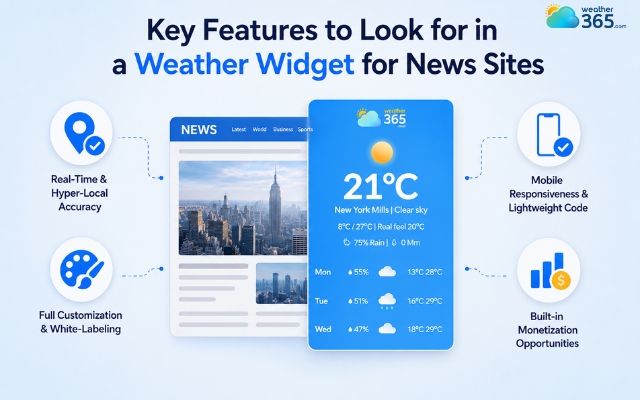
Necessary features of a weather widget for news sites
Top Weather Widgets for News Sites [Updated]
Finding the right weather plugin comes down to choosing a tool that balances fast loading speeds with reliable accuracy so your readers never feel out of the loop.
Different digital newsrooms have vastly different technical and monetization needs.
In fact, every sector from logistics to tourism requires tailored setups - check out our complete breakdown of Weather Widgets by Industry to see the differences.
To help you choose the best fit for your news architecture, these three distinct market-leading platforms are well worth exploring:
1. Weather365
Weather365 is made for modern news websites that want to change how their widget looks without slowing down their pages.
It features clean, easy-to-read designs, live satellite radar, and automatically finds where your readers are located.
Because the code is lightweight, it loads smoothly in the background to keep your Google speed scores high, and it supports over 100 languages.
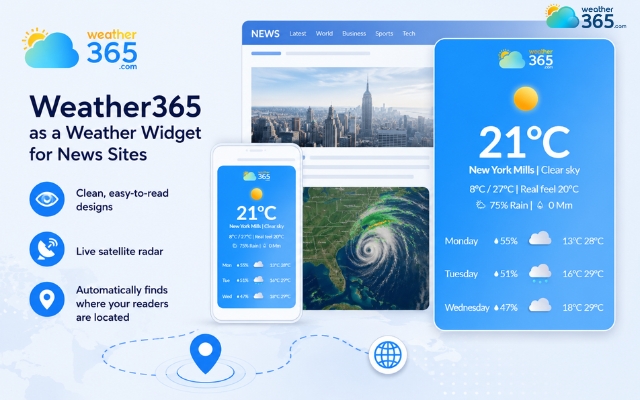
Weather365 is the best choice for any site
2. The Weather Company (An IBM Business)
This is the top choice for massive news networks, national TV stations, and large media companies.
Powered by IBM’s huge data network, it gives readers instant bad-weather alerts, real-time air quality updates, and connects easily with your ad system.
It costs more and requires a developer to set up, but it is incredibly reliable and almost never goes down.
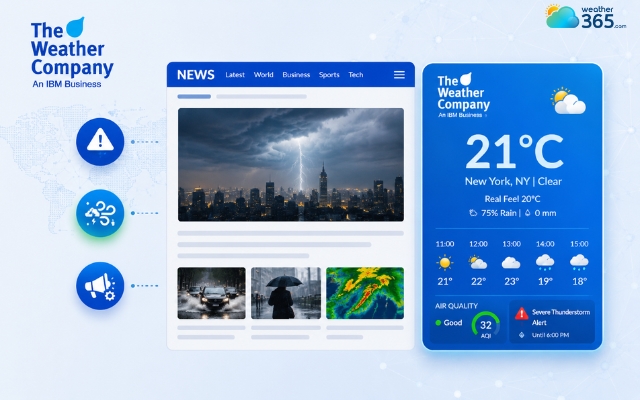
The Weather Company is suitable for a massive news network
3. WeatherWidget.io
A favorite for local blogs, independent reporters, and lifestyle sites looking for a simple tool that requires zero coding.
This platform is completely free and automatically shrinks or grows to fit perfectly in your sidebar or header.
Because it is free and safe to use, it is also a highly popular solution for school portals and learning blogs; learn more in our dedicated piece on the Weather Widget for Education.
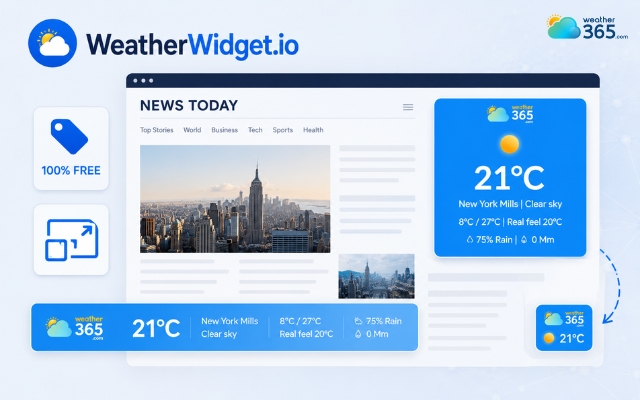
WeatherWidget.io is usually made for local blogs
Weather solution | Best for | Technical Overhead | Primary Benefit | Monetization Support |
Weather365 | Growth-Focused Publishers | Low (Simple HTML Embed) | Ultra-lightweight footprint, modern UI presets, and reliable global data tracking. | Free version available; customizable layouts for inline native sponsors. |
The Weather Company | Large Enterprise News Networks | High (Custom API & Dev Integration) | Industrial-grade data uptime, automated severe alerts, and maximum security. | Direct programmatic display ad configurations and dedicated video inventory overlays. |
WeatherWidget.io | Local Blogs & Indie Portals | Zero (Instant Copy-Paste Script) | Permanent free-to-use access with an easy visual dashboard that requires zero sign-up. | No built-in ad networks; space must be manually budgeted in surrounding container cells. |
How to Integrate a Weather Widget To Your Site
To take your widget from setup to live production without breaking your page layout or slowing down your page speeds, follow these four simple, sequential steps:
Step 1: Choose a provider
Select a reliable weather engine that offers the exact geographic scope, update frequency, and style parameters your publication requires.
For maximum site speed, prioritize lightweight choices like Weather365.
Step 2: Customize the widget
Log into your chosen provider's design panel.
Input your target default cities, pick your standard unit metrics (Celsius or Fahrenheit), and adjust the background colors and width dimensions to match your newspaper's branding guidelines perfectly.
Step 3: Generate & copy the embed code
Click the build or save button to finalize your design. The platform will automatically generate a custom snippet of HTML or asynchronous JavaScript code.
Highlight this exact block of text and copy it completely to your clipboard.
Step 4: Paste to your news site
Open your administrative dashboard to render the code based on the specific web platform you use:
WordPress: Go to Plugins > Add New, look up an optimized tool like Location Weather, install it, and use the Block Editor to place it. Alternatively, add a simple Custom HTML block directly into your target sidebar or header template, paste your code snippet inside, and hit save.
Wix / Squarespace: Navigate to your live editor page, add a new block component, select the Embed Code or HTML iframe element, paste your copied clipboard snippet into the script panel, adjust the borders, and click publish.
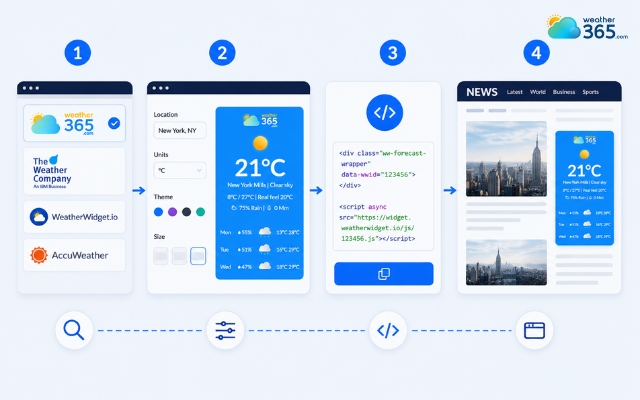
Steps to add a weather widget for news sites
Sum up
Integrating a weather widget for news sites is a simple but powerful way to grow traffic. By offering real-time local forecasts alongside your daily reporting, you can easily boost user dwell time, lower bounce rates, and create new programmatic ad revenue streams. Take five minutes to set up your tool today and watch your engagement metrics climb!
Frequently Asked Questions (FAQs)
Related post

Weather Widgets by Industry: Best Use Cases for Every Business
 162
162
 8
8
 4.6
4.6
 15/05/2026

The Ultimate Weather Widget for Travel & Tourism Websites Guide
152
8
4.6
01/06/2026

Weather Widget for Hotels on Website: Secret to Increasing Direct Bookings
130
8
4.8
01/06/2026

8 Comment
Leila Cook
Our editorial team already has a lot to manage. Would we need to update the weather information manually every day?
weather365
With a widget that refreshes its data automatically, your team generally won't need to publish routine weather updates manually. Just check that the widget is displaying the expected location and current information.
Willa Wright
I wonder whether showing weather updates on the homepage could encourage people to visit the site more often.
weather365
It can give readers another reason to return, especially when they regularly check local conditions. However, repeat visits also depend on the usefulness of your content and the overall reading experience.
Maeve Wright
Would a weather widget be useful for a small local newspaper that mainly covers one city?
weather365
Definitely! Local forecasts can complement community news and help readers prepare for everyday weather conditions. You can set a relevant location so the information matches your publication's audience.
Dahlia Perez
Adding local weather to a news website sounds like a practical idea. Readers could check the forecast while catching up on the latest headlines.
weather365
Exactly! A weather widget gives readers quick access to useful local information without requiring them to leave the news page.
Leave a comment
Your email address will not be published. Required fields are marked *