




Rainfall Widget: Your Ultimate Guide to Live Precipitation Tracking


Stay ahead of the storm with a rainfall widget - your screen’s ultimate tool for live precipitation tracking. In an era where sudden downpours can disrupt your entire day, having a rain radar right at your fingertips ensures you are never caught unprepared. Let’s dive in to learn how a rainfall widget can save your day, and how to get one for your own!
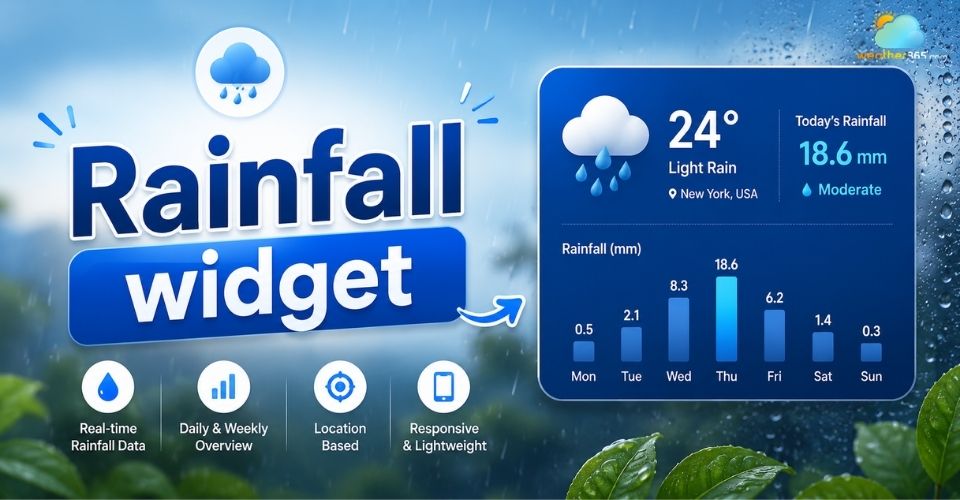
Rainfall widget
What is a rainfall widget?
A rainfall widget is a compact, interactive user interface (UI) component that displays live precipitation data directly on a device's home screen, mobile interface, or website.
Unlike full-scale weather applications that require you to open an app and navigate menus, a widget provides immediate visual snapshots of incoming rain, snow, or storms.
If you want to provide your users with a complete environmental overview beyond precipitation, embedding multi-functional weather widgets for websites is an excellent way to boost site engagement.
How does a rainfall widget work?
A rainfall widget works by using a simple three-step process to bring live weather straight to your screen.
Collecting Data: The widget uses a fast Weather API to gather raw weather data. It pulls this information from global forecast models, local radar, and weather satellites.
Processing and Updates: The widget changes complex radar data into simple visuals like rain percentages or millimeter counts ($mm/hr$). This data refreshes automatically every 2 to 5 minutes.
Finding Your Location: The widget does not show generic city averages. Instead, it uses your device's GPS or IP address to give you exact updates for your specific neighborhood.
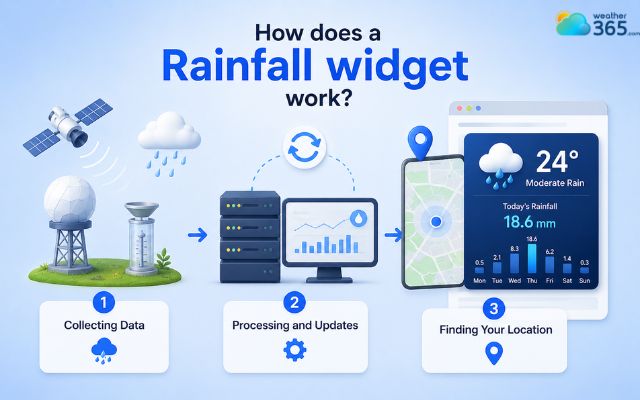
Widget uses Weather API to gather raw weather data
Key Features of a Modern Rainfall Widget
To truly be effective, a premium rainfall widget relies on several core interactive and visual elements:
Live Animated Radar: A mini-map overlay that displays moving precipitation bands and storm cells, letting you see exactly which direction the rain is traveling.
Precipitation Intensity Metrics: Precise, real-time measurements that classify rain volume, ranging from light drizzle to torrential downpours, measured clearly in millimeters per hour ($mm/hr$) or inches.
For a more comprehensive look at incoming storms, pairing these metrics with a dedicated wind speed widget helps track both moisture and wind severity simultaneously.
Dynamic UI & Color Coding: Intuitively designed interfaces that shift colors based on weather severity (e.g., soothing light green for light rain, transitioning to deep red or purple for severe, hazardous storms).
Customization Options: Deep personalization settings, including dark/light mode toggles, adjustable sizing (from minimal icons to comprehensive data graphs), and regional unit toggles (inches vs. millimeters).
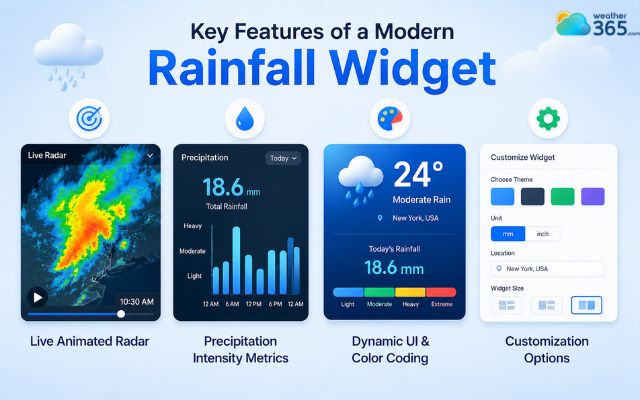
Core features of a rainfall widget
Benefits of using a rainfall widget
Integrating a rainfall widget into your daily routine or website offers distinct advantages:
Instant "At-a-Glance" Access: Check incoming showers, current rain rates, and expected storm duration instantly without the friction of unlocking your phone or loading a heavy application.
You can easily combine this data with a temperature widget to see both how hard it’s raining and how cold it feels outside in a single glance.
Proactive Daily Planning: Minute-by-minute and hourly graphs empower you to schedule outdoor events, commutes, or construction tasks precisely around passing storm cells.
Severe Weather Mitigation: Real-time push notifications and flashing widget alerts warn you of sudden flash floods or severe downpours, giving you ample time to protect your property and seek shelter.
Hyper-Local Micro-Tracking: High-resolution radar zoning allows you to see exactly when a storm will hit your side of town, even if neighboring districts remain entirely dry.
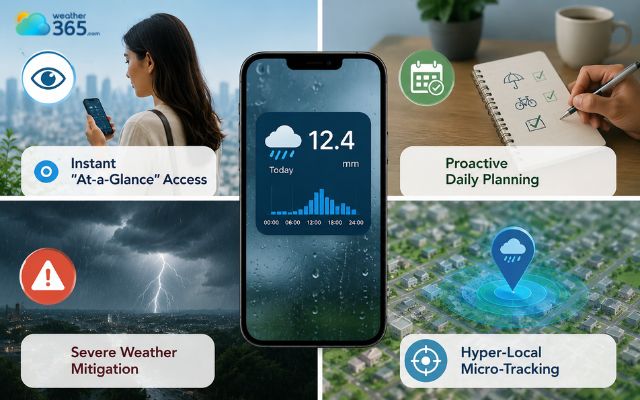
Huge metrics of using a rainfall widget
Why is Weather365 the best choice
Weather365 is the top choice for your personal screen or business website. This tool simplifies complex weather data into clear, fast, and highly accurate visuals.
Pinpoint Accuracy: Weather365 combines global AI forecast models with local weather stations. Because of this, you get exact weather updates for your specific location.
Super Fast Updates: Weather changes in seconds. While other apps lag behind, the Weather365 widget automatically refreshes its data every 2 minutes.
Lightweight & Fast Loading: The widget uses optimized code to load instantly. It delivers rich details without draining your phone battery or slowing down your website.
Beautiful, Modern Design: The interface features clean lines, smart charts, and smooth animations. It automatically changes its size and light/dark mode based on your device.
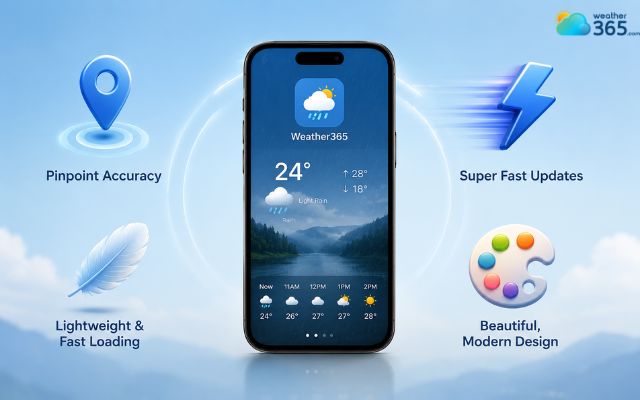
The Weather365 widget is highly accurate
Feature | Weather365 widget | Standard weather widgets |
Data accuracy | Proprietary AI + Local Ground Stations | Public regional airport data only |
Refresh Rate | Every 2 minutes | Every 15 to 30 minutes |
Performance | Lightweight, zero battery drain | Heavy scripts, slower load times |
Aesthetics | Modern, fluid animations | Outdated static designs |
How to add the Weather365 rainfall widget to website?
Enriching your website with a live weather asset is completely code-free and takes less than three minutes.
Step 1: Customize Your Design
Navigate to the Weather365 Weather Widget configuration panel. Select your preferred layout dimensions, color theme (light/dark), default location settings, and units (mm or inches).
Step 2: Generate the Code Snippet
Once your design matches your site's aesthetic, click the "Generate Code" button. The platform will instantly create a unique, optimized HTML/iframe embed snippet.
Step 3: Paste Into Your CMS
Copy the generated snippet.
Open your website's editor (WordPress, Wix, Webflow, or Shopify), drop an "HTML/Embed" block into the exact section where you want the widget to live, and paste the code.
Save and publish your page.
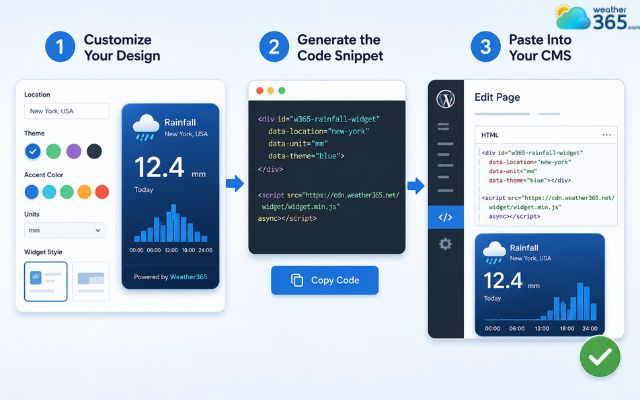
Quickly add a rainfall widget to your site
Sum up
Using a live rainfall widget is the easiest way to track changing weather patterns in real time. By delivering fast updates and hyper-local radar data directly to your screen, it ensures you are always prepared. Add this powerful tool to your website or phone today and never get caught in the rain again.
To build a custom weather asset from scratch, you can fetch live data via a Weather API. However, a faster no-code solution is using Weather365’s builder to layer metrics together. You can easily pair your rain tracker with a live humidity widget or a real-feel heat index widget to build a comprehensive, tailor-made environmental display for your users.
Frequently Asked Questions (FAQs)
Related post

Wind Speed Widget: How to Add Live Wind Data to Your Site
 240
240
 0
0
 4.9
4.9
 26/08/2026

The Ultimate Temperature Widget Guide to Boost Site’s Engagement
225
0
4.7
11/08/2026

Humidity Widget: Real-Time Moisture Tracking for Sites
218
0
4.8
17/08/2026

0 Comment
Leave a comment
Your email address will not be published. Required fields are marked *