




Heat Index Widget: Why Your Website Needs Real-Feel Weather Data?


Looking for a way to keep your audience safe while boosting your site's traffic? A heat index widget is the ultimate solution, combining ambient temperature and humidity to show the true "real-feel" weather. Read on to see how easily you can upgrade your platform only with a heat track widget today!

Heat index widget
What is heat index widget?
A heat index widget is an embeddable, responsive digital tool designed for websites to display what the weather actually feels like to the human body.
While a standard thermometer measures air temperature, it leaves out a critical variable: moisture. When humidity is high, the human body cannot efficiently evaporate sweat to cool itself down.
Air movement also plays a major role, which is why tracking conditions with a complementary wind speed widget provides a clearer safety picture.
If tracking moisture levels is your primary goal, integrating a standalone humidity widget can offer deep insights.
A heat index widget goes a step further, using a precise meteorological formula to combine air temperature and relative humidity, outputting the "apparent temperature" or "real-feel" danger level.
Key Features of a Premium Heat Index Widget
Real-Time Calculations: Instantly processes changing humidity and temperature levels.
Color-Coded Danger Zones: Visually alerts users to caution, extreme caution, danger, or extreme danger levels based on official meteorological thresholds.
Geo-Targeting: Automatically detects or allows users to input their specific location for hyper-local readings.
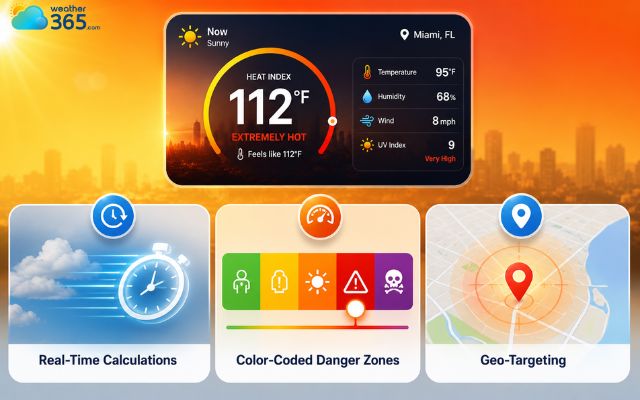
Features in a heat index widget
Benefits of using a heat index widget
Integrating a real-feel weather tracker into your digital ecosystem offers massive advantages for both your audience and your business metrics:
Enhances User Safety: Provides actionable, real-time data for construction crews, outdoor workers, and athletes. For instance, knowing when dangerous real-feel heat peaks—or when a sudden storm tracked by a rainfall widget is moving in—helps managers actively prevent workplace hazards.
Boosts Website Engagement: Gives visitors a high-utility reason to stay on your site longer and return daily, significantly improving your bounce rates and session duration.
Establishes Authority: It is the perfect public-safety addition for local news outlets, construction blogs, sports organizations, and municipal websites aiming to protect the public.
Improves Local SEO: Attracts high-intent, geo-targeted organic traffic looking for live weather, heat safety guidelines, and local conditions in specific regions.
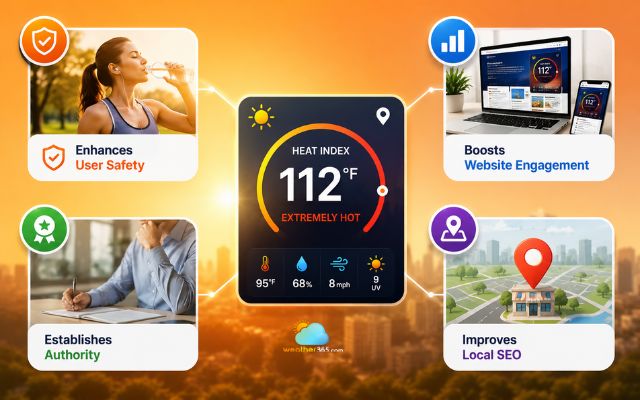
Advantages of using a heat index widget
Why choosing Weather365 widget?
Choosing the Weather365 widget is the smartest move for your website because it combines hyper-accurate real-feel data with seamless customization that won't slow your site down.
While basic weather widgets for websites only scratch the surface, this tool is built to handle the demands of modern web performance and user safety.
Here is exactly what sets Weather365 apart from the rest:
Comprehensive Weather Forecast + Heat Index Data
Most standard weather tools only show you the baseline temperature, leaving your users to guess what the air actually feels like.
While a standard temperature widget is perfect for tracking basic highs and lows, Weather365 does things differently.
It automatically pulls together data from a live wind speed widget and a dynamic rainfall widget right alongside precise heat index calculations
This gives your audience a complete, 360-degree look at the daily atmospheric conditions, transforming a simple layout feature into a highly functional public safety tool.
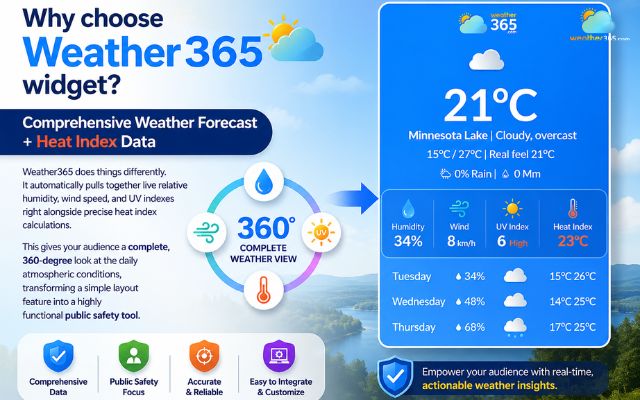
Weather365 offers a comprehensive weather forecast
Global Coverage & Hyper-Local Accuracy
Weather is entirely local - what is happening on one side of a major city can be completely different from the other.
During hot summers, tracking real-feel conditions is critical via Texas heat index weather alerts.
With Weather365, you get global tracking that is tuned for hyper-local precision.
Your visitors can instantly access real-time environmental data down to their specific zip codes, neighborhoods, or geographic coordinates.
Whether your target audience is down the street or across the globe, they get pinpoint accuracy they can actually rely on.

Weather365 widget provides local tracking
Highly Customizable & Responsive
Your website has a unique look and feel, and a generic, clunky widget shouldn't ruin that branding.
The Weather365 widget is fully flexible, allowing you to easily adjust colors, layouts, text sizes, and data fields to perfectly match your site’s design identity.
Best of all, it is built with responsive code.
It automatically scales and shifts to look beautiful, clean, and highly readable whether your visitors are browsing on a desktop monitor or a mobile device.
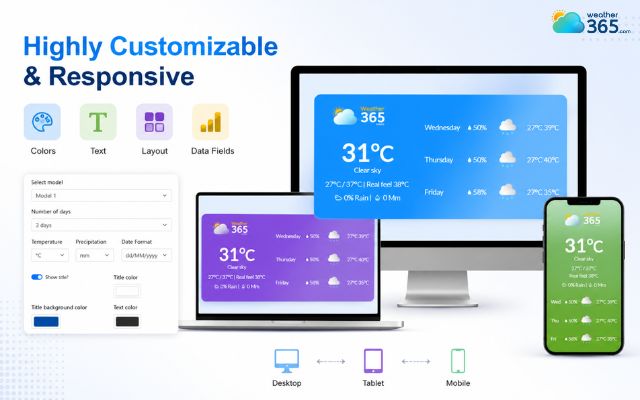
Weather365 offers free widget customization
Lightweight & Fast Loading
No one likes a slow website, and search engines actively penalize pages that take too long to load. A major problem with third-party embed scripts is that they drag down your page performance.
Weather365 solves this with highly optimized, clean code that keeps your site running smoothly.
It loads asynchronously in the background, meaning you can serve up dynamic, live data without compromising your user experience or your Core Web Vitals scores.
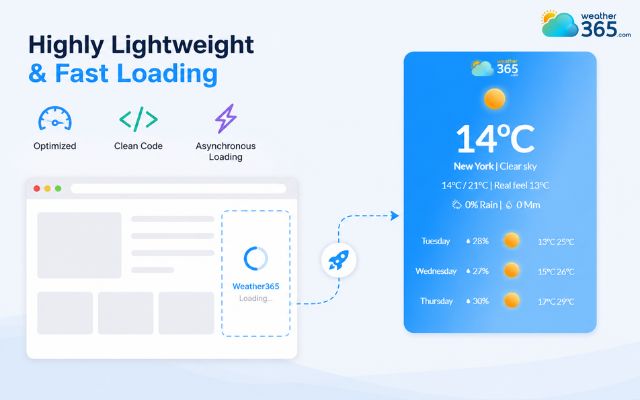
The Weather365 widget is lightweight
Adding Weather365 widget to your site
Deploying the widget is incredibly simple and requires zero advanced coding knowledge. Follow this straightforward implementation process:
Step 1: Customize Your Widget
Visit the Weather365 widget builder panel.
Enter your target default location and configure the visual design - including custom color themes, exact pixel or percentage dimensions, and specific weather data layers.
Step 2: Generate the Embed Code
Once you are satisfied with the live preview, click the "Generate Code" button.
The system will instantly provide a customized, secure iframe or JavaScript code snippet.
Copy this snippet to your clipboard.
Step 3: Paste into Your CMS
Open your website content management system.
For WordPress: Add a Custom HTML block to your page or drop the code directly into a sidebar/footer text widget.
For HTML/Static sites: Open your code editor and paste the snippet directly into your target page's source HTML code where you want it to render.
Step 4: Preview and Go Live
Save your changes and load the front-end page.
Test the layout on both a desktop browser and a smartphone to ensure full mobile responsiveness and verify that the live heat index data is updating correctly.
You can also test different locations, such as the Alabama 3 day forecast or Hawaii 5-day weather, to make sure location-specific data displays correctly after installation.
For websites that provide environmental information, you can also verify additional metrics such as New York air quality to ensure the widget displays the relevant weather and air-quality data for different locations.
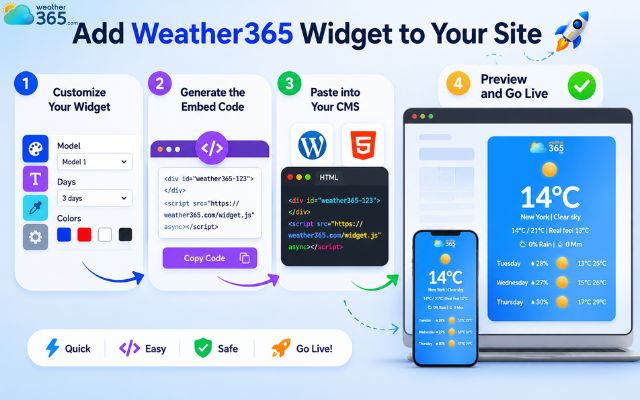
Easily embed a weather widget on your site
Sum up
As global temperatures continue to fluctuate, providing your audience with accurate, real-feel weather data is no longer a luxury - it’s a safety essential. Embedding a heat index widget protects your local community, adds immense functional value to your content, and keeps your web metrics climbing. With Weather365, you get a fast, beautiful, and hyper-accurate tracker that takes only minutes to install.
Frequently Asked Questions (FAQs)
Related post

Rainfall Widget: Your Ultimate Guide to Live Precipitation Tracking
 334
334
 0
0
 4.7
4.7
 16/06/2026

Wind Speed Widget: How to Add Live Wind Data to Your Site
242
0
4.9
26/08/2026

The Ultimate Temperature Widget Guide to Boost Site’s Engagement
225
0
4.7
11/08/2026

0 Comment
Leave a comment
Your email address will not be published. Required fields are marked *