




Weatherwidget.io vs Weather365: Pros, Cons & Best Use Cases


Are you looking for a reliable weather widget provider and wondering between weatherwidget.io vs Weather365 widget? While both offer free embeddable forecast tools, they differ greatly in design quality, customization, and user experience. Scrolling down, we are gonna help you to opt for the best choice for your need! Diving in!
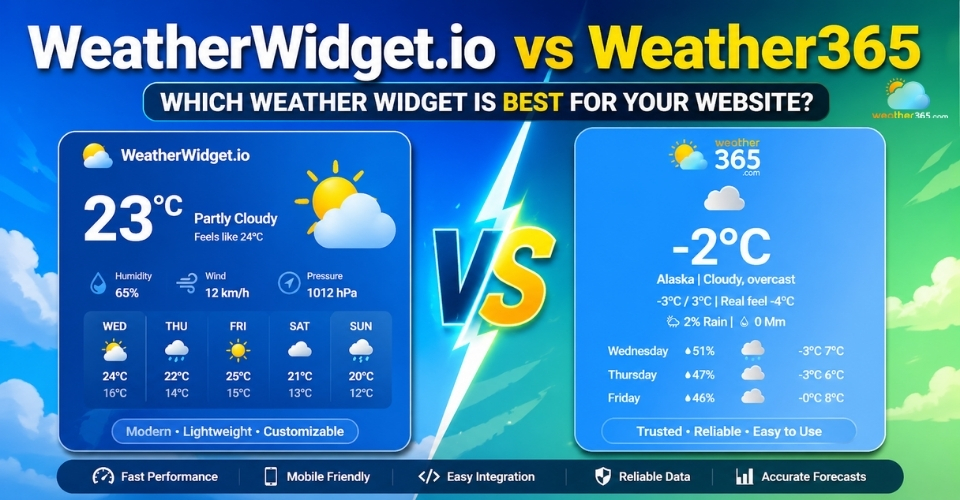
WeatherWidget.io vs Weather365
- About Weather365 Widget
- What is WeatherWidget.io?
- WeatherWidget.io vs Weather365: Detailed Comparison
- Design quality and visual professionalism
- Customization freedom and brand matching
- Forecast data presentation and user usefulness
- Ease of embedding on websites
- Responsiveness on mobile and tablet
- Ads, third-party branding, and trust impression
- WeatherWidget.io vs Weather365: Best use cases
About Weather365 Widget
Weather365 is a free online weather widget generator that helps website owners display local forecast information through an embeddable code snippet.
Instead of installing a plugin or connecting to a weather API, users only need to choose a city, configure the widget style, and paste the generated HTML into their site.
This makes Weather365 a very beginner-friendly option. It is clearly designed for people who want a quick weather feature on their website without spending time on technical setup.
As for its main features, Weather365 includes several functional settings that cover the basics well:
Location selection for global cities so users can display weather forecasts for almost any destination they want.
Forecast day control that allows you to choose how many upcoming days should appear in the widget.
Temperature and precipitation display for giving visitors more than just a current weather snapshot.
Customizable date format to better match regional website preferences.
Editable visual elements including title color, border color, text color, and divider line color.
Manual width adjustment so the widget can fit sidebars, content blocks, or footer sections.
Instant HTML embed code generation with no signup, no plugin installation, and no API integration required.
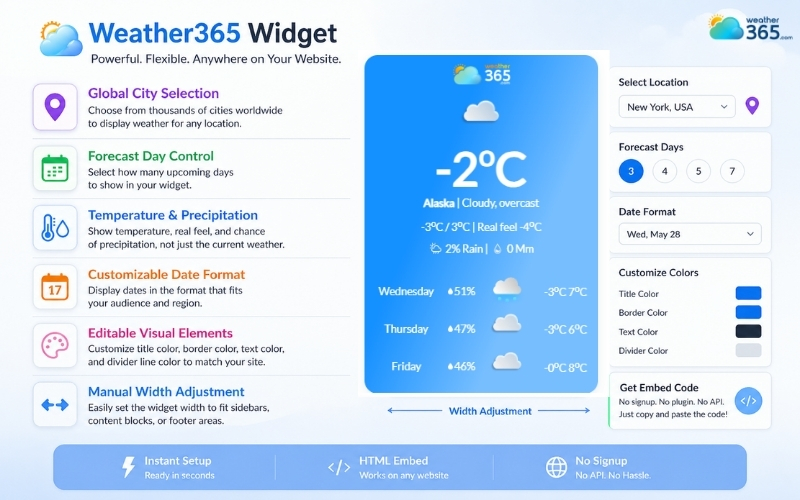
Weather365 widget is designed for people who want a quick weather check
What is WeatherWidget.io?
WeatherWidget.io is another free weather widget generator, but compared with Weather365, it puts more focus on visual presentation and flexibility.
The platform helps website owners create an embeddable weather forecast box that looks cleaner, more modern, and more responsive on different screen sizes.
Like Weather365, users only need to choose a location, customize the appearance, and paste the generated code into their website.
What makes WeatherWidget.io stand out is that it offers more styling freedom, so the widget feels less like a plain utility box and more like part of the website design.
Users can preview changes live, test widget width, and switch between multiple weather themes before embedding.
Its main features include:
Responsive auto-fit layout for desktop, tablet, and mobile screens
Various visual themes with flat, gradient, or weather-based backgrounds
Custom fonts and SVG weather icons
Flexible forecast display for current weather and upcoming days
Advanced color controls for text, background, accent, and temperature
Multilingual support
Instant code generation without signup
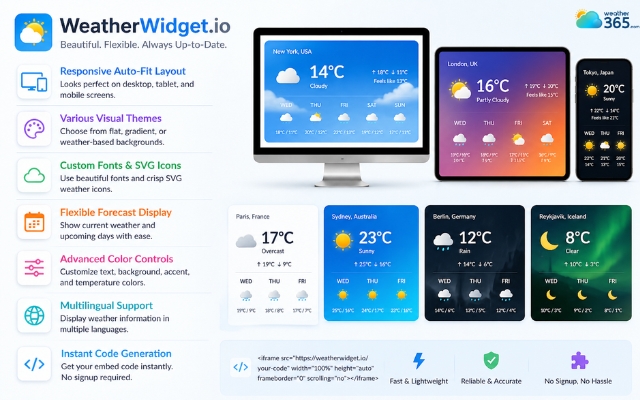
WeatherWidget.io focuses on visual presentation and flexibility
WeatherWidget.io vs Weather365: Detailed Comparison
Now that we have a clear picture of what each platform offers, the real question is: how different are they when used on an actual website?
On paper, both WeatherWidget.io and Weather365 provide free embeddable weather widgets.
But in practice, they create very different results in terms of appearance, flexibility, and overall visitor experience.
Let’s break down the key areas where that difference becomes noticeable.
Design quality and visual professionalism
Weather365 gives you a simple forecast box that is clean enough to function, but visually it feels quite standard and utility-focused.
It looks more like an information add-on than a designed website element.
WeatherWidget.io, on the other hand, clearly puts more attention on aesthetics.
It offers multiple modern themes, SVG icon sets, layered backgrounds, and live visual previews during setup, so the final widget tends to look more polished and professional on-page.
Customization freedom and brand matching
Both tools allow some degree of customization, but they do not offer the same level of control.
With Weather365, users can mainly edit practical visual details like title color, text color, border color, line color, width, and forecast settings. These options are enough to make the widget usable, but not enough to deeply align it with a strong brand identity.
WeatherWidget.io gives much broader styling flexibility. Users can change fonts, icon packs, background themes, accent colors, text colors, temperature colors, and even shadow effects.
This allows the widget to feel more like a native part of the website instead of a pasted third-party block.
So if branding consistency matters, WeatherWidget.io offers a clear advantage.
Forecast data presentation and user usefulness
In terms of raw weather information, both widgets can display current conditions and upcoming forecasts. However, how they present that information is different.
Weather365 focuses on straightforward readability. It shows the weather in a plain and direct way, which is useful if visitors simply need quick forecast details without much visual layering.
WeatherWidget.io presents similar forecast data in a more organized and scan-friendly layout.
Because the temperatures, icons, labels, and forecast days are visually separated better, visitors can absorb the information faster without the widget looking crowded.
This may sound like a small detail, but user readability plays a big role in whether a widget feels genuinely helpful or just decorative.
Ease of embedding on websites
Both platforms score well here because neither requires advanced coding.
Weather365 works by generating a custom HTML snippet after you choose your settings, and the code can be copied directly into websites, WordPress blocks, or blog sections.
WeatherWidget.io follows the same copy-and-paste approach, but its builder feels slightly more interactive and guided.
The platform also notes that the widget has no server-side requirements, which makes it simple to place on almost any website environment.
So in terms of pure installation, both are beginner friendly, with WeatherWidget.io feeling a little smoother.
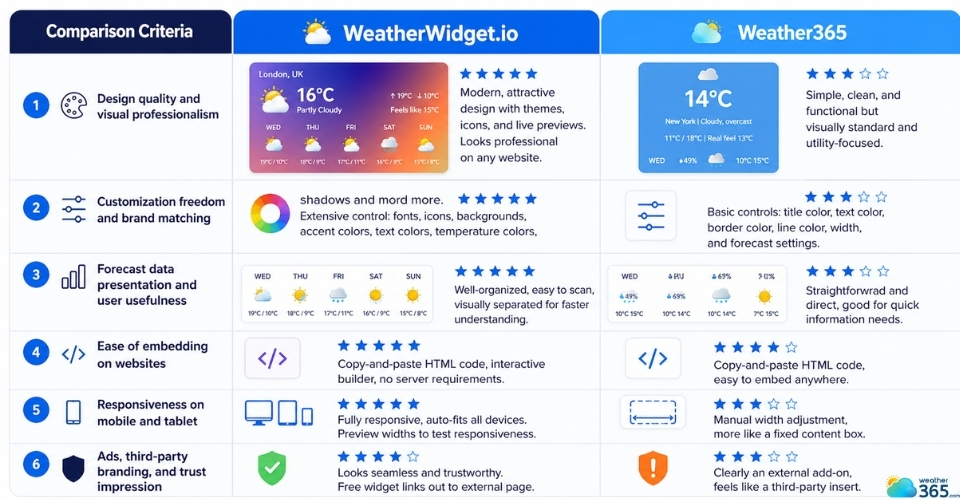
Compare WeatherWidget.io vs Weather365
Responsiveness on mobile and tablet
This is one of the strongest practical differences.
Weather365 allows manual width adjustment, which helps the widget fit into different areas of a webpage. But it still behaves more like a fixed content box than a fluid responsive component.
WeatherWidget.io was specifically built to respond to the size of its container and automatically adapt across desktop, smartphone, and tablet screens.
The platform even provides a drag preview so users can test how the widget behaves at different widths before embedding.
Since mobile traffic now dominates most websites, this gives WeatherWidget.io much stronger long-term usability.
Ads, third-party branding, and trust impression
A weather widget may be small, but it still affects how trustworthy your page looks.
Weather365 feels clearly like an external weather utility added onto the site. It does the job, but visitors can often tell that it is a generic third-party insert.
WeatherWidget.io usually creates a more seamless impression visually, but there is still one thing to note: its free widget links out by default to an external forecast page, meaning the widget is not fully self-contained.
That said, because the design looks more premium, visitors are generally less likely to see it as a cheap add-on compared with simpler free widgets.
If your goal is to create a weather section that feels more professional and user-friendly, not just functional, the visual trust factor matters a lot.
You can explore more advanced options in this guide on the best weather widget for website.
WeatherWidget.io vs Weather365: Best use cases
Weather365 works best for users who simply want to add weather information to a website as fast as possible.
It does not require much setup, the controls are easy to understand, and the generated widget is functional enough for basic visitor needs.
Pros of Weather365:
very simple setup
beginner friendly
enough forecast details for casual use
fast code generation
Cons of Weather365:
limited design polish
fewer branding controls
less responsive feel on modern layouts
Because of this, Weather365 is a practical choice for:
personal blogs
small local business sites
travel guide pages
informational websites where weather is only a secondary feature
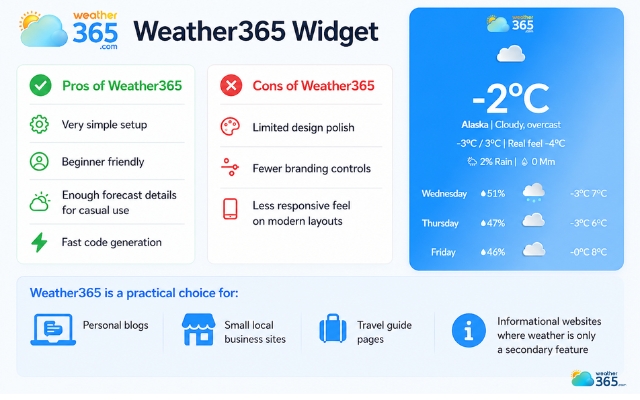
Weather365 widget is best for a quick weather check
WeatherWidget.io is better suited to websites that care not only about showing weather data, but also about how that weather section looks inside the page.
Its broader theme library, responsive behavior, and stronger visual customization make it a better fit for websites where user experience matters more.
Pros of WeatherWidget.io:
cleaner and more professional appearance
stronger mobile responsiveness
wider customization controls
better integration with modern web design
Cons of WeatherWidget.io:
still limited to preset widget structure
free version still carries third-party outbound linking
WeatherWidget.io is usually the smarter choice for:
hotel and tourism websites
business homepages
lifestyle blogs
weather-focused landing pages
websites where branding consistency is important
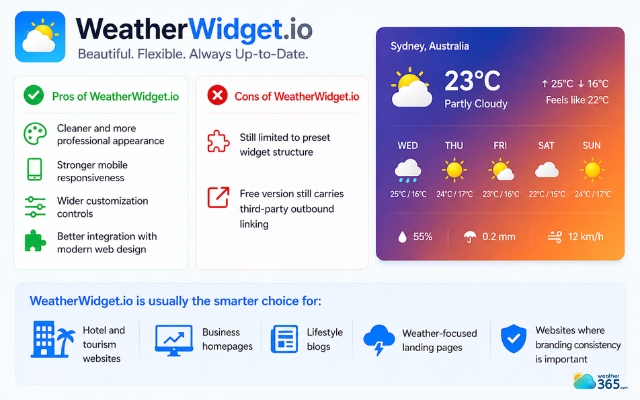
WeatherWidget.io is suitable for business homepages
Long story short, Weather365 is the better “quick utility” option, while WeatherWidget.io is the better “presentation-first” option.
However, these are not the only comparison points worth considering.
If your main concern is weather data source reliability and forecast depth, you may also want to see how a data-driven provider performs in this OpenWeatherMap Widget vs Weather365 comparison.
And if your website needs smarter forecasting layers with a more advanced weather intelligence approach, the Tomorrow.io Widget vs Weather365 review is another useful reference before making a final decision.
Final Thought
Based on the comparison between WeatherWidget.io vs Weather365, can you now decide which one is the most suitable for your needs? If you want a quick setup and basic functionality, Weather365 is enough. But if design quality, responsiveness, and stronger branding matter more, WeatherWidget.io is clearly the more polished choice.
Frequently Asked Questions (FAQs)
Related post
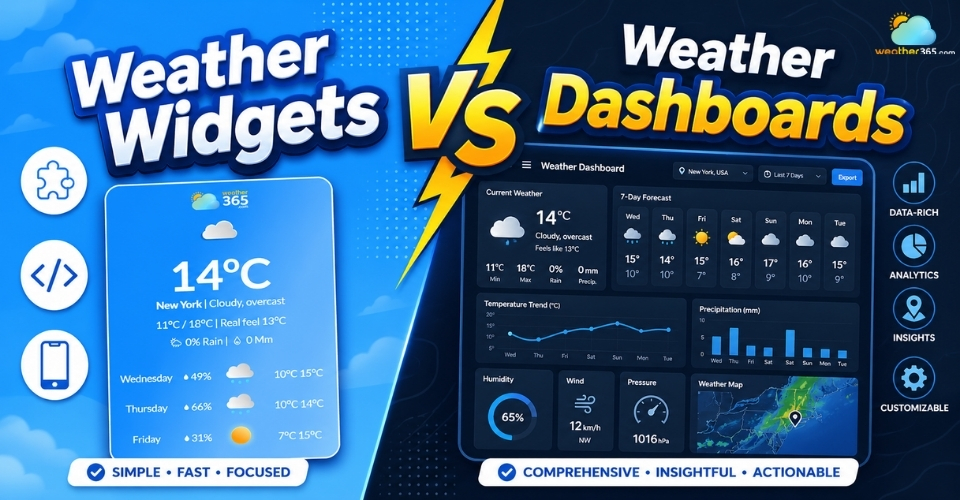
Weather Widgets vs Weather Dashboards: Key Differences & Best Use Cases
 234
234
 0
0
 4.8
4.8
 04/05/2026
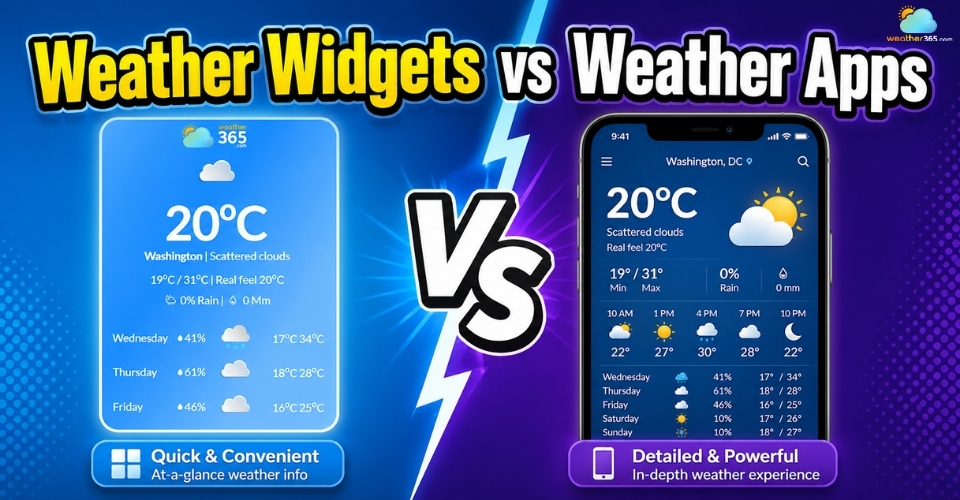
Weather Widgets vs Weather Apps: Pros, Cons & Best Use Cases
223
0
4.9
04/05/2026
Weather Widgets vs Weather APIs: A Comprehensive Comparison
190
0
4.8
05/05/2026

0 Comment
Leave a comment
Your email address will not be published. Required fields are marked *