




Weather Widgets vs Weather APIs: A Comprehensive Comparison


What’s the real difference between Weather Widgets vs Weather APIs, and which one should you actually use? If you’ve ever struggled to decide between a quick embed and a fully customized weather solution, you’re not alone. In this guide, we’ll break everything down in a simple way so you can choose what fits your website best.
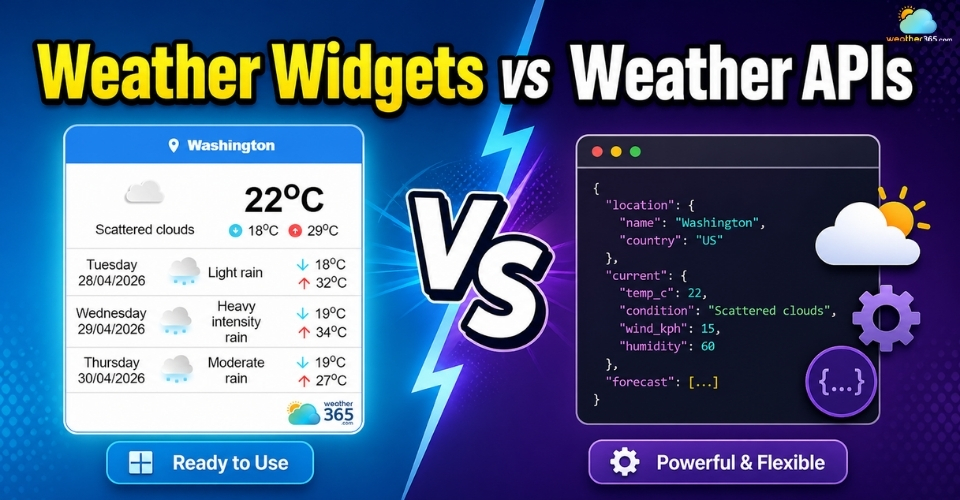
Weather widget vs weather APIs
- Understanding Weather Widget
- Pros & Cons of using a weather widget
- Common usage cases include:
- Understanding Weather APIs
- Pros & Cons of using Weather APIs
- Usage Cases of Weather APIs
- Weather Widgets vs Weather APIs: What’s the difference?
- When to Choose the Weather widget vs Weather APIs?
- Choose weather widget if:
- Choose weather APIs if:
- Best Weather Widget and Weather APIs Providers
- Weather Widget
- Weather APIs
Understanding Weather Widget
A weather widget is a pre-built weather display that can be embedded into a website using a short piece of code.
In simple terms, it is the easiest way to add weather information to a site without building an entire weather system from scratch.
Because the widget provider manages both the weather feed and the visual interface, installation is usually quick, and maintenance is minimal.
Pros & Cons of using a weather widget
The main reason many website owners choose a weather widget is that it offers a fast, low-effort way to make a website more useful.
Instead of turning weather integration into a long development task, a widget gives you an instant solution that is already functional and visually organized.
Some of the biggest advantages include:
Quick installation: most weather widgets only require a simple embed code, so setup can often be completed in just a few minutes.
No advanced coding required: even users with minimal technical knowledge can add a weather widget successfully.
Automatic live updates: the provider handles forecast refreshes in the background, so weather data stays current without manual maintenance.
Built-in visual design: weather icons, forecast cards, and responsive layouts are usually included from the start.
Lower upfront cost: compared to building a custom weather section, widgets are much more budget-friendly.
Still, the convenience of a widget comes with a few trade-offs that website owners should know before choosing one.
Limited customization: you can usually adjust colors or size, but full control over layout and user interaction is often restricted.
Third-party dependency: the weather feature depends on the provider’s uptime, pricing model, and available settings.
Not ideal for advanced functionality: widgets are mainly for displaying weather, not for powering analytics, automation, or personalized app features.
So, while a weather widget is highly practical, it works best for websites that prioritize speed and simplicity over complete technical control.
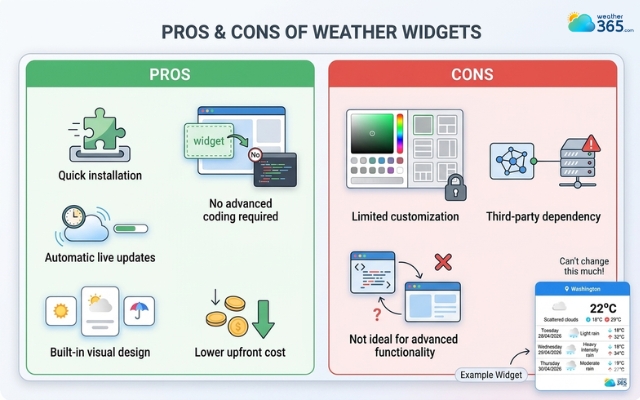
The weather widget has advantages and also trade-offs
Common usage cases include:
Travel and tourism websites: destination pages often use widgets so visitors can check local forecasts before booking or planning trips.
Hotel and resort websites: guests appreciate seeing current weather conditions directly on the property page.
Outdoor business sites: golf clubs, beach rentals, cafés with outdoor seating, and tour companies can help customers plan visits more easily.
Event pages: concerts, festivals, sports events, and marathons often display weather forecasts so attendees know what to expect.
Blogs and local news sites: adding a weather widget increases page usefulness and can keep visitors engaged longer.
Community or city portals: these sites often use widgets as a practical local information feature.
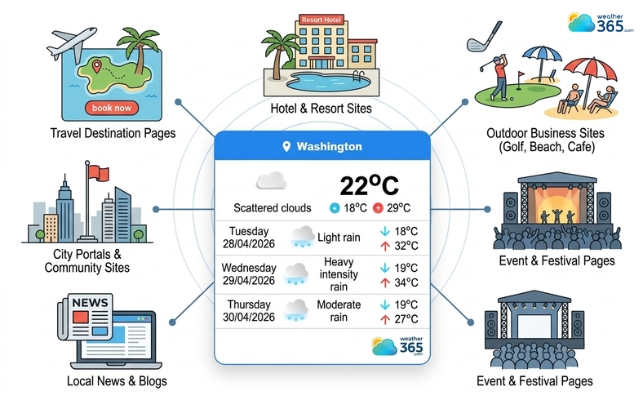
The weather widget is widely used on travel and tourism websites
Understanding Weather APIs
While a weather widget gives you a ready-made weather box, a weather API works in a completely different way.
Instead of providing a finished visual display, an API gives you direct access to raw weather data that developers can use to build their own custom weather features.
Pros & Cons of using Weather APIs
The biggest advantage of using a weather API is freedom.
Since the provider only sends you data, you can decide exactly how that data should be displayed, organized, filtered, or connected to other tools.
You are not limited to a pre-made template the way you are with a widget.
Some of the main benefits include:
Full customization: developers can create completely unique weather dashboards, alerts, maps, or forecast modules that match the brand perfectly.
Access to richer weather data: APIs often provide many more weather parameters than a standard widget, including historical trends, minute-level forecasts, or specialized environmental data.
Better scalability: APIs are suitable for apps, SaaS products, and platforms that need weather data across many pages, users, or locations.
Integration with other systems: weather information can be connected to booking systems, logistics tools, notifications, analytics, or automation workflows.
More control over user experience: businesses can build weather as an interactive product feature instead of a static display box.
However, this higher level of control also means higher technical responsibility.
Requires development work: someone has to write the API requests, process the data, and build the frontend display manually.
Longer implementation time: unlike a widget that can be installed in minutes, API integration may take days or even weeks depending on complexity.
Ongoing maintenance needed: developers must monitor request limits, data refreshes, provider changes, and potential system errors.
Usage-based pricing: many API providers charge according to request volume, which can become expensive as traffic grows.
So although a weather API is much more powerful, it is not the fastest or simplest route. It is a solution built for flexibility, not instant convenience.
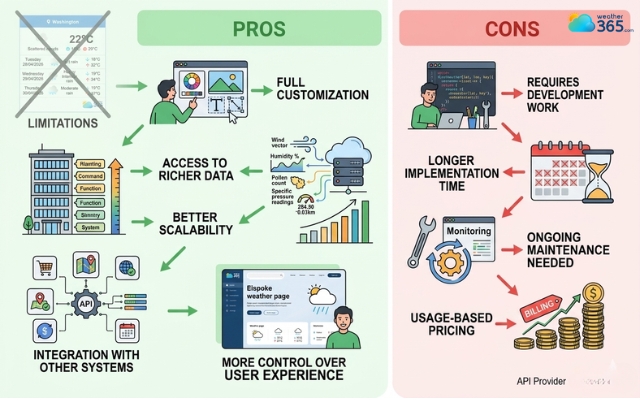
Weather APIs give you full customization
Usage Cases of Weather APIs
Weather APIs are most useful when weather data needs to do more than simply sit on the page as a visual forecast.
One common use case is mobile weather applications.
Apps that offer personalized forecasts, custom notifications, weather maps, or user-based recommendations rely heavily on API data because they need complete control over how information is delivered.
They are also widely used in SaaS dashboards and enterprise platforms where weather data influences operations.
For example, logistics companies may use APIs to monitor route weather risks, while agriculture platforms may connect weather data to irrigation planning or crop protection alerts.
Another major use case is travel booking systems and smart recommendation engines.
Instead of only showing a forecast, these platforms may use weather data to automatically suggest destinations, activities, or service changes based on upcoming conditions.
Weather APIs are also ideal for websites that want advanced multi-location weather coverage.
A large publisher or marketplace may need to display different forecasts dynamically across hundreds of pages, something that standard widgets often struggle to handle cleanly.
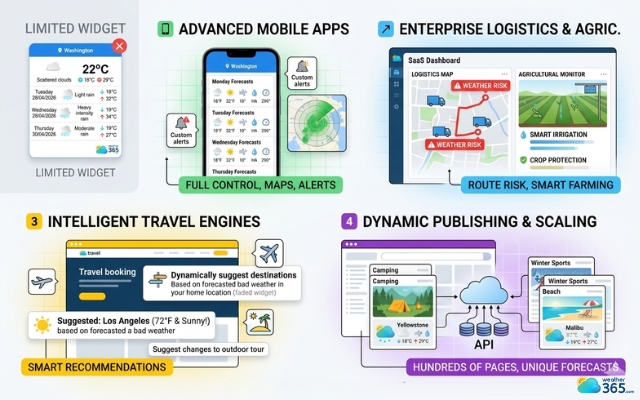
Weather APIs are widely used in SaaS dashboards and enterprise platforms
Weather Widgets vs Weather APIs: What’s the difference?
So, what actually separates Weather Widgets vs Weather APIs in practical use?
The difference lies in how much control, effort, and flexibility you want in the process.
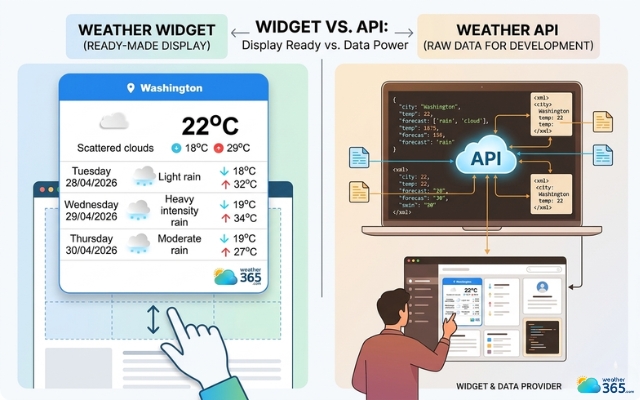
Difference between weather widgets vs weather APIs
A weather widget gives you a finished weather feature that is already designed, already connected to live forecast data, and ready to be embedded.
It is built for speed. You install it, place it on the page, and it starts working almost immediately.
A weather API, on the other hand, only gives you access to the weather data feed. The provider sends you the raw information, but everything else has to be created on your side.
So the easiest way to understand the difference is this:
Weather widget = ready-made weather display
Weather API = raw weather data for custom development
This single distinction affects almost every other factor, from setup time to cost to long-term scalability.
For example, if a business simply wants to show today’s forecast on a homepage, using an API would often be unnecessarily complex.
But if a company wants weather to power custom alerts, booking recommendations, or a personalized mobile app, a basic widget would quickly become too limited.
Here is a side-by-side breakdown of the biggest differences:
Criteria | Weather Widget | Weather API |
What you get | A pre-designed weather display ready to embed | Raw weather data delivered through requests |
Setup time | Very fast, often just minutes | Longer, requires development work |
Coding required | Minimal to none | High |
Customization level | Limited to provider settings | Full design and feature control |
Maintenance | Mostly handled by provider | Managed by your own team |
Scalability | Good for simple websites | Better for apps and large platforms |
Data depth | Standard forecast information | Often includes advanced weather layers |
Cost structure | Usually free or fixed pricing | Often usage-based pricing |
Best for | Blogs, business sites, quick integrations | SaaS tools, apps, enterprise systems |
When to Choose the Weather widget vs Weather APIs?
One thing becomes clear: neither option is automatically better than the other.
The right choice depends entirely on what your website or product actually needs.
Some projects only need a weather forecast visible on the page so visitors can check conditions quickly.
In that case, building a complex data system would only waste time and budget. Other projects need weather to become part of the product logic itself, which means a simple widget will not be enough.
So instead of asking “Which one is best?”, the smarter question is “Which one makes sense for my current goals?”
Here is how to decide:
Choose weather widget if:
You should choose a weather widget if:
You need weather integration fast. A widget can usually be installed within minutes, which makes it ideal for projects on a tight timeline.
You do not have an in-house developer. Since most of the technical setup is already handled by the provider, little coding knowledge is required.
You only need weather as a support feature. If weather is there to inform visitors rather than power the core functionality of your platform, a widget is usually enough.
You want lower upfront costs. Widgets avoid the expense of custom development and ongoing backend management.
You prefer a ready-made visual solution. The forecast panel, icons, and layout are already designed, so there is less work on the UI side.
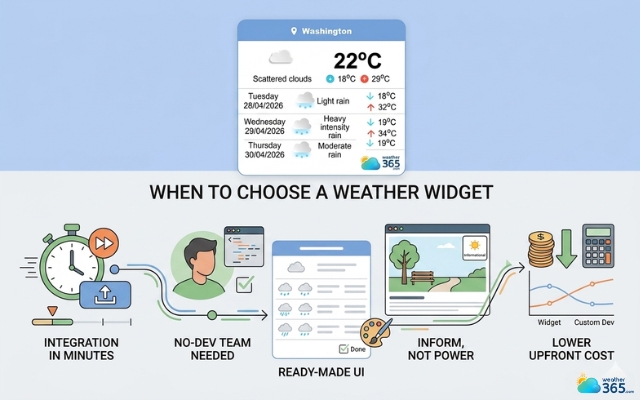
Consider using a weather widget when you need weather integration fast
Choose weather APIs if:
You should choose a weather API if:
You want complete control over design and user experience. APIs let your team build weather features exactly the way you want instead of relying on a provider’s template.
You need advanced weather datasets. Historical trends, severe alerts, minute-level forecasts, or specialized environmental data are often easier to access through APIs.
Weather is part of your product logic. If forecasts need to trigger recommendations, booking changes, notifications, or operational decisions, APIs are far more suitable.
You are building for scale. Apps, SaaS dashboards, and enterprise platforms usually need weather across multiple users, pages, or dynamic locations.
You have development resources available. APIs require coding, testing, and maintenance, so they make more sense when technical support exists.
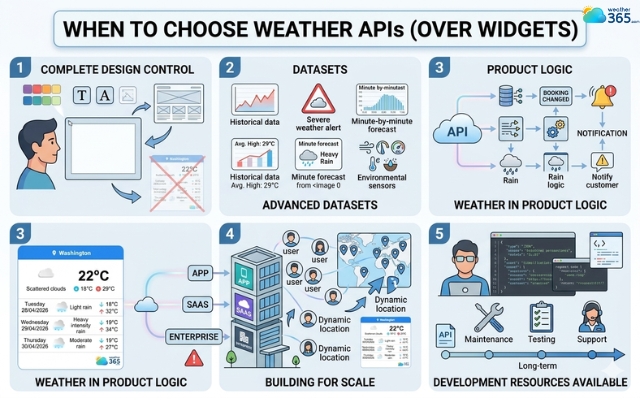
Choose weather APIs if you need advanced weather datasets
Best Weather Widget and Weather APIs Providers
Once you know whether you need a widget or an API, the next challenge is choosing the right provider.
This matters more than many people expect because not all weather solutions offer the same level of accuracy, customization, or ease of implementation.
Some providers focus on simple embeddable widgets for websites. Others are built for developers who need enterprise-grade weather data feeds.
A few platforms try to offer both, but the user experience can still vary a lot depending on your goal.
Weather Widget
If your priority is easy installation and a polished weather display, these widget providers stand out for different reasons.
Weather365
Weather365 is built specifically for website owners who want a professional weather widget without dealing with API complexity.
Its biggest strength is balance: the widgets feel modern, lightweight, and business-friendly while still offering more customization than many traditional free weather embeds.
Instead of looking like an outdated forecast box, Weather365 focuses on cleaner UI, responsive behavior, and practical settings that work well for blogs, tourism pages, booking sites, and local businesses.
For users who want a widget that feels polished but still simple to install, this is often the most practical middle-ground solution.
WeatherWidget.io
WeatherWidget.io is one of the most recognized free weather embed tools because it is extremely simple. Users can generate a code snippet quickly, choose from a few layout styles, and place it almost anywhere.
However, compared to newer widget-focused platforms, customization is relatively basic and the design can feel more generic.
It works well if you only need a quick free forecast box, but it is less flexible if you want the weather section to look branded and modern.
Can’t decide which is better? Drop by our guide on the comparison between WeatherWidget.io vs Weather365 widget.
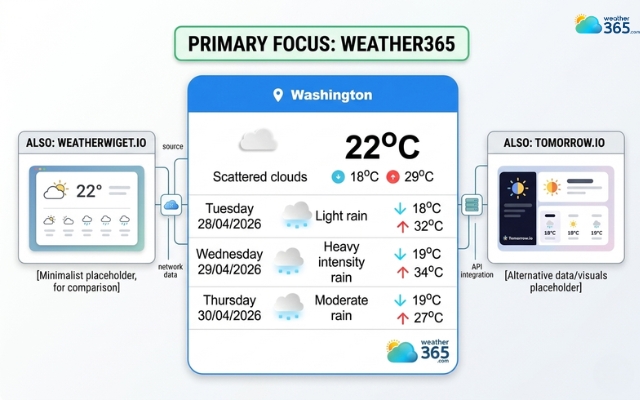
Most used weather widget
Tomorrow.io
Tomorrow.io also offers embeddable website widgets, and one reason it gets attention is the broader set of weather modules available.
Its widget library includes not only temperature forecasts but also air quality, pollen, fire risk, and dynamic location support.
Confused between Tomorrow.io widget vs Weather365 widget? Make a decision right away by seeing this comparison guide!
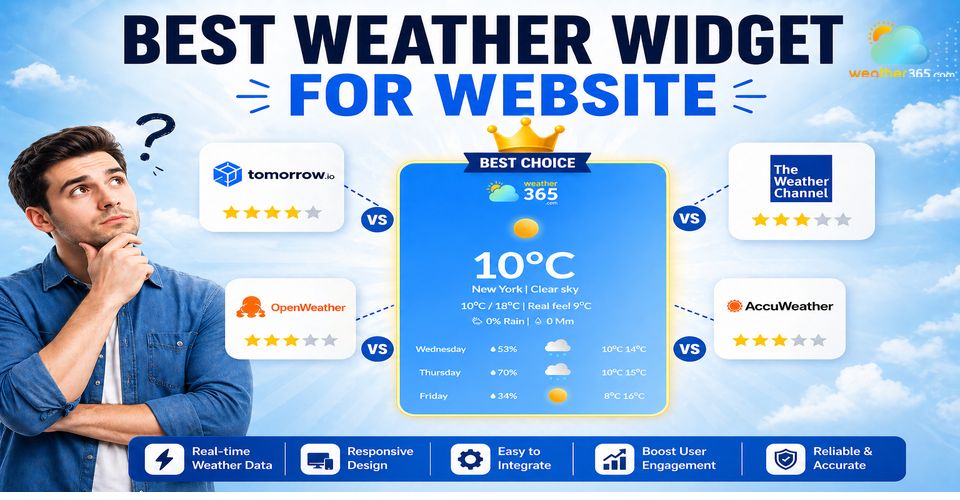
If you're still comparing options, it helps to look at the current best weather widget for website providers side by side before deciding.
Weather APIs
For projects that need custom development and deeper weather intelligence, APIs become a more important category.
Here are three of the strongest names.
Apple WeatherKit
Apple WeatherKit became a major API option after Apple replaced the old Dark Sky infrastructure with its own developer-accessible weather service.
It offers current conditions, hourly forecasts, daily forecasts, and historical weather data through both Swift and REST API access.
Its biggest advantage is clean integration within the Apple ecosystem and strong minute-level precipitation support in supported regions. For iOS-first developers, it is a very attractive choice.
The limitation is that it is not always the most open-ended enterprise API for every platform, so it tends to work best when Apple compatibility is a priority.
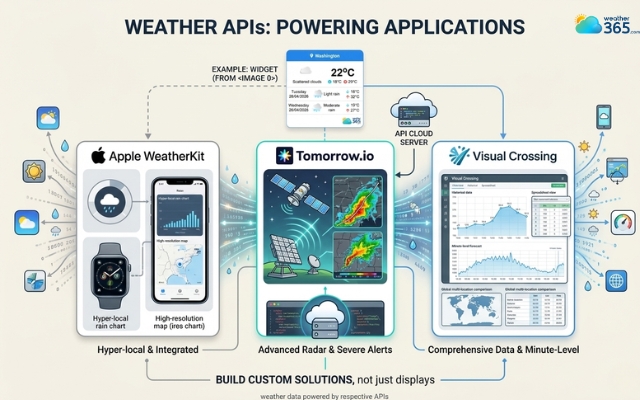
Top weather APIs
Tomorrow.io
Tomorrow.io is not just a widget provider, it is also one of the most talked-about weather API platforms for advanced applications.
The company positions itself around hyperlocal forecasting, operational weather intelligence, and a large number of data layers that go far beyond standard temperature feeds.
Industry comparisons regularly place it among the leading API choices for businesses that need scalable weather automation.
Visual Crossing
Visual Crossing is a strong choice for developers who want broad historical data access and easier multi-format forecast retrieval.
It is often favored for analytics-heavy projects because it combines forecast, timeline, and historical weather information in one developer-friendly API structure.
Another advantage is that it is generally considered approachable for web developers who want advanced data without an overly complicated enterprise setup.
Provider | Type | Best For | Main Strength | Technical Level |
Weather365 | Weather Widget | Business websites, blogs, tourism pages | Modern UI + simple embed + balanced customization | Low |
WeatherWidget.io | Weather Widget | Personal blogs, quick free setup | Extremely easy installation | Low |
Tomorrow.io | Widget + API | Data-rich websites and enterprise apps | Advanced weather layers + hyperlocal data | Medium to High |
Apple WeatherKit | Weather API | Apple ecosystem apps | Reliable Apple-native forecast integration | High |
Visual Crossing | Weather API | Forecast analytics and historical weather tools | Flexible weather datasets | High |
Sum up
Now, are you clear about the difference between weather widget vs weather APIs? Simply put, weather widgets are best for fast, easy, and low-maintenance website integration, while weather APIs are better for advanced customization and scalable development. The right choice depends on whether you need quick weather display or deeper weather-powered functionality for your platform.
Frequently Asked Questions (FAQs)
For a full comparison, see our guide on weather widgets vs weather apps.
Related post
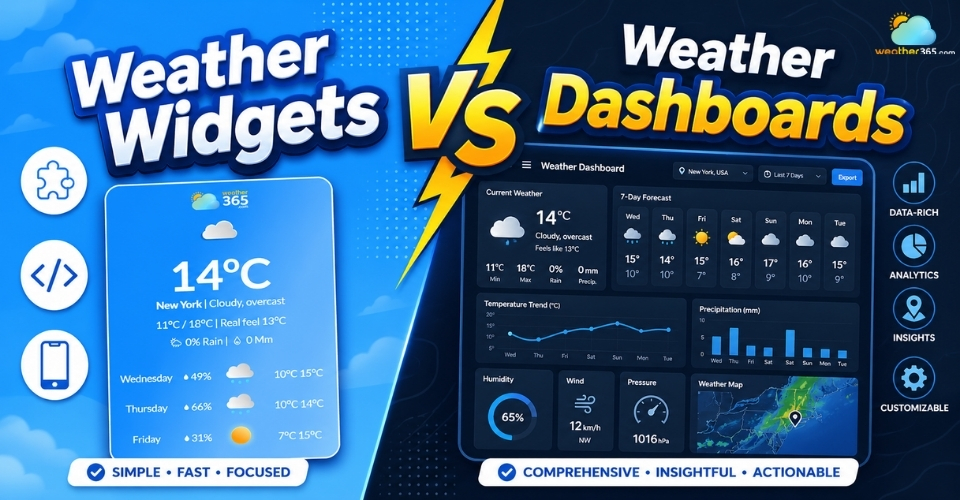
Weather Widgets vs Weather Dashboards: Key Differences & Best Use Cases
 236
236
 0
0
 4.8
4.8
 04/05/2026
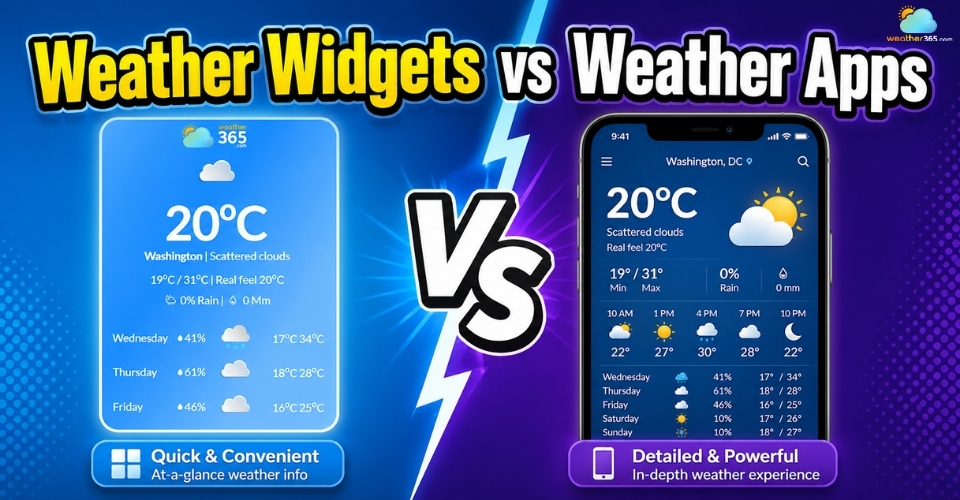
Weather Widgets vs Weather Apps: Pros, Cons & Best Use Cases
225
0
4.9
04/05/2026
Best Weather Widget for Website: Weather365 vs Top Alternatives
212
0
4.9
13/08/2026

0 Comment
Leave a comment
Your email address will not be published. Required fields are marked *