




Weather Widgets vs Weather Apps: Pros, Cons & Best Use Cases


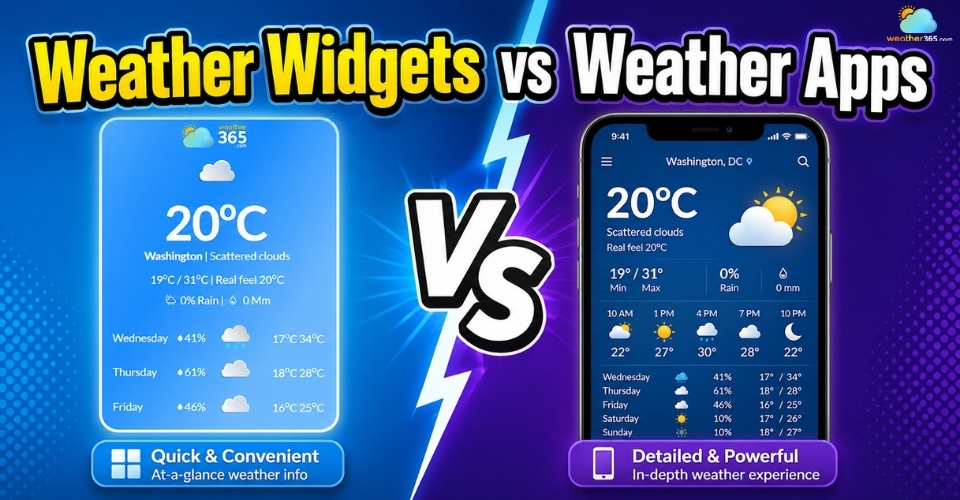
When it comes to checking the weather, you’ve probably relied on both weather widgets vs weather apps at some point, but which one actually suits your needs better? Keep reading as we break down their key differences, along with the pros and cons of each, so you can decide what works best for your website, phone, or everyday routine.
Weather widgets vs weather apps
- Understanding the Basics
- Weather widget
- Weather apps
- Weather Widgets vs Weather Apps: What’s the Difference?
- Depth of Meteorological Data
- User Interaction and Engagement
- Real-Time vs. Cached Updates
- Pros and Cons of Using a Weather Widget
- Pros & Cons of Using a Weather Apps
- Weather Widgets vs Weather Apps: Which is Better for You?
- Use weather widgets when
- Use weather app when
Understanding the Basics
Weather widgets and weather apps are not simply two versions of the same tool. They may both deliver forecasts, but they are designed with very different user habits in mind.
One focuses on speed and visibility, while the other is built for deeper exploration.
Once you understand this basic distinction, the rest of the comparison becomes much easier to follow.
Weather widget
A weather widget is a compact weather display that sits directly on your home screen, desktop, smartwatch, or website interface.
Its biggest purpose is simple: to let users check the weather instantly without opening a separate application.
Most weather widgets show only the most essential information: current temperature, weather condition, location, and sometimes a short forecast for the next few hours or days.
Because the information is always visible, widgets are made for quick glances rather than detailed planning.
For websites, the concept works in a similar way.
A weather widget can be embedded into a webpage so visitors can see local conditions immediately, which improves convenience and often keeps users engaged a little longer.
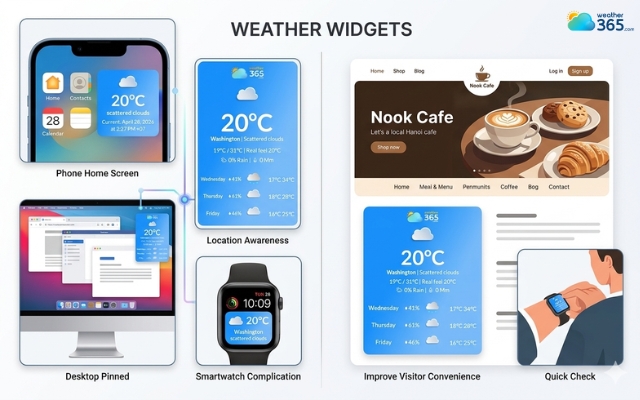
Weather widget let users check the weather instantly
Weather apps
Weather apps are much more complete weather platforms.
Instead of only showing the current forecast at a glance, they are designed to help users dig deeper into weather patterns, future conditions, and alerts.
A standard weather app usually includes:
hourly and weekly forecasts,
radar maps,
precipitation chances,
wind speed,
humidity,
UV index,
air quality,
storm warnings,
and location tracking.
This means users are not just seeing what the weather is right now, they are able to analyze what the weather will do next.
For example, if you are planning a road trip, organizing an outdoor event, or monitoring severe weather, a weather app gives you the level of detail a widget simply cannot provide.
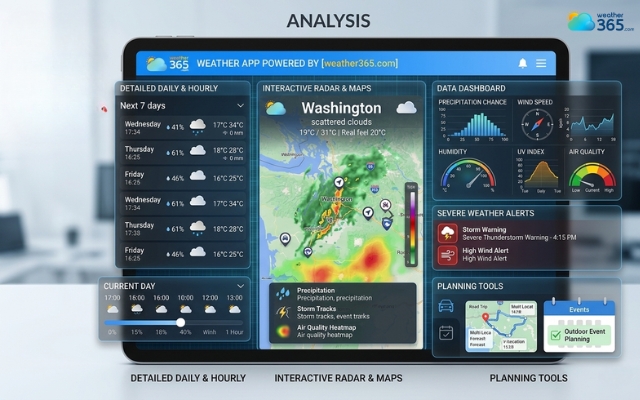
Weather apps help users dig deeper into weather patterns
Weather Widgets vs Weather Apps: What’s the Difference?
Although weather widgets and weather apps provide users the same thing; in actual use, the experience is quite different.
Depth of Meteorological Data
This is probably the most obvious distinction.
A weather widget usually gives you only the surface-level forecast: current temperature, weather icon, high/low today, and maybe a short hourly prediction.
It is intentionally simplified because its goal is to help users understand the weather in one quick look.
A weather app goes far beyond that. Once opened, it often includes:
multi-day forecasts,
minute-by-minute rain prediction,
radar maps,
humidity,
wind direction,
UV levels,
air quality,
sunrise and sunset times,
and severe weather alerts.
So if a widget answers the question “What’s the weather like right now?”, an app answers “What is the weather doing for the next several hours or days?”
In fact, if you need an even more data-heavy visual setup than a standard app or widget, you may also want to explore the difference between Weather Widgets vs Weather Dashboards.
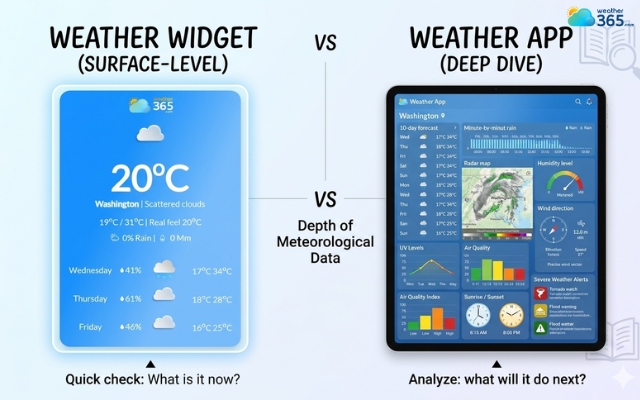
Weather widgets and weather apps differ in the depth of data
User Interaction and Engagement
Another major difference lies in how users actually interact with them.
Weather widgets are passive. You simply look at them, get the information, and move on.
This is why widgets feel convenient, they remove extra taps and save time.
Weather apps are active. Users open them, swipe through sections, zoom into maps, compare locations, and set custom alerts.
In other words, apps are designed for deeper engagement because they invite users to explore more than just today’s temperature.
This also changes the user experience in a practical way.
If someone checks the weather ten times a day just to see whether it is sunny or rainy, a widget feels smoother.
But if someone wants to know whether a thunderstorm is moving in by 4 PM, they are much more likely to open the app and investigate further.
So in terms of engagement, widgets support instant consumption, while apps support interactive decision-making.
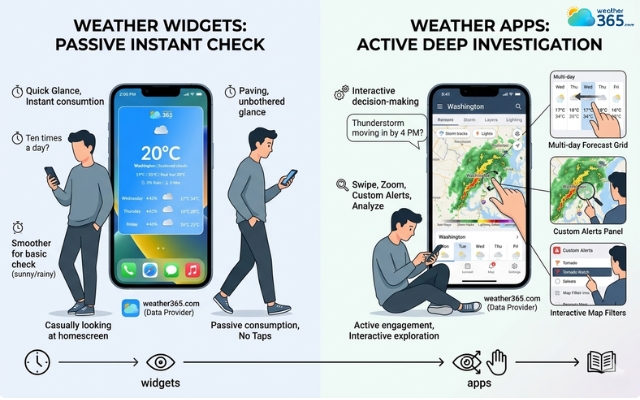
Weather widgets feel more convenient
Real-Time vs. Cached Updates
The third difference is something many users do not notice immediately: how often the information updates.
Most weather apps refresh data directly from the provider when you open them or when background sync is enabled.
That means the information is usually closer to real-time, especially during changing weather conditions.
Weather widgets, however, often update on scheduled intervals: every 15 minutes, 30 minutes, or even longer depending on battery settings, website scripts, or device optimization.
This means the forecast you see may sometimes be slightly delayed.
For normal daily use, that delay is usually not a big issue. If all you need is a general temperature check, cached updates are perfectly fine.
But during fast-changing weather, such as sudden rain, storms, or strong wind apps tend to provide fresher and more responsive information.
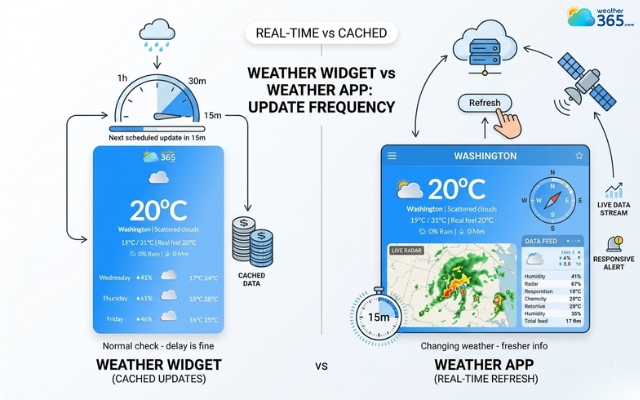
Weather widgets often update on scheduled intervals
Pros and Cons of Using a Weather Widget
By this point, it’s easy to see why weather widgets are so popular.
They are quick, visible, and effortless to use. Whether placed on a smartphone home screen or embedded into a website, they make weather information feel instantly accessible.
Still, convenience is only one side of the story.
Because widgets are designed to stay small and simple, they naturally come with some trade-offs in data depth and update flexibility.
Pros:
Instant access without opening anything
Cleaner and more convenient user experience
Great for improving website engagement
Lightweight compared to full apps
Of course, that benefit depends heavily on choosing the right provider, and if you're still comparing options, this guide to the best weather widget for website can help narrow down which solutions actually perform well.
Cons:
Limited weather details
Less room for user interaction
Overusing widgets can affect layout performance
Update intervals may not always be immediate
This is also why the data source behind the widget matters more than many people think.
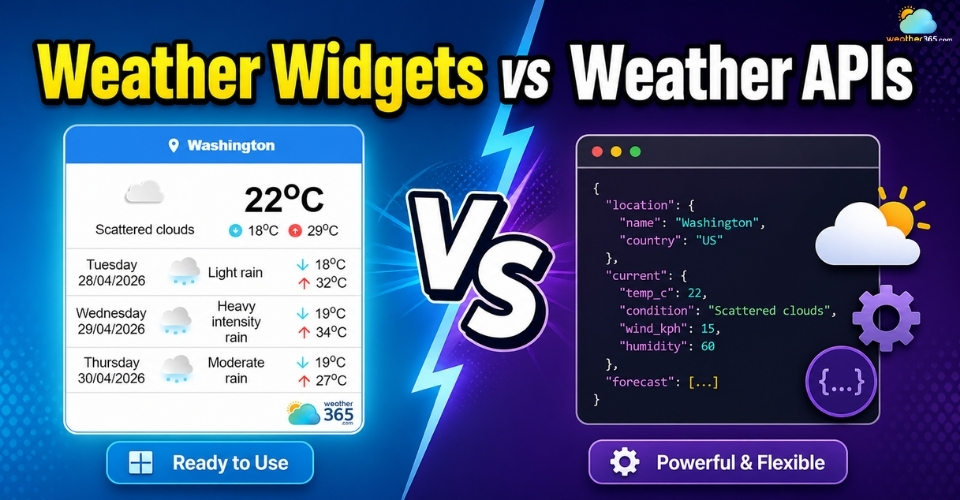
If you want to understand that technical side better, our comparison of Weather Widgets vs Weather APIs explains how forecast delivery actually works behind the scenes.
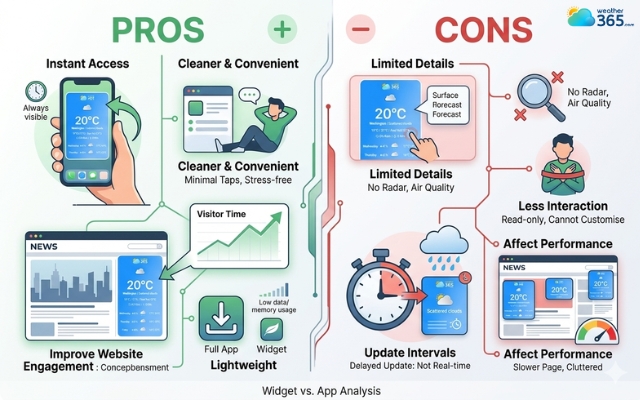
Weather widget has both advantages and disadvantages
Pros & Cons of Using a Weather Apps
If weather widgets are built for speed, weather apps are built for substance. They are the go-to choice for users who want more than just “sunny” or “rainy” on the screen.
With a weather app, you are opening a full information hub that can help you monitor changes, plan ahead, and react to severe conditions more confidently.
But as useful as they are, weather apps are not perfect for everyone.
The richer the features become, the more they ask from the user in terms of time, screen attention, storage, and sometimes even patience.
That is why weather apps come with clear strengths, but also a few drawbacks worth considering.
Pros:
Much deeper forecasting information
Better for serious planning and decision-making
Interactive features make the data easier to explore
More accurate during rapidly changing conditions
Cons:
They require extra steps every time
More storage, battery, and mobile data usage
Some apps feel overloaded
Notifications can become intrusive
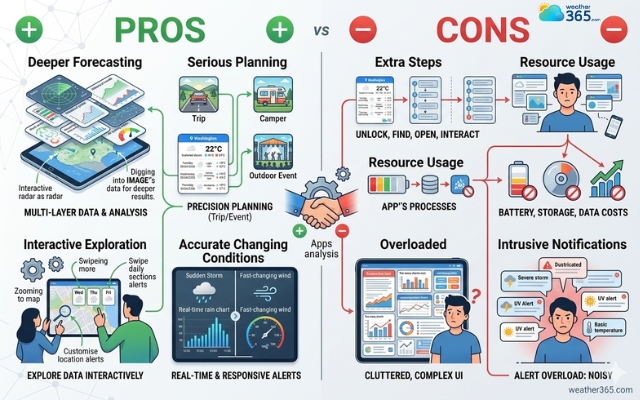
Weather widgets are built for speed
Weather Widgets vs Weather Apps: Which is Better for You?
In the Weather widgets vs weather apps debate, the smarter choice really depends on how much weather information you need and how you prefer to access it throughout the day.
Use weather widgets when
Weather widgets are the better choice when speed and simplicity matter most.
If you are someone who checks the weather casually throughout the day, just to know whether it is hot, cloudy, or likely to rain then opening a full app every single time can feel unnecessary. A widget gives you the answer instantly, right on the screen.
Weather widgets are especially useful for:
people who want at-a-glance weather info,
users who dislike too many taps or menus,
minimal home screen setups,
smart devices like watches or desktops,
websites that want to provide quick local weather visibility.
For websites, this point matters even more. Visitors rarely want to stop and explore a full weather dashboard while browsing another page.
A simple embedded widget is often enough to make the page feel more useful without distracting from the main content.
In other words, choose a weather widget when your goal is convenience first, detail second.
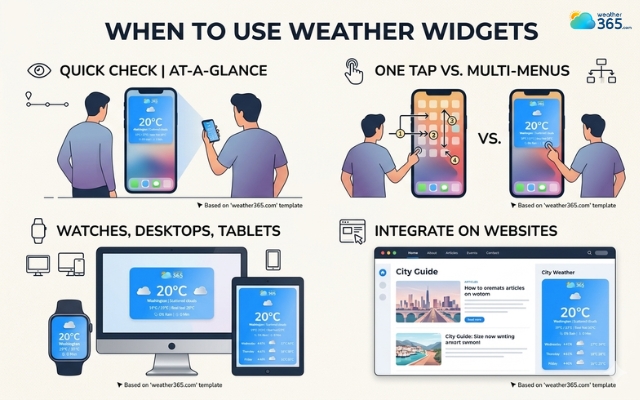
Weather widgets are the better choice when speed and simplicity matter most
Use weather app when
A weather app makes far more sense when weather information directly affects the decisions you make throughout the day.
If you need to know exactly when rain is expected to begin, whether wind conditions are getting stronger, then a small weather widget usually will not give you enough detail or confidence to rely on.
Weather apps are the better fit for:
travelers,
commuters,
outdoor workers,
runners, hikers, and cyclists,
event planners,
anyone living in areas with unstable weather.
These users benefit from having access to layered forecasts, live syncing, and customizable alerts because weather is not just casual information, it influences schedules and safety.
A weather app is also better when you like to compare multiple locations or monitor changes hour by hour.
So if your priority is planning accuracy rather than instant convenience, the app becomes the stronger tool.
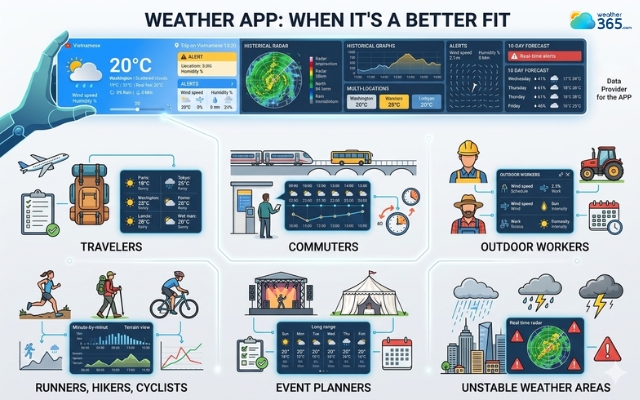
Use weather widgets if you need planning accuracy
Sum up
Weather Widgets vs Weather Apps - so which one feels right for you now? If you love fast, effortless weather checks, widgets are hard to beat. But if you need richer forecasts and better planning tools, apps are worth opening. In the end, the best choice is simply the one that fits your daily routine most naturally.
Frequently Asked Questions (FAQs)
Related post
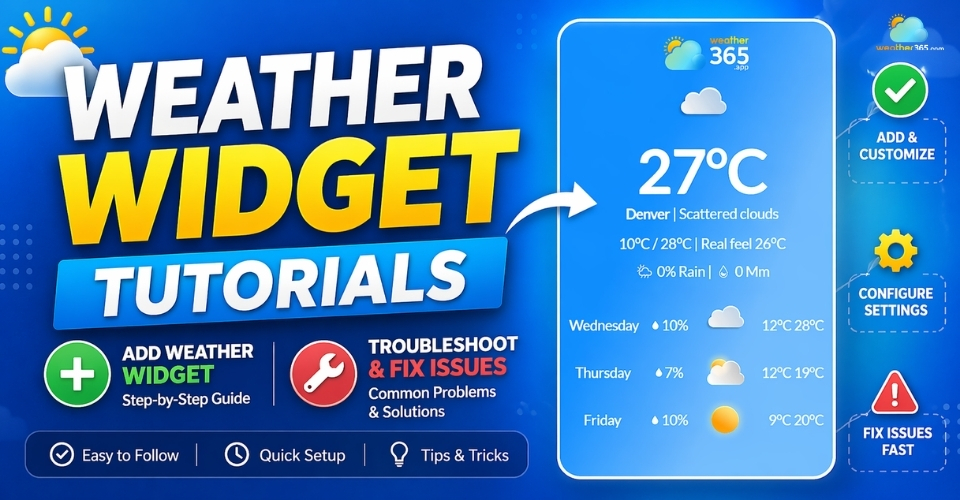
Weather Widget Tutorials: Complete Guide to Fix Common Integration Issues
 226
226
 0
0
 5.0
5.0
 29/04/2026
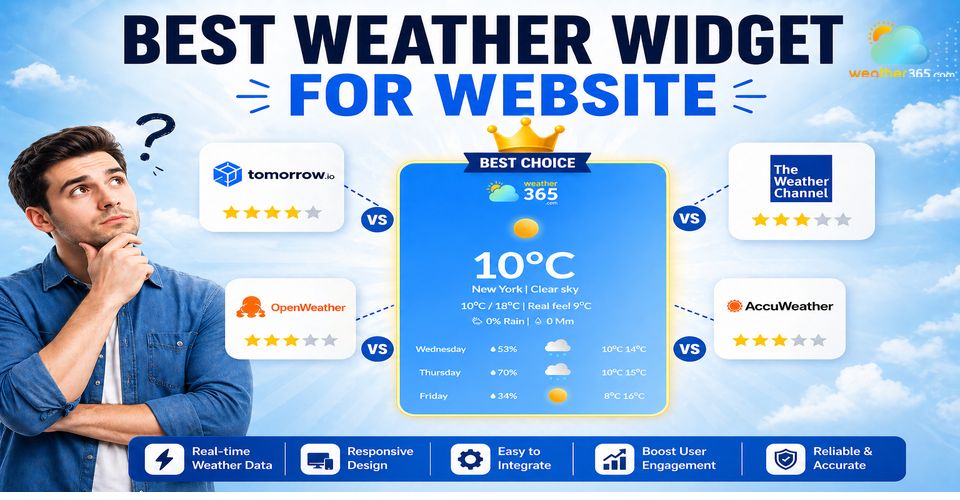
Best Weather Widget for Website: Weather365 vs Top Alternatives
212
0
4.9
13/08/2026
Weather Widgets vs Weather APIs: A Comprehensive Comparison
190
0
4.8
05/05/2026

0 Comment
Leave a comment
Your email address will not be published. Required fields are marked *