




Best Weather Widget for Website: Weather365 vs Top Alternatives


Finding the best weather widget for website integration is essential for boosting engagement without sacrificing your site's loading speed or SEO. Whether you need hyperlocal accuracy, a minimalist design, or 100% GDPR compliance, choosing the right tool can be a game-changer for your user experience. In this guide, we audit the top-performing widgets to help you find a professional, ad-free solution that fits your brand perfectly.
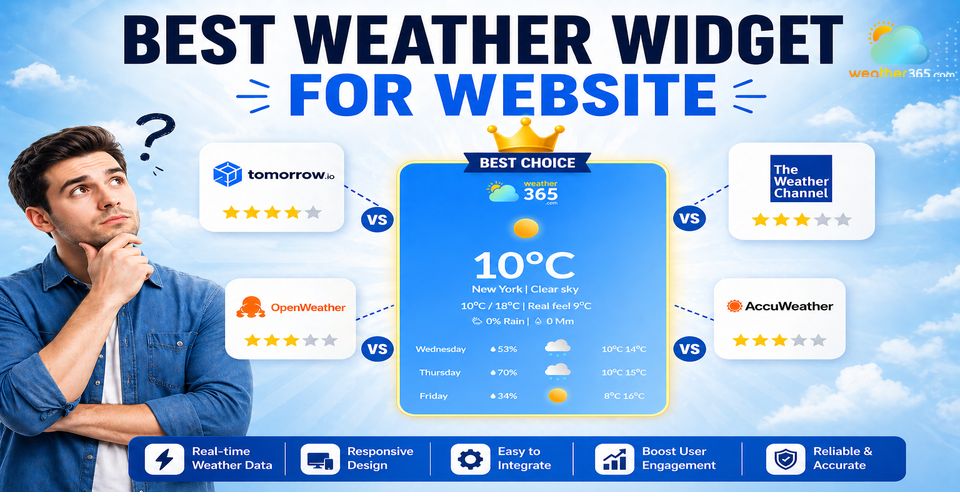
Which is the best weather widget for website?
- What makes the best weather widget for website?
- Speed
- Accuracy
- Customization
- Responsiveness
- Weather Widgets vs Other Solutions: Which is Better?
- Weather Widgets vs Weather APIs
- Weather Widgets vs Weather Apps
- Weather Widgets vs Weather Dashboards
- Weather365 Widget - Best weather widget for website
- Weather365 Widget vs Popular Weather Widget Providers
- Weatherwidget.io vs Weather365
- OpenWeatherMap Widget vs Weather365
- Tomorrow.io Widget vs Weather365
What makes the best weather widget for website?
Choosing the best weather widget for a website requires more than just displaying forecasts; it’s about delivering a seamless, high-performing user experience.
To evaluate the right solution, you should focus on four essential criteria that directly impact usability and effectiveness.
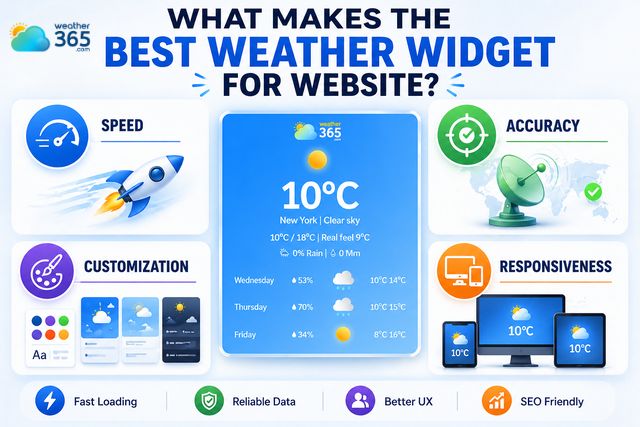
4 criteria to evaluate best weather widget for website
Speed
Speed is a critical factor in defining the best weather widget for a website.
A lightweight widget that loads asynchronously and doesn’t block page rendering helps maintain fast page speed—an essential ranking factor for SEO and user retention.
Slow-loading widgets can increase bounce rates, so modern solutions prioritize optimized scripts and minimal external requests.
Accuracy
Accurate, real-time data is non-negotiable for any weather widget.
The best options aggregate data from reliable meteorological sources and update frequently to ensure users see current conditions and forecasts.
Selecting the right tool ensures users get accurate localized reports through a US weather forecast hub.
This reliability builds trust, especially for websites where weather information directly influences user decisions.
Customization
Customization determines how well a widget integrates with your site’s branding and UX.
The best weather widgets allow flexible styling like colors, layouts, languages, and display formats without requiring complex coding.
Many platforms also provide weather widget tutorials, making it easier for beginners to configure and personalize their widgets effectively.

Best weather widgets allow users to customize style, layouts, language, display
Responsiveness
Responsiveness ensures the widget performs seamlessly across all devices, from desktops to smartphones.
A mobile-friendly weather widget adapts to different screen sizes without breaking layout or functionality, which is essential as mobile traffic continues to dominate.
This directly impacts both user experience and search engine performance.
Weather Widgets vs Other Solutions: Which is Better?
There are different ways to display weather on a website.
To choose the most suitable one, you should look at how each option performs in terms of ease of use, flexibility, and user experience.
The next sections will examine three common approaches: Weather Widgets vs Weather APIs, Weather Widgets vs Weather Apps, and Weather Widgets vs Weather Dashboards.
Weather Widgets vs Weather APIs
When analyzing Weather Widgets vs Weather APIs, the distinction is primarily about simplicity versus control.
APIs provide raw weather data, deep analytics, and full control, but they require backend development, integration, and maintenance.
In contrast, weather widgets are ready-to-use, embeddable solutions that eliminate the need for coding.
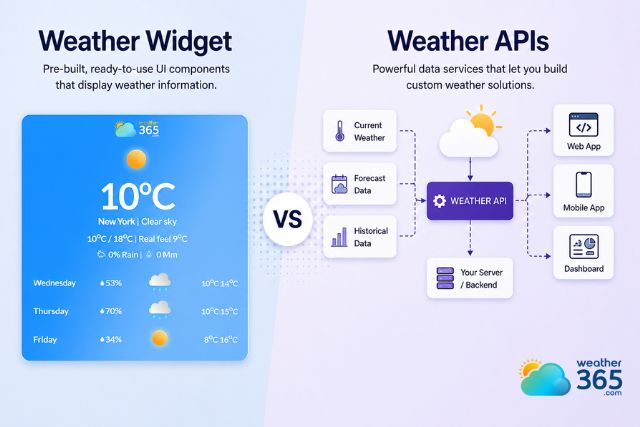
Compare weather widget vs weather APIs
For most website owners, widgets offer a faster and more practical way to display weather without the technical overhead, especially when avoiding issues such as a weather widget failing due to API misconfiguration.
Weather APIs | Weather Widgets |
|
|
Weather Widgets vs Weather Apps
Looking at Weather Widgets vs Weather Apps, the key difference lies in complexity and use case.
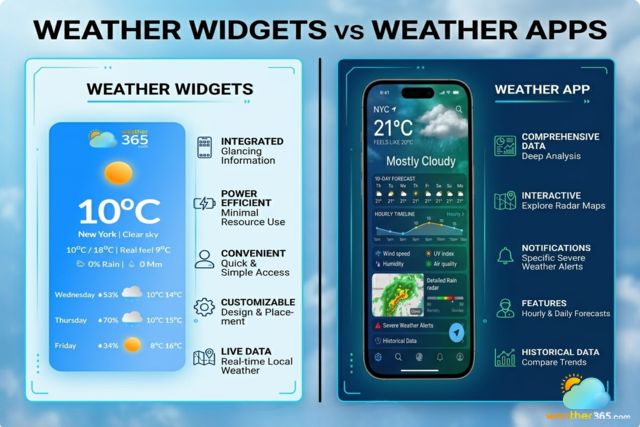
Differences between weather widgets vs weather apps
Weather apps deliver rich features and personalized forecasts, but they cannot be embedded directly into web pages.
Weather widgets, on the other hand, are built specifically for websites, enabling seamless integration and consistent user experience across pages without redirecting users away from your platform.
Weather Apps | Weather Widgets |
|
|
Weather Widgets vs Weather Dashboards
When comparing Weather Widgets vs Weather Dashboards, widgets are designed for simplicity and quick integration, offering essential weather information in a clean, user-friendly format.
In contrast, dashboards provide complex data visualization and analytics, which can be excessive for most websites and may impact performance.
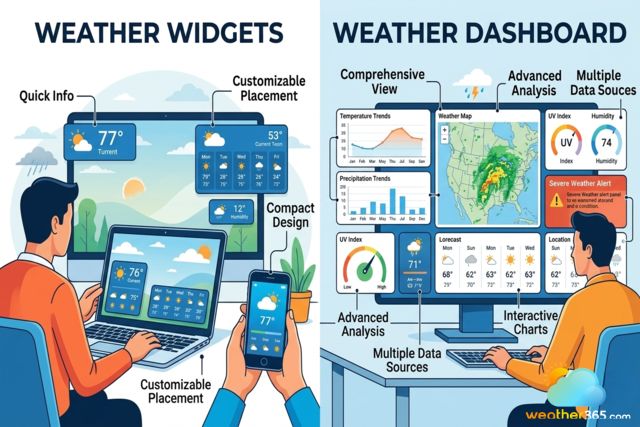
Compare weather widgets vs weather dashboards
For general use, widgets deliver a more efficient and accessible solution.
Weather Dashboards | Weather Widgets |
|
|
While each option has its strengths, weather widgets remain the most practical choice for most websites.
They combine ease of use, fast integration, and reliable performance without the technical burden of APIs, the limitations of apps, or the complexity of dashboards.
For businesses and publishers looking to enhance user experience efficiently, weather widgets provide the optimal balance between functionality and simplicity.
Weather365 Widget - Best weather widget for website
If you are confused about choosing the best weather widget for your sites, consider the Weather365 widget.
The Weather365 widget stands out as one of the best weather widgets for websites thanks to its balance of simplicity, flexibility, and powerful real-time data.
Designed for easy integration, it allows users to generate custom embed code in just a few steps and instantly display weather forecasts on any website, including WordPress or Blogspot.
Key features that make the Weather365 widget a top choice include:
Easy no-code integration: Generate and copy HTML embed code quickly without technical setup
Advanced customization options: Adjust layout, colors, temperature units, forecast days, and display elements to match your website design
Real-time and accurate data: Continuous updates with multiple weather parameters and reliable forecast models
Global coverage & multi-location support: Display weather for virtually any city worldwide
Responsive and lightweight design: Optimized for fast loading and seamless performance across devices
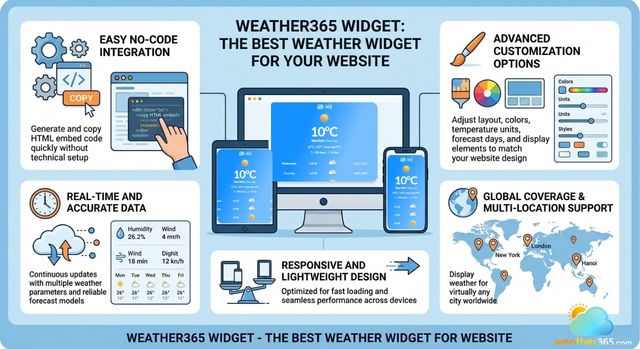
Weather365 widget is the best weather widget for your website
Overall, the Weather365 widget is ideal for website owners who want a fully customizable, SEO-friendly, and user-friendly weather solution without the complexity of APIs or heavy dashboards.
Weather365 Widget vs Popular Weather Widget Providers
If you are deciding how to add weather widget to website pages in the simplest way, the real question is how much control you need versus how much setup time you want to spend.
Some tools are built for quick embedding, some are built around APIs, and some sit in the middle with richer customization.
Weather365 widget is positioned as a no-code widget builder with embed-code generation, while other providers lean more toward free, lightweight widgets or API-driven widget construction.
Provider | Main strength | Good for |
Weather365 widget | FREE Easy to add Custom HTML embed with controls for location, model, 3/5/7-day forecast, units, date format, colors, and title display. | Good for sites that want a branded widget and a straightforward copy-paste setup. |
weatherwidget.io | Free, responsive, customizable, multilingual, and embeddable with no dependencies or server-side requirements | Strong for lightweight implementation and quick publishing. |
OpenWeatherMap widget | Widget code is generated from an API key and city name, with unit selection and theme options. | Better for teams already using OpenWeather’s API ecosystem. |
Tomorrow.io widget | Free, responsive, easily embedded, with location, skin, language, and multiple widget types. | Useful for sites that want more widget variety and air-quality style modules. |
Weatherwidget.io vs Weather365
Weatherwidget.io vs weather365 widget comes down to simplicity versus richer presentation control.
WeatherWidget.io is very easy to use: it is free, responsive, needs no sign-up, and can be embedded by pasting code into a page.
Weather365 widget goes further on forecast presentation and design control, offering 2 models, 3/5/7-day options, temperature and precipitation unit settings, date formats, and detailed color customization.
For site owners who want more branded, configurable output, the Weather365 widget has a stronger feature set.
OpenWeatherMap Widget vs Weather365
The OpenWeatherMap widget vs Weather365 widget is really a comparison between an API-first workflow and a website-widget workflow.
OpenWeather’s widget constructor requires an API key and city name, then generates code with a small set of theme options and unit selection, which makes it more developer-centric.
The Weather365 widget is built more directly for website publishing: you choose a location, select the model and display settings, customize colors, and copy the embed code into the site.
That makes Weather365 widget the easier path for publishers who want speed without developer overhead.
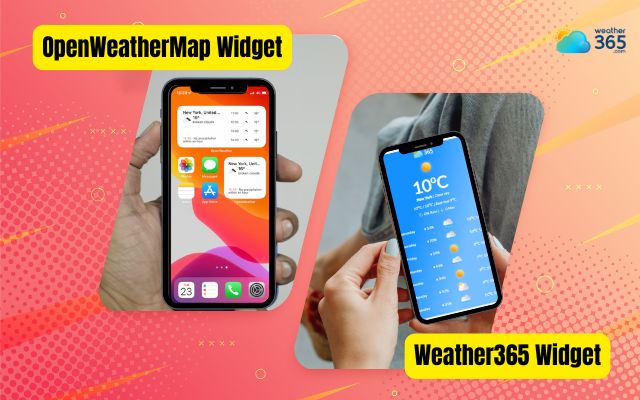
Compare OpenWeatherMap widget vs Weather365 widget
Tomorrow.io Widget vs Weather365
When comparing the Tomorrow.io widget vs Weather365 widget, the difference lies in scope versus simplicity.
Tomorrow.io offers a broader, data-rich experience with features like air quality, fire risk index, and multi-location tracking. This tool is suitable for more advanced or data-driven use cases.
In contrast, the Weather365 widget focuses on ease of use and website integration, providing clean forecast displays, flexible customization (layout, colors, units), and quick no-code embedding.
While Tomorrow.io is more powerful in terms of data layers, the Weather365 widget is often the better choice for website owners who want a lightweight, user-friendly, and SEO-optimized weather widget without complexity.
The bottom line
Choosing the right weather solution depends on your goals, but for most websites, simplicity, performance, and ease of integration matter most. A well-designed widget delivers real-time data, enhances user experience, and requires minimal setup. That makes it the best weather widget for website.
Frequently Asked Questions (FAQs)
Related post
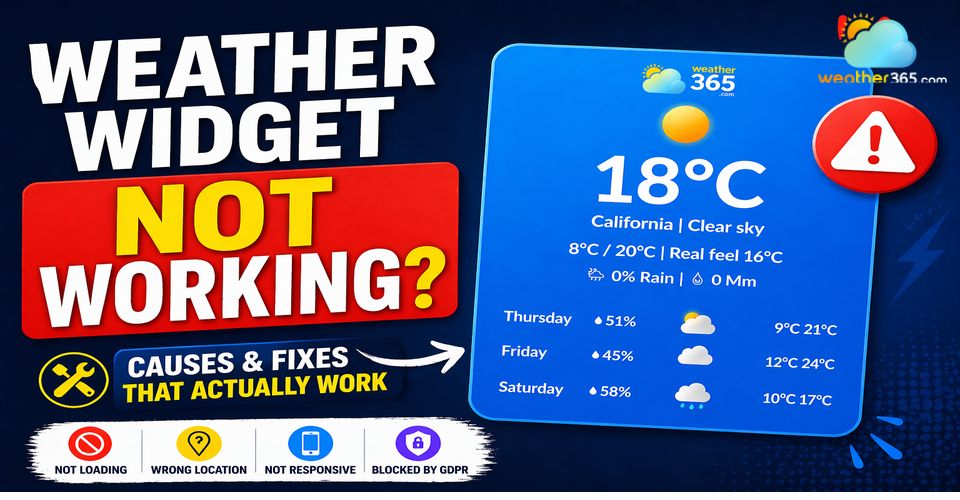
Weather Widget Not Working? Common Issues & How to Fix Them
 411
411
 8
8
 4.8
4.8
 04/05/2026
Weather Widget Tutorials: Complete Guide to Fix Common Integration Issues
243
8
5.0
29/04/2026
How To Add Weather Widget To Website: Simple Embed Guide for All Platforms
222
8
4.8
17/08/2026

8 Comment
Kaylani Young
As someone who doesn't do much coding, I'd much rather copy an embed code than build a weather feature from scratch. A straightforward setup process makes a big difference.
weather365
Absolutely! An embeddable widget can save a lot of development time. You can usually configure the location and appearance first, then add the generated code to a suitable HTML or embed block on your website.
Genevieve Sanders
For a small website, I'd probably start with a free weather widget rather than pay for a complicated solution. As long as it covers the basics and doesn't add too much work, that seems reasonable.
weather365
That makes sense. It's worth checking the actual limitations first, though, including available features, branding, usage restrictions, and whether you can customize the display the way you want.
Lena Gutierrez
I really prefer widgets that let me adjust the colors and layout. Even a useful tool can look out of place if it clashes with the rest of the website design.
weather365
Same here! Being able to match the widget to your site's existing style makes the whole page feel more cohesive. I'd always preview the design before embedding it.
Spencer Mills
There are more things to consider than I expected when choosing a weather widget. I used to focus mostly on how it looked, but loading speed, forecast details, and ease of setup matter just as much.
weather365
Definitely! The best option depends on what your website actually needs. A simple blog may only need a basic forecast, while a travel website might benefit from multiple forecast days and location-specific information.
Leave a comment
Your email address will not be published. Required fields are marked *