




OpenWeatherMap Widget vs Weather365: Which One Fits Your Website Better?


If you are planning to add live weather information to your website, two names may quickly appear on your list: OpenWeatherMap Widget vs Weather365 widget. While both deliver weather forecasts, they are built for very different users. This comparison will help you see which one actually works better for your goals. Diving in!
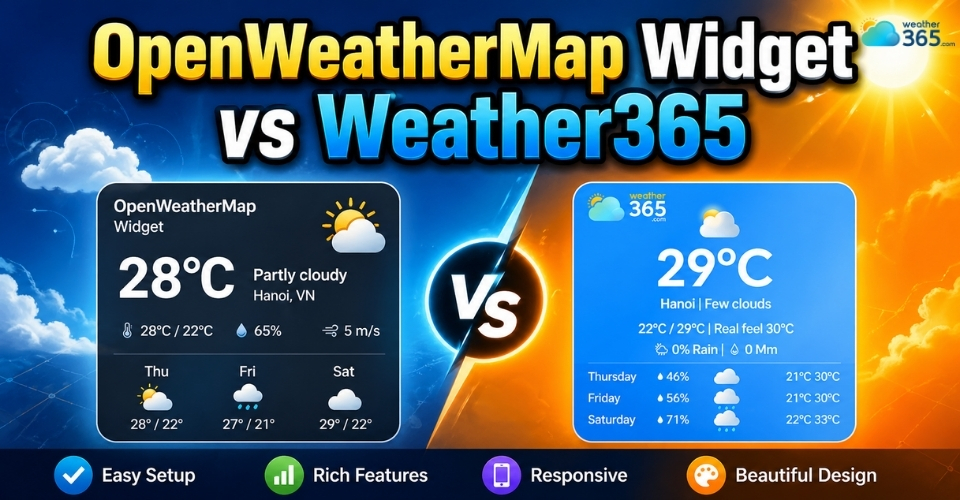
OpenWeatherMap widget vs Weather365 widget
- Setup and Ease of Integration
- OpenWeatherMap Widget
- Weather365 Widget
- Forecast Display and User Experience
- OpenWeatherMap Widget
- Weather365 Widget
- Customization Flexibility
- OpenWeatherMap Widget
- Weather365 Widget
- Pricing, Maintenance, and Long-Term Reliability
- OpenWeatherMap Widget
- Weather365 Widget
- OpenWeatherMap Widget vs Weather365 Widget: How to Choose?
In this detailed comparison, we will break both tools down across five practical criteria: setup and integration, forecast display experience, customization flexibility, pricing and long-term management, and finally which type of website each solution is best suited for. By the end, you will have a much clearer idea of which weather widget is actually worth using for your needs.
Setup and Ease of Integration
For many website owners, the first real question is about how quickly the widget can be installed and made functional.
This is where OpenWeatherMap Widget and Weather365 Widget begin to separate quite clearly.
OpenWeatherMap Widget
With OpenWeatherMap, the setup process is often more technical than people expect.
In most cases, you do not simply grab a finished widget and paste it into your site. Instead, you usually need to create an API key, connect to weather data manually, and then use a third-party plugin, script, or custom code block to display that data visually.
That means some understanding of API requests, JSON data, or developer-side configuration is often necessary.
Even though the platform itself is powerful, the installation feels more like building your own weather solution rather than adding a ready-made website element.
Weather365 Widget
Weather365 Widget takes a much lighter route.
The platform is designed for users who want a weather widget that works immediately without touching backend systems.
You choose a layout, customize the display options, copy the embed code, and paste it into your website.
In other words, the process feels similar to embedding a YouTube video or a map: fast, direct, and beginner-friendly.
This difference matters more than it seems. A technical setup usually means more testing time, more room for integration issues, and sometimes developer assistance.
A copy-paste setup means the widget can go live in minutes.
So in terms of ease of integration, OpenWeatherMap gives you raw weather infrastructure, while Weather365 Widget gives you an almost plug-and-play website widget experience.
For non-technical website owners, that convenience can save a surprising amount of time right from day one.
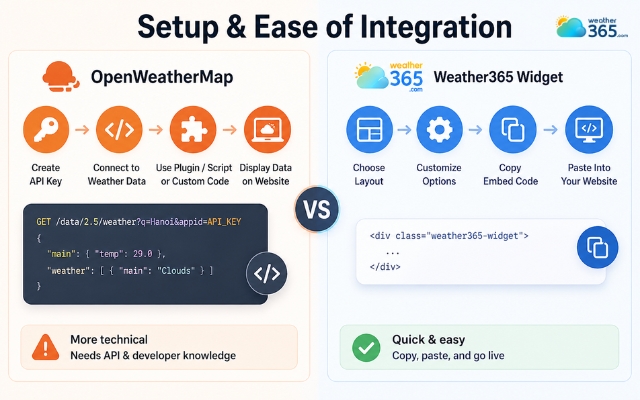
OpenWeatherMap’s setup process is often more technical
Forecast Display and User Experience
Once the widget is installed, the next thing that matters is what your visitors actually see, and this is an area where the two platforms create a very different impression.
OpenWeatherMap Widget
OpenWeatherMap widgets often feel more data-driven than design-driven.
Because the platform primarily provides raw weather data, the final appearance depends heavily on the plugin, template, or custom interface you use to display it.
As a result, many OpenWeatherMap-based widgets display multiple numbers, technical labels, pressure readings, humidity percentages, wind speed details, and other meteorological metrics simultaneously.
For users who want deep weather information, this can be useful. But for regular website visitors, it may feel closer to a small technical dashboard than a smooth visual content block.
Weather365 Widget
Weather365 Widget approaches forecast display from the opposite direction. Instead of emphasizing raw data density, it focuses on fast readability and visual comfort.
Daily forecasts are arranged clearly, weather icons are easy to understand at a glance, and conditions such as sunny, rainy, cloudy, or stormy are presented in a way that visitors can absorb within seconds.
The layouts also feel lighter and more organized, which helps the weather section blend naturally into blogs, travel pages, booking sites, or local business websites.
Another practical advantage is mobile responsiveness. Since many visitors now browse on phones, a weather widget has to remain readable on smaller screens.
Weather365 Widget layouts are built with this quick-scroll visitor behavior in mind, while OpenWeatherMap displays can sometimes look compressed or overly informational depending on how they are implemented.
Simply put, OpenWeatherMap is built to deliver weather data, while Weather365 Widget is built to deliver an easy weather viewing experience.
If visitor engagement and visual clarity matter to your website, that distinction becomes very noticeable.
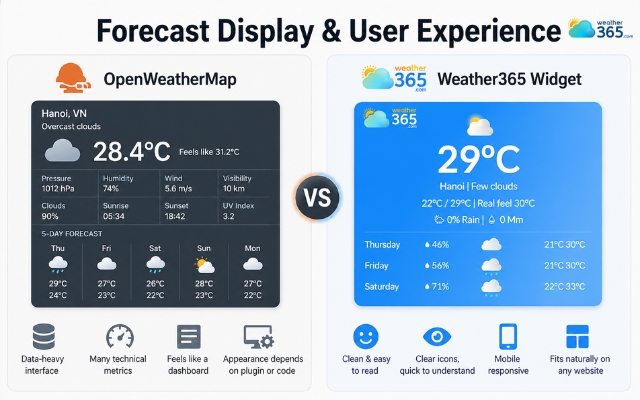
Weather365 widget focuses on fast readability and visual comfort
Customization Flexibility
When it comes to customization, both platforms offer flexibility, but they offer it in very different layers.
OpenWeatherMap Widget
OpenWeatherMap Widget gives users more backend-level control because it works from weather APIs and raw data feeds. Developers can decide how data is fetched, processed, and rendered inside a custom interface.
If you want to understand that API-driven side in more depth, you can also explore our comparison of Weather Widgets vs Weather APIs.
However, this level of freedom usually requires coding effort before anything becomes visually polished.
Weather365 Widget
Weather365 Widget is more practical for users who want customization that is already visible on the front end. Instead of editing code, you can directly adjust how the widget appears and behaves on your website.
For example, it supports multiple location displays, different layout models, and forecast length options such as 3-day, 5-day, or 7-day views depending on how much information you want to show.
This makes it suitable for websites targeting different regions, such as visitors checking the Mississippi weather forecast or planning activities around local conditions.
On top of that, users can manually control widget width for better page fitting, switch between temperature and precipitation units, and choose the preferred date format to match regional visitor expectations.
For example, a website can customize its display around location-specific content such as California weather without changing the overall site design.
So while OpenWeatherMap offers deeper technical freedom, Weather365 Widget offers the kind of ready-to-use visual customization that most website owners actually need: simple adjustments, immediate results, and no coding layer in between.
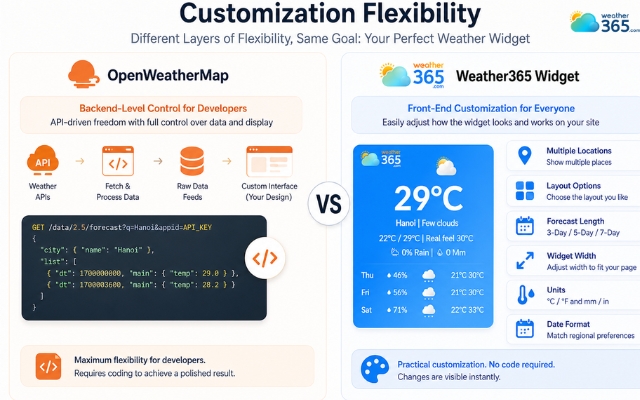
Weather365 Widget is more practical for users who want flexible customization
Pricing, Maintenance, and Long-Term Reliability
OpenWeatherMap Widget
OpenWeatherMap may seem like the more budget-friendly option because it offers a free starting tier. But in real website use, the long-term picture is a bit more complex.
Since the widget depends on API requests, usage limits can become a factor as your traffic grows.
More visitors mean more weather calls, which means you may need to monitor request volume, manage API quotas, and eventually review paid plan options to avoid service interruptions.
In short, the platform can start free, but it does require ongoing attention behind the scenes.
There is also the maintenance side. Because OpenWeatherMap relies on endpoints, integrations, and sometimes third-party display tools, any API update or plugin conflict can create extra technical work over time.
This is manageable for development teams, but less convenient for regular website owners.
Weather365 Widget
Weather365 Widget removes much of that hidden maintenance burden.
Since it works as an embedded weather widget solution rather than an API management system, users do not need to watch request counts, handle endpoint changes, or worry about backend weather calls breaking unexpectedly.
Once installed, it tends to function as a more stable front-end component with less technical supervision.
That makes a noticeable difference in long-term reliability.
OpenWeatherMap gives you flexibility, but it also gives you more moving parts to manage.
Weather365 Widget offers a simpler “install once and maintain less” experience, which is often the more practical choice for websites that want weather information without continuous monitoring.
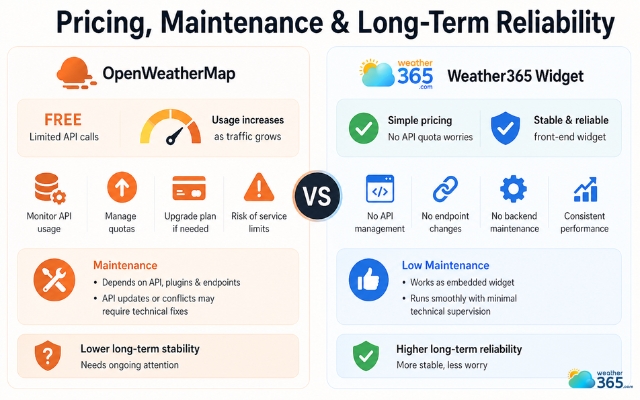
Weather365 Widget offers a simpler “install once and maintain less” experience
OpenWeatherMap Widget vs Weather365 Widget: How to Choose?
After comparing installation, display style, customization, and maintenance, the final choice really comes down to what kind of website owner you are.
You should choose OpenWeatherMap if your team is technically capable and you want weather data flexibility more than visual simplicity.
It works well for developers, SaaS platforms, internal dashboards, or startups that prefer building custom weather experiences from raw API feeds.
The generous free entry point is also attractive if you are comfortable managing requests, integrations, and future scaling manually.
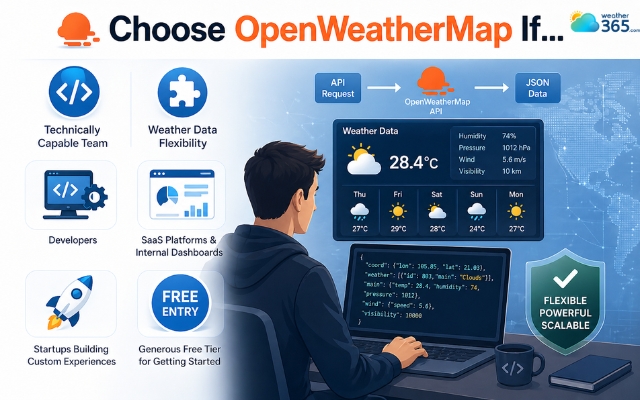
When should choose OpenWeatherMap widget
Weather365 Widget is a better fit if your priority is different: you want the weather section to look polished, stay readable for visitors, and work without ongoing technical adjustments.
It is especially useful for travel websites, local business pages, blogs, booking platforms, or any site where design and visitor engagement matter as much as the weather information itself.
Once embedded, it functions more like a set-it-and-forget-it website feature than a developer project.
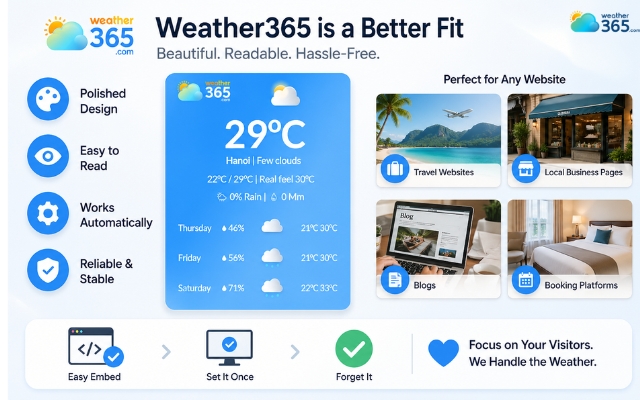
Weather365 Widget is a better fit
If you are still exploring broader options beyond these two, our guide to the best weather widget for website can help you compare other strong alternatives in the market.
And if you are considering another API-first weather provider, you may also want to read Tomorrow.io Widget vs Weather365 Widget to see how Weather365 Widget performs against a more enterprise-focused competitor.
Sum up
OpenWeatherMap widget vs Weather365 widget - which one do you decide to choose? If developer-level flexibility and API freedom matter most, OpenWeatherMap can be a solid option. But for website owners who want an easier, cleaner, and more maintenance-free weather display, Weather365 Widget stands out as the smarter long-term solution.
Frequently Asked Questions (FAQs)
Related post
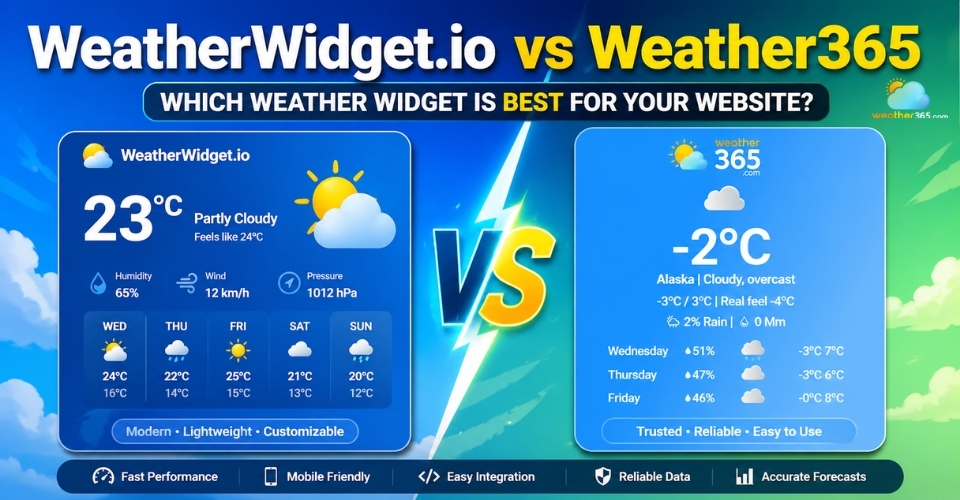
Weatherwidget.io vs Weather365: Pros, Cons & Best Use Cases
 333
333
 0
0
 4.8
4.8
 05/05/2026
Weather Widgets vs Weather Dashboards: Key Differences & Best Use Cases
233
0
4.8
04/05/2026

Best Weather Widget for Website: Weather365 vs Top Alternatives
212
0
4.9
13/08/2026

0 Comment
Leave a comment
Your email address will not be published. Required fields are marked *