




Weather Radar Widget: Best Live & Interactive Display for Your Website


Want to keep your visitors hooked while providing massive real-time value? Adding a free weather radar widget to your site is the fastest way to display live, interactive precipitation and storm-tracking maps to your audience. Read on to discover the top free options and how to instantly embed them into your CMS today!
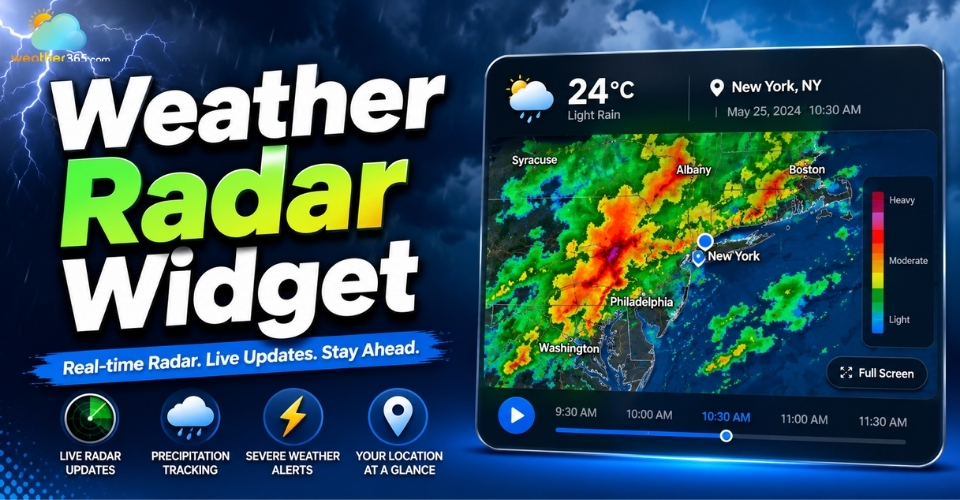
Weather radar widget
What is a Weather Radar widget?
A weather radar widget is an interactive, embeddable component that displays live meteorological radar data directly on a webpage.
Unlike a standard, static weather badge that only shows a single temperature or a fixed icon, an interactive live radar animation loop shows real-time precipitation movement, storm trajectories, and severe weather warnings.
Users can actively zoom, pan, and play time-lapse loops to see exactly where rain, snow, or storms are heading.
Why Add a Weather Radar Widget to Your Site?
Increased Time on Site (Dwell Time): Interactive maps are highly engaging. Visitors naturally spend more time clicking, zooming, and panning across a radar map, which signals strong user engagement to search engines.
Improved User Experience (UX): It provides local audiences with instant safety and planning value. Users can check the radar before heading out without forcing them to leave your site for a third-party weather platform.
Boosted Local SEO: If you run a local service business (such as roofing, landscaping, construction, or local tourism), hosting a hyper-local radar signals geographic relevance and community authority to search engine crawlers.

Benefits of a weather radar widget
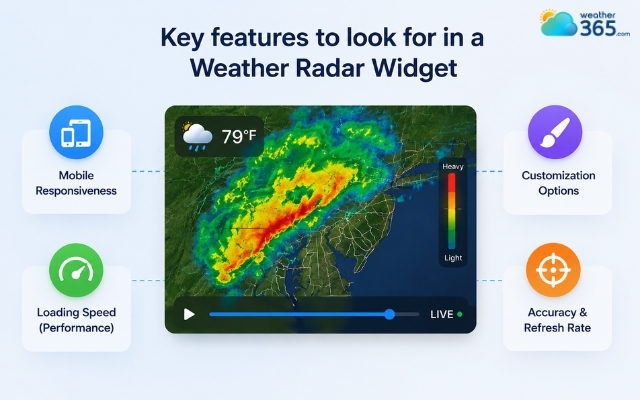
Key features to look for in a Weather Radar Widget
When selecting a radar widget to maximize your site's performance and appearance, look for these critical features:
Mobile Responsiveness: Over half of your web traffic arrives via mobile. The widget must automatically scale and offer fluid touch-gesture controls on smartphones and tablets.
Customization Options: Look for generators that let you set a default zoom level, pick specific geographic coordinates, and match the map skin or layers to your website’s branding. If traditional flat maps look too outdated for your template, upgrading to a modern 3D weather widget can give your layout a sleek, cutting-edge feel.
Loading Speed (Performance): Map scripts can be heavy. Ensure the widget uses lightweight asynchronous JavaScript or clean iframe delivery so it doesn’t destroy your Core Web Vitals or desktop page speed scores.
Accuracy & Refresh Rate: Weather changes fast. The data pipeline behind the widget should update every 5 to 10 minutes from reliable global meteorological arrays.
Important features of a weather radar widget
TOP Free Weather Radar Widget For Websites and Blogs
Choosing the right weather widget depends entirely on your audience. If you run an outdoor adventure blog, your readers will want highly detailed weather maps.
However, if you run a local service business, you just need a fast, simple display that tells visitors if it is going to rain today.
Depending on your site's design, you can choose static designs or choose to build a highly engaging experience using customizable interactive widgets.
Here are the top free choices split into two straightforward categories: professional maps and quick-setup widgets.
Professional Meteorological Maps (Best for Complex Data)
Meteoblue Weather Maps Widget
Created by weather experts in Switzerland, Meteoblue is famous for its high-level accuracy. Instead of just showing a simple rain animation, this widget provides a full, interactive map canvas.
Users can easily toggle between live Doppler radar feeds, global satellite cloud coverage, and wind movement lines.
RainViewer API & Web Map
RainViewer is a powerful tool that connects directly to official weather radar stations across more than 80 countries.
It focuses heavily on precipitation, meaning it tracks rain, hail, and snow with incredible accuracy.
The map animations are highly responsive, letting users zoom in on specific neighborhoods to watch storms move in real time.
If your visitors need to track incoming storms or heavy rainfall minute-by-minute, deploying this specific weather map widget style gives them a reliable, interactive experience.

Weather radar widget for complex data
Fast Plug-and-Play Widgets (Best for Quick Setup)
Weather365 widget
If you do not want to spend hours looking at complicated code, Weather365 widget is a fantastic, straightforward alternative. This tool is designed to be as lightweight as possible.
It bypasses heavy scripts to ensure that your website pages still load incredibly fast on mobile phones and desktops alike.
Weather365 balances live radar maps with simple, daily temperature forecasts.
It is highly localized, making it an excellent choice for local service businesses (like roofing or landscaping companies) and general neighborhood blogs.
Elfsight Weather Widget
Elfsight is a widely popular, code-free widget builder designed for regular website owners. You don’t need to know anything about coding to use it.
While it focuses heavily on clean, visual layouts (showing temperatures, humidity, and wind speed), it can easily display a compact weather tracker anywhere on your page.

Best weather radar widget for quick setup
Provider | Core Strength | Ideal Integration Type | Setup Complexity | Best For |
Meteoblue | Multi-layer precision (Wind, Satellite, Radar) | Standard | Medium | Data-heavy portals & outdoor niches |
RainViewer | 60fps local precipitation vector tracking | API / Dynamic Web Map | High (Developer friendly) | Severe storm tracking & custom apps |
Weather365 | Balanced performance & fast localized radar | Lightweight Script / HTML | Low | General blogs & hyper-local service sites |
Elfsight | Visual templates & dynamic styled layouts | No-code widget editor code | Low | Modern business sites & e-commerce |
How to Add a Weather Radar Widget
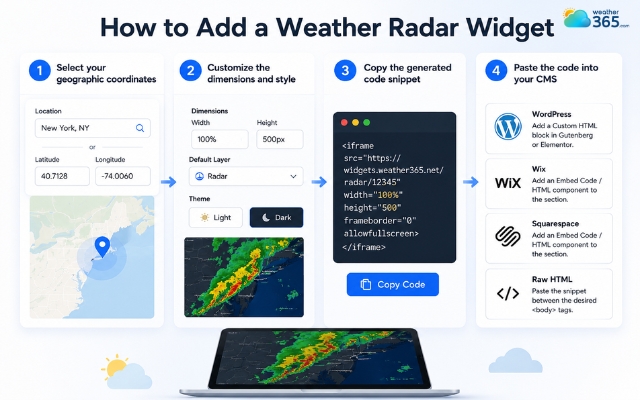
Adding a radar widget to your site takes less than five minutes and requires no advanced coding knowledge. Follow these steps:
Step 1: Select your geographic coordinates. Open your chosen widget generator tool and enter your default city, ZIP code, or exact latitude and longitude to lock in the default map center.
Step 2: Customize the dimensions and style options. Adjust the width and height (e.g., setting width to 100% for fluid responsiveness). Choose your default layer, such as radar, satellite, or wind, and select a light or dark theme.
Step 3: Copy the generated code snippet. Click the generation button and copy the provided HTML iframe> or JavaScript snippet to your clipboard.
Step 4: Paste the code into your CMS. Log into your website platform and paste the code snippet where you want it to appear:
WordPress: Add a Custom HTML block in Gutenberg or Elementor.
Wix / Squarespace: Add an Embed Code / HTML component to the section.
Raw HTML: Paste the snippet directly between the desired
Related articles:
Add a weather radar widget in seconds
Final Words
Integrating an interactive live weather display is a seamless way to elevate your web platform's utility, keep users engaged longer, and establish solid local relevance. Choose the provider that best fits your design aesthetic, customize your parameters, and embed the code today to give your audience an outstanding, real-time tracking experience.
Frequently Asked Questions (FAQs)
Related post
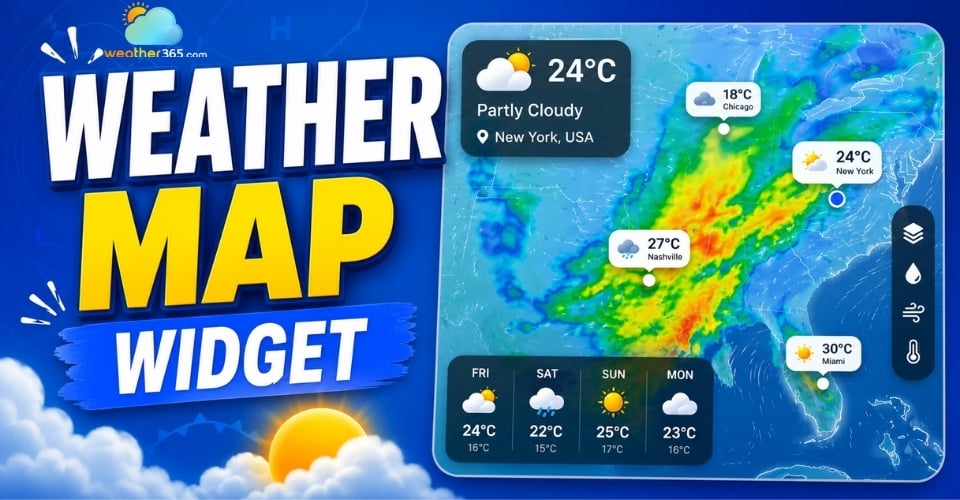
Weather Map Widget: Enhance Your Site with Live Radar Display
 426
426
 0
0
 4.9
4.9
 25/05/2026
Weather Alert Widget: Top Weather Warning for High-Utility Websites
242
0
5.0
22/05/2026
3D Weather Widget: Elevate Your Platform With an Interactive Tool
139
0
4.7
13/08/2026

0 Comment
Leave a comment
Your email address will not be published. Required fields are marked *