




3D Weather Widget: Elevate Your Platform With an Interactive Tool


Integrating a 3D weather widget is the easiest way to show live global forecasts with beautiful visuals, which can increase the time users spend on your site by 35%. It turns boring numbers into an exciting, real-time experience that keeps visitors engaged. Read on to learn how to add this amazing feature today!
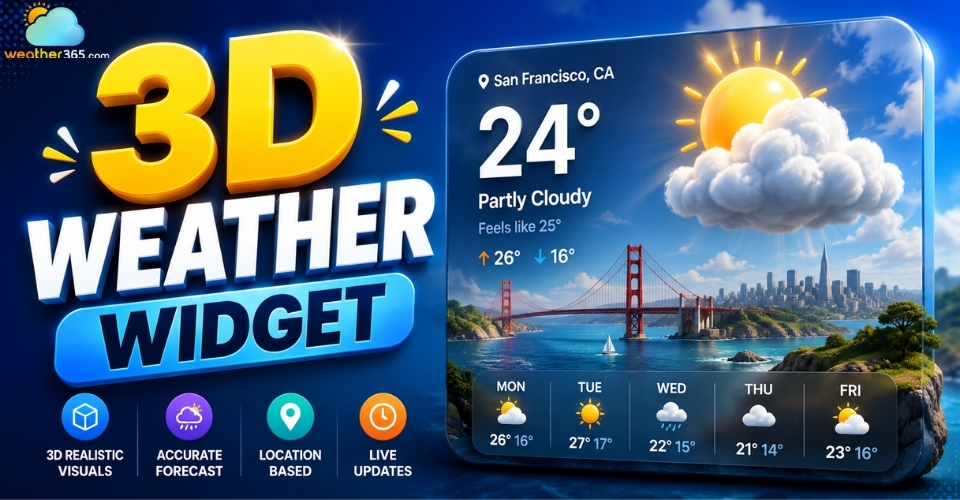
3D weather widget
Why Your Website Needs a 3D Weather Widget
In the digital world today, keeping visitors on your website is the most important thing. Upgrading from old, flat weather layouts to a live 3D look gives your site a huge advantage:
Boosted User Engagement: Moving 3D globes, smooth screen changes, and animated icons make users curious. This fun, interactive experience naturally keeps visitors on your site longer.
Hyper-Local Visual Accuracy: Instead of reading boring text lines, users can actually see real-time weather changes. They can watch heavy clouds roll in, rain fall, or storms move across the screen.
Platform Versatility: This tool is the perfect fit for many different kinds of websites, including travel blogs, local news networks, farming dashboards, and smart-city projects.
Visually engaging 3D weather widgets enhance travel sites showcasing sunny destinations like Hawaii current weather.
Want to learn more? To see how these modern elements are changing the way websites look and feel today, be sure to check out our comprehensive breakdown of next-generation interactive widgets.
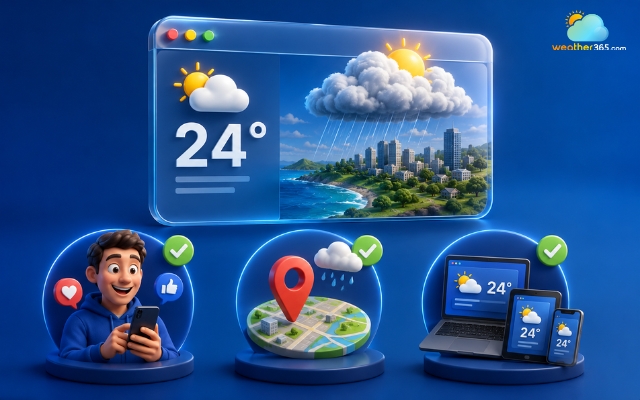
Adding a 3D weather widget brings a huge advantage
Key Features of Next-Generation 3D Weather Widget
The main features of a 3D weather widget usually include interactive 3D maps, realistic weather animations, layered forecast data, and a responsive design that works smoothly on different devices.
Interactive 3D Map
Users can easily click, drag, and zoom in or out around a 3D virtual globe.
This setup creates a fully interactive weather map widget where your visitors can freely spin the Earth to check out shifting weather patterns in different countries.
Dynamic Atmosphere Simulation
The widget uses smart visual technology to change its lighting in real time based on local sunrise and sunset times, as well as current cloud thickness.
For example, when night falls in the selected city, the widget automatically darkens into a beautiful night mode.
Multi-Layered Forecast Systems
Your visitors can easily turn different weather information layers on and off depending on what they want to see:
Precipitation & Live Radar: Shows live moving radar maps and tracks where rain or snow is heading.
Wind Vector Particles: Uses moving wind lines to show exactly how fast the wind is blowing and which way it is moving.
Barometric Pressure & UV Index: Shows clear visual overlays for air pressure levels and helpful warnings about sunburn risks.
Responsive UI/UX Engine
Built to work perfectly everywhere, this system makes sure the widget automatically resizes to fit any screen.
It looks great whether your users are viewing it on large desktop monitors, vertical screens used for coding, regular tablets, or smartphones.
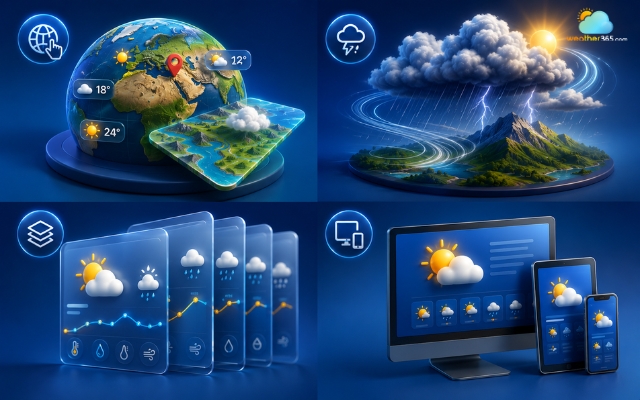
Core features of a 3D weather widget
How To Integrate A 3D Weather Widget To Your Site
Depending on your engineering resources and platform requirements, you can choose between two main integration tracks:
1. Plug-and-Play: Easiest & Fastest
If you want a quick setup without worrying about code, just use ready-made embed codes from trusted platforms:
Elfsight: Renowned for intuitive, no-code visual customization dashboards.
Weather365 Widget: A robust global platform offering highly customizable, data-dense weather widgets optimized for commercial enterprises.
The Weather Company: Enterprise-grade data delivery with industry-standard forecasting precision.
The process takes less than 5 minutes:
Customize: Use their visual dashboard to set your location, layout, and colors.
Copy: Generate and copy the automatically provided HTML/JavaScript embed code.
Paste: Open your website's CMS (WordPress, Wix, Joomla, etc.) or HTML editor, paste the code into the desired section, and save.
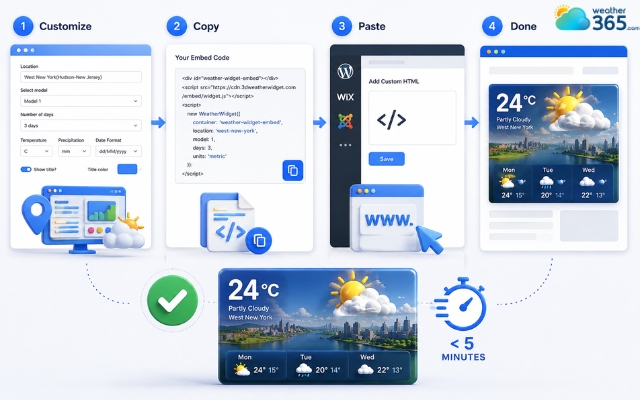
Use ready-made embed codes from trusted platforms
2. Custom 3D Solutions: For Developers
If you want total control over custom 3D visuals and animations, you can easily integrate a custom-made widget into your frontend code:
Design & Embed: Utilize environments like Spline to create dynamic, rotating 3D clouds or glassmorphism weather icons, then embed their WebGL iframe code directly into your website's layout.
Connect API (Data Binding): Use JavaScript to fetch live atmospheric data from developer-friendly APIs like OpenWeather or WeatherAPI to feed real-time updates to your 3D model.
Advanced Analytics: Additionally, pairing these graphics with a tailored weather graph widget allows you to plot temperature trends in a highly professional format.
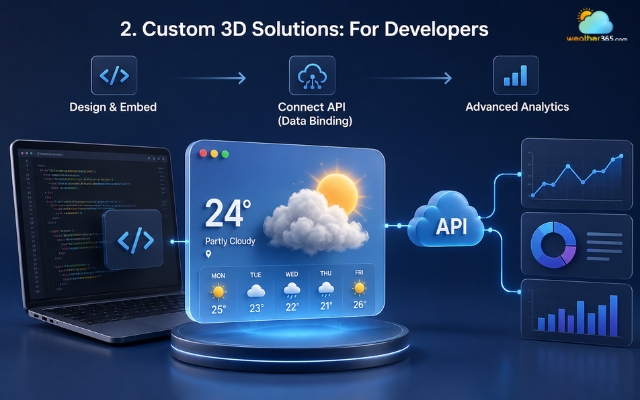
Integrate a custom 3D widget into your frontend
Performance Optimization & Best Practices
Using too many 3D effects can slow down your website and use more browser resources.
To keep your website fast and maintain good Google PageSpeed scores, follow these simple best practices:
Use Lightweight Files: Choose optimized glTF/GLB files or compressed Lottie animations. These formats load faster and help reduce lag.
Load Scripts Asynchronously: Add your 3D weather scripts with async or defer so they don’t slow down the main page loading process.
Use API Caching: Cache weather data on the server side (for example, updating every hour) to avoid sending too many repeated requests and improve loading speed.
Reduce Unnecessary Animations: Avoid using too many moving 3D elements at the same time, especially on mobile devices.
Optimize for Mobile Screens: Make sure the widget adjusts smoothly across different screen sizes without affecting performance.
Compress Images and Textures: Large textures can increase loading times, so always use compressed image files whenever possible.
Enable Lazy Loading: Load the 3D weather widget only when users scroll to that section of the page.
Test Performance Regularly: Use tools like Google PageSpeed Insights or Lighthouse to check loading speed and identify issues early.
Limit External Requests: Reduce the number of third-party scripts and API calls to keep the website responsive.
Choose Reliable Hosting: A fast hosting provider or CDN can improve loading speed for users in different locations.

Practices to keep your weather widget well functioning
Sum up
A responsive 3D weather widget changes how your audience interacts with live forecasts by making data visually exciting. Bringing this interactive tool to your platform will quickly lower bounce rates, boost user engagement, and give your website a clean, modern edge that visitors love.
Frequently Asked Questions (FAQs)
Related post
Weather Radar Widget: Best Live & Interactive Display for Your Website
 994
994
 8
8
 4.9
4.9
 25/05/2026
Weather Map Widget: Enhance Your Site with Live Radar Display
457
0
4.9
25/05/2026
Weather Graph Widget: Full Guide to Install Live Weather to Your Site
197
8
4.8
23/07/2026

8 Comment
Kendall Thomas
Can I customize a 3D weather widget to match my website's colors and branding?
weather365
That depends on the provider’s customization options. Check whether you can adjust colors, dimensions, and display settings before embedding it. If branding flexibility is important, preview the available designs to see which one fits your website best.
Riley Barnes
I'm concerned that 3D graphics might slow down my website. Is a simpler weather widget a better choice for performance?
weather365
It depends on how the widget is built. Some visual effects require more resources than simpler layouts, so compare loading performance before choosing one. Testing on mobile devices and monitoring page speed can help you make an informed decision.
Cecilia Martin
What is the main difference between a 3D weather widget and a traditional weather widget? Is the information any different?
weather365
The main difference is usually the visual presentation. A 3D-style widget may offer a more immersive way to display weather information, while a traditional widget often prioritizes a compact, straightforward layout. The actual data depends on the provider.
Angela Kelly
A 3D weather widget sounds like an interesting way to make weather information more engaging. A visual presentation could be especially appealing on travel or tourism websites.
weather365
Thanks for sharing! Visual elements can make a website more engaging when they also serve a practical purpose. The key is to balance an attractive design with clear, easy-to-understand weather information.
Leave a comment
Your email address will not be published. Required fields are marked *