




Weather Map Widget: Enhance Your Site with Live Radar Display


Looking to add a live weather map widget to your website? Integrating high-resolution radar keeping visitors engaged up to 40% longer is easier than you think. This guide breaks down the top free and premium interactive map embeds so you can effortlessly upgrade your site’s user experience today. Diving in!
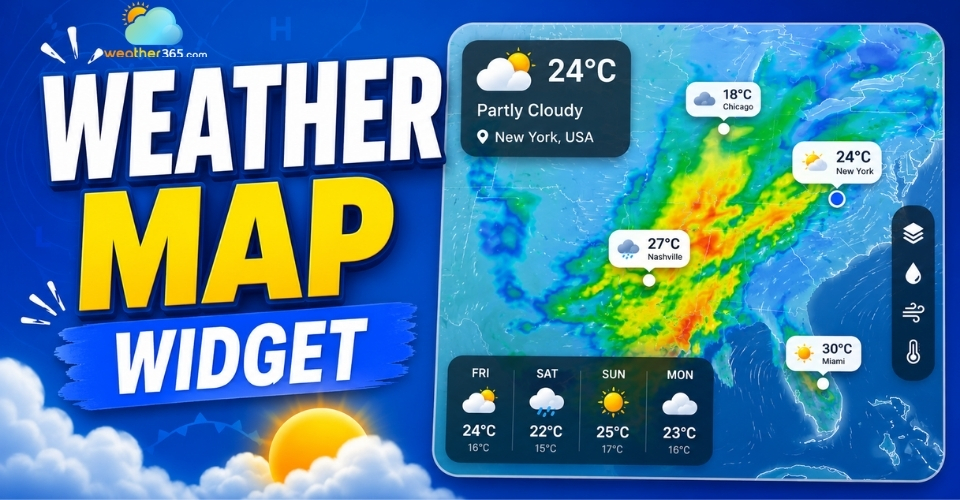
Weather map widget
- What is a Weather Map Widget?
- How Interactive Weather Map Widgets Work
- Key Benefits of Adding a Live Weather Map to Your Website
- Core Features to Look For in a Reliable Weather Map Widget
- How to Embed a Weather Map Widget on Your Website
- Top Free and Paid Weather Map Widget Providers
- Windy
- Meteoblue
- OpenWeather
- The Weather Company
What is a Weather Map Widget?
A weather map widget is an embeddable, interactive digital tool that displays real-time meteorological data, such as rain radar, cloud cover, wind patterns, and temperature gradients directly on a webpage.
Unlike static icons showing a basic forecast or a standard 3D weather widget, a map widget allows users to pan, zoom, and interact with live atmospheric layers.
How Interactive Weather Map Widgets Work
Weather map widgets function by pulling massive datasets from meteorological APIs (Application Programming Interfaces) connected to global and regional forecast models (like GFS, ECMWF, or HRRR), weather satellites, and Doppler radar networks.
When a user loads your page, the widget executes a JavaScript script that fetches this live data.
This is a prime example of how modern interactive widgets render complex data over a mapping framework and display it seamlessly without slowing down your server.
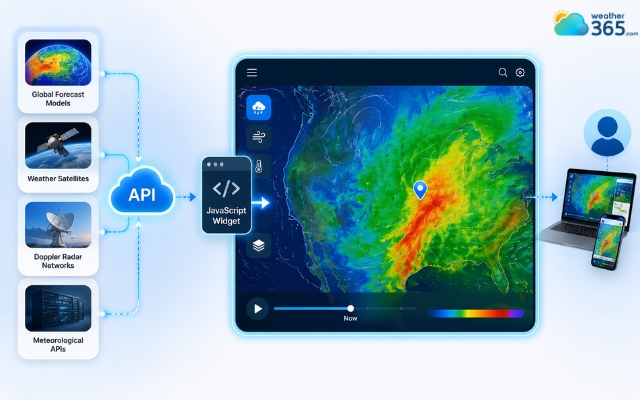
Weather map widget pulls datasets from APIs
Key Benefits of Adding a Live Weather Map to Your Website
Increased On-Site Time: Interactive maps invite user exploration. Visitors naturally spend more time panning and zooming across the map to check local conditions.
Enhanced User Experience (UX): It provides highly visual, actionable data. By integrating a dedicated weather map widget, outdoor event planners, construction firms, or sports blogs can give their audience immediate utility to track storm cells in real time.
Professional Authority: Integrating high-tech, real-time data visualizers gives your platform a modern, data-driven, and authoritative look.

Advantages of adding a weather map widget
Core Features to Look For in a Reliable Weather Map Widget
When choosing a weather map provider for your website, look for these foundational features to ensure a high-quality user experience:
Real-Time Localized Data & High-Resolution Radar
The widget must update frequently to capture sudden meteorological shifts. Look for providers that offer a high-resolution weather radar widget layer so users can track exact precipitation cells down to the neighborhood level.
Fully Responsive and Mobile-Friendly Design
More than half of your web traffic likely comes from mobile devices.
The interactive map must support touch gestures like pinch-to-zoom and swipe-panning, and scale fluidly across smartphones, tablets, and desktop vertical or horizontal monitors.
Advanced Layers: Rain, Wind, Temperature, and Storm Tracking
A basic rain radar is good, but a great widget allows users to toggle between different atmospheric layers:
Wind: Animated particle streamlines showing wind speed and direction.
Temperature: Color-coded isotherms.
Storm Tracking: Live tracking of severe thunderstorm cells, lightning strikes, or tropical cyclones.
Performance Optimization & Fast Loading Times
Interactive maps can be resource-heavy. Ensure the provider uses asynchronous loading scripts (lazy loading) and compressed data tiles so the widget doesn't hurt your Core Web Vitals or search engine rankings.
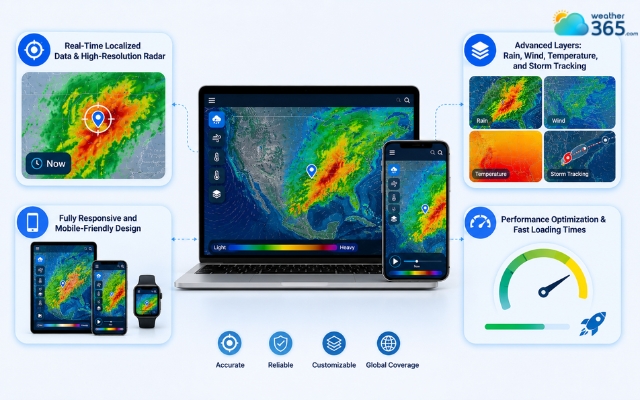
Basic features of a weather map widget
How to Embed a Weather Map Widget on Your Website
Embedding a weather map widget on a website is incredibly easy and simple; however, depending on the site’s type you’re working on, the method is slightly different.
Custom HTML/Static Sites
For raw HTML or custom CMS setups, locate the exact point in your source code where you want the map to appear and paste the embed code snippet:
WordPress
For WordPress platforms, follow the steps below:
Open the page or post editor where you want the map.
Add a new block and search for Custom HTML.
Paste the widget code directly into the block.
Alternatively: For global layouts, you can paste the code into a Custom HTML Widget within your sidebar or footer via Appearance > Widgets.
Wix/Squarespace/Google Sites
Wix: Click the + button > Embed Code > Embed a site or HTML element, then paste your widget URL or code code block.
Squarespace: Add a section, insert a Code Block, set the dropdown to HTML, and drop in your snippet.
Google Sites: Click Embed from the Insert menu, select the Embed code tab, and paste your code.
Notion
To embed a weather radar inside a Notion workspace or public page:
Type /embed on a new line and press Enter.
Paste the direct widget URL provided by your map vendor into the input box and click Embed link.
Resize the block handles to adjust your layout.
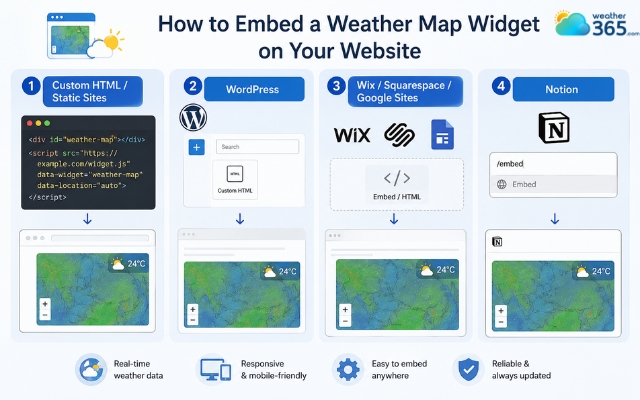
Easily adding a weather map widget
Top Free and Paid Weather Map Widget Providers
If you are looking for reliable map feeds, these four platforms offer excellent, embeddable options ranging from completely free options to enterprise-grade integrations.
Windy
Known for its stunning, fluid particle animations, Windy offers one of the most visually impressive embeddable maps available.
It is an excellent fit for maritime, aviation, outdoor sports, and modern tracking sites because its interface makes complex atmospheric winds instantly understandable.
While the basic interactive map layer is completely free, professional plans unlock higher-resolution update frequencies.
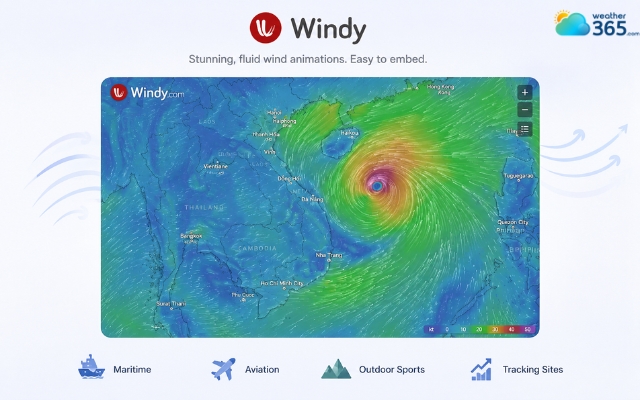
Windy has a visually impressive widget
Meteoblue
Meteoblue provides highly accurate technical data models born out of academic and research precision.
Their widget generator allows you to create clean, responsive maps tailored to specific geographic coordinates.
It is highly favored by agricultural portals, science blogs, and technical sites that require precise localized climate data over flashy visuals.
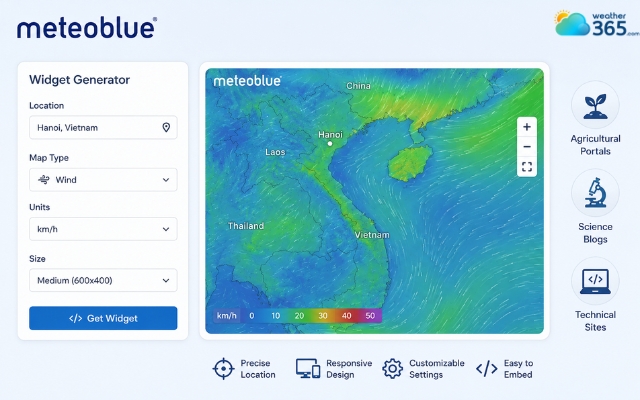
Meteoblue provides highly accurate weather data
OpenWeather
OpenWeather is an industry staple for developers who want to avoid generic layouts. Instead of a standard plug-and-play iframe, they offer robust JavaScript map layers through their Weather Maps API.
This grants you complete layout control, making it perfect for custom-coded web applications that need to overlay weather tiles onto existing map setups.
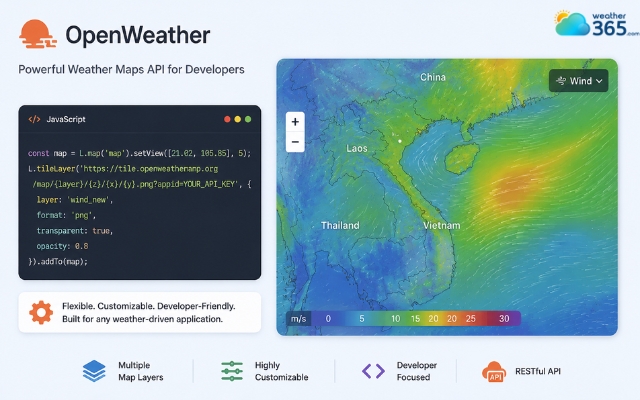
OpenWeather offers strong JavaScript map layers
The Weather Company
An IBM business, The Weather Company powers major enterprise applications and global media networks.
They offer premium, highly scalable widgets backed by elite Doppler radar networks and severe weather alert widget systems.
If your platform demands 100% uptime, maximum data security, and hyper-local precision with commercial support, this is the premier option.
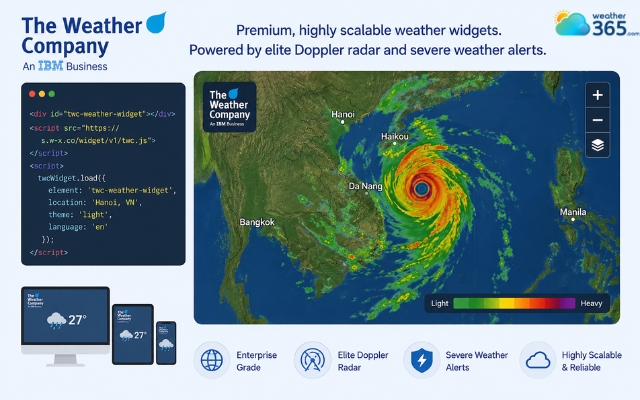
The Weather Company offers scalable widgets
Provider | Pricing Tier | Core Strength | Best for | Integration method |
Windy | Free & Premium | Animated particle streamlines and wind/wave visualization | Maritime, aviation, and outdoor lifestyle blogs | Plug-and-play Iframe / API |
Meteoblue | Free & Commercial | High-precision agricultural and geographic data models | Agriculture, research, and data-heavy weather setups | Responsive Widget Generator |
OpenWeather | Free tier (60 calls/min) & Paid | Deep API-driven flexibility and historical map layers | Custom web apps and developers needing raw data layers | JavaScript Map API Tiles |
The Weather Company | Enterprise / Premium | Hyper-local radar accuracy and severe weather alerts | Commercial enterprises, news media, and large apps | Enterprise API & Widgets |
Sum up
Adding an interactive weather map widget is the best way to upgrade your website’s utility and look. By selecting a provider that offers high-resolution data, responsive design, and rapid loading speeds, you can keep your audience engaged and informed.