




Weather Alert Widget: Top Weather Warning for High-Utility Websites


When severe weather strikes, every second counts. Integrating a reliable weather alert widget on your website is one of the most effective ways to keep your audience safe, engaged, and informed in real time. In this guide, we review the top free and premium widgets to embed live, real-time emergency weather warnings seamlessly onto your platform.
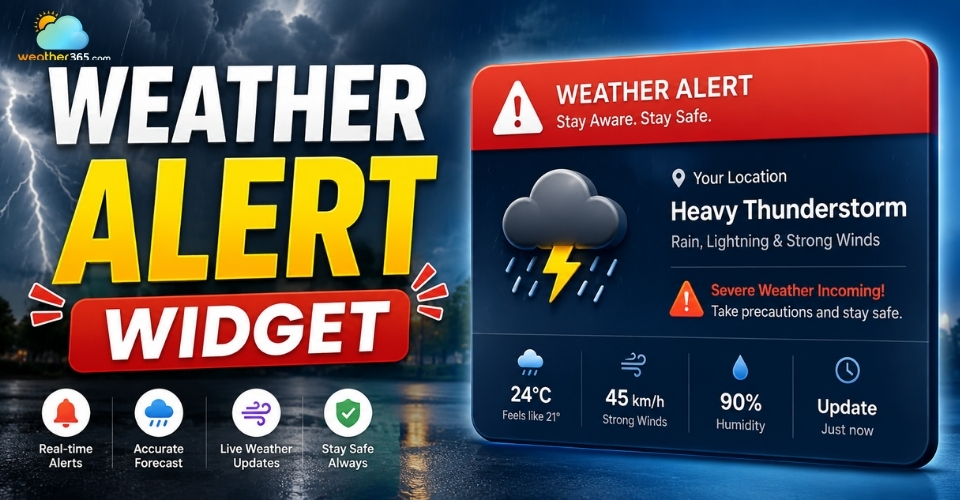
Weather alert widget
What is a Weather Alert Widget
A weather alert widget is an embedded digital tool that displays real-time severe weather warnings, watches, and advisories directly on a webpage.
As part of a broader category of interactive widgets, it acts as an automated safety broadcast system for your online visitors by pulling live data from global meteorological organizations.
Why Does Your Site Need One?
User Safety & Engagement: It keeps local audiences informed during critical crises. This is a vital feature for municipal portals, school districts, community blogs, and local news sites.
SEO & Trust Signals: Search engines favor websites that provide high-utility, frequently updated safety information, boosting your overall E-E-A-T (Experience, Expertise, Authoritativeness, and Trustworthiness).
Reduced Bounce Rates: When major weather events unfold, visitors stay on your site longer to track live updates, significantly increasing dwell time.

Benefits of using a weather alert widget
Top Features to Look for in a Severe Weather Alert Widget
A reliable weather alert widget should provide fast updates, accurate local warnings, and a smooth user experience across all devices.
Real-Time Data Sync
The widget should pull live data from trusted sources like National Oceanic and Atmospheric Administration, National Weather Service, or Meteoalarm. During severe weather events, alerts need to update instantly so visitors can react quickly to changing conditions.
Geolocation Capabilities
A good widget automatically detects the visitor’s location and shows relevant local alerts.
This creates a more personalized experience, often pairing well with a comprehensive weather map widget to make the information far more useful than generic national forecasts.
Customization & Responsiveness
Your widget should match your website design without slowing down the page.
Look for flexible customization options and responsive layouts that work smoothly on both desktop and mobile devices.
Conditional Visibility
Some widgets only appear when an active weather warning is triggered.
This keeps your website clean during normal conditions while still highlighting urgent alerts when they matter most.
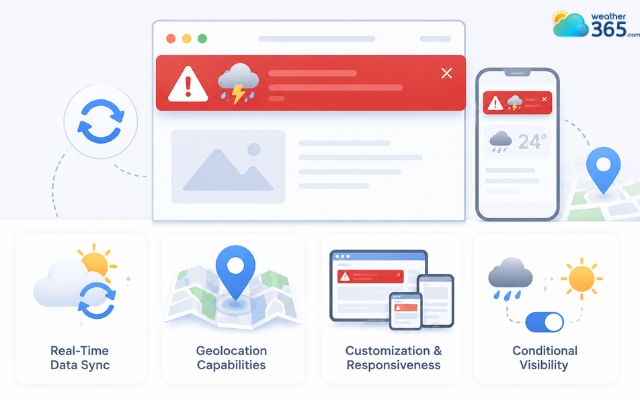
Common features in a weather warning widget
Best Weather Alert Widget Options [Updated]
If you want to add live severe weather warnings to your website, these are some of the most reliable and beginner-friendly weather alert widget options available right now.
Option 1: Weather.gov (NWS) Feeds
National Weather Service feeds are one of the most trusted sources for severe weather alerts in the United States.
Since the data comes directly from official government systems, alerts are highly accurate and updated quickly during emergencies.
This option works best for developers, news websites, and government portals that need reliable real-time warnings.
However, setup can feel more technical because it often requires API integration or RSS feeds instead of a simple drag-and-drop builder.
The design is also fairly basic, but the accuracy and credibility make it a strong choice for serious weather tracking.
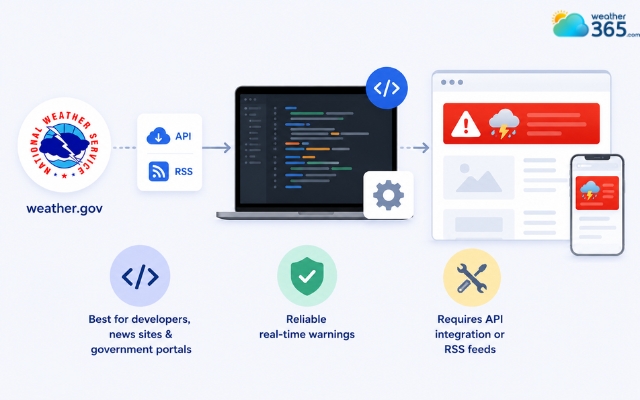
Weather.gov is one of the most trusted sources
Option 2: Elfsight Weather Widget
Elfsight is popular because it combines weather forecasts, alerts, and modern design in a beginner-friendly platform. You can customize colors, layouts, fonts, and widget styles without touching code.
The setup process is simple: generate the widget, copy the embed code, and paste it into your website. It also works smoothly on mobile devices, which is important for visitors checking alerts on phones.
Elfsight is ideal for business websites, travel blogs, hotels, and professional websites that care about both functionality and visual appearance.
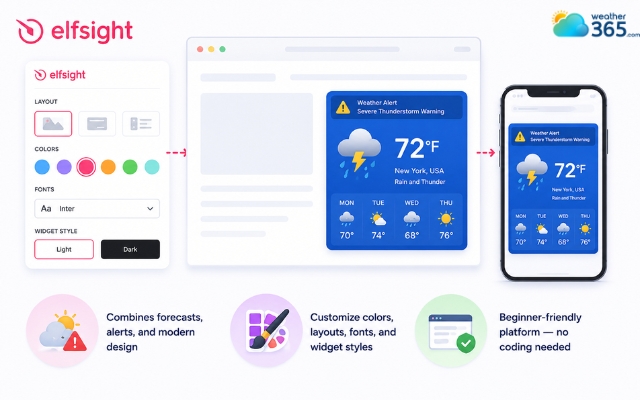
Elfsight weather widget is ideal for business websites
Option 3: Weather365
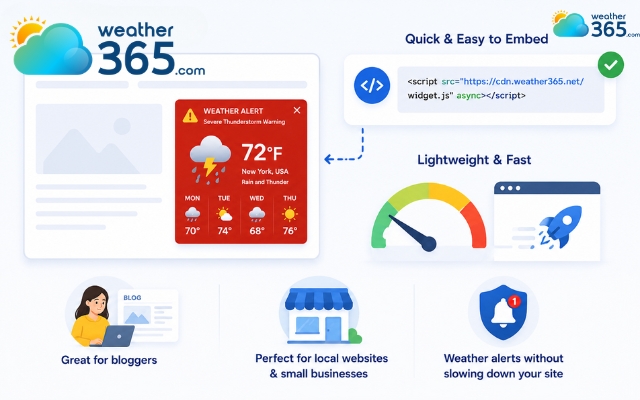
Weather365 stands out for its lightweight design, simple setup, and easy website integration.
It’s especially useful for bloggers, local websites, and small businesses that want weather alerts without adding a heavy script that slows down page speed.
Weather365 is the most reliable widget provider
One of the biggest advantages is how quickly the widget can be embedded. Most users only need to copy and paste a short code snippet to display live weather information and alerts. The interface is clean, mobile responsive, and easy for beginners to manage.
Weather365 also balances simplicity with useful functionality.
Besides severe weather alerts, it can display current conditions and multi-day forecasts, helping visitors stay informed in one place.
For sites looking to visualize temperature trends, integrating a Weather graph widget alongside these alerts helps visitors stay fully informed in one place.
Feature | Weather365 Widget | Weather.gov Widget/API | Elfsight Weather Widget |
Ease of Setup | Very easy — copy & paste embed | Moderate to advanced | Very easy, no-code builder |
Customization | Basic | Fully customizable via code | Advanced visual customization |
Design Quality | Simple and lightweight | Functional but basic | Modern and polished |
Forecast Data | Current + multi-day forecast | Detailed NOAA weather data | Current, hourly, and daily forecast |
Mobile Responsive | Yes | Depends on implementation | Yes |
Best For | Blogs, simple websites | Developers, technical projects | Businesses, professional websites |
Free Plan | Yes | Yes | Yes (limited views) |
Coding Required | Minimal | Yes | No |
Weather Alerts | Basic | Excellent NOAA alerts | Available |
Overall Strength | Lightweight and beginner-friendly | Most accurate and developer-focused | Best design and customization |
How to Embed a Weather Alert Widget on Your Website
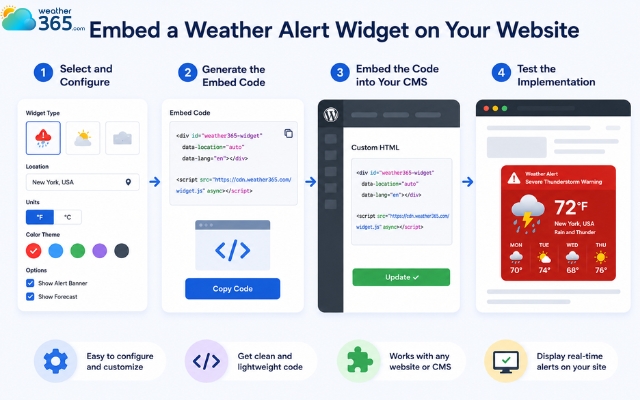
Adding a severe weather tracker to your site layout takes only a few minutes. Follow these four straightforward steps:
Step 1: Select and Configure
Choose your preferred widget provider.
Set your target location settings, adjust your alert thresholds (e.g., configuring it to display only life-threatening Tornado or Flash Flood warnings), and choose a visual theme that complements your brand styling.
Step 2: Generate the Embed Code
Once you are satisfied with the configuration, click "Generate" or "Save" to get your unique deployment code. Copy the HTML/JavaScript snippet provided by the platform to your clipboard.
Step 3: Embed the Code into Your CMS
Navigate to your website's backend administration panel. Paste the copied snippet into your global header, a sidebar widget area, or a dedicated emergency landing page.
If using WordPress, Wix, or Shopify, you can easily use a custom HTML block.
Step 4: Test the Implementation
Before going live, verify the widget’s responsiveness across multiple screen sizes.
Use a dummy location currently experiencing active alerts or utilize a sandbox historical data test to ensure the text renders properly and safely.
Add a weather alert widget to your site
Sum up
Integrating a weather alert widget is a proactive step toward building a safer, more authoritative online presence. Whether you choose the developer-focused precision of Weather.gov, the high-end polished design of Elfsight, or the fast, lightweight convenience of Weather365, adding live alerts keeps your users informed when they need it most.
Frequently Asked Questions (FAQs)
Related post
Weather Radar Widget: Best Live & Interactive Display for Your Website
 994
994
 8
8
 4.9
4.9
 25/05/2026
Weather Map Widget: Enhance Your Site with Live Radar Display
457
0
4.9
25/05/2026
Interactive Widgets for Real-Time Website Engagement
144
8
4.9
17/08/2026

8 Comment
Destiny Sanders
Would a weather alert widget be useful for hotels and travel websites? Guests might need to know about storms or heavy rain before heading out.
weather365
Definitely! It can help hotels and travel websites keep guests informed about potential weather hazards. For the best results, display alerts relevant to the destination and provide links to official guidance when necessary.
Ryker Lee
What is the difference between a weather watch and a weather warning? I often see both terms during storm season.
weather365
The exact definitions vary by alerting agency, but generally, a watch means conditions are favorable for a particular hazard, while a warning means the hazard is occurring, imminent, or expected. Always follow the instructions issued by your local meteorological authority.
Otto Lindsey
Can I add a weather alert widget to my website without knowing how to code?
weather365
Yes, if your chosen provider offers an embed code. You can usually copy the code into a Custom HTML block in WordPress or a similar section in your website builder. Remember to test the widget before publishing.
Ian Barnes
A weather alert widget could be really helpful for local news websites. Readers need quick access to warnings when severe weather threatens their area.
weather365
Absolutely! Displaying weather alerts directly on a website makes important information easier to find. We recommend using a reliable data source and directing visitors to official alerts for the latest safety instructions.
Leave a comment
Your email address will not be published. Required fields are marked *