




Weather Channel Alternative: Best Picks By Experts For Accurate Forecast


Looking for a better Weather Channel Alternative but not sure where to start? With so many tools available today, finding one that’s accurate, fast, and easy to integrate can feel overwhelming. In this guide, you’ll discover the best Weather Channel alternatives and how to choose the right one for your website or app.
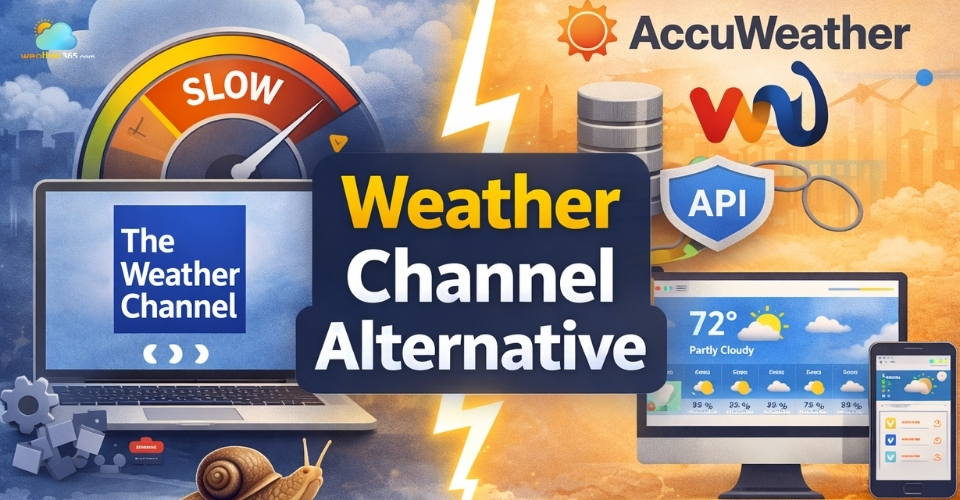
Weather channel alternative
Why Look for a Weather Channel Alternative?
The Weather Channel is a familiar choice, but it doesn’t always meet the needs of modern websites and users.
As expectations around speed, design, and flexibility continue to grow, many people start looking for a better Weather Channel Alternative.
One common issue is performance.
Heavier scripts can slow down your site, while newer tools are often built to be lightweight and faster. This matters not just for user experience, but also for SEO.
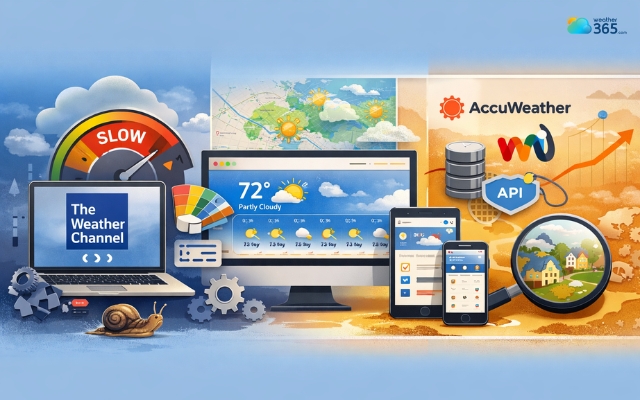
Many people look for a better Weather Channel Alternative
Customization is another limitation.
If you want a widget that actually fits your website’s design, many alternatives give you far more control over layout and appearance, instead of forcing a fixed style.
There’s also the question of use case.
Platforms like AccuWeather or Weather Underground tend to offer more flexibility, whether you need detailed forecasts, API access, or hyper-local data.
In fact, switching is not necessarily about replacing one tool with another. Sometimes it’s just In the end, switching isn’t about replacing one tool with another.
It’s about finding a solution that’s faster, easier to integrate, and better aligned with how modern websites actually work.
Best Weather Channel Alternative
If you’re looking for a reliable Weather Channel Alternative, the good news is you have several strong options.
The right choice depends on what you care about most: ease of use, accuracy, or flexibility.
Below are three popular tools that consistently stand out.
Weather365
Weather365 widget is a solid choice if you want something simple, modern, and easy to integrate into your website.
It focuses on delivering clean weather data through lightweight widgets that don’t slow your page down.
One of its biggest strengths is usability. Even if you’re not technical, you can quickly embed a widget and have it working in minutes.
The design is minimal and customizable enough to blend with most websites, which makes it especially useful for blogs and small business sites.
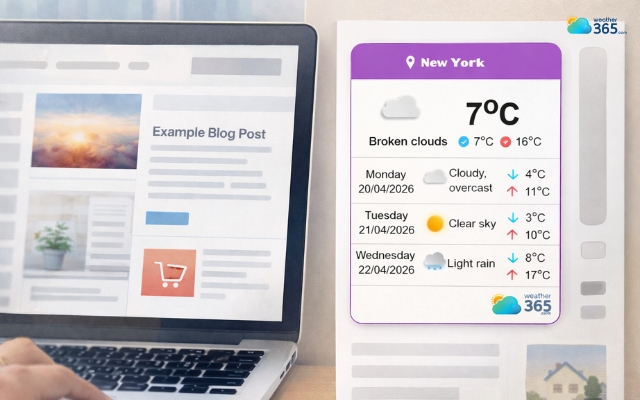
Weather365 is a great choice for weather channel alternative
On the downside, Weather365 doesn’t go as deep into meteorological data as larger platforms.
If you need advanced analytics or highly detailed forecasts, it may feel a bit limited.
But for most website use cases, it strikes a good balance between simplicity and performance.
Accuweather
AccuWeather is one of the most recognized names in weather forecasting, and for good reason.
It’s known for its accuracy and detailed data, including metrics like RealFeel temperature, UV index, and minute-by-minute forecasts.
This makes it a strong option if your priority is precision. It’s especially useful for users who rely on weather data for planning, travel, or business decisions.
However, that level of detail comes with trade-offs.
The interface and widgets can feel heavier, and some features are locked behind paid plans.
Integration is also not as straightforward as simpler tools, which can be a drawback if you just want a quick, clean setup.
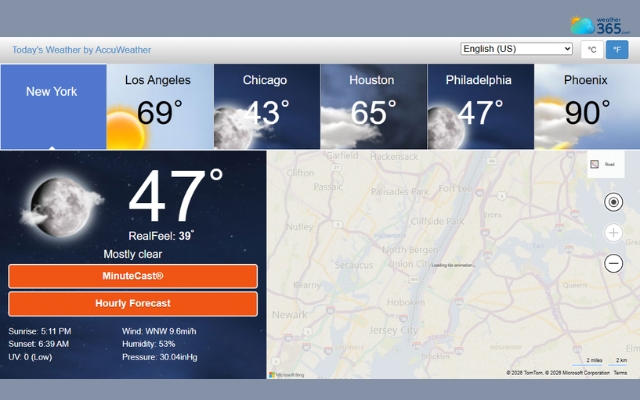
Accuweather is known for its accuracy and detailed data
Weather Underground
Weather Underground takes a different approach by focusing on hyper-local data.
It pulls information from a large network of personal weather stations, which can make forecasts more precise at a neighborhood level.
This is a big advantage if your audience cares about very specific, location-based weather conditions.
It also offers rich historical data and detailed insights, which can be useful for research or advanced users.
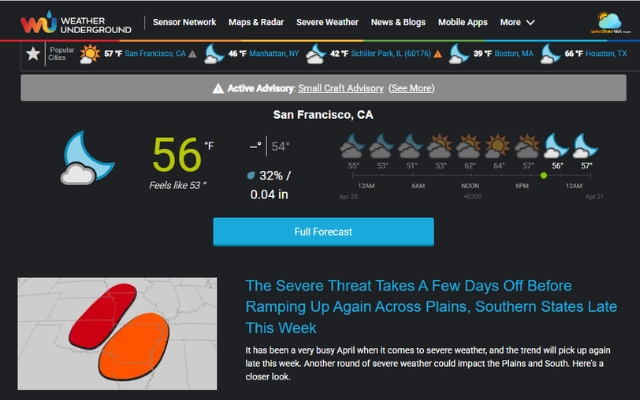
Weather Underground offers rich historical data and detailed insights
That said, it’s not the most beginner-friendly option. The interface can feel a bit outdated, and embedding or customizing widgets isn’t as smooth compared to newer platforms.
Also, the removal of its free API made it less accessible, while reliance on crowdsourced data can lead to inconsistent accuracy.
For better alternatives with a smoother experience, check out our guide on Weather Underground Alternative.
Comparison Table of Top Alternatives
To help you quickly compare the best Weather Channel alternatives, here’s a side-by-side overview of their key features and strengths:
Feature | Weather365 | AccuWeather | Weather Underground |
Ease of Use | Very easy | Moderate | Moderate |
Forecast Accuracy | Good | Very high | High (varies by area) |
Customization | High | Medium | Medium |
Website Integration | Excellent | Limited | Limited |
API Availability | Basic | Advanced | Advanced (paid) |
Performance | Fast, lightweight | Moderate | Moderate |
Best For | Websites/blogs | General users | Advanced users |
How To Choose The Right Weather Widget?
Choosing the right one means finding what fits your specific use case.
For website/blog
If you’re running a website or blog, simplicity should come first.
A lightweight widget that loads fast and looks clean will do the job better than a feature-heavy tool.
You don’t need complex data, just clear, easy-to-read forecasts that don’t slow down your page or disrupt your design.
If you’re not sure what to look for, check out our guide on Weather Widget Features to understand which elements actually matter.
Tools like Weather365 are a great example: they’re built to be simple, fast, and easy to integrate without extra effort.
For developers
For developers, the priority shifts completely. Instead of a ready-made widget, you’ll want a flexible API.
This gives you full control over how weather data is displayed and used inside your app or system.
Good documentation, stable endpoints, and scalability matter much more here than visual design.

Choose the right weather widget depends on your needs
For business
When it comes to businesses, especially platforms with high traffic, accuracy and reliability become critical.
You need a provider that can deliver consistent data across multiple locations without downtime.
At this level, it’s less about appearance and more about performance, data quality, and the ability to scale as your product grows.
For global audiences
If your website targets a global audience, language support is something you can’t ignore.
A widget that supports multiple languages helps you create a more localized experience for users in different regions. It not only improves usability but also builds trust.
If you’re exploring this direction, you can learn more in our guide on Multi-Language Weather Widget.
Final Thought
Is switching to a Weather Channel alternative really worth it? If you want better performance, flexibility, and modern features, the answer is yes. Try one of the tools above (like Weather365) and see which fits your website best.
Frequently Asked Questions (FAQs)
Related post
Weather Underground Alternative: Top Picks for Accurate Forecasts & Better Features
 396
396
 8
8
 4.8
4.8
 22/04/2026
Multi-Location & Auto-Detect Weather Widget: A Must-Have for Modern Websites
262
8
4.8
17/08/2026
Discover Responsive Weather Widget for Any Screen Size
248
8
5.0
24/07/2026

8 Comment
Kayden Long
I wouldn't choose a weather service based on accuracy claims alone. Forecasts can vary quite a bit depending on the location and whether you're checking rain, wind, or temperature.
weather365
Good point. Comparing forecasts against observed conditions over several days can give you a better idea of how well a service works in your area than relying on a general ranking.
Everett Ross
Page speed is something I wish more people considered when adding third-party tools. A weather widget might look great, but if it slows down the mobile experience, it could end up doing more harm than good.
weather365
Absolutely. It's worth testing loading performance after embedding any widget. A clean design is useful, but it should also work smoothly on mobile and not interfere with the rest of the page.
Ruth Davidson
I'm looking for a weather widget to add to my travel blog. It would be nice if readers could check the weather without leaving the page, especially when they're researching destinations for an upcoming trip.
weather365
A widget sounds like a practical fit for that. You could place it near your destination guides so readers can check local conditions while planning their activities.
Leighton Hill
I've been using The Weather Channel for a long time, but lately I've been looking at other options. I mainly need quick local forecasts, so I don't necessarily need an app packed with features I'll never use.
weather365
That makes sense! Sometimes a simpler tool is all you need. I'd compare the local forecast details, ease of use, and how quickly each option gives you the information you're looking for.
Leave a comment
Your email address will not be published. Required fields are marked *