




How Weather Widgets Increase User Engagement and Website Value


How weather widgets increase user engagement is no longer just a UX theory; it is backed by how users behave on interactive pages. Websites with live, clickable elements consistently generate longer active sessions than static layouts, while a real-time weather widget gives visitors instant, personalized value at a glance. Here’s how this simple feature can lift dwell time, reduce exits, and keep users exploring! Discover now!
How weather widgets increase user engagement
- Overview of Weather Widget and User Engagement
- How Weather Widgets Increase User Engagement
- Real-Time Information Keeps Users Interested
- Personalized User Experience
- Increased Time on Page
- Reduced Bounce Rate
- Interactive Elements Drive Engagement
- Key Features Driving User Engagement
- Where should add weather widget to your website?
Overview of Weather Widget and User Engagement
A weather widget is a small live forecast section added to a website that shows real-time data like temperature, rain chance, wind, humidity, or hourly updates.
Because the information changes continuously, it gives visitors something fresh and useful to check instead of just reading static content.
This makes the page feel more interactive and practical.
In fact, this is one of the biggest reasons why add weather widget to your website has become a smart choice for brands that want to offer both instant value and better visitor retention.
On the other hand, user engagement refers to how actively visitors interact with your website: how long they stay, whether they scroll, click, or continue to other pages.
Google Analytics 4 also measures this through metrics like engaged sessions and average engagement time, showing how much real attention a page receives.
Why does this matter for SEO?
When users stay longer and interact more, it sends positive quality signals that your page is useful and relevant.
In other words, a weather widget is not just a visual add-on; it can become a simple tool to capture attention and improve overall website performance.
This stronger on-page behavior also connects directly to broader weather widget SEO benefits, especially by increasing dwell time and reducing quick exits.
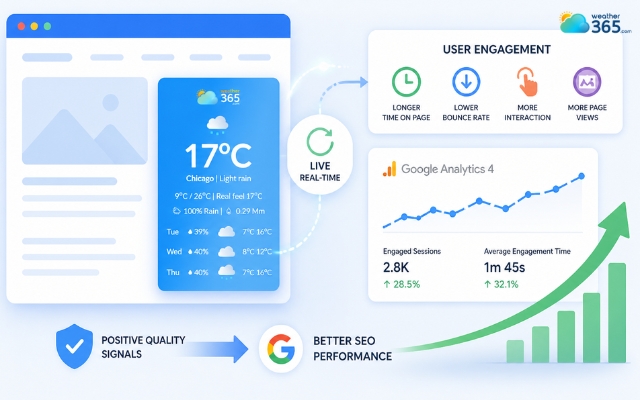
A weather widget can improve overall website performance
How Weather Widgets Increase User Engagement
Now let’s see how a small thing on a website can even increase user engagement!
Real-Time Information Keeps Users Interested
One major reason weather widgets work so well is simple: people are naturally drawn to live information.
Unlike a static paragraph that stays the same every day, weather data changes by the hour: temperature rises, rain chances shift, wind speed updates.
That constant movement gives users a reason to stop and check.
This creates a small but powerful habit.
Even if visitors originally come for another purpose, they often take a few extra seconds to look at the forecast because it feels immediately useful.
And in website engagement, those extra seconds matter.
Google Analytics 4 counts a session as engaged when users stay, interact, or continue exploring beyond a quick glance.
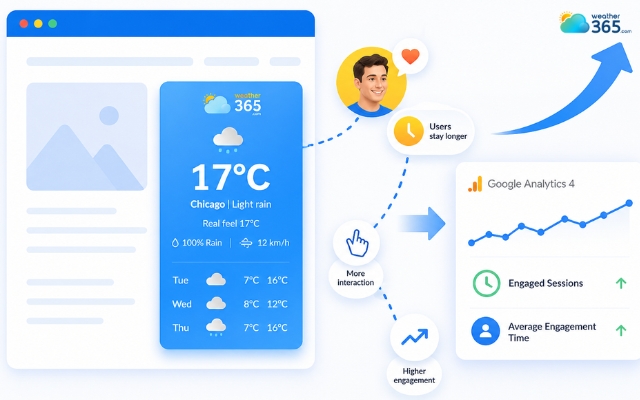
The weather widget provides live information
Personalized User Experience
Weather widgets show location-based information that feels personally relevant.
A visitor in Hanoi sees Hanoi weather. Someone in New York sees New York conditions.
This makes the website feel less generic and more tailored to the user’s real situation.
That personalized touch improves attention because users instantly feel the content is connected to their day:
Should they bring an umbrella? Is it too hot outside? Will it rain this evening?
When a page offers this kind of contextual relevance, users are more likely to trust it and spend more time on it.
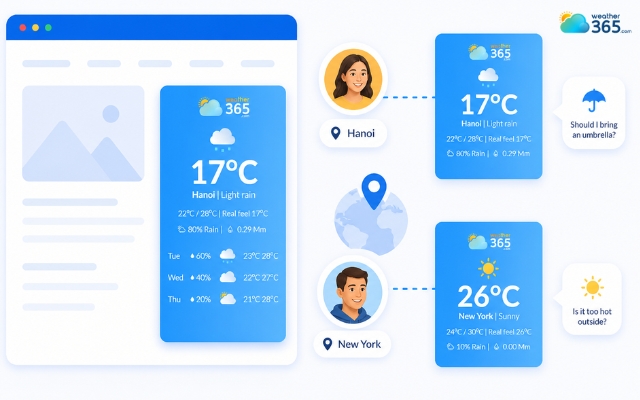
A weather widget makes the website feel less generic
Increased Time on Page
A weather widget gives visitors another reason to stay on the page a little longer. Instead of reading one section and leaving, many users pause to check:
Today’s temperature
Hourly rain forecast
Tomorrow’s weather
Or the weekly outlook
This means they are no longer just “reading content”, they are also interacting with a live feature.
That additional viewing behavior naturally stretches session duration and contributes to stronger engagement metrics.
Since GA4 measures engagement based on time spent and meaningful interaction, even these small moments can help improve the quality of your page visits.
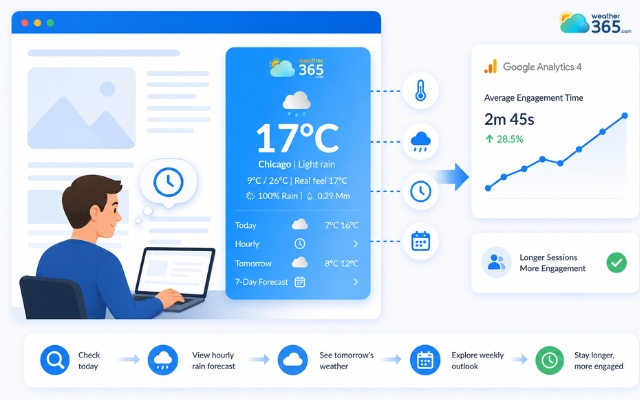
A weather widget gives visitors reason to stay on the page longer
Reduced Bounce Rate
Many websites lose visitors quickly because users do not see immediate usefulness in the first few seconds.
A weather widget helps solve that problem by offering value the moment the page loads.
Before users even start reading the article or browsing services, they already receive something practical: live weather information.
This quick benefit makes the page feel active instead of empty, which reduces the chance of instant exits.
Even better, once users pause for the widget, they are more likely to continue scrolling and explore the rest of the page.
In other words, the widget acts like a soft “attention anchor” that slows down bounce behavior.
More user interaction does not only improve engagement metrics, it also supports better weather widget conversion rate optimization by keeping potential customers active on the page longer.
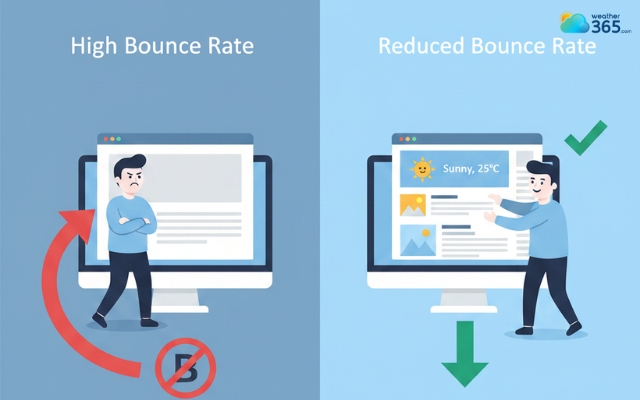
A weather widget reduces the chance of instant exits
Interactive Elements Drive Engagement
Modern weather widgets are not just tiny temperature boxes. Many now include:
Clickable hourly forecasts,
Expandable 7-day outlooks,
Radar maps,
Wind and humidity details,
Animated weather icons.
These features turn the widget into a mini interactive tool inside the page.
Interactive elements like a California 7-day forecast keep visitors returning to your site.
And interactive elements always perform better than passive visuals because they invite users to do something: click, hover, compare, or check deeper details.
The more users interact, the stronger the engagement signals become.
Instead of visiting your site for a few seconds and leaving, they begin exploring it like a useful resource, and that is exactly how weather widgets measurably increase user engagement.
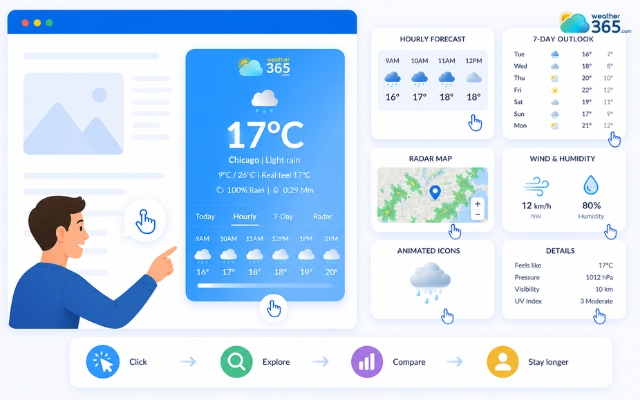
The weather widget is a mini interactive tool
Key Features Driving User Engagement
Fun fact for you is that not all weather widgets create the same effect!
The ones that keep visitors engaged usually have three things in common: they look dynamic, feel personalized, and provide enough useful information for users to check more than once.
Animated Visuals Capture Attention Faster
Moving elements naturally attract the eye more than plain text. That is why weather widgets with animated icons, live radar maps, or changing temperature displays often make users pause and look longer.
Even a few extra seconds of attention can make a page feel more interactive and reduce the chance of visitors leaving too quickly.
Customization Makes the Widget Feel More Natural
A weather widget performs better when it matches the style of the website. Good tools allow you to customize colors, fonts, location, language, and layout so the widget feels like part of the page instead of an unrelated add-on.
Platforms like Weather365 are popular because they offer flexible designs that blend smoothly with different website themes.
Detailed Forecasts Keep Users Checking Longer
A simple current temperature is useful, but a widget becomes much more engaging when it also shows:
→ hourly weather updates,
→ 3-day or 7-day forecasts,
→ rain probability,
→ humidity and wind details.
The more forecast layers users can explore, the longer they stay checking the information, and the more likely they are to return later.
For example, a detailed Illinois 10-day weather forecast gives visitors a broader view of upcoming conditions than a simple current-weather display.
Interactive Controls Encourage More Clicks
Modern weather widgets often include clickable tabs, expandable forecasts, hover details, or map views.
These small interactive actions encourage visitors to do more than just glance at the page.
Once users begin clicking through forecast details, they are actively engaging with the website instead of passively scrolling.
A widget can also support more detailed location exploration, such as viewing a Louisiana 7-day forecast when users want to compare upcoming weather conditions before making plans.
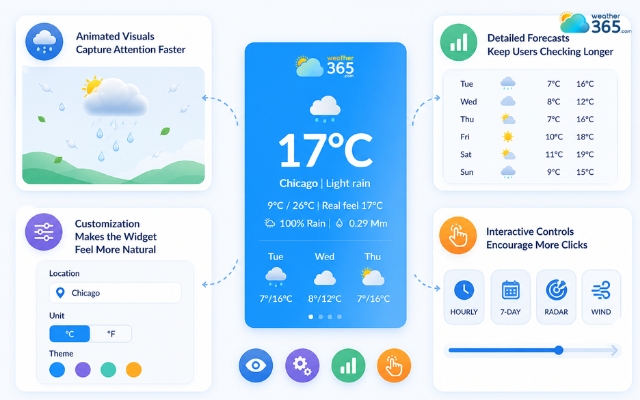
Unique features of a weather widget
Best Weather Widgets With Strong Engagement Features
If your goal is to keep visitors interested longer, choosing the right widget matters.
Here are several popular options that offer the engagement-focused features above:
Weather Widget Tool | Best Engagement Features | Good For |
Weather365 | branded layouts, rich forecast details, clean interactive display | business websites, blogs |
WeatherWidget.io | animated icons, customizable colors, responsive embed | simple blogs, niche sites |
Tomorrow.io | dynamic location detection, advanced maps, multiple forecast modules | travel, local service sites |
OpenWeatherMap Widget | data-heavy hourly and daily forecast options | technical weather pages |
Where should add weather widget to your website?
A weather widget can only improve engagement when users actually see and use it.
That is why placement matters just as much as design.
Most widget tools let you embed the forecast in different sections of your site, but some locations naturally perform better than others because they fit the user’s reading behavior.
Header or Top Bar
This is the best place for immediate visibility because it appears the moment visitors land on the page.
A live forecast here gives instant, useful information and works especially well for travel, event, or outdoor-related websites.
Sidebar
A sidebar widget stays visible while users read the main content, so it adds value without interrupting the flow.
This placement is ideal for blogs, news pages, and informational websites that want to keep visitors checking the forecast as they scroll.
Footer
If you want a more subtle approach, the footer is a smart choice.
A small 3-day or 5-day forecast at the bottom adds one extra useful section for visitors to view after finishing the article without making the page look crowded.
Contact or Location Page
This placement is highly effective for local businesses.
Showing real-time weather on a contact page helps customers plan their visit and makes the website feel more location-aware and practical.
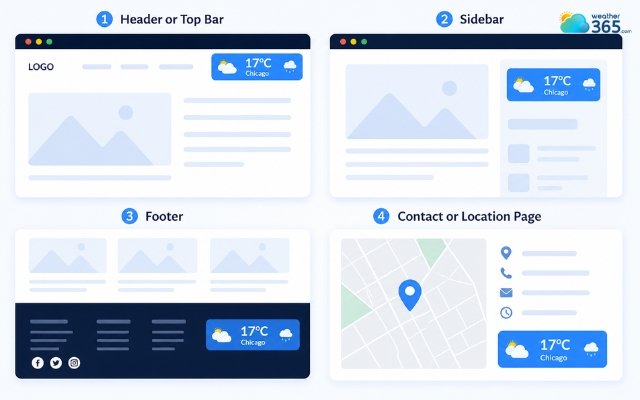
Best position to place a weather widget
Sum up
So, how weather widgets increase user engagement really comes down to one simple thing: giving visitors something instantly useful and worth checking. When placed thoughtfully, this small feature can make your website feel more alive, more helpful, and far more likely to keep people clicking, scrolling, and coming back again.
Frequently Asked Questions (FAQs)
Related post
How Does Weather Affect Retail Sales? Boost Sales with Weather Data
 210
210
 0
0
 4.6
4.6
 17/08/2026
Weather Widget SEO Benefits: A Complete Guide for Better Rankings
185
0
4.8
12/05/2026

Local Pack SEO Guide: Best Weather Widgets & Implementation Tips
127
0
4.8
17/08/2026

0 Comment
Leave a comment
Your email address will not be published. Required fields are marked *