




Why Add Weather Widget To Your Website Instantly: TOP Reasons


Why add weather widget to your website if users visit once but rarely come back? Many websites struggle to offer something fresh after the first click. By adding real-time weather updates, you create an active, personalized, and useful page! Let’s explore how this small feature can make a surprisingly big difference.
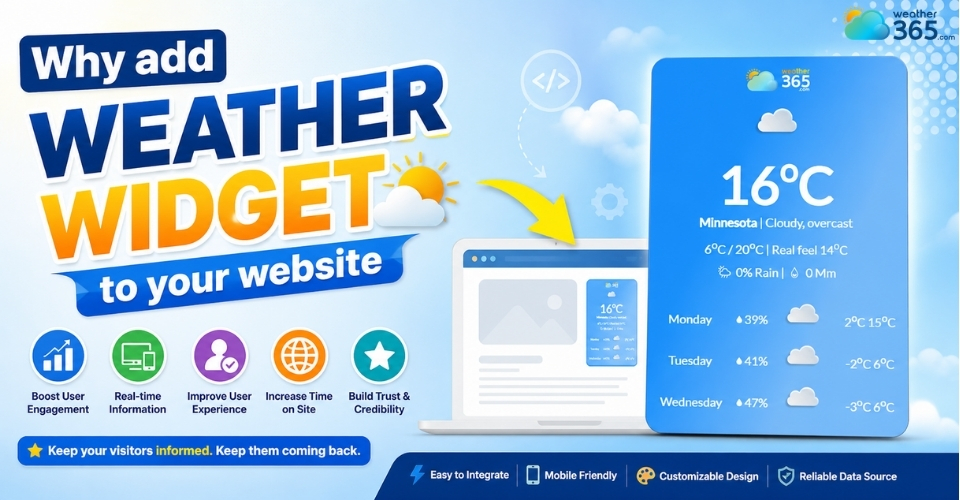
Why add weather widget to your website
- Why Add Weather Widget to Your Website: Increase User Engagement
- Real-time data keeps users returning
- Interactive elements improve time on site
- Contextual relevance enhances user experience
- Improving UX with personalized recommendations
- Dynamic content based on local weather conditions
- Why Add Weather Widget to Your Website: Optimize conversion rate
- How weather data influences user decisions
- Using weather triggers for CTAs
- Practical examples of weather widget conversion rate optimization
- Why Add Weather Widget to Your Website: Enhance industry-specific use cases
- Travel Blogs
- Retail Sales
- Event Organization
- Why Add Weather Widget to Your Website: Support SEO performance
- Why Add Weather Widget to Your Website: Strengthen Marketing Strategies
Why Add Weather Widget to Your Website: Increase User Engagement
One common reason visitors leave quickly is that many websites feel static after the first few seconds. There is nothing new to check, nothing useful to interact with, and no reason to come back.
A weather widget helps solve that by adding live information users naturally care about.
Because weather changes throughout the day, your page instantly feels more active and practical.
Visitors can quickly check forecasts, temperatures, or rain chances without opening another site, which makes them stay longer and see your website as more helpful.
Many live content tools are designed for exactly this purposeto keep users engaged with continuously updated information.
Real-time data keeps users returning
Static content may be useful once, but real-time weather data stays relevant every day.
Users often return to check if conditions have changed, especially on local, travel, or event-related websites.
That repeated usefulness turns your page into more than a one-time visit. It becomes a quick daily reference point.
You can also read more in How Weather Widgets Increase User Engagement.
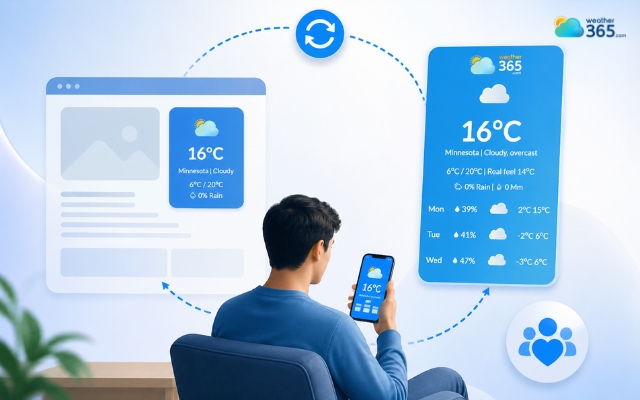
Your site becomes a quick daily reference point with a weather widget
Interactive elements improve time on site
Modern weather widgets often include:
hourly forecasts,
weekly outlooks,
rain probability,
location switching.
These simple interactions encourage users to click around instead of leaving immediately. Even a few extra moments spent checking the forecast can improve overall time on site.
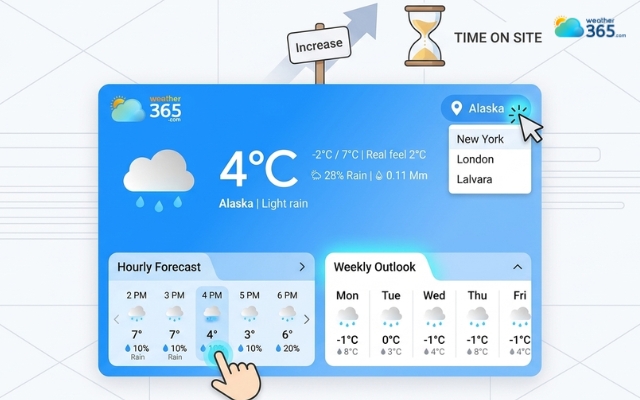
Weather widgets can improve time on site
Contextual relevance enhances user experience
Weather information feels naturally useful because it connects to what users are doing right now.
Someone planning a trip, shopping seasonal products, or browsing local services benefits from seeing live conditions instantly.
They get one more helpful answer without leaving your page, which creates a smoother user experience.
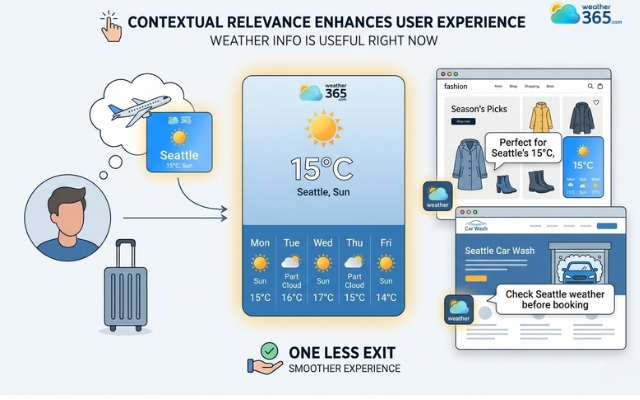
Weather widget creates a smoother user experience
Improving UX with personalized recommendations
Weather widgets also make personalization easier. You can match content with current conditions, such as:
rainy day → indoor suggestions,
sunny day → outdoor offers,
cold weather → winter products.
This makes the website feel more responsive and visitor-focused.
For more on this strategy, see weather-based personalization for websites.
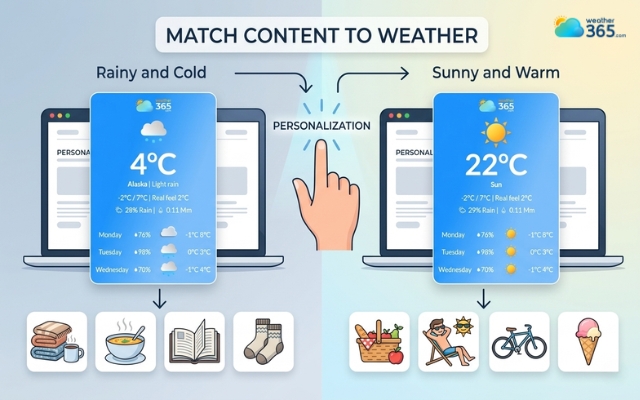
Weather widgets make personalization easier
Dynamic content based on local weather conditions
Another advantage is freshness. A weather widget keeps part of your page changing all day through updated icons, temperatures, and forecasts.
That small dynamic section makes the website feel maintained, active, and worth revisiting.
In short, if you want visitors to stay longer and engage more naturally, a weather widget is a simple but effective addition.
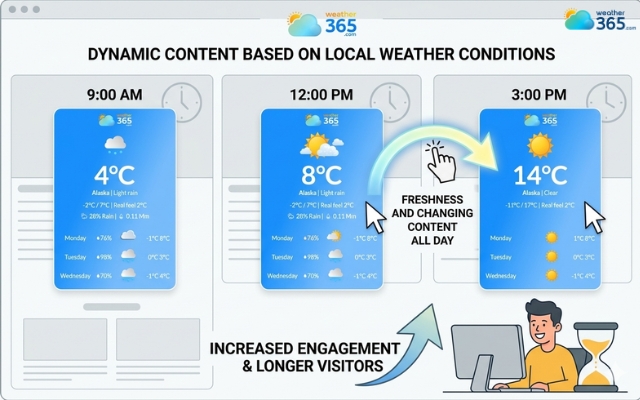
A weather widget keeps part of your page changing all day
Why Add Weather Widget to Your Website: Optimize conversion rate
Getting traffic is one thing, but turning visitors into clicks, bookings, or purchases is much harder.
Many users leave because they do not feel an urgent reason to act. This is where weather widgets can improve conversion rate.
Live weather data adds context to user decisions. When visitors see current rain, heat, cold, or storm conditions, they become more likely to respond to offers that match what they need right now.
In other words, weather makes your call-to-action feel timely instead of generic.
How weather data influences user decisions
Weather has a direct effect on daily choices.
People buy differently on rainy days, search differently in hot weather, and plan activities differently when storms are coming.
If your website shows weather conditions alongside products or services, visitors can connect the offer with their immediate situation much faster.
That practical relevance often shortens the decision-making process.
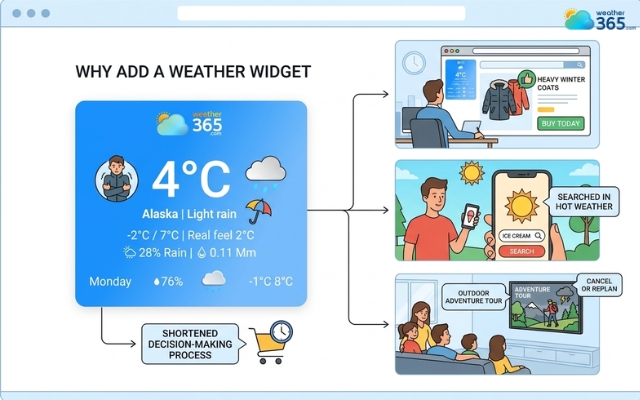
The weather has a direct effect on daily choices
Using weather triggers for CTAs
One smart strategy is adjusting CTAs based on current conditions. For example:
rainy weather → promote indoor products,
sunny weather → highlight outdoor deals,
cold days → recommend warm clothing,
heat waves → push cooling services.
This makes promotions feel less like ads and more like useful suggestions, which naturally improves click-through rates.
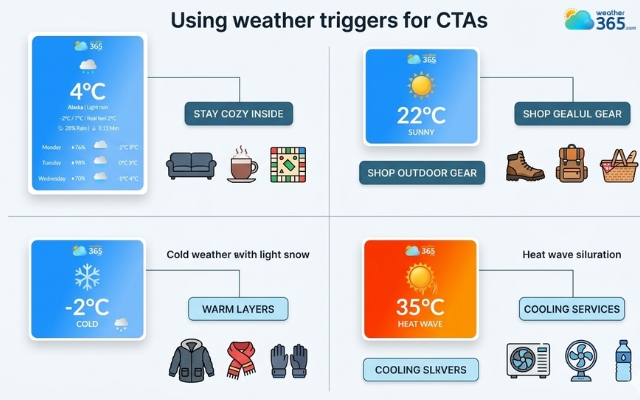
Adjusting CTAs based on current conditions
Practical examples of weather widget conversion rate optimization
This tactic works especially well on:
ecommerce sites with seasonal items,
travel pages promoting indoor or outdoor tours,
restaurants offering weather-based specials,
event pages encouraging early registration before bad weather.
Instead of showing the same message to everyone, you are matching offers to real-time visitor needs.
That is why more brands now invest in weather widget conversion rate optimization, because even a small layer of weather context can lead to more relevant clicks and stronger conversions.
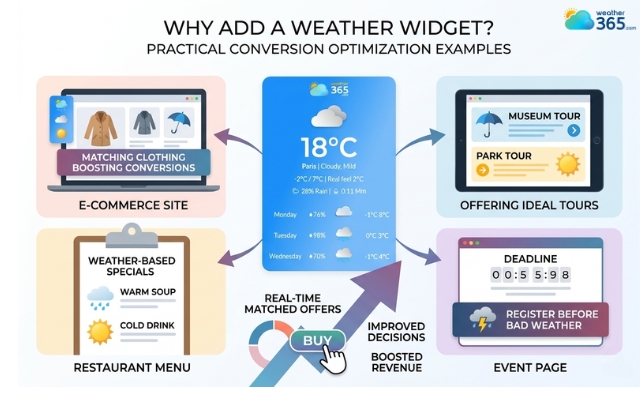
A weather widget can lead to more relevant clicks
Why Add Weather Widget to Your Website: Enhance industry-specific use cases
When weather directly affects customer plans, buying behavior, or attendance, adding a live weather widget turns your site into a much more practical decision-making tool instead of just an information page.
Travel Blogs
Travel content is one of the best places to use weather widgets because visitors are usually asking one silent question while reading: Is this a good time to go?
A destination may look beautiful in photos, but travelers still want to know if it is sunny, rainy, too hot, or stormy this week.
By showing real-time forecasts directly on the page, you help users plan faster without leaving your blog to check another weather app.
This extra convenience also keeps readers engaged longer and can increase booking intent because the trip feels more realistic and easier to imagine.
You can explore this more in destination weather widget for travel blogs.
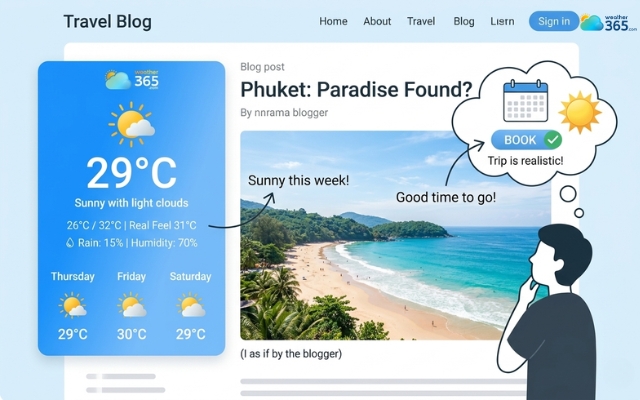
Weather widget helps users plan faster without leaving your blog
Retail Sales
Retail is another industry where weather changes customer behavior almost every day.
People do not shop the same way in heavy rain, summer heat, or sudden cold fronts.
Demand shifts naturally: umbrellas, raincoats, sunscreen, cooling devices, or winter wear all become more attractive depending on current conditions.
Recent retail weather studies also show that brands using weather-responsive messaging can significantly improve product relevance and promotional timing.
That means a weather widget is not just informative; it helps your offers feel timely.
When customers see products that match the weather they are experiencing, they are more likely to click and buy.
Related reads:
- How Does Weather Affect Retail Sales
- Real Estate Marketing Tip
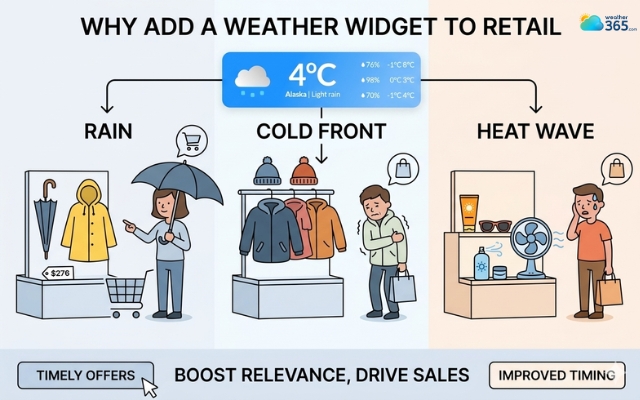
Weather-responsive messaging can improve product relevance
Event Organization
For event websites, weather can directly affect attendance, preparation, and trust.
Visitors want to know whether an outdoor concert may be delayed, whether a wedding venue needs a backup plan, or whether a sports event could face rain disruption.
Showing live weather updates on the event page reduces uncertainty and helps attendees feel informed.
At the same time, organizers can use forecast visibility to communicate schedule changes, safety notes, or alternative arrangements earlier. This makes the website look more reliable and professionally managed.
You can connect this idea with Event risk management.
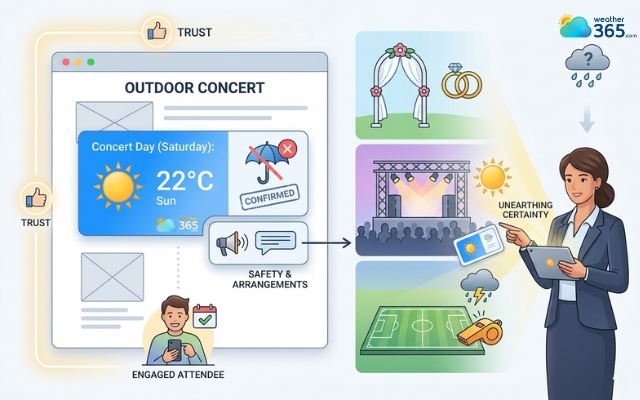
Weather widget reduces uncertainty and helps attendees feel informed
Why Add Weather Widget to Your Website: Support SEO performance
Besides improving user experience, a weather widget can also support SEO in a very practical way.
Search engines pay attention to how visitors behave on a page, whether they stay long enough to interact or leave after a few seconds.
Since live weather information gives users something extra to check, it naturally increases engagement and helps create stronger dwell time signals.
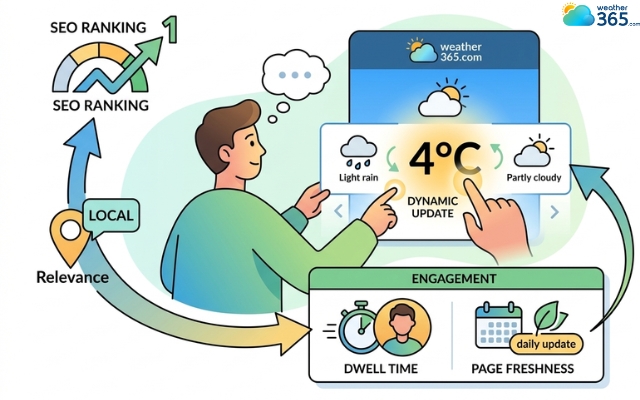
Weather widget can also support SEO
Another benefit is page freshness.
Most blog content stays the same after publishing, but a weather widget keeps part of the page updating throughout the day with changing forecasts, temperatures, and icons.
That small layer of dynamic content makes the page feel more active and useful rather than completely static.
Weather widgets are also highly effective for local pages.
If your website targets a specific city, destination, or service area, showing live local weather adds stronger location relevance and helps users trust the content more.
This can work especially well alongside broader local pack SEO strategies, where search visibility depends heavily on local usefulness and contextual signals.
So while it may seem like a small design feature, a weather widget can help your page keep visitors longer, feel fresher, and perform better in local search at the same time.
Why Add Weather Widget to Your Website: Strengthen Marketing Strategies
A weather widget not only helps visitors, it also helps your website market products or services in a smarter way.
Because weather affects how people feel, where they want to go, and what they want to buy, live weather information makes your content feel more relevant.
For example, if a travel page shows sunny weather and warm temperatures, the destination instantly looks more attractive.
This is similar to the sunlight effect, where nice weather creates a better first impression.
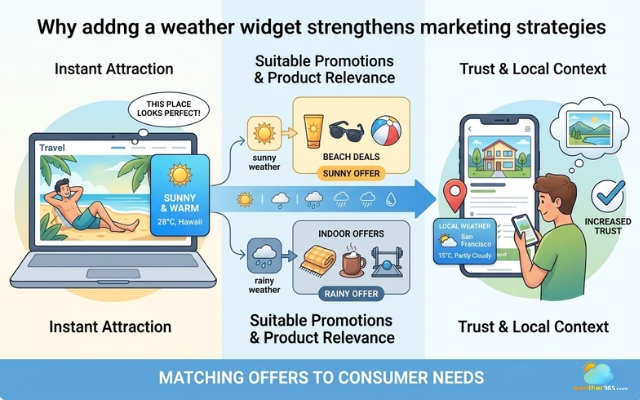
Weather widget helps your website market products
Weather widgets also help businesses run more suitable promotions. On rainy days, you can highlight indoor offers.
On hot days, you can show summer products. This works very well with what is seasonal marketing because your message matches what customers need at that moment.
They are also useful for property listings, hotel pages, and local services. When visitors can see the real weather conditions, they can picture the place more clearly and trust the page more.
Since the weather is tied to location, it also adds stronger local context to your content.
You may also like:
What is AEO in marketing
What is GEO in marketing
Sum up
Now you know why add weather widget to your website can bring enormous benefits. If your pages still feel static, visitors leave too quickly, or your offers seem less relevant than expected, this simple tool can help fix all three. A live weather widget makes your website more useful, more engaging, and much easier for users to trust.
Frequently Asked Questions (FAQs)
Related post
Weather Widget Not Working? Common Issues & How to Fix Them
 372
372
 0
0
 4.8
4.8
 04/05/2026
Best Weather Widget for Website: Weather365 vs Top Alternatives
212
0
4.9
13/08/2026
How To Add Weather Widget To Website: Simple Embed Guide for All Platforms
206
0
4.8
17/08/2026

0 Comment
Leave a comment
Your email address will not be published. Required fields are marked *