




Best Customizable Weather Widget To Add To Your Site


Looking for a customizable weather widget where you can freely create your own style? Instead of using a one-size-fits-all solution, you can now tailor every detail to fit your website. In this guide, we’ll walk you through the best customizable options and how to add one in just a few steps. Diving in!
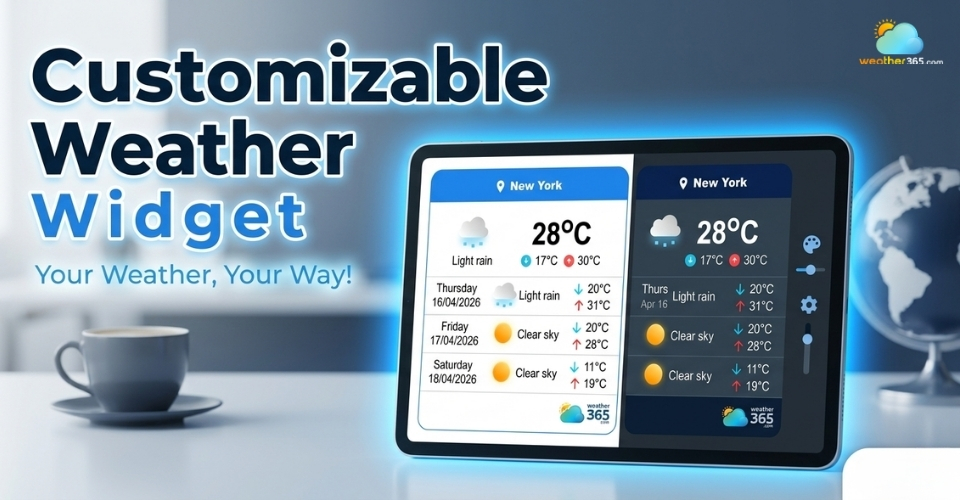
Customizable weather widget
- Why Your Site Needs a Customizable Weather Widget?
- Key Features in a customizable weather widget
- How to Add a Customizable Weather Widget
- Step 1: Choose a weather widget provider
- Step 2: Customize your widget
- Step 3: Generate the embed code
- Step 4: Add the code to your website
- Step 5: Preview and adjust
- Step 6: Publish your website
- Top 5 Customizable Weather Widget
- Weather365
- OpenWeatherMap
- Elfsight
- Tomorrow.io
- Meteoblue
Why Your Site Needs a Customizable Weather Widget?
Now let’s see what a customizable weather can do to your site!
First, it helps you match your website’s tone, colors, and overall style. Instead of a generic widget that looks out of place, you can adjust the layout, fonts, and design so everything feels consistent.
This creates a smoother user experience and makes your site look more professional.
It also plays a big role in boosting engagement and dwell time. When visitors can quickly check the weather without leaving your site, they tend to stay longer and interact more.
For example, a travel website can let users check the Texas weather forecast directly while browsing destination information.
Even a few extra seconds can make a difference in how users experience your content.
Another key benefit is enhancing contextual relevance.
For travel blogs, local businesses, booking platforms, or even lifestyle websites, weather information adds real value.
It gives users useful, situation-based insights that connect directly to what they’re looking for.

Benefits of a customizable weather widget
At the same time, a well-designed widget helps in strengthening your brand identity.
When every element on your site follows the same visual language, it builds trust and makes your brand more memorable.
Finally, there are clear SEO benefits.
Better engagement, longer session duration, and lower bounce rates are all positive signals for search engines.
A location-focused website can also provide useful local resources, such as an Alabama 3 day forecast, giving visitors more relevant weather information within the same browsing experience.
While a weather widget alone won’t rank your site, it supports a stronger overall SEO performance.
Key Features in a customizable weather widget
When choosing a customizable weather widget, the most important thing to look for is how much control you actually have over its design.
A good widget should let you fully customize the layout, colors, fonts, icons, and display style so it fits naturally into your website.
If you want a deeper breakdown, you can explore these essential weather widget features to understand what really matters when choosing the right tool.
Instead of forcing your site to adapt to the widget, the widget should adapt to you.
Beyond customization, there are several additional features that make a widget more useful and reliable.
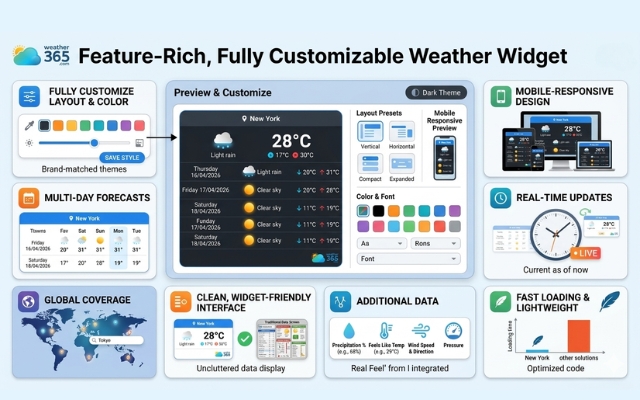
Fully decorate the widget with customizable weather widget
Multi-day forecasts
Multi-day forecasts are helpful for users who want to plan ahead, especially on travel or booking websites.
Mobile-responsive design
Mobile-responsive design ensures the widget looks clean and works smoothly on all screen sizes, which is essential today as most traffic comes from mobile devices.
Choosing a responsive weather widget for any screen size is essential to keep your user experience consistent across desktop and mobile.
Real-time weather updates & global coverage
You should also look for real-time weather updates to keep information accurate, along with global location coverage if your audience is not limited to one region.
Clean, widget-friendly interface
A clean, widget-friendly interface is equally important as it keeps the design minimal and avoids cluttering your page.
Additional data
Some widgets offer additional data like precipitation, “feels like” temperature, or rain probability.
These details aren’t always necessary, but they can add extra value for users who want deeper insights.
Fast loading & lightweight
Finally, don’t overlook performance.
A good customizable weather widget should be fast-loading and lightweight, so it doesn’t slow down your website or affect user experience and SEO.
How to Add a Customizable Weather Widget
Ready to add a customizable weather widget to your site? Follow these steps to add a weather widget today!
Step 1: Choose a weather widget provider
Start by picking a reliable provider that offers strong customization options and accurate data.
Look for platforms that let you adjust design elements easily and provide a simple embed code.
Can’t find one? Try Weather365 widget - one of the most well-known weather widget!
Step 2: Customize your widget
Once you’ve selected a tool, the next step is customization. This is where you define how the widget will look and feel on your site.
With Weather365 widget, you can change colors, layout, font style, icon sets, and displayed information.
Customize colors and metrics to seamlessly match regional travel portals like Michigan daily weather.
Try to match your website’s overall design so the widget blends in naturally instead of standing out awkwardly.
Step 3: Generate the embed code
After customizing, the platform will generate a piece of code, typically HTML, JavaScript, or an iframe.
If you’re not sure how this works, you can follow this step-by-step guide on how to embed a weather widget to make the process even easier.
This code is what allows the widget to appear and function on your website. You don’t need to edit it; just copy it as provided.
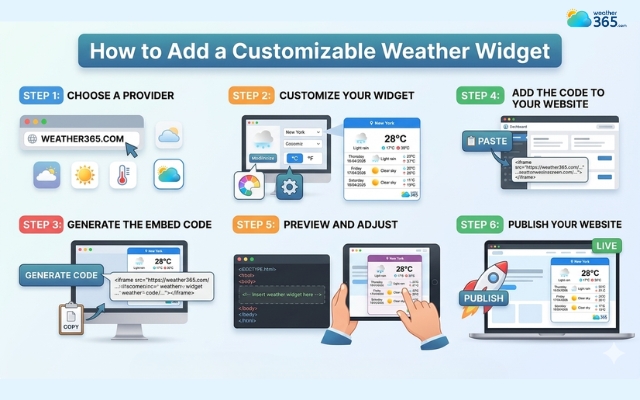
Easy steps to add a weather widget to your site
Step 4: Add the code to your website
Now, place the code into your website where you want the widget to appear. This could be in the homepage, sidebar, footer, or even inside a blog post.
If you’re using a CMS like WordPress, Wix, or Shopify, you can paste it into a custom HTML block or widget section.
Step 5: Preview and adjust
Before going live, preview your site to see how the widget looks in real conditions.
Check both desktop and mobile views. Make sure the layout is clean, the size fits well, and it doesn’t slow down your page.
If something feels off, go back and tweak the customization settings.
Step 6: Publish your website
Once everything looks good, publish or update your site. After that, keep an eye on performance and user interaction.
A well-placed, well-designed widget should improve engagement without affecting loading speed.
Top 5 Customizable Weather Widget
More options for a customizable weather widget? Below are five customizable weather widget options that stand out for both usability and design control.
Weather365
Weather365 widget is a strong all-rounder when it comes to customization.
It allows you to adjust layout, colors, language, and displayed data without making things complicated.
The interface is beginner-friendly, but still powerful enough for more advanced needs.
If you want a balance between design flexibility and ease of use, this is a solid choice.
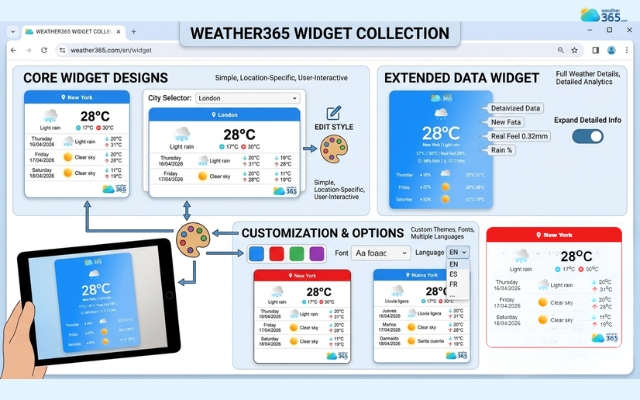
Weather365 widget is a solution for a boring weather widget
OpenWeatherMap
OpenWeatherMap is more technical but highly flexible.
It works through APIs, which means you can control exactly how weather data is displayed on your website.
This makes it ideal for developers or anyone who wants deeper customization beyond basic settings.
The trade-off is that it requires a bit more setup.
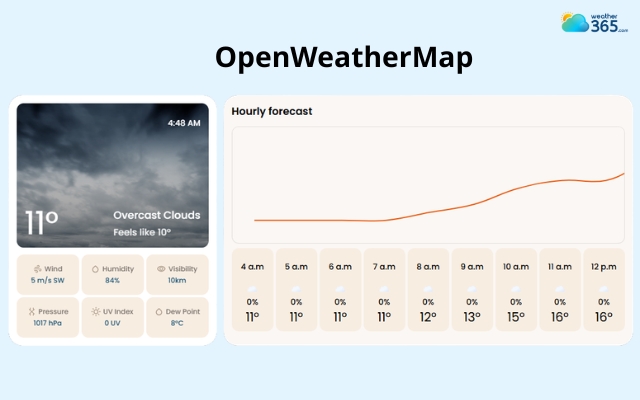
OpenWeatherMap widget is highly flexible
Elfsight
Elfsight focuses heavily on design and user experience.
It offers pre-built templates that you can customize with just a few clicks: colors, fonts, layouts, and even animations.
It’s a great option if you want something visually appealing without touching code.
However, some advanced features may be limited in the free version.
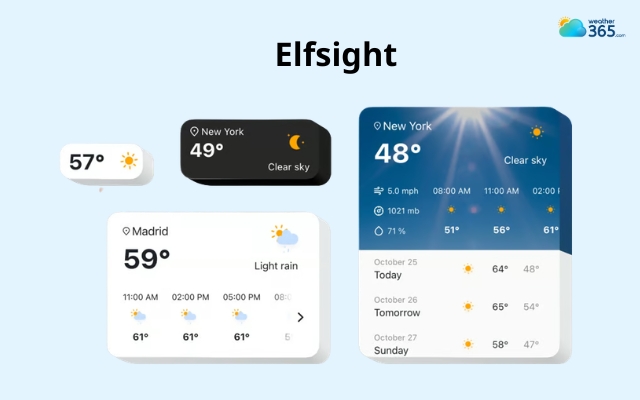
Elfsight weather widget may be limited in the free version
Tomorrow.io
Tomorrow.io provides modern, data-rich widgets with a strong focus on accuracy and real-time updates.
It also supports customization in how data is presented, making it suitable for websites that need more than just basic forecasts.
It’s often used in more professional or business-focused environments.
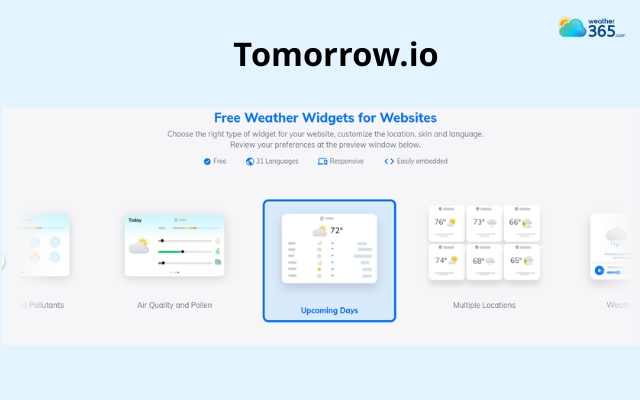
Tomorrow.io is often used in professional environment
Meteoblue
Meteoblue stands out for its detailed weather visuals and forecasting models.
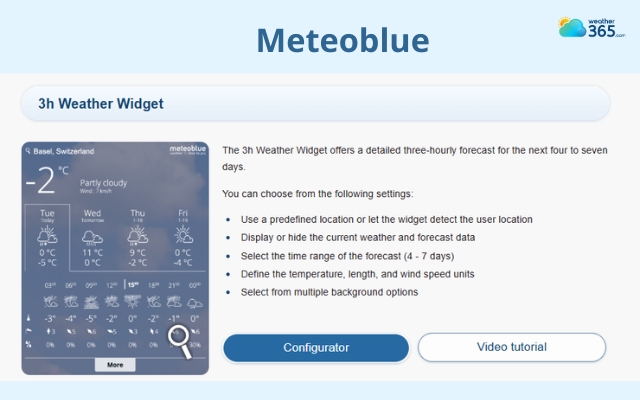
Meteoblue weather widget provides a detailed forecast
You can customize how much data is shown, from simple forecasts to more advanced charts.
It’s especially useful if your audience values in-depth weather insights, though the interface may feel slightly more complex at first.
Each of these tools offers a different level of customization.
If you want something quick and simple, go for a user-friendly option like Weather365 or Elfsight.
If you need deeper control, OpenWeatherMap or Tomorrow.io might be a better fit.
Ultimately, the best choice depends on how much flexibility you really need.
Final Thought
Now, have you got a customizable weather widget for your own? If not, you’re probably overthinking it. Pick one that looks clean, works smoothly, and lets you adjust what you need. That’s more than enough to get started.
Frequently Asked Questions (FAQs)
Related post
Multi-Location & Auto-Detect Weather Widget: A Must-Have for Modern Websites
 262
262
 8
8
 4.8
4.8
 17/08/2026
Free Weather Widget For Website: Top Ad-Free Live Weather Tools
253
8
4.8
14/08/2026
Discover Responsive Weather Widget for Any Screen Size
248
8
5.0
24/07/2026
Multi-Language Weather Widget: A Simple Way To Go Globalize Your Site
242
8
4.8
17/08/2026

8 Comment
Isla Watts
Customization is great, but I hope it doesn't come at the expense of mobile usability. A widget can look beautiful on desktop and still be difficult to read on a phone.
weather365
That's worth keeping in mind! It's important to check both appearance and usability across different screen sizes. A good design should remain clear and accessible on mobile devices, too.
Peyton Waters
Sometimes a widget has all the right information but still looks awkward on the page. Having more control over colors and layout can make a real difference.
weather365
Exactly! A well-organized layout makes weather information easier to scan and helps the widget fit naturally into the overall website design.
Alexandria King
I think being able to choose which weather details appear is just as important as customizing the design. Not every website needs the same level of detail.
weather365
That's a great point! A travel blog might benefit from a multi-day forecast, while a local business may only need current conditions and temperature. The best setup depends on what visitors actually need.
Catalina Johnson
I really like the idea of customizing a weather widget to match a website's branding. Even small design details can make a site feel much more consistent and professional.
weather365
Absolutely! A widget should complement the website rather than look like a separate element. Being able to adjust colors, layout, and other design details makes it easier to create a consistent experience.
Leave a comment
Your email address will not be published. Required fields are marked *