




Free Weather Widget For Website: Top Ad-Free Live Weather Tools


Are you looking for a free weather widget for website? You’ve probably seen plenty of options, but many feel clunky, slow, or hard to customize. If you just want something simple, clean, and reliable, this guide will help you find the right fit without the frustration. Scrolling down to discover now!
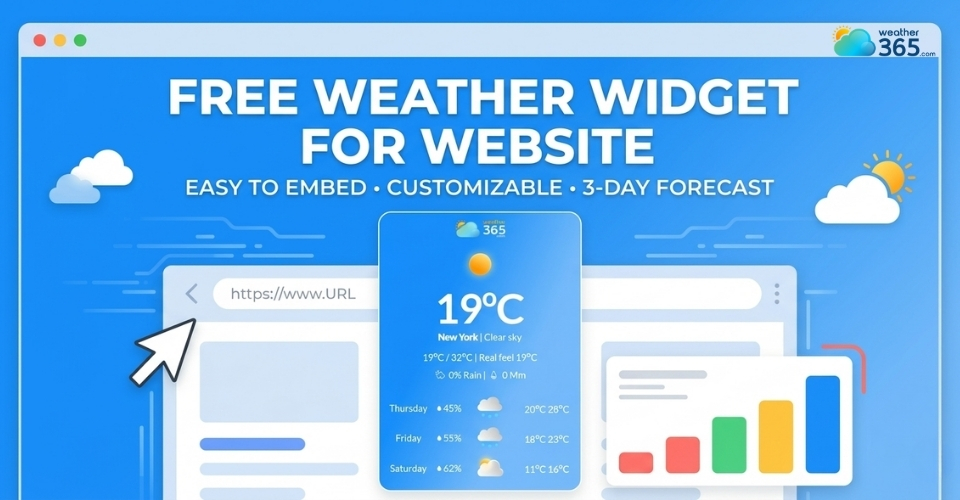
Free weather widget for website
- Key Features to Look for in a Free Weather Widget for Website
- How to Add a Free Weather Widget for Website
- Step 1: Choose a weather widget provider
- Step 2: Customize your widget (location, style, language)
- Step 3: Copy the embed code
- Step 4: Paste into your website (HTML / CMS / builder)
- Step 5: Test and publish
- Top Free Weather Widgets for Website
- Top 1: WeatherWidget.io
- Top 2: Weather365 widget
- Top 3: OpenWeather Widget
- Top 4: Meteoblue Widget
- Top 5: AccuWeather Widget
- Free vs Paid Weather Widgets: What’s the Difference?
Key Features to Look for in a Free Weather Widget for Website
It’s not easy to choose a suitable weather widget for website. You have to consider how well it works for your users.
A good free weather widget for website should be simple, fast, and actually useful.
Before diving into the details, it’s helpful to understand the full range of weather widget features available, so you can choose one that truly fits your website’s needs.
Implement free embedded blocks to provide valuable local info such as Pennsylvania live weather.
Here are the key features you shouldn’t overlook:
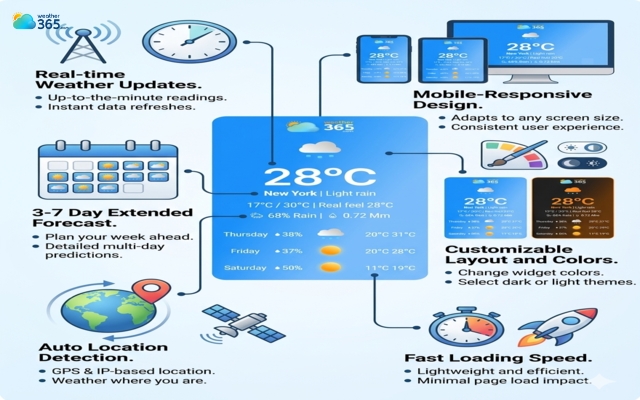
Real-time weather updates
Accuracy matters. Your widget should refresh automatically and display current conditions without delays, so users can trust what they see.
3-7 day forecast
Don’t stop at “current weather.” A useful widget gives both short-term and longer forecasts, helping users plan ahead more effectively.
Features of a free weather widget
Auto location detection
This is what makes a widget feel smart. Instead of forcing users to search for a city, it detects their location and shows relevant weather instantly.
Mobile-responsive design
Most visitors are on their phones. If your widget doesn’t adapt well to different screen sizes, it can break your layout or hurt user experience.
Customizable layout and colors
Your website has its own style, and your widget should match it. Being able to adjust colors, size, and layout helps everything feel more cohesive.
If you want more flexibility in design, you can explore our customizable weather widget guide to better match your website’s style and branding.
Fast loading speed
A slow widget can drag down your entire site. Look for lightweight tools that load quickly and don’t affect performance.
Seems like too much to figure out? Don’t worry, Weather365 widget already combine these essentials, so you can get a clean, fast, and fully functional setup without the hassle.
How to Add a Free Weather Widget for Website
Once you’ve chosen the right widget, the setup process is usually quick and beginner-friendly.
Here’s how to do it step by step:
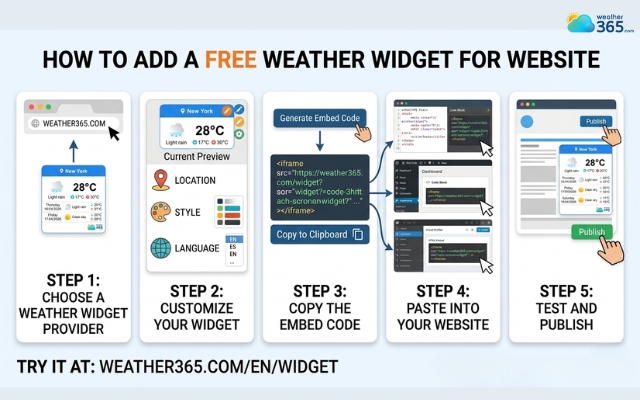
Step 1: Choose a weather widget provider
Start with a provider that offers the features we just covered: real-time updates, responsive design, and customization options.
If you do not have any option in mind, try one of the most reliable weather widget providers - Weather365 widget!
Step 2: Customize your widget (location, style, language)
Once you’ve picked a tool, adjust the settings to fit your needs.
Choose a location (or enable auto-detect), match the colors with your website, and set the preferred language for your audience.
With Weather365, you can customize almost everything to get the best weather widget for your site, from location, color, temperature unit, to layout model and date format.
Steps to add a free weather widget for website
Step 3: Copy the embed code
After customizing, the platform will generate a small piece of HTML code. This is what connects the widget to your website.
Step 4: Paste into your website (HTML / CMS / builder)
Go to your website editor and paste the code where you want the widget to appear, this could be a sidebar, footer, or a specific page.
Most platforms like WordPress, Shopify, or website builders support this easily.
Step 5: Test and publish
Before going live, check how the widget looks and works on both desktop and mobile.
Make sure it loads quickly and displays correctly, then publish your changes.
Can’t add the weather widget to the website? We have our full guide on How to Embed Weather Widget!
Top Free Weather Widgets for Website
Which free weather widget for website should you actually use?
There are plenty of options out there, but not all of them strike the right balance between usability, design, and performance.
Below are some of the best free weather widget for website tools worth considering.
Top 1: WeatherWidget.io
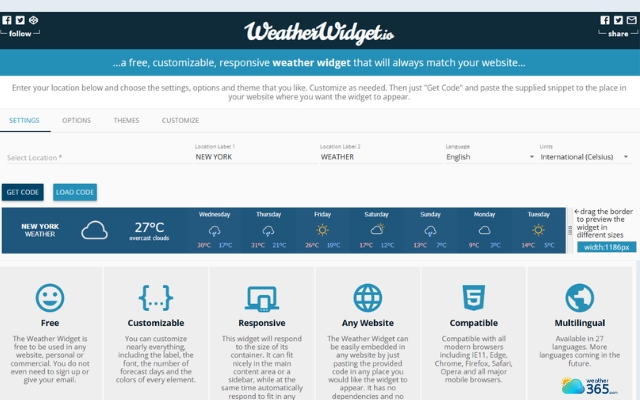
If you’re looking for something quick and hassle-free, this is one of the easiest tools to start with.
It offers clean, minimal designs that fit well on most websites without much effort.
You can customize basic elements like color and layout, and the embed process is very straightforward.
However, it’s more suited for simple use cases rather than advanced customization.
WeatherWidget.io is simple to use
Top 2: Weather365 widget
Weather365 widget stands out for combining modern design with strong functionality. It offers detailed forecasts, smooth performance, and flexible customization options, without making things complicated.
This makes it a great choice if you want a widget that looks professional but still feels easy to use.
It’s especially useful for websites that care about both aesthetics and user experience.
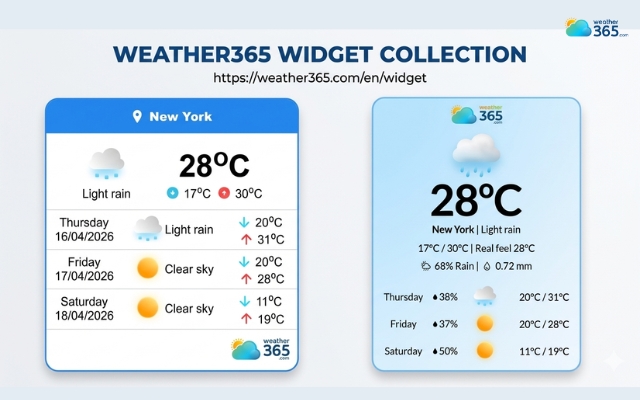
Weather365 widget is the wisest choice for any website
Top 3: OpenWeather Widget
This option is ideal if you want more control behind the scenes.
OpenWeather provides API-based widgets, meaning you can customize how data is displayed in greater detail.
It’s a better fit for developers or users who are comfortable tweaking settings, but it may feel a bit technical for beginners.
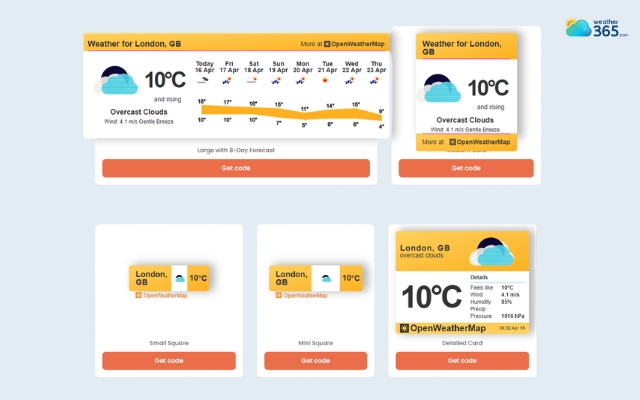
OpenWeather provides API-based widgets
Top 4: Meteoblue Widget
Meteoblue is known for its high accuracy and rich data visualization.
The widgets often include detailed charts and multi-day forecasts, which can be very useful for content-heavy or professional websites.
The trade-off is that it can feel slightly heavier compared to simpler tools.
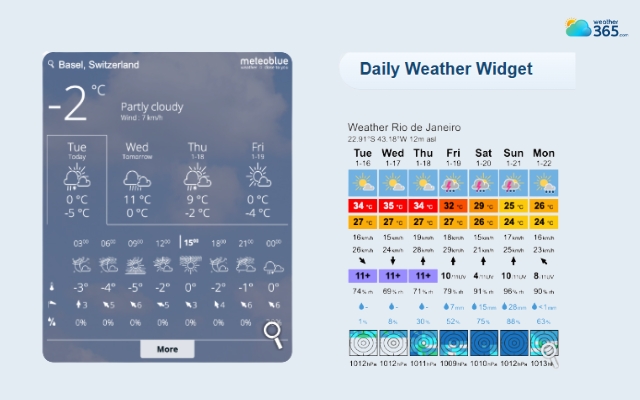
Meteoblue Widget provides 3h and a daily weather widget
Top 5: AccuWeather Widget
A well-known name in weather data, AccuWeather offers reliable forecasts and a variety of widget styles.
It’s a safe choice if you want trusted data and recognizable branding. However, customization options can be more limited compared to newer tools.
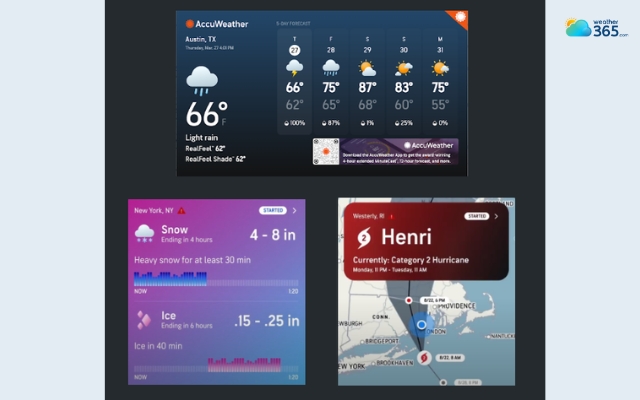
AccuWeather offers reliable forecasts
Each of these widgets has its own strengths, so the “best” one really depends on what you need, whether it’s simplicity, design flexibility, or advanced data.
If you’re just getting started, choosing a balanced option like Weather365 can save you time while still delivering a great user experience.
Free vs Paid Weather Widgets: What’s the Difference?
At this point, you might be wondering: Is a free widget enough, or should you consider a paid option?
The answer isn’t one-size-fits-all, it really depends on what you expect from your widget and how important it is to your website.
Feature comparison
Free weather widgets usually cover the basics: current conditions, simple forecasts, and a few design options. For many websites, that’s already enough.
Paid versions, on the other hand, often unlock more advanced features like detailed analytics, extended forecast data, smoother animations, and deeper customization (fonts, layouts, branding removal).
Limitations of free versions
While free tools are convenient, they do come with trade-offs.
You might see provider branding, limited styling options, or restrictions on how much data you can display.
Some widgets also have fewer update frequencies or less control over how the information appears on your site.
When to upgrade
Upgrading makes sense when your website needs more than just basic functionality.
For example, if you run a business site where branding matters, or a high-traffic platform that needs faster performance and full customization, a paid widget can offer more flexibility and control.
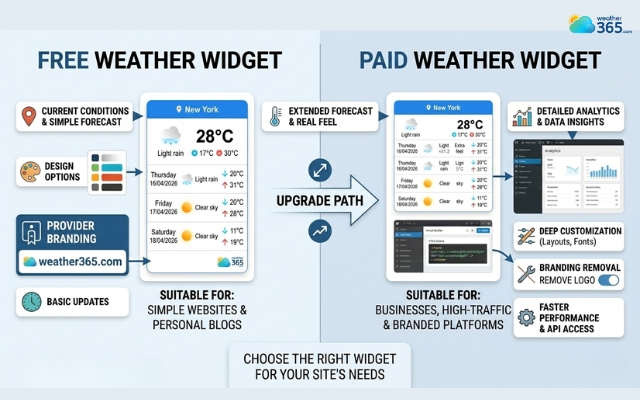
Compare free and paid weather widget
So, which one should you choose?
In most cases, a free weather widget for website is a great starting point. It gives you everything you need to enhance user experience without extra cost.
As your website grows or your needs become more specific, you can always upgrade later.
Final Thought
Now, can you pick a free weather widget for website yet? If not, don’t overthink it - start simple with a tool that covers the basics and fits your design. You can always upgrade later, but getting something live now is what truly improves your site.
Frequently Asked Questions (FAQs)
Related post
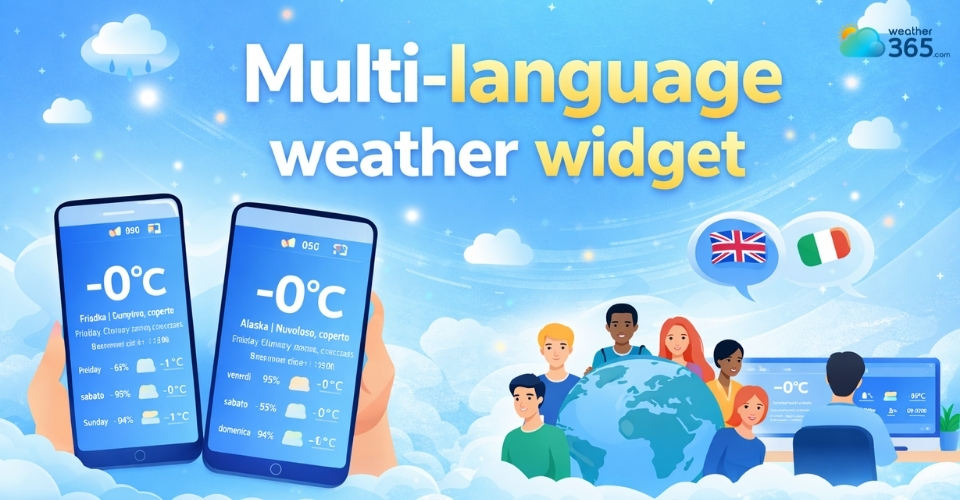
Multi-Language Weather Widget: A Simple Way To Go Globalize Your Site
 242
242
 8
8
 4.8
4.8
 17/08/2026
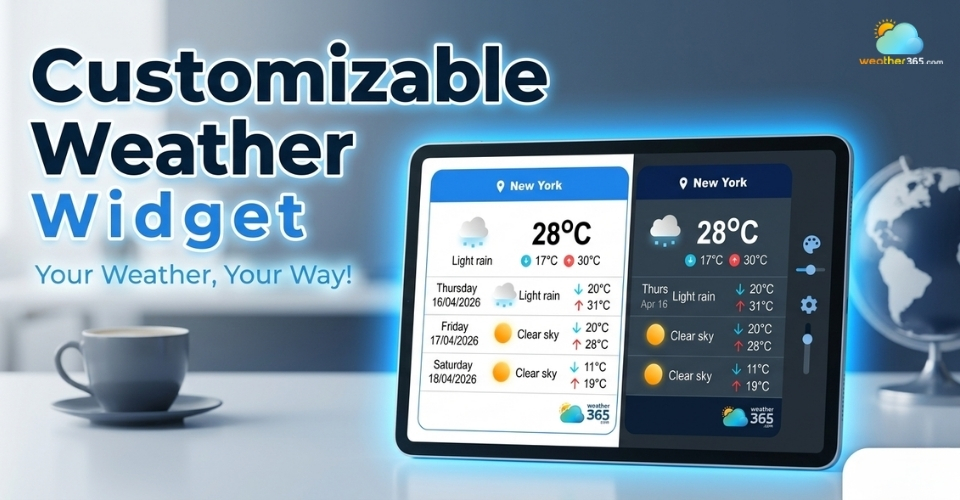
Best Customizable Weather Widget To Add To Your Site
220
8
5.0
13/08/2026
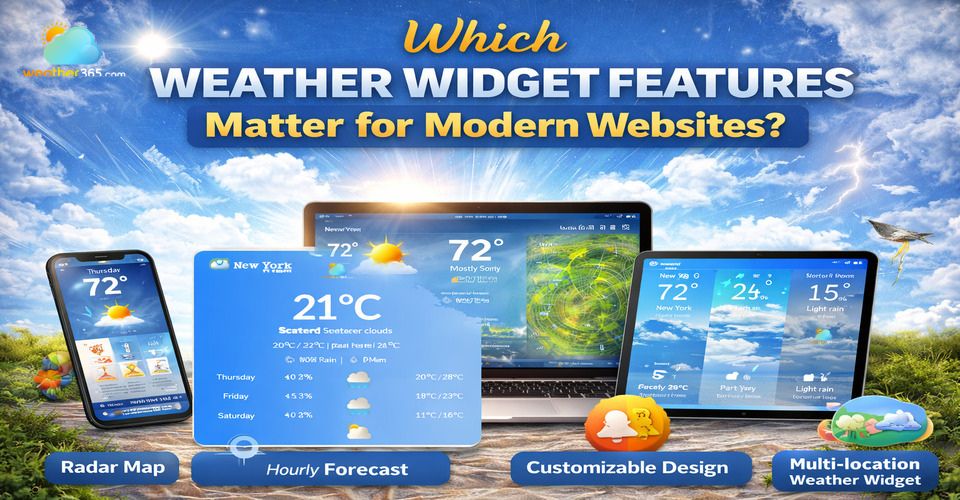
Which Weather Widget Features Matter for Modern Websites?
217
8
5.0
22/04/2026

8 Comment
Alani Douglas
For me, automatic weather updates are a must-have. There isn't much point in displaying a forecast on a website if visitors have to rely on information that hasn't been refreshed.
weather365
Agreed! Fresh weather information is important for a useful widget. Before choosing one, check how its data updates and whether it provides the current conditions and forecast details your audience needs.
Ella Smith
Do I need coding experience to add a weather widget to a website? I manage my own blog but don't have much technical knowledge.
weather365
Not necessarily! Many providers generate an embed code that you can paste into a compatible HTML or embed block. The exact steps depend on your website platform, but you may not need to write any code yourself.
Felicity Hamilton
I think customization makes a big difference. Even a free widget looks much better when its colors and layout fit the website instead of clashing with everything else.
weather365
Absolutely! A consistent design can make the widget feel like a natural part of your website. It's worth checking which customization options are available before settling on a solution.
Isla Smith
I’ve been looking for a free weather widget for my website, but some options seem a bit too complicated for what I need. I just want something clean that visitors can check at a glance.
weather365
That makes sense! A simple, easy-to-read layout is often enough for many websites. It helps to focus on the features your visitors actually need instead of choosing a widget with unnecessary extras.
Leave a comment
Your email address will not be published. Required fields are marked *