




How to Embed a Free Weather Widget in HTML (No Coding Required)


How to embed weather widget in HTML if you just want something quick and clean? You don’t need complex coding to make it happen. This guide shows you straightforward methods, from simple embeds to more flexible options you can actually control. Diving in!
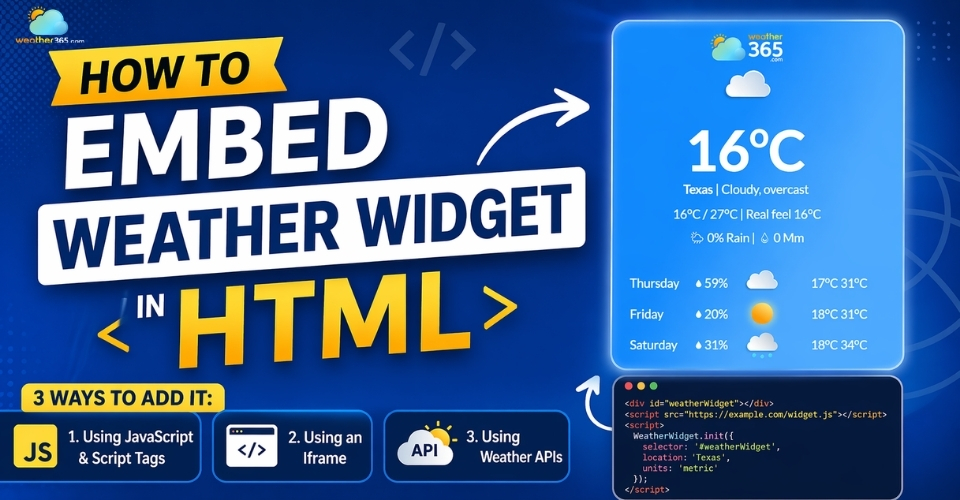
How to embed weather widget in HTML
- Requirements Before You Embed a Weather Widget
- How to Embed Weather Widget in HTML
- Using JavaScript & Script Tags
- Using an Iframe
- Using Weather APIs
- Example Code to Embed Weather Widget in HTML
- iFrame Example (Simple & Fast)
- Script-Based Widget Example
- Performance Optimization When Embedding Weather Widgets
Requirements Before You Embed a Weather Widget
Before you jump into copying and pasting code, it’s worth slowing down for a minute.
Most issues people run into: widgets not showing, looking broken, or slowing down the site usually come from skipping a few basic steps.
Getting these right from the start will save you a lot of time later.
-
Basic HTML knowledge
First, you don’t need to be a developer, but having basic HTML knowledge helps more than you might expect.
Understanding where to place a snippet (like inside div>) makes the whole process smoother and avoids layout issues.
-
Choosing a weather widget provider
Next comes choosing a weather widget provider. Not all widgets are built the same.
Some focus on quick embeds, while others offer deeper customization or more accurate data.
A good provider should give you stable performance, clear documentation, and options to adjust how the widget looks and behaves.
-
API key (if required)
Depending on the method you choose, you might also need an API key.
This is common when working with weather APIs instead of ready-made widgets.
It’s basically a way for the provider to track usage and deliver real-time data to your site.
For simple iframe widgets, you can usually skip this step, but for advanced setups, it’s essential.
-
Responsive design considerations
Don’t overlook responsive design. A widget that looks fine on desktop can easily break on mobile if it’s not set up properly.
Make sure it can resize, adapt to different screen sizes, and blend naturally with your layout.
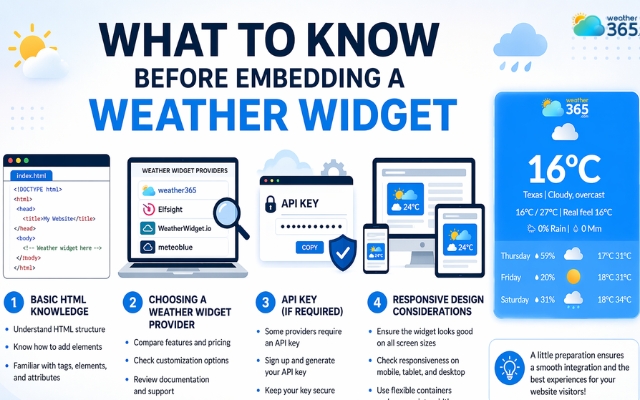
Several things to consider before getting a weather widget
If you’re still exploring the bigger picture of adding weather features to your site, you might want to check out our guide on how to add weather widget to website before diving into the embedding methods below.
How to Embed Weather Widget in HTML
Once everything is ready, the next step is choosing how you actually want to embed the widget.
There’s no single “best” method, it really depends on how much control you want and how comfortable you are with code.
Below are three common approaches, from simplest to more advanced.
Using JavaScript & Script Tags
This method is a good middle ground.
Most weather providers give you a script snippet that automatically loads the widget onto your page.
It feels more integrated than an iframe and usually allows some customization.
To get started:
-
Copy the script code provided by your weather widget provider
-
Paste it into your HTML file (usually before the closing tag)
-
Adjust basic settings like location or units if the script allows
This approach gives you more flexibility, but since it relies on external scripts, you’ll want to keep an eye on performance.
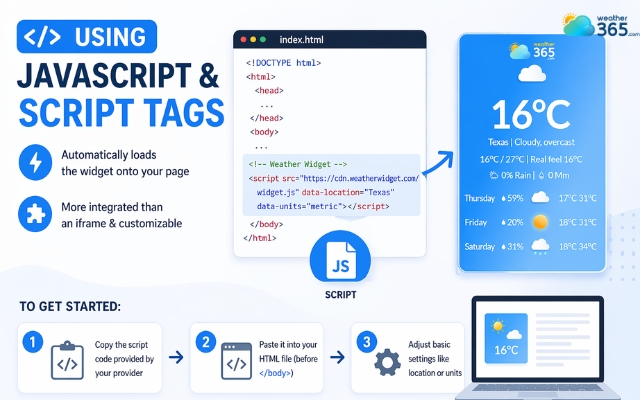
Using JavaScript & Script Tags gives you more flexibility
Using an Iframe
If you want the fastest and easiest solution, iframe is the way to go. It requires almost no technical setup and works well for simple websites.
Here’s how to do it:
-
Copy the iframe embed code from your chosen provider
-
Paste it into the exact spot in your HTML where you want the widget to appear
-
Adjust width and height attributes to fit your layout
It’s quick and reliable, but customization is limited. The widget may not fully match your website’s design.
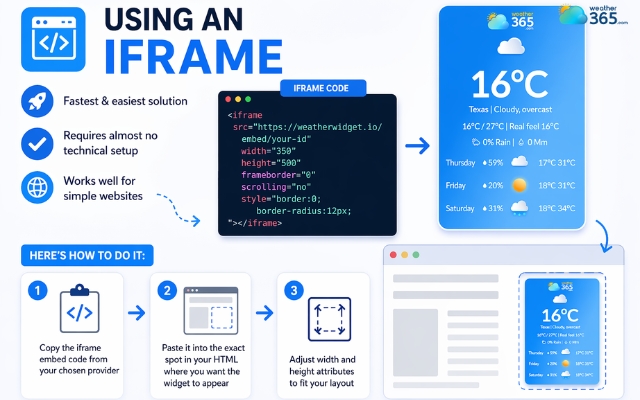
Using an Iframe is the easiest method
Using Weather APIs
This method is more advanced but gives you full control over how the weather data is displayed.
Instead of embedding a ready-made widget, you build your own using real-time data.
Basic steps include:
-
Sign up for a weather API and get your API key
-
Use JavaScript to fetch weather data from the API
-
Display the data using your own HTML and CSS layout
It takes more effort, but the result is cleaner, more flexible, and easier to optimize for performance and design.
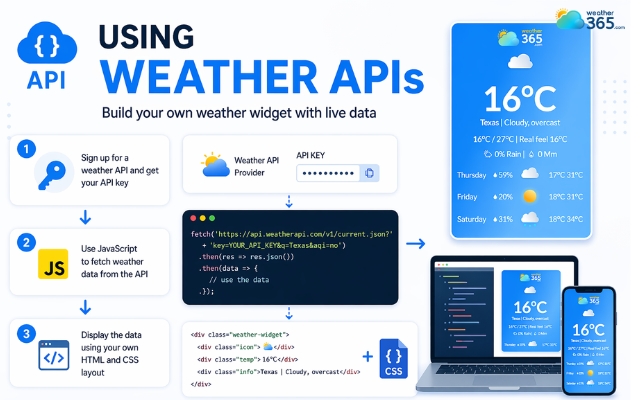
Using weather APIs is an advanced method
|
Method |
Ease of Use |
Customization |
Best For |
|
JavaScript |
High |
Limited to templates |
Blogs, personal sites |
|
IFrames |
Medium |
Fixed layout |
Interactive maps |
|
Custom API |
Low |
Unlimited |
Professional apps |
Example Code to Embed Weather Widget in HTML
Let’s look at how they actually work in practice. Seeing real code examples makes things much clearer!
iFrame Example (Simple & Fast)
This is the quickest way to get a weather widget live on your site. You don’t need to configure anything complicated, just embed the code and it works.
Script-Based Widget Example
If you want more flexibility, a script-based widget is a better option.
It allows you to control settings like location, units, or even appearance depending on the provider.
|
|
Both methods work well, but they serve different needs.
-
iFrame → easiest to use, minimal setup, but limited customization
-
Script-based → more flexible and better design control, but requires attention to performance
If you’re planning to scale your site or care about loading speed, it’s worth thinking beyond just “what works” and focusing on “what performs well.”
Explore weather widget performance optimization to understand how different embedding methods impact speed, user experience, and core web vitals.
Performance Optimization When Embedding Weather Widgets
It’s important to make sure that the weather widget does not slow down your site?
How?
Here are the key things to keep in mind:
-
Keep your widget lightweight
-
Match your site design
-
Limit third-party scripts
-
Use async and defer to avoid render-blocking
-
Lazy load widgets below the fold
-
Minimize API calls and script size
-
Improve Core Web Vitals (LCP, CLS, INP)
-
Security and compliance considerations
Be careful with widgets that collect user data without clear disclosure.
It’s better to choose providers that follow weather widget GDPR compliance standards to avoid privacy risks.
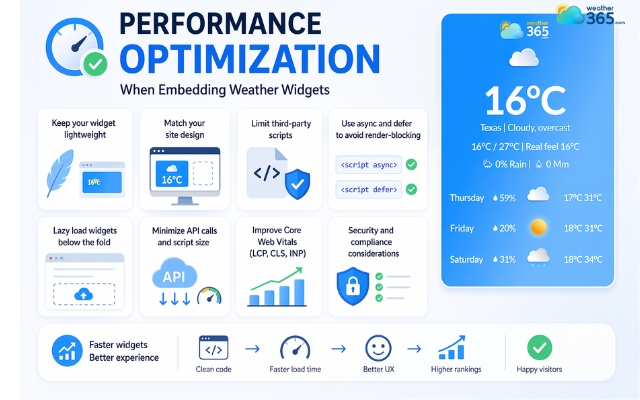
Optimize the weather widget performance
Sum up
Do you stuck in anywhere? If yes, leave us comment below so we can assist you right away. Hope you learn how to embed weather widget in HTML successfully. Choose the method that fits your needs, keep it lightweight, and your widget will run smoothly while blending naturally with your site.
Frequently Asked Questions (FAQs)
Related post
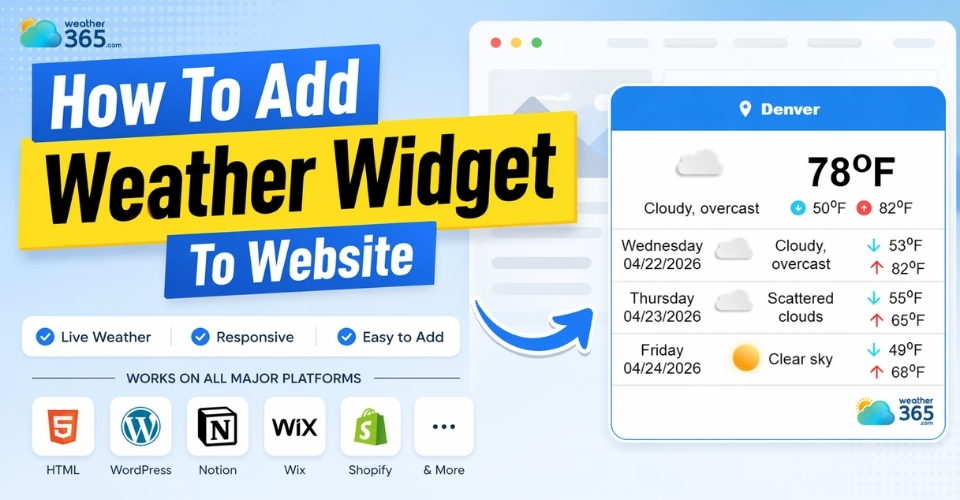
How To Add Weather Widget To Website: Simple Embed Guide for All Platforms
 1
1
 0
0
 4.8
4.8
 04/22/2026

0 Comment
Leave a comment
Your email address will not be published. Required fields are marked *